Business Templates Switzerland without VAT
Templates without VAT are ideal for managing the accounting of small businesses and professionals not subject to VAT. You work easily in tables, similar to Excel, where you can correct and edit entries. The models are based on the Swiss SME system of accounts (Sterchi, Mattle, Helbing), in compliance with the Swiss Code of Obligations (articles 957-963b CO).
VAT-free templates ready for your accounting needs
Banana Accounting Plus offers various pre-set accounting models suitable for different types of businesses and accounting skills.
If you have no accounting knowledge, you can choose the Cash Manager (Cashbook) model to manage cash inflows and outflows, or an Income/Expense template, which allows you to manage income and expenses across multiple accounts.
On the other hand, if you have accounting knowledge or work in the field, choose a double-entry accounting model tailored to your legal structure or business activity.
Easy and Quick Start
You can open the templates immediately with our WebApp by saving the file to your computer, or by downloading the program from our Download page.
Create your file:
- Using the File > File Properties command, set the period, the name of your company, and the base currency (you can create the budget and accounting in any currency)
- With the File > Save As command, save the file. It's helpful to include the company name and year in the file name. For example, "Rossi-SA-20xx.ac2."
WARNING: If you close the browser without saving, you will lose the entered data. Always save the file to your computer.
To reopen the saved file, click on File > Open. You can also double-click the file name on your computer.
Since the charts of accounts are already set up, you can immediately start recording transactions.
Once the transactions are recorded, you can generate professional reports and prints. Banana Accounting Plus offers multiple functions, from invoicing with the Swiss QR code to the automatic import of bank or postal transactions, including the counterpart.
Here are the most important features for businesses in detail:
- Create and print invoices with the Swiss QR code
- Import transactions from bank statements
- Set up Rules to store and automate the completion of entries imported from bank statements
- Manage cost centers, customisable according to your needs, to get specific details on certain accounts
- Create budgets and financial forecasts
- Print all the reports you need: Balance Sheets, Journals, Account Ledgers, VAT Reports, Open Invoices, and much more
Some features require a subscription to the Advanced plan of Banana Accounting Plus, such as using the new Rules features, temporary Row Filter, and Sort. Check out all the features of the Advanced plan.
Cash Manager (free) | Self-employed professional
In this article
Cash Manager (free) | Self-employed professional
Cash Manager (free) | Self-employed professional
Ideal cash model for accounting the cash inflows and outflows of a professional office. To maintain order, accuracy, and control over the cash, scan receipts into PDF and attach them directly to your file. Supporting documents are always at your fingertips without needing to search for the paper copies. You can view the various expense categories and payments made. You can also quickly create your forecast of inflows and outflows and know your liquidity situation in advance. Open the model from our WebApp or from the program and save the file to your computer.
Open in Banana WebApp
Run Banana Accounting Plus on your browser without any installation. Customize the template, enter the transactions and save the file on your computer.
Open template in WebAppTemplate documentation
The Banana Accounting Plus Cash Manager is a completely free application. It only takes a few simple steps to create your file.
Create your file
- Open the template with Banana Accounting Plus WebApp.
- Using the command File > File Properties, set the period, the name of your office, and the base currency (you can create the budget and accounting in any currency).
- With the command File > Save As, save the file. It's useful to include the name of your office and the year in the file name. For example, "Rossi-20xx.ac2."
ATTENTION: If you close the browser without saving, you will lose the entered data. Always save the file to your computer.
You can then consult all the information in our Documentation, particularly on the following web pages:
Template preview
Professional studio XX
Accounting 2024
Basic Currency: CHF
Cash Manager
| Group | Account | Description | Sum In |
|---|---|---|---|
| 1000 | Cash on hand | ||
| Group | Category | Description | Sum In |
|---|---|---|---|
| OPERATING RESULT | |||
| INCOME | |||
| 3400 | Services/Honoraria | 3 | |
| 3407 | Commissions | 3 | |
| 3620 | Various income | 3 | |
| 3 | TOTAL INCOME | 00 | |
| EXPENSES | |||
| 4090 | Discounts | 4 | |
| 5000 | Salaries employees | 4 | |
| 5482 | Representation expenses | 4 | |
| 5489 | Commissions | 4 | |
| 6000 | Rent | 4 | |
| 6100 | Cleaning and Upkeep | 4 | |
| 6210 | Fuel | 4 | |
| 6220 | Insurances | 4 | |
| 6280 | Shipping charges | 4 | |
| 6400 | Electricity, water, heating | 4 | |
| 6500 | Office supplies | 4 | |
| 6510 | Telephone | 4 | |
| 6640 | Transportation | 4 | |
| 4 | TOTAL EXPENSES | 00 | |
| 00 | TOTAL OPERATING RESULT | ||
Cash Manager (free) | Business
In this article
Cash Manager (free) | Business
Cash Manager (free) | Business
Model for easily managing all cash transactions. For cash outflows, you can quickly record all receipts and attach them in PDF format directly to the file. Just one click is needed to open the document. With the Budget feature, you can instantly create a forecast of your income and expenses to know your liquidity situation in advance. Open the model from our WebApp or the program and save the file to your computer.
Open in Banana WebApp
Run Banana Accounting Plus on your browser without any installation. Customize the template, enter the transactions and save the file on your computer.
Open template in WebAppTemplate documentation
The Banana Accounting Plus Cash Manager is a completely free application.
It is designed to manage the cash inflows and outflows of a small business. The file can also complement the main accounting file:
- Record all cash transactions in the file.
- At the end of each quarter (or a period of your choice), import the totals of categories and accounts into the main accounting file.
You will have the advantage of keeping all the details of cash transactions in a single file, while the main accounting file will only display the grouped totals by quarter or chosen period, streamlining the main accounting process.
Create your file
- Open the template with the Banana Accounting Plus WebApp.
- Using the command File > File Properties, set the period, the name of your business, and the base currency (you can create the budget and accounting in any currency).
- With the command File > Save As, save the file. It’s helpful to include the business name and the year in the file name. For example, "Cassa-Rossi-20xx.ac2".
WARNING: If you close the browser without saving, you will lose the entered data. Always save the file to your computer.
More information is available on the following pages:
Template preview
Shop XXX
Accounting 2024
Basic Currency: CHF
Cash Manager
| Group | Account | Description | Sum In |
|---|---|---|---|
| 1000 | Cash on hand | ||
| Group | Category | Description | Sum In |
|---|---|---|---|
| OPERATING RESULT | |||
| INCOME | |||
| 3000 | Income from sales | 3 | |
| 3090 | Discounts on sales | 3 | |
| 3400 | Income from services | 3 | |
| 3620 | Various Income | 3 | |
| 3 | TOTAL INCOME | 00 | |
| EXPENSES | |||
| 4000 | Purchases | 4 | |
| 4090 | Discounts | 4 | |
| 5000 | Salaries | 4 | |
| 5070 | Social contributions | 4 | |
| 5482 | Representation expenses | 4 | |
| 6000 | Rent | 4 | |
| 6040 | Cleaning expenses | 4 | |
| 6100 | Upkeep | 4 | |
| 6210 | Fuel | 4 | |
| 6220 | Insurances | 4 | |
| 6264 | Rental charges | 4 | |
| 6400 | Electricity | 4 | |
| 6410 | Gas | 4 | |
| 6420 | Heating | 4 | |
| 6430 | Water | 4 | |
| 6500 | Office supplies | 4 | |
| 6510 | Telephone & fax | 4 | |
| 6640 | Transportation | 4 | |
| 6840 | Postage | 4 | |
| 4 | TOTAL EXPENSES | 00 | |
| 00 | TOTAL OPERATING RESULT | ||
Business | Income & Expense accounting
In this article
Business | Income & Expense accounting
Business | Income & Expense accounting
Ideal model for managing the cash flow of a small business, an association, or for auxiliary accounting of projects. Simple and intuitive, based on income and expenses, neatly organized in columns. It can be used even without accounting knowledge. By viewing the Accounts and Categories table, you have everything under control with always up-to-date balances. Professional reports are always possible. Open the model from our WebApp, or from the program, and save the file on your computer.
Open in Banana WebApp
Run Banana Accounting Plus on your browser without any installation. Customize the template, enter the transactions and save the file on your computer.
Open template in WebAppTemplate documentation
The model, while having a simple and essential setup, still allows you to manage accounting professionally.
- You can customize the accounts and categories at any time, adapting it to your specific needs.
- The Accounts and Categories tables provide an immediate overview of the balances for each account and category, allowing you to maintain full control over your financial situation.
- By setting up the customer ledger, you can issue invoices to your clients with the added benefit of having them automatically recorded in your accounting.
- You can speed up the entry of transactions by importing bank data and using Rules: for each imported transaction, you enter a keyword (Rule) that completes all other elements of the transaction (counterparty, cost center...). On subsequent imports, whenever the program finds the keyword in the imported transaction, it completes it automatically, significantly reducing work time and minimizing the risk of errors.
Some features require a subscription to the Advanced plan of Banana Accounting Plus, such as using the new features of Rules, Filter, and Temporary Row Sorting. See all the features of the Advanced plan.
Create your file
- Open the template with the Banana Accounting Plus WebApp.
- Using the command File > File Properties, set the period, your company's name, and the base currency.
- Using the command File > Save As, save the file. It’s helpful to include your company's name and the year in the file name. For example, "Rossi-SA-20xx.ac2".
ATTENTION: If you close the browser without saving, you will lose the entered data. Always save the file to your computer.
In our documentation, you’ll find all the explanations on various topics to help you manage your accounting efficiently:
Template preview
Company XX
Accounting 2024
Basic Currency: CHF
Income & Expense accounting
| Group | Account | Description | Sum In |
|---|---|---|---|
| ESTATE | |||
| 1000 | Cash | 1 | |
| 1010 | Post office current account | 1 | |
| 1020 | Bank 1 | 1 | |
| 1100 | Credits | 1 | |
| 1176 | Withholding tax | 1 | |
| 2000 | Current liabilities short term | 1 | |
| 2400 | Liabilities long term | 1 | |
| 1 | NET ESTATE | ||
| Group | Category | Description | Sum In |
|---|---|---|---|
| OPERATING RESULT | |||
| INCOME | |||
| 3400 | Earnings from services rendered | 3 | |
| 3620 | Other income | 3 | |
| 6950 | Financial revenue | 3 | |
| 3 | TOTAL INCOME | 00 | |
| EXPENSES | |||
| 5000 | Salaries | 4 | |
| 5700 | Social contributions | 4 | |
| 5720 | Contribution to pension funds | 4 | |
| 5730 | Insurance of personnel | 4 | |
| 5820 | Travel expenses-conferences and trainings | 4 | |
| 5850 | Other costs and expenses | 4 | |
| 5900 | Temporary staff | 4 | |
| 5901 | Subcontracting | 4 | |
| 6000 | Rental | 4 | |
| 6100 | Cost of maintenance | 4 | |
| 6200 | Motor vehicle expenses | 4 | |
| 6300 | Car insurance premiums | 4 | |
| 6402 | Electricity | 4 | |
| 6410 | Heating expenses | 4 | |
| 6430 | Water | 4 | |
| 6460 | Garbage | 4 | |
| 6500 | Office supplies | 4 | |
| 6510 | Telephone | 4 | |
| 6600 | Advertising | 4 | |
| 6800 | Depreciation and value adjustments of fixed assets | 4 | |
| 6900 | Financial costs | 4 | |
| 8900 | Taxes | 4 | |
| 4 | TOTAL EXPENSES | 00 | |
| 00 | OPERATING RESULT | ||
Freelance | Income & Expense accounting
In this article
Freelance | Income & Expense accounting
Freelance | Income & Expense accounting
Template to easily and quickly manage the income and expenses of your professional practice. Even if you have no accounting knowledge, this template allows you to maintain your accounts like a professional. Automatically generate Balance Sheets, Income and Expense Reports, cost centers, and segments. You can attach digital documents, such as invoices and receipts, directly to the accounting entry and have them readily available. With the transaction import feature from bank statements and the application of Rules, your accounting is completed in no time. Open the template from our WebApp or the program, and save the file to your computer.
Open in Banana WebApp
Run Banana Accounting Plus on your browser without any installation. Customize the template, enter the transactions and save the file on your computer.
Open template in WebAppTemplate documentation
The Income and Expense Accounting module of Banana Accounting Plus allows you to manage your income and expenses across multiple accounts in a simple, fast, and professional way. While intuitive to use, it delivers professional-level results, as it is based on the same calculation engine as double-entry bookkeeping. This means you can easily generate balance sheets, income and expense reports, and manage cost and profit centers, segments, financial forecasts, and much more.
In the Accounts table, you will find the accounts to manage your resources (cash, equipment, clients, etc.), while in the Categories table, all income and expenses are categorized by item.
Certain functions require a subscription to the Advanced Plan of Banana Accounting Plus, such as the use of new features like Rules, Filter, and Temporary Row Sorting. Discover all the features included in the Advanced Plan.
- Open the template using the WebApp of Banana Accounting.
- Use the File > File Properties command to set the period, the name of your professional practice, and the base currency (you can create budgets and accounting in any currency).
- Use the File > Save As command to save your file. It’s a good idea to include your practice’s name and the year in the file name. For example: Studio Rossi-SA-20xx.ac2.
WARNING: If you close your browser without saving, the data you entered will be lost. Always save the file on your computer.
Quickly Enter Transactions
- Import transactions from your bank, postal, or credit card statements.
- Reminders: Send reminders for overdue payments.
- Reports: Track due dates and payment statuses.
Create Invoices and Track Deadlines
In our Documentation, you’ll find detailed explanations on various topics to help you optimize your accounting:
Template preview
Professional Studio XX
Accounting 2024
Basic Currency: CHF
Income & Expense accounting
| Group | Account | Description | Sum In |
|---|---|---|---|
| ESTATE | |||
| 1000 | Cash | 1 | |
| 1010 | Post office current account | 1 | |
| 1020 | Bank current account | 1 | |
| 1100 | Credits | 1 | |
| 1176 | Withholding tax | 1 | |
| 1510 | Office furniture | 1 | |
| 1520 | Office machines | 1 | |
| 2000 | Current liabilities short term | 1 | |
| 2400 | Liabilities long term | 1 | |
| 1 | NET ESTATE |
| Group | Category | Description | Sum In |
|---|---|---|---|
| OPERATING RESULT | |||
| INCOME | |||
| 3400 | Services/Honoraria | 3 | |
| 3407 | Commissions | 3 | |
| 3680 | Various income | 3 | |
| 3 | TOTAL INCOME | 00 | |
| EXPENSES | |||
| 4090 | Discounts | 4 | |
| 5000 | Salaries employees | 4 | |
| 5700 | Contribution to old age insurance and unemployment | 4 | |
| 5800 | Other personnel expenses | 4 | |
| 6000 | Rent | 4 | |
| 6100 | Cleaning and Upkeep | 4 | |
| 6210 | Fuel | 4 | |
| 6280 | Shipping charges | 4 | |
| 6300 | Insurances | 4 | |
| 6402 | Electricity | 4 | |
| 6410 | Heating expenses | 4 | |
| 6430 | Water | 4 | |
| 6460 | Garbage | 4 | |
| 6500 | Office supplies | 4 | |
| 6510 | Telephone | 4 | |
| 6640 | Transportation | 4 | |
| 6800 | Depreciation and value adjustments of fixed assets | 4 | |
| 6900 | Financial costs | 4 | |
| 8900 | Taxes | 4 | |
| 4 | TOTAL EXPENSES | 00 | |
| 00 | TOTAL OPERATING RESULT | ||
Accounting for sole proprietorship (chart of accounts SME) | Double-entry accounting
In this article
Accounting for sole proprietorship (chart of accounts SME) | Double-entry accounting
Accounting for sole proprietorship (chart of accounts SME) | Double-entry accounting
This template features an SME chart of accounts, structured with subdivisions of accounts into various subtotal groups and general total groups. It follows a step-by-step format, allowing you to view the composition of the financial result even at intermediate stages. Numerous functions enable faster entry of transactions and automatically generate account ledgers, journals, balance sheets, and income statements. Open the template from our WebApp or directly from the program and save the file to your computer.
Open in Banana WebApp
Run Banana Accounting Plus on your browser without any installation. Customize the template, enter the transactions and save the file on your computer.
Open template in WebAppTemplate documentation
Template with SME Chart of Accounts, compliant with the rules established in the Swiss Code of Obligations (Art. 957 and following). Ideal for managing the accounting of a business with an annual turnover of at least CHF 500,000.
- You can customize the accounts to suit your specific needs.
- To streamline data entry, you can use bank data import with the Rules feature: for each imported transaction, you assign a keyword (Rule) and complete all other fields of the record (e.g., counterpart, cost center). For subsequent imports, the program automatically completes the record whenever it detects the keyword in the imported data, significantly reducing work time and minimizing errors.
Many automation features, such as bank data import with Rules, filtering, and other advanced functions, are available exclusively in the Advanced plan of Banana Accounting Plus.
Create Your File
- Open the template using the Banana Accounting Plus WebApp.
- Use the command File > File Properties to set the period, your company name, and the base currency (you can manage your budget and accounting in any currency).
- Use the command File > Save As to save the file. It's helpful to include the company name and year in the file name, e.g., "Rossi-SA-20xx.ac2".
IMPORTANT: If you close your browser without saving, any entered data will be lost. Always save the file to your computer.
In our Documentation, you’ll find all the details and guidance needed to manage your accounting effectively:
Template preview
Company XXX
Accounting 2025
Basic Currency: CHF
Double-entry
| Group | Account | Description | Sum In | Gr1 |
|---|---|---|---|---|
| BALANCE SHEET | ||||
| ASSETS | ||||
| 1000 | Cash on hand | 100 | ||
| 1020 | Bank account | 100 | ||
| 100 | Cash and cash equivalents | 10 | 1 | |
| 1060 | Bonds and stocks | 106 | ||
| 106 | Short-term Assets listed in Stock Exchange | 10 | ||
| 1090 | Internal transfers | 109 | ||
| 1091 | Transfer account for salaries | 109 | ||
| 1099 | Amounts to be clarified | 109 | ||
| 109 | Transfer accounts | 10 | ||
| 1100 | Due from Clients or Debtors | 110 | ||
| 1109 | Provision for Doubtful Debts | 110 | ||
| 110 | Accounts receivable | 10 | ||
| 1140 | Advances and loans | 114 | ||
| 1176 | Withholding tax | 114 | ||
| 1180 | Receivables from social insurances and social security institutions | 114 | ||
| 1188 | Source tax | 114 | ||
| 1190 | Various short-term receivables | 114 | ||
| 1199 | Securities | 114 | ||
| 114 | Other short-term receivables | 10 | ||
| 1200 | Goods for resale | 120 | ||
| 1210 | Raw materials | 120 | ||
| 1220 | Auxiliary material | 120 | ||
| 1230 | Consumables | 120 | ||
| 1260 | Finished products | 120 | ||
| 1270 | In-process products | 120 | ||
| 1280 | Non-invoiced services | 120 | ||
| 120 | Inventories | 10 | 1 | |
| 1300 | Prepaid expenses | 130 | ||
| 1301 | Accrued income | 130 | ||
| 130 | Prepaid Expenses | 10 | 1 | |
| 10 | Current assets | 1 | 1 | |
| 1400 | Bonds and stocks | 140 | ||
| 1440 | Loans | 140 | ||
| 140 | Financial assets | 14 | ||
| 1480 | Investments | 148 | ||
| 148 | Investments | 14 | ||
| 1500 | Machinery | 150 | ||
| 1510 | Office furniture and equipment | 150 | ||
| 1520 | Office machinery, information and communication technology | 150 | ||
| 1530 | Motor vehicles | 150 | ||
| 1540 | Tools and equipment | 150 | ||
| 150 | Tangible assets | 14 | ||
| 1600 | Commercial buildings | 160 | ||
| 160 | Tangible fixed asset management | 14 | ||
| 14 | Fixed Assets | 1 | ||
| 1 | Total Assets | 00 | ||
| LIABILITIES | ||||
| 2000 | Suppliers or creditors | 200 | ||
| 2030 | Deposits received | 200 | ||
| 200 | Suppliers or creditors | 20 | 1 | |
| 2100 | Due to banks short/term | 210 | ||
| 2120 | Financial leasing commitments | 210 | ||
| 2140 | Other onerous debts | 210 | ||
| 210 | Short-term onorous debts | 20 | ||
| 2206 | Withholding tax | 220 | ||
| 2208 | Direct taxes | 220 | ||
| 2210 | Other short-term debts | 220 | ||
| 2270 | Social insurances and social security institutions | 220 | ||
| 2279 | Source tax | 220 | ||
| 220 | Other short-term debts | 20 | ||
| 2300 | Accrued expenses | 230 | ||
| 2301 | Next year's revenues collected | 230 | ||
| 2330 | Short-term provisions | 230 | ||
| 230 | Accruals and deferred income | 20 | ||
| 20 | Short-term third party capital | 2A | ||
| 2400 | Due to banks | 240 | ||
| 2420 | Financial leasing commitments | 240 | ||
| 2430 | Debenture loans | 240 | ||
| 2450 | Loans | 240 | ||
| 2451 | Mortgage | 240 | ||
| 240 | Long-term onorous debts | 24 | ||
| 2500 | Other long-term debts (non-onorous) | 250 | ||
| 250 | Other long-term debts | 24 | ||
| 2600 | Provisions | 260 | ||
| 260 | Provisions and similar statutory posts | 24 | ||
| 24 | Long-term third party capital | 2A | ||
| 2A | Third party capital | 2 | ||
| 2800 | Equity at the beginning of the financial year | 28 | ||
| 2850 | Private account | 28 | ||
| 2970 | Profit / Loss for the year | 28 | ||
| 2891 | Profit/loss for the period | 28 | ||
| 28 | Equity | 2 | ||
| 2 | Total liabilities | 00 | 1 | |
| PROFIT & LOSS STATEMENT | ||||
| 3000 | Earnings from own products | 30 | ||
| 3200 | Earnings from resale | 30 | ||
| 3400 | Earnings from services rendered | 30 | ||
| 3600 | Other revenues and services | 30 | ||
| 3710 | Own consumption | 30 | ||
| 3800 | Decrease in revenues | 30 | ||
| 3805 | Losses on accounts receivable, credit variation | 30 | ||
| 30 | Net revenues from supplies and services | 3 | ||
| 3900 | Change in inventories of in-process products | 39 | ||
| 3901 | Change in inventories of finished products | 39 | ||
| 3940 | Non-invoiced services variations | 39 | ||
| 39 | Change in inventories and Non-invoiced services | 3 | ||
| 3 | Revenues from supplies and services | E1 | ||
| 4000 | Raw materials | 4 | ||
| 4200 | Expenses for goods for resale | 4 | ||
| 4400 | Third party expenses | 4 | ||
| 4500 | Energy consumption for production | 4 | ||
| 4900 | Reduction of costs | 4 | ||
| 4 | Costs for material, goods, services and energy | E1 | ||
| E1 | Gross operating result after deducting costs for materials and goods | E2 | ||
| 5000 | Salaries | 5 | ||
| 5700 | Contribution to old age insurance and unemployment | 5 | ||
| 5710 | Family equalization fund | 5 | ||
| 5720 | Contribution to pension funds | 5 | ||
| 5730 | Contribution to accident insurance | 5 | ||
| 5740 | Contribution to voluntary daily benefits insurance | 5 | ||
| 5790 | Source tax | 5 | ||
| 5800 | Other personnel expenses | 5 | ||
| 5810 | Training of personnel | 5 | ||
| 5820 | Travel and entertainment expenses effective | 5 | ||
| 5830 | Travel and entertainment expense allowance | 5 | ||
| 5900 | Temporary staff | 5 | ||
| 5 | Personnel expenses | E2 | ||
| E2 | Gross operating result after deducting personnel expenses | E3 | ||
| 6000 | Rental | 60 | ||
| 6040 | Cleaning of facilities | 60 | ||
| 60 | Rental | 6 | ||
| 6100 | Maintenance, repairs and replacement of tangible assets | 61 | ||
| 6105 | Leasing costs tangible assets | 61 | ||
| 61 | Maintenance, repairs and replacement of tangible assets | 6 | ||
| 6200 | Repairs | 62 | ||
| 6210 | Fuel | 62 | ||
| 6220 | Car insurance | 62 | ||
| 6260 | Car leasing and rental | 62 | ||
| 6270 | Car costs - private part | 62 | ||
| 6282 | Transportation expenses | 62 | ||
| 62 | Vehicle and transportation expenses | 6 | ||
| 6300 | Insurance for damage of items | 63 | ||
| 63 | Insurance for damage of items | 6 | ||
| 6402 | Electricity | 64 | ||
| 6410 | Heating expenses | 64 | ||
| 6430 | Water | 64 | ||
| 6460 | Garbage | 64 | ||
| 64 | Energy and disposal costs | 6 | ||
| 6500 | Office supplies | 65 | ||
| 6503 | Technical magazines, newspapers, periodicals | 65 | ||
| 6510 | Telephone / internet | 65 | ||
| 6511 | Hosting at third-party | 65 | ||
| 6513 | Postal charges | 65 | ||
| 6570 | IT charges including leasing | 65 | ||
| 6580 | Licenses and updates | 65 | ||
| 6583 | Consumables | 65 | ||
| 65 | Administrative and IT costs | 6 | ||
| 6600 | Advertising | 66 | ||
| 6642 | Gifts to customers | 66 | ||
| 66 | Advertising | 6 | ||
| 6700 | Various costs for the financial year | 67 | ||
| 67 | Various costs for the financial year | 6 | ||
| 6 | Other operating expenses, depreciation, value adjustments and financial results | E3 | ||
| E3 | Operating result before depreciation and value adjustments, financial results and taxes (EBITDA) | E4 | ||
| 6800 | Depreciation and value adjustments of fixed assets | 68 | ||
| 68 | Depreciation and value adjustments of fixed assets | E4 | ||
| E4 | Operating result before financial results and taxes (EBIT) | E5 | ||
| 6900 | Costs for bank interest | 69 | ||
| 6940 | Bank costs | 69 | ||
| 6950 | Financial revenue | 69 | ||
| 69 | Financial costs and revenue | E5 | ||
| E5 | Operating result before taxes (EBT) | E6 | ||
| 7000 | Non-operating revenue | 7 | ||
| 7010 | Non-operating costs | 7 | ||
| 7500 | Corporate real estate revenues | 7 | ||
| 7510 | Corporate real estate costs | 7 | ||
| 7 | Non-operating items | E6 | ||
| 8000 | Extraneous costs | 8 | ||
| 8100 | Extraneous revenue | 8 | ||
| 8500 | Extraordinary, unique costs or costs relating to other accounting periods | 8 | ||
| 8510 | Extraordinary, unique revenue or revenue relating to other accounting periods | 8 | ||
| 8 | Results of extraneous, extraordinary or unique character, or for other accounting periods | E6 | ||
| E6 | Profit or loss before taxes | E7 | ||
| 8900 | Direct taxes | 89 | ||
| 89 | Direct taxes | E7 | ||
| E7 | Annual profit or loss | 2891 | ||
| 00 | Difference should be = 0 (blank cell) | |||
| 1 | ||||
| COST CENTERS | ||||
| .PAC | Packaging A | INV | ||
| .RM | Raw materials A | INV | ||
| .AM | Auxiliairy materials A | INV | ||
| INV | Total inventories | |||
| ,MAN1 | Maintenance 1 | MAN | ||
| ,MAN2 | Maintenance 2 | MAN | ||
| ,MAN3 | Maintenance 3 | MAN | ||
| MAN | Total maintenance | |||
| ;PB1 | Publicity 1 | PU | ||
| ;PB2 | Publicity 2 | PU | ||
| PU | Total publicity | |||
Small businesses with a maximum turnover of CHF 500,000 | Double-entry accounting | Without subgroups
In this article
Small businesses with a maximum turnover of CHF 500,000 | Double-entry accounting | Without subgroups
Small businesses with a maximum turnover of CHF 500,000 | Double-entry accounting | Without subgroups
The template is ideal for accounting with an annual turnover below CHF 500,000. The structure of the chart of accounts is very simple, with accounts summarized in the main groups (assets, liabilities, costs, and revenues) and without subdivisions into subgroups. At the end of the chart of accounts, three cost centers are set up, which can be customized to meet your needs. Once transactions are entered, the program automatically generates account ledgers, journals, balance sheets, and income statements. There are many features to speed up transaction entry, including saved rows and bank data import using Rules. Open the template from our WebApp or directly from the program, and save the file to your computer.
Open in Banana WebApp
Run Banana Accounting Plus on your browser without any installation. Customize the template, enter the transactions and save the file on your computer.
Open template in WebAppTemplate documentation
The program includes numerous features to work efficiently and achieve professional results:
- Import bank statement data for quick and accurate transaction entry.
- Create and print invoices with the Swiss QR code by simply setting up the customer subledger with cost center CC3.
- Set up Rules to save and automate the completion of imported transactions from bank statements.
- Manage cost centers, customizable to your needs, for detailed insights into specific accounts.
- Create budgets and financial forecasts to anticipate cash flow evolution, plan for investments, and simulate profitability.
- Print all the reports you need: Balance sheets, journals, account ledgers, VAT reports, open invoices, and much more.
Many automation features, such as bank data import with Rules, filtering, and other advanced functions, are available exclusively in the Advanced plan of Banana Accounting Plus.
Create Your File
- Open the template using the Banana Accounting Plus WebApp.
- Use the command File > File Properties to set the period, your company name, and the base currency (you can manage your budget and accounting in any currency).
- Use the command File > Save As to save the file. It's helpful to include the company name and year in the file name, e.g., "Rossi-SA-20xx.ac2".
IMPORTANT: If you close your browser without saving, any entered data will be lost. Always save the file to your computer.
In our Documentation, you’ll find all the details and guidance needed to manage your accounting effectively:
Invoice tutorial, revenue accounting | Double-entry accounting
In this article
Invoice tutorial, revenue accounting | Double-entry accounting
Invoice tutorial, revenue accounting | Double-entry accounting
This tutorial shows the innovative method of Banana Accounting Plus to create invoices (in this case, without VAT). To test all the features, open this file, enter your clients' data in the Accounts table, and record the invoice items in the Transactions table, then proceed with printing. By entering both the Debit and Credit accounts, the invoice will automatically be recorded in the accounting system. Open the template from our WebApp or from the program and save the file to your computer.
Open in Banana WebApp
Run Banana Accounting Plus on your browser without any installation. Customize the template, enter the transactions and save the file on your computer.
Open tutorial in WebAppTemplate documentation
A simple and brief chart of accounts tutorial, in which we provide examples of transactions to create invoices without VAT. The file also includes the Items table, where you can enter data for the items or services to be invoiced. The data entered in the Items table is automatically retrieved in the Transactions table.
If you want to test the invoice printing functions with QR code, you can start with this template.
Create the file and test the Invoice features.
Open the tutorial with the Banana Accounting WebApp. - Use the command File > File Properties to set the period, your company's name, and the base currency.
- With the command File > Save As, save the file, for example, as "Rossi-SA-20xx.ac2".
- In the Accounts table, enter the details of one of your clients. In the Addresses view, you can complete the information with the full address, country code, and the client's language.
- In the Items table, input the data for your products or services to be invoiced.
- In the Transactions table, you'll find examples of transactions covering various invoicing scenarios. You can delete the rows and enter the details of your invoice. By entering the Debit and Credit accounts, the invoice is simultaneously recorded in the accounting system.
- Select the menu Reports > Customers > Print Invoices, and click OK to preview the documents.
- To explore the different available print templates, consult the Invoice Layouts pages.
- For customizing invoices, refer to the page Advanced Entry - Type Column.
You can find all the information on creating and printing invoices with a QR code on the page Create and Print Invoices with Swiss QR Code.
WARNING: If you close the browser without saving, you will lose the entered data. Always save the file to your computer.
To reopen the saved file, click on File > Open
Additional Resources
- Import data from bank statements
- Set up Rules to store and automate the completion of entries imported from bank statements
- Manage cost centers, customisable to suit your needs for detailed insights into specific accounts
- Create budgets and financial forecasts
- Print all the reports you need: Balance Sheets, Journal, Account Ledgers, VAT Statements, Open Invoices, and much more
For some features, a subscription to the Advanced plan of Banana Accounting Plus is required. For example, this includes using the new features like Rules, Temporary Row Filter, and Sort. Check out all the features available in the Advanced plan.
Template preview
Invoices 2025
Basic Currency: CHF
Double-entry
| Group | Account | Description | Sum In |
|---|---|---|---|
| BALANCE SHEET | |||
| Assets | |||
| 1020 | Bank account | 1 | |
| 10 | Customers ledger | 1 | |
| 1 | Total assets | 00 | |
| Liabilities | |||
| 20 | Suppliers ledger | 2 | |
| 297 | Annual profit or loss | 2 | |
| 2 | Total liabilities | 00 | |
| PROFIT & LOSS STATEMENT | |||
| Revenues & Expenses | |||
| 3000 | Revenues from product A | 4 | |
| 3001 | Revenues from product B | 4 | |
| 3400 | Revenue from services | 4 | |
| 3600 | Other revenues | 4 | |
| 3800 | Discounts | 4 | |
| 4 | Total Revenue & Expenses | 02 | |
| 02 | Profit/Loss for Profit & Loss Statement | 297 | |
| 00 | Difference should be = 0 (blank cell) | ||
| CUSTOMERS LEDGER | |||
| 1100 | Customer A | DEB | |
| 1101 | Customer B | DEB | |
| 1102 | Customer C | DEB | |
| 1103 | Customer D | DEB | |
| 1104 | Customer E | DEB | |
| DEB | Total | 10 | |
| SUPPLIERS LEDGER | |||
| 200001 | Supplier A | SUP | |
| 200002 | Supplier B | SUP | |
| 200003 | Supplier C | SUP | |
| 200004 | Supplier D | SUP | |
| 200005 | Supplier E | SUP | |
| SUP | Total | 20 | |
| Group | Item | Description | Sum In |
|---|---|---|---|
| A00 | Oak chair | 1 | |
| B00 | Oak table | 1 | |
| C00 | Assembly | 1 | |
| 1 | Total | ||
Legal entities, SME, Accounts Receivable/Payable | Double-entry accounting
In this article
Legal entities, SME, Accounts Receivable/Payable | Double-entry accounting
Legal entities, SME, Accounts Receivable/Payable | Double-entry accounting
Turnover-Based Accounting Model for an SA or Sagl Without VAT Obligation. Many automation features significantly reduce working time while delivering professional results. With the automated import of data from bank statements and the Rules, you can enter transactions without errors. The customer and supplier ledger is already set up to create invoices with or without the Swiss QR code, send reminders, and generate reports to monitor deadlines. You can make forecasts, obtain the Balance Sheet and Income Statement, Account Cards, Journal, and many other reports. If you need more detailed information for a sector, branch, or product, you can set up cost/profit centers or adopt segments. Open the model from our WebApp or directly from the program and save the file to your computer.
Open in Banana WebApp
Run Banana Accounting Plus on your browser without any installation. Customize the template, enter the transactions and save the file on your computer.
Open template in WebAppTemplate documentation
Ideal model for managing the accounting of an SA or Sagl without VAT obligation and with an annual turnover equal to or exceeding CHF 500,000. The chart of accounts is structured according to the SME framework and includes the customer/supplier ledger, suitable for those managing accounting based on turnover.
- In the Accounts table, at the end of the chart of accounts, you will find the customer and supplier ledger set up with accounts linked to assets and liabilities, respectively; therefore, the balances will appear in the Balance Sheet.
- All customer and supplier invoices are recorded at the time of issuance and receipt.
Create your File
- Open the template using the Banana Accounting Plus WebApp.
- Use the command File > File Properties to set the period, your company name, and the base currency (you can manage your budget and accounting in any currency).
- Use the command File > Save As to save the file. It's helpful to include the company name and year in the file name, e.g., "Rossi-SA-20xx.ac2".
IMPORTANT: If you close your browser without saving, any entered data will be lost. Always save the file to your computer.
To reopen the saved file, click on File > Open.
- Create invoices to send to customers by using the customer account in the Debit column and the revenue account in the Credit column. This way, the invoice will already be recorded and integrated into your accounting file.
- Record invoices received from suppliers, including scanning QR codes, and create payment orders (pain.001). Pain.001 files are XML messages containing payment details that can be sent to financial institutions supporting this format. More information: Payment orders with pain.001 (available only with the Advanced plan).
- Import all transactions from bank, postal, or credit card statements using Rules for fully automated recordings (available only with the Advanced plan).
- Manage cost centers to obtain detailed insights into specific accounts.
- Create budgets and financial forecasts to monitor cash flow, ensure you can meet future obligations, predict revenues and expenses, and evaluate different scenarios to assess your company’s profitability.
- Print all the reports you need: Balance Sheets, Journal, Account Cards, Open Invoices, and much more.
Some features require a subscription to the Advanced plan of Banana Accounting Plus, such as using the new features Rules, Filter, and Temporary Row Sorting. For more details, check out all the features of the Advanced plan.
In our Documentation, you will find many insights to help you manage accounting like a professional:
Template preview
Company XXX
Accounting 202024
Basic Currency: CHF
Double-entry
| Group | Account | Description | Sum In | Gr1 |
|---|---|---|---|---|
| BALANCE SHEET | ||||
| ASSETS | ||||
| 1000 | Cash on hand | 100 | ||
| 1020 | Bank account | 100 | ||
| 100 | Cash and cash equivalents | 10 | 1 | |
| 1060 | Bonds and stocks | 106 | ||
| 106 | Short-term Assets listed in Stock Exchange | 10 | ||
| 1090 | Internal transfers | 109 | ||
| 1091 | Transfer account for salaries | 109 | ||
| 1099 | Amounts to be clarified | 109 | ||
| 109 | Transfer accounts | 10 | ||
| 1100 | Due from Clients or Debitors | 110 | ||
| 1109 | Provision for Doubtful Debts | 110 | ||
| 110A | Clients or Debtors | 110 | ||
| 110 | Accounts receivable | 10 | ||
| 1140 | Advances and loans | 114 | ||
| 1176 | Withholding tax | 114 | ||
| 1180 | Receivables from social insurances and social security institutions | 114 | ||
| 1188 | Source tax | 114 | ||
| 1190 | Various short-term receivables | 114 | ||
| 1199 | Securities | 114 | ||
| 114 | Other short-term receivables | 10 | ||
| 1200 | Goods for resale | 120 | ||
| 1210 | Raw materials | 120 | ||
| 1220 | Auxiliary material | 120 | ||
| 1230 | Consumables | 120 | ||
| 1260 | Finished products | 120 | ||
| 1270 | In-process products | 120 | ||
| 1280 | Non-invoiced services | 120 | ||
| 120 | Inventories | 10 | 1 | |
| 1300 | Prepaid expenses | 130 | ||
| 1301 | Accrued income | 130 | ||
| 130 | Prepaid Expenses | 10 | 1 | |
| 10 | Current assets | 1 | 1 | |
| 1400 | Bonds and stocks | 140 | ||
| 1440 | Loans | 140 | ||
| 1460 | Loan to share-holder | 140 | ||
| 140 | Financial assets | 14 | ||
| 1480 | Investments | 148 | ||
| 148 | Investments | 14 | ||
| 1500 | Machinery | 150 | ||
| 1510 | Office furniture and equipment | 150 | ||
| 1520 | Office machinery, information and communication technology | 150 | ||
| 1530 | Motor vehicles | 150 | ||
| 1540 | Tools and equipment | 150 | ||
| 150 | Tangible assets | 14 | ||
| 1600 | Commercial buildings | 160 | ||
| 160 | Tangible fixed asset management | 14 | ||
| 1700 | Patents, know-how, licences, rights and development | 170 | ||
| 1710 | Brands | 170 | ||
| 1712 | Models | 170 | ||
| 1770 | Goodwill | 170 | ||
| 170 | Intangible fixed assets | 14 | ||
| 1850 | Share capital, rights not paid or non-paid Foundation capital | 180 | ||
| 180 | Capital or non-paid Foundation capital | 14 | ||
| 14 | Fixed Assets | 1 | ||
| 1 | Total Assets | 00 | ||
| LIABILITIES | ||||
| 2000 | Suppliers or creditors | 200 | ||
| 2030 | Deposits received | 200 | ||
| 200A | Suppliers or creditors | 200 | ||
| 200 | Suppliers or creditors | 20 | 1 | |
| 2100 | Due to banks short/term | 210 | ||
| 2120 | Financial leasing commitments | 210 | ||
| 2140 | Other onerous debts | 210 | ||
| 210 | Short-term onorous debts | 20 | ||
| 2206 | Withholding tax | 220 | ||
| 2208 | Direct taxes | 220 | ||
| 2210 | Other short-term debts | 220 | ||
| 2260 | Due to share-holders | 220 | ||
| 2261 | Dividends | 220 | ||
| 2270 | Social insurances and social security institutions | 220 | ||
| 2279 | Source tax | 220 | ||
| 220 | Other short-term debts | 20 | ||
| 2300 | Accrued expenses | 230 | ||
| 2301 | Next year's revenues collected | 230 | ||
| 2330 | Short-term provisions | 230 | ||
| 230 | Accruals and deferred income | 20 | ||
| 20 | Short-term third party capital | 2A | ||
| 2400 | Due to banks | 240 | ||
| 2420 | Financial leasing commitments | 240 | ||
| 2430 | Debenture loans | 240 | ||
| 2450 | Loans | 240 | ||
| 2451 | Mortgage | 240 | ||
| 240 | Long-term onorous debts | 24 | ||
| 2500 | Other long-term debts (non-onorous) | 250 | ||
| 250 | Other long-term debts | 24 | ||
| 2600 | Provisions | 260 | ||
| 260 | Provisions and similar statutory posts | 24 | ||
| 24 | Long-term third party capital | 2A | ||
| 2A | Third party capital | 2 | ||
| 2800 | Share capital, rights, foundation capital | 280 | ||
| 280 | Capital or capital of the foundation | 28 | ||
| 2900 | Legal reserves | 290 | ||
| 2940 | Revaluation reserves | 290 | ||
| 290 | Legal reserves | 28 | ||
| 2950 | Legal reserve from profit | 295 | ||
| 295 | Legal reserve from profit | 28 | ||
| 2960 | Optional reserves from profit | 296 | ||
| 296 | Optional reserves from profit | 28 | ||
| 2970 | Profit / Loss carried forward | 297 | ||
| 29A | Profit / Loss for the year | 297 | ||
| 297 | Profit / Loss from Balance Sheet | 28 | ||
| 2980 | Treasury stock, shares, rights of investment (negative) | 298 | ||
| 298 | Treasury stock, shares, rights of investment (negative) | 28 | ||
| 28 | Equity | 2 | ||
| 2 | Total liabilities | 00 | 1 | |
| PROFIT & LOSS STATEMENT | ||||
| 3000 | Earnings from own products | 30 | ||
| 3200 | Earnings from resale | 30 | ||
| 3400 | Earnings from services rendered | 30 | ||
| 3600 | Other revenues and services | 30 | ||
| 3710 | Own consumption | 30 | ||
| 3800 | Decrease in revenues | 30 | ||
| 3805 | Losses on accounts receivable, credit variation | 30 | ||
| 30 | Net revenues from supplies and services | 3 | ||
| 3900 | Change in inventories of in-process products | 39 | ||
| 3901 | Change in inventories of finished products | 39 | ||
| 3940 | Non-invoiced services variations | 39 | ||
| 39 | Change in inventories and Non-invoiced services | 3 | ||
| 3 | Revenues from supplies and services | E1 | ||
| 4000 | Raw materials | 4 | ||
| 4200 | Expenses for goods for resale | 4 | ||
| 4400 | Third party expenses | 4 | ||
| 4500 | Energy consumption for production | 4 | ||
| 4900 | Reduction of costs | 4 | ||
| 4 | Costs for material, goods, services and energy | E1 | ||
| E1 | Gross operating result after deducting costs for materials and goods | E2 | ||
| 5000 | Salaries | 5 | ||
| 5700 | Contribution to old age insurance and unemployment | 5 | ||
| 5710 | Family equalization fund | 5 | ||
| 5720 | Contribution to pension funds | 5 | ||
| 5730 | Contribution to accident insurance | 5 | ||
| 5740 | Contribution to voluntary daily benefits insurance | 5 | ||
| 5790 | Source tax | 5 | ||
| 5800 | Other personnel expenses | 5 | ||
| 5810 | Training of personnel | 5 | ||
| 5820 | Travel and entertainment expenses effective | 5 | ||
| 5830 | Travel and entertainment expense allowance | 5 | ||
| 5900 | Temporary staff | 5 | ||
| 5 | Personnel expenses | E2 | ||
| E2 | Gross operating result after deducting personnel expenses | E3 | ||
| 6000 | Rental | 60 | ||
| 6040 | Cleaning of facilities | 60 | ||
| 60 | Rental | 6 | ||
| 6100 | Maintenance, repairs and replacement of tangible assets | 61 | ||
| 6105 | Leasing costs tangible assets | 61 | ||
| 61 | Maintenance, repairs and replacement of tangible assets | 6 | ||
| 6200 | Repairs | 62 | ||
| 6210 | Fuel | 62 | ||
| 6220 | Car insurance | 62 | ||
| 6260 | Car leasing and rental | 62 | ||
| 6270 | Car costs - private part | 62 | ||
| 6282 | Transportation expenses | 62 | ||
| 62 | Vehicle and transportation expenses | 6 | ||
| 6300 | Insurance for damage of items | 63 | ||
| 63 | Insurance for damage of items | 6 | ||
| 6402 | Electricity | 64 | ||
| 6410 | Heating expenses | 64 | ||
| 6430 | Water | 64 | ||
| 6460 | Garbage | 64 | ||
| 64 | Energy and disposal costs | 6 | ||
| 6500 | Office supplies | 65 | ||
| 6503 | Technical magazines, newspapers, periodicals | 65 | ||
| 6510 | Telephone / internet | 65 | ||
| 6511 | Hosting at third-party | 65 | ||
| 6513 | Postal charges | 65 | ||
| 6570 | IT charges including leasing | 65 | ||
| 6580 | Licenses and updates | 65 | ||
| 6583 | Consumables | 65 | ||
| 65 | Administrative and IT costs | 6 | ||
| 6600 | Advertising | 66 | ||
| 6642 | Gifts to customers | 66 | ||
| 66 | Advertising | 6 | ||
| 6700 | Various costs for the financial year | 67 | ||
| 67 | Various costs for the financial year | 6 | ||
| 6 | Other operating expenses, depreciation, value adjustments and financial results | E3 | ||
| E3 | Operating result before depreciation and value adjustments, financial results and taxes (EBITDA) | E4 | ||
| 6800 | Depreciation and value adjustments of fixed assets | 68 | ||
| 68 | Depreciation and value adjustments of fixed assets | E4 | ||
| E4 | Operating result before financial results and taxes (EBIT) | E5 | ||
| 6900 | Costs for bank interest | 69 | ||
| 6940 | Bank costs | 69 | ||
| 6950 | Financial revenue | 69 | ||
| 69 | Financial costs and revenue | E5 | ||
| E5 | Operating result before taxes (EBT) | E6 | ||
| 7000 | Non-operating revenue | 7 | ||
| 7010 | Non-operating costs | 7 | ||
| 7500 | Corporate real estate revenues | 7 | ||
| 7510 | Corporate real estate costs | 7 | ||
| 7 | Non-operating items | E6 | ||
| 8000 | Extraneous costs | 8 | ||
| 8100 | Extraneous revenue | 8 | ||
| 8500 | Extraordinary, unique costs or costs relating to other accounting periods | 8 | ||
| 8510 | Extraordinary, unique revenue or revenue relating to other accounting periods | 8 | ||
| 8 | Results of extraneous, extraordinary or unique character, or for other accounting periods | E6 | ||
| E6 | Profit or loss before taxes | E7 | ||
| 8900 | Direct taxes | 89 | ||
| 89 | Direct taxes | E7 | ||
| E7 | Annual profit or loss | 29A | ||
| 00 | Difference should be = 0 (blank cell) | |||
| CLIENTS/DEBTORS | ||||
| 110001 | Company 1 | DEB1 | ||
| 110002 | Company 2 | DEB1 | ||
| 110003 | Company 3 | DEB1 | ||
| DEB1 | Total Clients/Debtors | 110A | ||
| SUPPLIERS/CREDITORS | ||||
| 200001 | Company 1 | CRE1 | ||
| 200002 | Company 2 | CRE1 | ||
| 200003 | Company 3 | CRE1 | ||
| CRE1 | Total suppliers/Creditors | 200A | ||
| COST CENTERS | ||||
| .PAC | Packaging A | INV | ||
| .RM | Raw materials A | INV | ||
| .AM | Auxiliairy materials A | INV | ||
| INV | Total inventories | |||
| ,MAN1 | Maintenance 1 | MAN | ||
| ,MAN2 | Maintenance 2 | MAN | ||
| ,MAN3 | Maintenance 3 | MAN | ||
| MAN | Total maintenance | |||
| ;PB1 | Publicity 1 | PU | ||
| ;PB2 | Publicity 2 | PU | ||
| PU | Total publicity | |||
Legal entities, SMEs, Customer/Supplier Ledger with CC3 (cash principle) | Double-entry Accounting
In this article
Legal entities, SMEs, Customer/Supplier Ledger with CC3 (cash principle) | Double-entry Accounting
Legal entities, SMEs, Customer/Supplier Ledger with CC3 (cash principle) | Double-entry Accounting
This model is designed to manage the cash-based accounting for a SA or Sagl without VAT obligations. The customer ledger is configured with CC3. Numerous features automate the entry of records, calculations, and VAT reporting, verify and flag errors, and provide outputs such as Balance Sheets and Income Statements, Account Sheets, Journals, financial forecasts and budgets, as well as invoices with Swiss QR codes. Optimize and accelerate your work with professional results. Open the model from our WebApp or directly from the program and save the file on your computer.
Open in Banana WebApp
Run Banana Accounting Plus on your browser without any installation. Customize the template, enter the transactions and save the file on your computer.
Open template in WebAppTemplate documentation
Ideal model for managing cash-based accounting for a SA or Sagl, without VAT liability and with an annual turnover equal to or exceeding CHF 500,000. The chart of accounts is structured according to the SME schema and includes the customer/supplier ledger, suitable for those who use cash-based accounting.
- In the Accounts table, at the end of the chart of accounts, you will find the customer and supplier ledger set up with the cost and profit center CC3. There is no connection with assets and liabilities.
- All invoices from customers and suppliers are recorded in the CC3 cost and profit center accounts.
Create your File
- Open the template using the Banana Accounting Plus WebApp.
- Use the command File > File Properties to set the period, your company name, and the base currency (you can manage your budget and accounting in any currency).
- Use the command File > Save As to save the file. It's helpful to include the company name and year in the file name, e.g., "Rossi-SA-20xx.ac2".
IMPORTANT: If you close your browser without saving, any entered data will be lost. Always save the file to your computer.
To reopen the saved file, click on File > Open.
- Create invoices to send to customers by using the CC3 column in the Transactions table (cost centers view).
- Create Payment Orders (pain.001).The pain.001 files are XML messages that contain the details for making payments and can be sent to financial institutions that recognize this format. For more information, see Payment Orders pain.001 (available only with the Advanced plan).
- Import all transactions from bank, postal, or credit card statements using Rules for fully automated recordings (available only with the Advanced plan).
- Manage cost centers to obtain detailed insights into specific accounts.
- Create budgets and financial forecasts to monitor cash flow, ensure you can meet future obligations, predict revenues and expenses, and evaluate different scenarios to assess your company’s profitability.
- Print all the reports you need: Balance Sheets, Journal, Account Cards, Open Invoices, and much more.
Some features require a subscription to the Advanced plan of Banana Accounting Plus, such as using the new features Rules, Filter, and Temporary Row Sorting. For more details, check out all the features of the Advanced plan.
Template preview
Company XXX
Accounting 2025
Basic Currency: CHF
Double-entry
| Group | Account | Description | Sum In | Gr1 |
|---|---|---|---|---|
| BALANCE SHEET | ||||
| ASSETS | ||||
| 1000 | Cash on hand | 100 | ||
| 1020 | Bank account | 100 | ||
| 1045 | Credit cards / Debit cards | 100 | ||
| 100 | Cash and cash equivalents | 10 | 1 | |
| 1060 | Bonds and stocks | 106 | ||
| 106 | Short-term Assets listed in Stock Exchange | 10 | ||
| 1090 | Internal transfers | 109 | ||
| 1091 | Transfer account for salaries | 109 | ||
| 1099 | Amounts to be clarified | 109 | ||
| 109 | Transfer accounts | 10 | ||
| 1100 | Due from Clients or Debtors | 110 | ||
| 1109 | Provision for Doubtful Debts | 110 | ||
| 110 | Accounts receivable | 10 | ||
| 1140 | Advances and loans | 114 | ||
| 1176 | Withholding tax | 114 | ||
| 1179 | Source tax | 114 | ||
| 1180 | Receivables from social insurances and social security institutions | 114 | ||
| 1190 | Various short-term receivables | 114 | ||
| 1199 | Securities | 114 | ||
| 114 | Other short-term receivables | 10 | ||
| 1200 | Goods for resale | 120 | ||
| 1210 | Raw materials | 120 | ||
| 1230 | Auxiliary material | 120 | ||
| 1231 | Consumables | 120 | ||
| 1260 | Finished products | 120 | ||
| 1270 | In-process products | 120 | ||
| 1280 | Non-invoiced services | 120 | ||
| 120 | Inventories | 10 | 1 | |
| 1300 | Prepaid expenses | 130 | ||
| 1301 | Accrued income | 130 | ||
| 130 | Prepaid Expenses | 10 | 1 | |
| 10 | Current assets | 1 | 1 | |
| 1400 | Bonds and stocks | 140 | ||
| 1440 | Loans | 140 | ||
| 1460 | Loan to shareholder | 140 | ||
| 140 | Financial assets | 14 | ||
| 1480 | Investments | 148 | ||
| 148 | Investments | 14 | ||
| 1500 | Machinery | 150 | ||
| 1510 | Office furniture and equipment | 150 | ||
| 1520 | Office machinery, information and communication technology | 150 | ||
| 1530 | Motor vehicles | 150 | ||
| 1540 | Tools and equipment | 150 | ||
| 150 | Movable tangible assets | 14 | ||
| 1600 | Commercial buildings | 160 | ||
| 160 | Fixed tangible assets | 14 | ||
| 1700 | Patents, know-how, licences, rights and development | 170 | ||
| 1710 | Brands | 170 | ||
| 1712 | Models | 170 | ||
| 1770 | Goodwill | 170 | ||
| 170 | Intangible fixed assets | 14 | ||
| 1850 | Unpaid share capital, nominal capital, participation certificate capital or foundation capital | 180 | ||
| 180 | Unpaid share capital or foundation capital | 14 | ||
| 14 | Fixed assets | 1 | ||
| 1 | Total assets | 00 | ||
| LIABILITIES | ||||
| 2000 | Suppliers or creditors | 200 | ||
| 2030 | Deposits received | 200 | ||
| 200 | Suppliers or creditors | 20 | 1 | |
| 2100 | Due to banks short/term | 210 | ||
| 2120 | Financial leasing commitments | 210 | ||
| 2140 | Other onerous debts | 210 | ||
| 210 | Short-term interest-bearing debts | 20 | ||
| 2206 | Withholding tax | 220 | ||
| 2208 | Direct taxes | 220 | ||
| 2210 | Other short-term debts | 220 | ||
| 2260 | Due to share-holders | 220 | ||
| 2261 | Dividends | 220 | ||
| 2270 | Social insurances and social security institutions | 220 | ||
| 2279 | Source tax | 220 | ||
| 220 | Other short-term debts | 20 | ||
| 2300 | Accrued expenses | 230 | ||
| 2301 | Next year's revenues collected | 230 | ||
| 2330 | Short-term provisions | 230 | ||
| 230 | Accruals and deferred income | 20 | ||
| 20 | Short-term third party capital | 2A | ||
| 2400 | Due to banks | 240 | ||
| 2420 | Financial leasing commitments | 240 | ||
| 2430 | Debenture loans | 240 | ||
| 2450 | Loans | 240 | ||
| 2451 | Mortgage | 240 | ||
| 240 | Long-term onerous debts | 24 | ||
| 2500 | Other long-term debts (non-onerous) | 250 | ||
| 250 | Other long-term debts | 24 | ||
| 2600 | Provisions | 260 | ||
| 260 | Provisions and similar statutory posts | 24 | ||
| 24 | Long-term third party capital | 2A | ||
| 2A | Third party capital | 2 | ||
| 2800 | Share capital, nominal capital, participation certificate capital or foundation capital | 280 | ||
| 280 | Share capital or capital of the foundation | 28 | ||
| 2900 | Premium at foundation or in the event of a capital increase | 290 | ||
| 2903 | Reserves from capital contributions | 290 | ||
| 2950 | Legal retained earnings | 290 | ||
| 2955 | Revaluation reserve | 290 | ||
| 2960 | Optional reserves from profit | 290 | ||
| 290 | Reserves | 28 | ||
| 2965 | Treasury stock, shares, rights of investment (negative) | 296 | ||
| 296 | Treasury stock, shares, rights of investment (negative) | 28 | ||
| 2970 | Profit / Loss carried forward | 297 | ||
| 2979 | Profit / Loss for the year | 297 | ||
| 297 | Profit / Loss from Balance Sheet | 28 | ||
| 28 | Equity | 2 | ||
| 2 | Total liabilities | 00 | 1 | |
| PROFIT & LOSS STATEMENT | ||||
| 3000 | Earnings from own products | 30 | ||
| 3200 | Earnings from resale | 30 | ||
| 3400 | Earnings from services rendered | 30 | ||
| 3600 | Other revenues and services | 30 | ||
| 3710 | Own consumption | 30 | ||
| 3800 | Decrease in revenues | 30 | ||
| 3805 | Losses on accounts receivable, credit variation | 30 | ||
| 3810 | Credit/debit card fees | 30 | ||
| 30 | Net revenues from supplies and services | 3 | ||
| 3900 | Changes in finished products inventories | 39 | ||
| 3901 | Changes in semi-finished products inventories | 39 | ||
| 3940 | Changes in non-invoiced services value | 39 | ||
| 39 | Change in inventories and non-invoiced services | 3 | ||
| 3 | Revenues from supplies and services | E1 | ||
| 4000 | Raw materials | 4 | ||
| 4200 | Expenses for goods for resale | 4 | ||
| 4400 | Third party expenses | 4 | ||
| 4500 | Energy consumption for production | 4 | ||
| 4800 | Reduction of costs | 4 | ||
| 4 | Costs for material, goods, services and energy | E1 | ||
| E1 | Gross operating result after deducting costs for materials and goods | E2 | ||
| 5000 | Salaries | 5 | ||
| 5700 | Contribution to old age insurance and unemployment | 5 | ||
| 5710 | Family equalization fund | 5 | ||
| 5720 | Contribution to pension funds | 5 | ||
| 5730 | Contribution to accident insurance | 5 | ||
| 5740 | Daily sickness benefits insurance | 5 | ||
| 5790 | Source tax | 5 | ||
| 5800 | Other personnel expenses | 5 | ||
| 5810 | Training of personnel | 5 | ||
| 5820 | Travel and entertainment expenses effective | 5 | ||
| 5830 | Travel and entertainment expense allowance | 5 | ||
| 5900 | Temporary staff | 5 | ||
| 5 | Personnel expenses | E2 | ||
| E2 | Gross operating result after deducting personnel expenses | E3 | ||
| 6000 | Rental | 60 | ||
| 6040 | Cleaning of facilities | 60 | ||
| 60 | Rental | 6 | ||
| 6100 | Maintenance, repairs and replacement of movable tangible assets | 61 | ||
| 6105 | Leasing costs of movable tangible assets | 61 | ||
| 61 | Maintenance, repairs and replacement of movable tangible assets | 6 | ||
| 6200 | Repairs | 62 | ||
| 6210 | Fuel | 62 | ||
| 6220 | Car insurance | 62 | ||
| 6260 | Car leasing and rental | 62 | ||
| 6270 | Private share of vehicle expenses | 62 | ||
| 6280 | Transportation expenses | 62 | ||
| 62 | Vehicle and transportation expenses | 6 | ||
| 6300 | Insurance for damage of items | 63 | ||
| 63 | Insurance for damage of items | 6 | ||
| 6402 | Electricity | 64 | ||
| 6410 | Heating expenses | 64 | ||
| 6430 | Water | 64 | ||
| 6460 | Garbage | 64 | ||
| 64 | Energy and disposal costs | 6 | ||
| 6500 | Office supplies | 65 | ||
| 6503 | Technical magazines, newspapers, periodicals | 65 | ||
| 6510 | Telephone / internet | 65 | ||
| 6511 | Hosting at third-party | 65 | ||
| 6513 | Postal charges | 65 | ||
| 6570 | IT charges including leasing | 65 | ||
| 6580 | Licenses and updates | 65 | ||
| 6583 | Consumables | 65 | ||
| 65 | Administrative and IT costs | 6 | ||
| 6600 | Advertising | 66 | ||
| 6642 | Gifts to customers | 66 | ||
| 66 | Advertising | 6 | ||
| 6700 | Various costs for the financial year | 67 | ||
| 67 | Various costs for the financial year | 6 | ||
| 6 | Other operating expenses, depreciation, value adjustments and financial results | E3 | ||
| E3 | Operating result before depreciation and value adjustments, financial results and taxes (EBITDA) | E4 | ||
| 6800 | Depreciation and value adjustments of fixed assets | 68 | ||
| 68 | Depreciation and value adjustments of fixed assets | E4 | ||
| E4 | Operating result before financial results and taxes (EBIT) | E5 | ||
| 6900 | Costs for bank interest | 69 | ||
| 6940 | Bank costs | 69 | ||
| 6950 | Financial revenue | 69 | ||
| 69 | Financial costs and revenue | E5 | ||
| E5 | Operating result before taxes (EBT) | E6 | ||
| 7000 | Non-operating revenue | 7 | ||
| 7010 | Non-operating costs | 7 | ||
| 7500 | Corporate real estate revenues | 7 | ||
| 7510 | Corporate real estate costs | 7 | ||
| 7 | Result from non-operating activities | E6 | ||
| 8000 | Extraneous costs | 8 | ||
| 8100 | Extraneous revenue | 8 | ||
| 8500 | Extraordinary, unique costs or costs relating to other accounting periods | 8 | ||
| 8510 | Extraordinary, unique revenue or revenue relating to other accounting periods | 8 | ||
| 8 | Results of extraneous, extraordinary or unique character, or for other accounting periods | E6 | ||
| E6 | Profit or loss before taxes | E7 | ||
| 8900 | Direct taxes | 89 | ||
| 89 | Direct taxes | E7 | ||
| E7 | Annual profit or loss | 2979 | 1 | |
| 00 | Difference should be = 0 (blank cell) | |||
| Clients ledger | ||||
| ;110001 | Bianchi Ltd. | CLI | ||
| ;110002 | Rossi Francesco | CLI | ||
| ;110003 | John Smith | CLI | ||
| ;110004 | Rossier Anne | CLI | ||
| ;110005 | Müller Ltd. | CLI | ||
| CLI | Total clients | |||
| Suppliers ledger | ||||
| ;200001 | Alberti Sergio | SUP | ||
| ;200002 | Fumagalli Lorenzo | SUP | ||
| ;200003 | Color Ltd. | SUP | ||
| ;200004 | Martini LLC. | SUP | ||
| SUP | Total suppliers | |||
| COST CENTERS | ||||
| .PAC | Packaging A | INV | ||
| .RM | Raw materials A | INV | ||
| .AM | Auxiliairy materials A | INV | ||
| INV | Total inventories | |||
| ,MAN1 | Maintenance 1 | MAN | ||
| ,MAN2 | Maintenance 2 | MAN | ||
| ,MAN3 | Maintenance 3 | MAN | ||
| MAN | Total maintenance | |||
| ;PB1 | Publicity 1 | PU | ||
| ;PB2 | Publicity 2 | PU | ||
| PU | Total publicity | |||
| Group | Item | Description | Sum In |
|---|---|---|---|
| AD-1 | Chairs category A | 10 | |
| AD-2 | Chairs category B | 10 | |
| 10 | Total chairs category A and B | ||
| AB-1 | Tables category A | 12 | |
| AB-2 | Tables category B | 12 | |
| 12 | Total tables category A and B | ||
Partnerships, general and limited , SMEs, cash-based accounting | Double-entry accounting
In this article
Partnerships, general and limited , SMEs, cash-based accounting | Double-entry accounting
Partnerships, general and limited , SMEs, cash-based accounting | Double-entry accounting
Ideal model for managing a partnership’s accounting. The chart of accounts is structured according to the Swiss SME system. By using Banana Accounting, you can take advantage of many innovative features that make your work fast, secure, and professional. You can plan and anticipate cash flows, ensuring that you can meet future commitments without difficulty. You can manage customers and suppliers, create invoices with a Swiss QR code, track deadlines, and send reminders. Data is always up to date for the Balance Sheet, Profit and Loss Statement, Account Cards, Journal, and other reports—even by period. Get detailed information for a specific area by using cost centers, and attach digital documents to transactions for better organisation and immediate visibility, without having to consult paper documents. Open the model from our WebApp, or directly from the program, and save the file on your computer.
Open in Banana WebApp
Run Banana Accounting Plus on your browser without any installation. Customize the template, enter the transactions and save the file on your computer.
Open template in WebAppTemplate documentation
- Create and print invoices with the Swiss QR code
- Import data from bank statements
- Set up Rules to memorise and automate the completion of transactions imported from bank statements
- Manage VAT according to the new VAT rates
- Manage cost centers, customisable according to your needs, to get detailed information on specific accounts
- Create budgets and financial forecasts
- Print all the reports you need: Balance Sheets, Journal, Account Cards, VAT Returns, Open Invoices, and much more.
For VAT management with the new rates, you can find detailed information in the VAT Management pages on our website.
Some features require a subscription to the Advanced plan of Banana Accounting Plus, such as using the new features Rules, Filter, and Temporary Row Sorting. For more details, check out all the features of the Advanced plan.
In the equity section of the liabilities, you will find the accounts for managing each partner’s capital, contributions, private portion, and profits.
Create your File
- Open the template using the Banana Accounting Plus WebApp.
Use the command File > File Properties to set the period, your company name, and the base currency (you can manage your budget and accounting in any currency).
Use the command File > Save As to save the file. It's helpful to include the company name and year in the file name, e.g., "Rossi-SA-20xx.ac2".
IMPORTANT: If you close your browser without saving, any entered data will be lost. Always save the file to your computer.
In our Documentation, you'll find a wealth of information to help you manage your accounting like a professional and discover the full potential of the program:
Template preview
Company XXX
Accounting 2024
Basic Currency: CHF
Double-entry
| Group | Account | Description | Sum In | Gr1 |
|---|---|---|---|---|
| BALANCE SHEET | ||||
| ASSETS | ||||
| 1000 | Cash on hand | 100 | ||
| 1020 | Bank account | 100 | ||
| 100 | Cash and cash equivalents | 10 | 1 | |
| 1060 | Bonds and stocks | 106 | ||
| 106 | Short-term Assets listed in Stock Exchange | 10 | ||
| 1090 | Internal transfers | 109 | ||
| 1091 | Transfer account for salaries | 109 | ||
| 1099 | Amounts to be clarified | 109 | ||
| 109 | Transfer accounts | 10 | ||
| 1100 | Due from Clients or Debtors | 110 | ||
| 1109 | Provision for Doubtful Debts | 110 | ||
| 110 | Accounts receivable | 10 | ||
| 1140 | Advances and loans | 114 | ||
| 1176 | Withholding tax | 114 | ||
| 1180 | Receivables from social insurances and social security institutions | 114 | ||
| 1188 | Source tax | 114 | ||
| 1190 | Various short-term receivables | 114 | ||
| 1199 | Securities | 114 | ||
| 114 | Other short-term receivables | 10 | ||
| 1200 | Goods for resale | 120 | ||
| 1210 | Raw materials | 120 | ||
| 1220 | Auxiliary material | 120 | ||
| 1230 | Consumables | 120 | ||
| 1260 | Finished products | 120 | ||
| 1270 | In-process products | 120 | ||
| 1280 | Non-invoiced services | 120 | ||
| 120 | Inventories | 10 | 1 | |
| 1300 | Prepaid expenses | 130 | ||
| 1301 | Accrued income | 130 | ||
| 130 | Prepaid Expenses | 10 | 1 | |
| 10 | Current assets | 1 | 1 | |
| 1400 | Bonds and stocks | 140 | ||
| 1440 | Loans | 140 | ||
| 1460 | Loan to partner | 140 | ||
| 140 | Financial assets | 14 | ||
| 1480 | Investments | 148 | ||
| 148 | Investments | 14 | ||
| 1500 | Machinery | 150 | ||
| 1510 | Office furniture and equipment | 150 | ||
| 1520 | Office machinery, information and communication technology | 150 | ||
| 1530 | Motor vehicles | 150 | ||
| 1540 | Tools and equipment | 150 | ||
| 150 | Tangible assets | 14 | ||
| 1600 | Commercial buildings | 160 | ||
| 160 | Tangible fixed asset management | 14 | ||
| 1700 | Patents, know-how, licences, rights and development | 170 | ||
| 1710 | Brands | 170 | ||
| 1712 | Models | 170 | ||
| 1770 | Goodwill | 170 | ||
| 170 | Intangible fixed assets | 14 | ||
| 1850 | Share capital, rights not paid or non-paid Foundation capital | 180 | ||
| 180 | Capital or non-paid Foundation capital | 14 | ||
| 14 | Fixed Assets | 1 | ||
| 1 | Total Assets | 00 | ||
| LIABILITIES | ||||
| 2000 | Suppliers or creditors | 200 | ||
| 2030 | Deposits received | 200 | ||
| 200 | Suppliers or creditors | 20 | 1 | |
| 2100 | Due to banks short/term | 210 | ||
| 2120 | Financial leasing commitments | 210 | ||
| 2140 | Other onerous debts | 210 | ||
| 210 | Short-term onorous debts | 20 | ||
| 2206 | Withholding tax | 220 | ||
| 2208 | Direct taxes | 220 | ||
| 2210 | Other short-term debts | 220 | ||
| 2260 | Due to partner | 220 | ||
| 2270 | Social insurances and social security institutions | 220 | ||
| 2279 | Source tax | 220 | ||
| 220 | Other short-term debts | 20 | ||
| 2300 | Accrued expenses | 230 | ||
| 2301 | Next year's revenues collected | 230 | ||
| 2330 | Short-term provisions | 230 | ||
| 230 | Accruals and deferred income | 20 | ||
| 20 | Short-term third party capital | 2A | ||
| 2400 | Due to banks | 240 | ||
| 2420 | Financial leasing commitments | 240 | ||
| 2430 | Debenture loans | 240 | ||
| 2450 | Loans | 240 | ||
| 2451 | Mortgage | 240 | ||
| 240 | Long-term onorous debts | 24 | ||
| 2500 | Other long-term debts (non-onorous) | 250 | ||
| 250 | Other long-term debts | 24 | ||
| 2600 | Provisions | 260 | ||
| 260 | Provisions and similar statutory posts | 24 | ||
| 24 | Long-term third party capital | 2A | ||
| 2A | Third party capital | 2 | ||
| 2800 | Equity partner A at the beginning of the year | 28 | ||
| 2810 | Contributions to equity/equity withdrawals partner A | 28 | ||
| 2820 | Private account partner A | 28 | ||
| 2831 | Profit / Loss for the year partner A | 28 | ||
| 2850 | Equity sponsor A at the beginning of the year | 28 | ||
| 2860 | Contributions to equity/equity withdrawals sponsor A | 28 | ||
| 2870 | Private account sponsor A | 28 | ||
| 2881 | Profit / Loss for the year sponsor A | 28 | ||
| 297 | Profit/loss for the period | 28 | ||
| 28 | Equity | 2 | ||
| 2 | Total liabilities | 00 | 1 | |
| PROFIT & LOSS STATEMENT | ||||
| 3000 | Earnings from own products | 30 | ||
| 3200 | Earnings from resale | 30 | ||
| 3400 | Earnings from services rendered | 30 | ||
| 3600 | Other revenues and services | 30 | ||
| 3710 | Own consumption | 30 | ||
| 3800 | Decrease in revenues | 30 | ||
| 3805 | Losses on accounts receivable, credit variation | 30 | ||
| 30 | Net revenues from supplies and services | 3 | ||
| 3900 | Change in inventories of in-process products | 39 | ||
| 3901 | Change in inventories of finished products | 39 | ||
| 3940 | Non-invoiced services variations | 39 | ||
| 39 | Change in inventories and Non-invoiced services | 3 | ||
| 3 | Revenues from supplies and services | E1 | ||
| 4000 | Raw materials | 4 | ||
| 4200 | Expenses for goods for resale | 4 | ||
| 4400 | Third party expenses | 4 | ||
| 4500 | Energy consumption for production | 4 | ||
| 4900 | Reduction of costs | 4 | ||
| 4 | Costs for material, goods, services and energy | E1 | ||
| E1 | Gross operating result after deducting costs for materials and goods | E2 | ||
| 5000 | Salaries | 5 | ||
| 5700 | Contribution to old age insurance and unemployment | 5 | ||
| 5710 | Family equalization fund | 5 | ||
| 5720 | Contribution to pension funds | 5 | ||
| 5730 | Contribution to accident insurance | 5 | ||
| 5740 | Contribution to voluntary daily benefits insurance | 5 | ||
| 5790 | Source tax | 5 | ||
| 5800 | Other personnel expenses | 5 | ||
| 5810 | Training of personnel | 5 | ||
| 5820 | Travel and entertainment expenses effective | 5 | ||
| 5830 | Travel and entertainment expense allowance | 5 | ||
| 5900 | Temporary staff | 5 | ||
| 5 | Personnel expenses | E2 | ||
| E2 | Gross operating result after deducting personnel expenses | E3 | ||
| 6000 | Rental | 60 | ||
| 6040 | Cleaning of facilities | 60 | ||
| 60 | Rental | 6 | ||
| 6100 | Maintenance, repairs and replacement of tangible assets | 61 | ||
| 6105 | Leasing costs tangible assets | 61 | ||
| 61 | Maintenance, repairs and replacement of tangible assets | 6 | ||
| 6200 | Repairs | 62 | ||
| 6210 | Fuel | 62 | ||
| 6220 | Car insurance | 62 | ||
| 6260 | Car leasing and rental | 62 | ||
| 6270 | Car costs - private part | 62 | ||
| 6282 | Transportation expenses | 62 | ||
| 62 | Vehicle and transportation expenses | 6 | ||
| 6300 | Insurance for damage of items | 63 | ||
| 63 | Insurance for damage of items | 6 | ||
| 6402 | Electricity | 64 | ||
| 6410 | Heating expenses | 64 | ||
| 6430 | Water | 64 | ||
| 6460 | Garbage | 64 | ||
| 64 | Energy and disposal costs | 6 | ||
| 6500 | Office supplies | 65 | ||
| 6503 | Technical magazines, newspapers, periodicals | 65 | ||
| 6510 | Telephone / internet | 65 | ||
| 6511 | Hosting at third-party | 65 | ||
| 6513 | Postal charges | 65 | ||
| 6570 | IT charges including leasing | 65 | ||
| 6580 | Licenses and updates | 65 | ||
| 6583 | Consumables | 65 | ||
| 65 | Administrative and IT costs | 6 | ||
| 6600 | Advertising | 66 | ||
| 6642 | Gifts to customers | 66 | ||
| 66 | Advertising | 6 | ||
| 6700 | Various costs for the financial year | 67 | ||
| 67 | Various costs for the financial year | 6 | ||
| 6 | Other operating expenses, depreciation, value adjustments and financial results | E3 | ||
| E3 | Operating result before depreciation and value adjustments, financial results and taxes (EBITDA) | E4 | ||
| 6800 | Depreciation and value adjustments of fixed assets | 68 | ||
| 68 | Depreciation and value adjustments of fixed assets | E4 | ||
| E4 | Operating result before financial results and taxes (EBIT) | E5 | ||
| 6900 | Costs for bank interest | 69 | ||
| 6940 | Bank costs | 69 | ||
| 6950 | Financial revenue | 69 | ||
| 69 | Financial costs and revenue | E5 | ||
| E5 | Operating result before taxes (EBT) | E6 | ||
| 7000 | Non-operating revenue | 7 | ||
| 7010 | Non-operating costs | 7 | ||
| 7500 | Corporate real estate revenues | 7 | ||
| 7510 | Corporate real estate costs | 7 | ||
| 7 | Non-operating items | E6 | ||
| 8000 | Extraneous costs | 8 | ||
| 8100 | Extraneous revenue | 8 | ||
| 8500 | Extraordinary, unique costs or costs relating to other accounting periods | 8 | ||
| 8510 | Extraordinary, unique revenue or revenue relating to other accounting periods | 8 | ||
| 8 | Results of extraneous, extraordinary or unique character, or for other accounting periods | E6 | ||
| E6 | Profit or loss before taxes | E7 | ||
| 8900 | Direct taxes | 89 | ||
| 89 | Direct taxes | E7 | ||
| E7 | Annual profit or loss | 297 | ||
| 00 | Difference should be = 0 (blank cell) | |||
| 1 | ||||
| COST CENTERS | ||||
| .PAC | Packaging A | INV | ||
| .RM | Raw materials A | INV | ||
| .AM | Auxiliairy materials A | INV | ||
| INV | Total inventories | |||
| ,MAN1 | Maintenance 1 | MAN | ||
| ,MAN2 | Maintenance 2 | MAN | ||
| ,MAN3 | Maintenance 3 | MAN | ||
| MAN | Total maintenance | |||
| ;PB1 | Publicity 1 | PU | ||
| ;PB2 | Publicity 2 | PU | ||
| PU | Total publicity | |||
Company with Customers/Suppliers | Double-Entry Accounting with Multi-Currency
In this article
Company with Customers/Suppliers | Double-Entry Accounting with Multi-Currency
Company with Customers/Suppliers | Double-Entry Accounting with Multi-Currency
Ideal model for the accounting of an SA or Sagl designed for companies with an annual turnover of CHF 500,000 or more, including accounts in foreign currencies. The file, based on double-entry accounting, includes an Exchange Rates table and columns to manage accounts in foreign currencies. For each currency, you can set the exchange rate freely, and every time you record a transaction, the program automatically calculates the equivalent value in the base currency. Exchange rate differences are also calculated automatically. You have access to features for automated checks and controls to prevent errors. If you need to present reports and balance sheets abroad, you can set up accounting in a second currency to display balances in both the base currency and the secondary currency. Open the model from our WebApp or directly in the program, and save the file on your computer.
Open in Banana WebApp
Run Banana Accounting Plus on your browser without any installation. Customize the template, enter the transactions and save the file on your computer.
Open template in WebAppTemplate documentation
- Model for managing the accounting of an SA or Sagl with VAT and an annual turnover equal to or exceeding CHF 500,000. The chart of accounts is structured according to the SME scheme and includes customer/supplier ledgers, ideal for companies that manage accounting based on turnover.
- In the Accounts Table, at the end of the chart of accounts, you will find the customer and supplier ledgers set up with accounts linked to assets and liabilities, respectively; thus, the balances will appear in the Balance Sheet.
- All customer and supplier invoices are recorded at the time of issuance and receipt.
Create your File
- Open the template using the Banana Accounting Plus WebApp.
Use the command File > File Properties to set the period, your company name, and the base currency (you can manage your budget and accounting in any currency).
Use the command File > Save As to save the file. It's helpful to include the company name and year in the file name, e.g., "Rossi-SA-20xx.ac2".
IMPORTANT: If you close your browser without saving, any entered data will be lost. Always save the file to your computer.
- In the Exchange Rates table, set foreign currencies always in reference to the base currency and their exchange rates. Opening rates are set only the first time you use Banana Accounting. At the transition to the new year, these rates will be automatically carried over based on the closing rates entered as of 31.12.
- In the Chart of Accounts, set up your accounts in foreign currencies and the account for recording exchange rate differences.
- In the File Properties (Basic Data), under the Foreign Currency section, indicate the accounts for exchange rate differences and, if necessary, set up a second currency for your accounting.
- In the Exchange Rates table, set the rates for foreign currencies.
You are ready to register!
You can register all possible cases of foreign currency transactions, including transfers and operations that do not involve the base currency.
In our Documentation, you will find detailed explanations and topics on multi-currency accounting, particularly:
Template preview
Company XXX
Accounting 2024
Basic Currency: CHF
Double-entry with foreign currencies
| Group | Account | Description | Currency | Sum In | Gr1 |
|---|---|---|---|---|---|
| BALANCE SHEET | |||||
| ASSETS | |||||
| 1000 | Cash on hand | CHF | 100 | ||
| 1020 | Bank account | CHF | 100 | ||
| 1024 | Bank account Euro | EUR | 100 | ||
| 1025 | Bank account USD | USD | 100 | ||
| 100 | Cash and cash equivalents | 10 | 1 | ||
| 1060 | Bonds and stocks | CHF | 106 | ||
| 106 | Short-term Assets listed in Stock Exchange | 10 | |||
| 1090 | Internal transfers | CHF | 109 | ||
| 1091 | Transfer account for salaries | CHF | 109 | ||
| 1099 | Amounts to be clarified | CHF | 109 | ||
| 109 | Transfer accounts | 10 | |||
| 1100 | Due from Clients or Debitors | CHF | 110 | ||
| 1109 | Provision for Doubtful Debts | CHF | 110 | ||
| 110A | Clients or Debtors | 110 | |||
| 110 | Accounts receivable | 10 | |||
| 1140 | Advances and loans | CHF | 114 | ||
| 1176 | Withholding tax | CHF | 114 | ||
| 1180 | Receivables from social insurances and social security institutions | CHF | 114 | ||
| 1188 | Source tax | CHF | 114 | ||
| 1190 | Various short-term receivables | CHF | 114 | ||
| 1191 | Securities | CHF | 114 | ||
| 114 | Other short-term receivables | 10 | |||
| 1200 | Goods for resale | CHF | 120 | ||
| 1210 | Raw materials | CHF | 120 | ||
| 1220 | Auxiliary material | CHF | 120 | ||
| 1230 | Consumables | CHF | 120 | ||
| 1260 | Finished products | CHF | 120 | ||
| 1270 | In-process products | CHF | 120 | ||
| 1280 | Non-invoiced services | CHF | 120 | ||
| 120 | Inventories | 10 | 1 | ||
| 1300 | Prepaid expenses | CHF | 130 | ||
| 1301 | Accrued income | CHF | 130 | ||
| 130 | Prepaid Expenses | 10 | 1 | ||
| 10 | Current assets | 1 | 1 | ||
| 1400 | Bonds and stocks | CHF | 140 | ||
| 1440 | Loans | CHF | 140 | ||
| 1460 | Loan to share-holder | CHF | 140 | ||
| 140 | Financial assets | 14 | |||
| 1480 | Investments | CHF | 148 | ||
| 148 | Investments | 14 | |||
| 1500 | Machinery | CHF | 150 | ||
| 1510 | Office furniture and equipment | CHF | 150 | ||
| 1520 | Office machinery, information and communication technology | CHF | 150 | ||
| 1530 | Motor vehicles | CHF | 150 | ||
| 1540 | Tools and equipment | CHF | 150 | ||
| 150 | Tangible assets | 14 | |||
| 1600 | Commercial buildings | CHF | 160 | ||
| 160 | Tangible fixed asset management | 14 | |||
| 1700 | Patents, know-how, licences, rights and development | CHF | 170 | ||
| 1710 | Brands | CHF | 170 | ||
| 1712 | Models | CHF | 170 | ||
| 1770 | Goodwill | CHF | 170 | ||
| 170 | Intangible fixed assets | 14 | |||
| 1850 | Share capital, rights not paid or non-paid Foundation capital | CHF | 180 | ||
| 180 | Capital or non-paid Foundation capital | 14 | |||
| 14 | Fixed Assets | 1 | |||
| 1 | Total Assets | 00 | |||
| LIABILITIES | |||||
| 2000 | Suppliers or creditors | CHF | 200 | ||
| 2030 | Deposits received | CHF | 200 | ||
| 200A | Suppliers or creditors | 200 | |||
| 200 | Suppliers or creditors | 20 | 1 | ||
| 2100 | Due to banks short/term | CHF | 210 | ||
| 2120 | Financial leasing commitments | CHF | 210 | ||
| 2140 | Other onerous debts | CHF | 210 | ||
| 210 | Short-term onorous debts | 20 | |||
| 2200 | VAT Due | CHF | 220 | ||
| 2201 | VAT according to VAT report | CHF | 220 | ||
| 2206 | Withholding tax | CHF | 220 | ||
| 2208 | Direct taxes | CHF | 220 | ||
| 2210 | Other short-term debts | CHF | 220 | ||
| 2260 | Due to share-holder | CHF | 220 | ||
| 2261 | Dividends | CHF | 220 | ||
| 2270 | Social insurances and social security institutions | CHF | 220 | ||
| 2279 | Source tax | CHF | 220 | ||
| 220 | Other short-term debts | 20 | |||
| 2300 | Accrued expenses | CHF | 230 | ||
| 2301 | Next year's revenues collected | CHF | 230 | ||
| 2330 | Short-term provisions | CHF | 230 | ||
| 230 | Accruals and deferred income | 20 | |||
| 20 | Short-term third party capital | 2A | |||
| 2400 | Due to banks | CHF | 240 | ||
| 2420 | Financial leasing commitments | CHF | 240 | ||
| 2430 | Debenture loans | CHF | 240 | ||
| 2450 | Loans | CHF | 240 | ||
| 2451 | Mortgage | CHF | 240 | ||
| 240 | Long-term onorous debts | 24 | |||
| 2500 | Other long-term debts (non-onorous) | CHF | 250 | ||
| 250 | Other long-term debts | 24 | |||
| 2600 | Provisions | CHF | 260 | ||
| 260 | Provisions and similar statutory posts | 24 | |||
| 24 | Long-term third party capital | 2A | |||
| 2A | Third party capital | 2 | |||
| 2800 | Share capital, rights, foundation capital | CHF | 280 | ||
| 280 | Capital or capital of the foundation | 28 | |||
| 2900 | Legal reserves | CHF | 290 | ||
| 2940 | Revaluation reserves | CHF | 290 | ||
| 290 | Legal reserves | 28 | |||
| 2950 | Legal reserve from profit | CHF | 295 | ||
| 295 | Legal reserve from profit | 28 | |||
| 2960 | Optional reserves from profit | CHF | 296 | ||
| 296 | Optional reserves from profit | 28 | |||
| 2970 | Profit / Loss carried forward | CHF | 297 | ||
| 29A | Profit / Loss for the year | 297 | |||
| 297 | Profit / Loss from Balance Sheet | 28 | |||
| 2980 | Treasury stock, shares, rights of investment (negative) | CHF | 298 | ||
| 298 | Treasury stock, shares, rights of investment (negative) | 28 | |||
| 28 | Equity | 2 | |||
| 2 | Total liabilities | 00 | |||
| PROFIT & LOSS STATEMENT | |||||
| 3000 | Earnings from own products | CHF | 30 | ||
| 3200 | Earnings from resale | CHF | 30 | ||
| 3400 | Earnings from services rendered | CHF | 30 | ||
| 3600 | Other revenues and services | CHF | 30 | ||
| 3710 | Own consumption | CHF | 30 | ||
| 3800 | Decrease in revenues | CHF | 30 | ||
| 3805 | Losses on accounts receivable, credit variation | CHF | 30 | ||
| 30 | Net revenues from supplies and services | 3 | |||
| 3900 | Change in inventories of in-process products | CHF | 39 | ||
| 3901 | Change in inventories of finished products | CHF | 39 | ||
| 3940 | Non-invoiced services variations | CHF | 39 | ||
| 39 | Change in inventories and Non-invoiced services | 3 | |||
| 3 | Revenues from supplies and services | E1 | |||
| 4000 | Raw materials | CHF | 4 | ||
| 4200 | Expenses for goods for resale | CHF | 4 | ||
| 4400 | Third party expenses | CHF | 4 | ||
| 4500 | Energy consumption for production | CHF | 4 | ||
| 4900 | Reduction of costs | CHF | 4 | ||
| 4 | Costs for material, goods, services and energy | E1 | |||
| E1 | Gross operating result after deducting costs for materials and goods | E2 | |||
| 5000 | Salaries | CHF | 5 | ||
| 5700 | Contribution to old age insurance and unemployment | CHF | 5 | ||
| 5710 | Family equalization fund | CHF | 5 | ||
| 5720 | Contribution to pension funds | CHF | 5 | ||
| 5730 | Contribution to accident insurance | CHF | 5 | ||
| 5740 | Contribution to voluntary daily benefits insurance | CHF | 5 | ||
| 5790 | Source tax | CHF | 5 | ||
| 5800 | Other personnel expenses | CHF | 5 | ||
| 5810 | Training of personnel | CHF | 5 | ||
| 5820 | Travel and entertainment expenses effective | CHF | 5 | ||
| 5830 | Travel and entertainment expense allowance | CHF | 5 | ||
| 5900 | Temporary staff | CHF | 5 | ||
| 5 | Personnel expenses | E2 | |||
| E2 | Gross operating result after deducting personnel expenses | E3 | |||
| 6000 | Rental | CHF | 60 | ||
| 6040 | Cleaning of facilities | CHF | 60 | ||
| 60 | Rental | 6 | |||
| 6100 | Maintenance, repairs and replacement of tangible assets | CHF | 61 | ||
| 6105 | Leasing costs tangible assets | CHF | 61 | ||
| 61 | Maintenance, repairs and replacement of tangible assets | 6 | |||
| 6200 | Repairs | CHF | 62 | ||
| 6210 | Fuel | CHF | 62 | ||
| 6220 | Car insurance | CHF | 62 | ||
| 6260 | Car leasing and rental | CHF | 62 | ||
| 6270 | Car costs - private part | CHF | 62 | ||
| 6282 | Transportation expenses | CHF | 62 | ||
| 62 | Vehicle and transportation expenses | 6 | |||
| 6300 | Insurance for damage of items | CHF | 63 | ||
| 63 | Insurance for damage of items | 6 | |||
| 6402 | Electricity | CHF | 64 | ||
| 6410 | Heating expenses | CHF | 64 | ||
| 6430 | Water | CHF | 64 | ||
| 6460 | Garbage | CHF | 64 | ||
| 64 | Energy and disposal costs | 6 | |||
| 6500 | Office supplies | CHF | 65 | ||
| 6503 | Technical magazines, newspapers, periodicals | CHF | 65 | ||
| 6510 | Telephone / internet | CHF | 65 | ||
| 6511 | Hosting at third-party | CHF | 65 | ||
| 6513 | Postal charges | CHF | 65 | ||
| 6570 | IT charges including leasing | CHF | 65 | ||
| 6580 | Licenses and updates | CHF | 65 | ||
| 6583 | Consumables | CHF | 65 | ||
| 65 | Administrative and IT costs | 6 | |||
| 6600 | Advertising | CHF | 66 | ||
| 6642 | Gifts to customers | CHF | 66 | ||
| 66 | Advertising | 6 | |||
| 6700 | Various costs for the financial year | CHF | 67 | ||
| 67 | Various costs for the financial year | 6 | |||
| 6 | Other operating expenses, depreciation, value adjustments and financial results | E3 | |||
| E3 | Operating result before depreciation and value adjustments, financial results and taxes (EBITDA) | E4 | |||
| 6800 | Depreciation and value adjustments of fixed assets | CHF | 68 | ||
| 68 | Depreciation and value adjustments of fixed assets | E4 | |||
| E4 | Operating result before financial results and taxes (EBIT) | E5 | |||
| 6900 | Costs for bank interest | CHF | 69 | ||
| 6940 | Bank costs | CHF | 69 | ||
| 6949 | Exchange rate loss | CHF | 69 | ||
| 6950 | Financial revenue | CHF | 69 | ||
| 6999 | Exchange rate profit | CHF | 69 | ||
| 69 | Financial costs and revenue | E5 | |||
| E5 | Operating result before taxes (EBT) | E6 | |||
| 7000 | Non-operating revenue | CHF | 7 | ||
| 7010 | Non-operating costs | CHF | 7 | ||
| 7500 | Corporate real estate revenues | CHF | 7 | ||
| 7510 | Corporate real estate costs | CHF | 7 | ||
| 7 | Non-operating items | E6 | |||
| 8000 | Extraneous costs | CHF | 8 | ||
| 8100 | Extraneous revenue | CHF | 8 | ||
| 8500 | Extraordinary, unique costs or costs relating to other accounting periods | CHF | 8 | ||
| 8510 | Extraordinary, unique revenue or revenue relating to other accounting periods | CHF | 8 | ||
| 8 | Results of extraneous, extraordinary or unique character, or for other accounting periods | E6 | |||
| E6 | Profit or loss before taxes | E7 | |||
| 8900 | Direct taxes | CHF | 89 | ||
| 89 | Direct taxes | E7 | |||
| E7 | Annual profit or loss | 29A | |||
| 00 | Difference should be = 0 (blank cell) | ||||
| CLIENTS/DEBTORS | |||||
| 110001 | Company 1 | CHF | DEB1 | ||
| 110002 | Company 2 | CHF | DEB1 | ||
| 110003 | Company 3 | CHF | DEB1 | ||
| DEB1 | Total Clients/Debtors | 110A | |||
| SUPPLIERS/CREDITORS | |||||
| 200001 | Company 1 | CHF | CRE1 | ||
| 200002 | Company 2 | CHF | CRE1 | ||
| 200003 | Company 3 | CHF | CRE1 | ||
| CRE1 | Total suppliers/Creditors | 200A | |||
| COST CENTERS | |||||
| .PAC | Packaging A | CHF | INV | ||
| .RM | Raw materials A | CHF | INV | ||
| .AM | Auxiliairy materials A | CHF | INV | ||
| INV | Total inventories | ||||
| ,MAN1 | Maintenance 1 | CHF | MAN | ||
| ,MAN2 | Maintenance 2 | CHF | MAN | ||
| ,MAN3 | Maintenance 3 | CHF | MAN | ||
| MAN | Total maintenance | ||||
| ;PB1 | Publicity 1 | CHF | PU | ||
| ;PB2 | Publicity 2 | CHF | PU | ||
| PU | Total publicity | ||||
| Ref.Currency | Currency | Text |
|---|---|---|
| CHF | EUR | Euro |
| CHF | USD | US Dollar |
Sole proprietorship | SME | Double-entry multicurrency accounting
In this article
Sole proprietorship | SME | Double-entry multicurrency accounting
Sole proprietorship | SME | Double-entry multicurrency accounting
Template for managing accounts in multiple currencies. In the chart of accounts, in addition to accounts in the base currency, you can set up as many accounts as needed in other currencies, including virtual ones. For each currency, you can define the exchange rate, and every time you record a transaction, the program automatically calculates the equivalent value in the base currency. Exchange rate differences are also handled automatically. You have access to automated checks and controls to avoid exchange rate discrepancies. If you need to present reports and financial statements abroad, you can set up the accounting in a second currency to obtain balances both in the base currency and the secondary one. Open the template from our WebApp or from the program and save the file to your computer.
Open in Banana WebApp
Run Banana Accounting Plus on your browser without any installation. Customize the template, enter the transactions and save the file on your computer.
Open template in WebAppTemplate documentation
The multicurrency model, based on double-entry accounting, allows you to manage accounts in other currencies in addition to the base currency.
Create your file
- Open the template with the Banana Accounting WebApp
- From the menu File > File properties, set the period, your company name and the base currency in any currency you want.
- From the menu File > Save as, save the file. It is useful to include the company name and year in the file name. For example: "Rossi-SA-20xx.ac2".
- In the Exchange rates table, set the foreign currencies always in reference to the base currency and exchange rates. Opening rates are set only the first time you use Banana Accounting. At the beginning of the new year, they will be automatically carried over based on the closing rates entered on 31.12.
WARNING: if you close the browser without saving, you will lose the entered data. Always save the file to your computer.
To reopen the saved file, click on File > Open.
In our Documentation you will find all the insights and topics for multicurrency accounting, including:
Sole proprietorship | SME | Simplified plan | Double-Entry Multi-Currency Accounting
In this article
Sole proprietorship | SME | Simplified plan | Double-Entry Multi-Currency Accounting
Sole proprietorship | SME | Simplified plan | Double-Entry Multi-Currency Accounting
Ideal model for a sole proprietorship with accounts in multiple currencies in addition to the base currency. This file is designed for businesses that use currencies other than their base currency. It includes dedicated columns and an Exchange Rates table where you can set the exchange rate freely. Each time you record a transaction, the program automatically calculates the equivalent value in the base currency. Exchange rate differences are also calculated automatically. You can set up a second currency to present reports and balance sheets abroad, with balances available in both the base currency and the secondary currency. Open the model from our WebApp or directly from the program, and save the file on your computer.
Open in Banana WebApp
Run Banana Accounting Plus on your browser without any installation. Customize the template, enter the transactions and save the file on your computer.
Open template in WebAppTemplate documentation
The multi-currency model based on double-entry accounting, this model allows you to manage accounts in foreign currencies as well as the base currency.
Create your File
- Open the template using the Banana Accounting Plus WebApp.
Use the command File > File Properties to set the period, your company name, and the base currency (you can manage your budget and accounting in any currency).
Use the command File > Save As to save the file. It's helpful to include the company name and year in the file name, e.g., "Rossi-SA-20xx.ac2". - In the Exchange Rates Table, set the foreign currencies always in reference to the base currency and their exchange rates. Opening exchange rates are only set the first time you use Banana Accounting. When transitioning to a new year, these rates will be automatically carried over based on the closing rates entered as of 31.12.
ATTENTION: If you close the browser without saving, the data you entered will be lost. Always save the file on your computer.
To reopen the saved file, click File > Open.
In our Documentation, you will find detailed explanations and topics related to multi-currency accounting, including:
Template preview
Company XX
Accounting 2025
Basic Currency: CHF
Double-entry with foreign currencies
| Group | Account | Description | Currency | Sum In | Gr1 |
|---|---|---|---|---|---|
| BALANCE SHEET | |||||
| ASSETS | |||||
| 1000 | Cash on hand | CHF | 10 | ||
| 1010 | Post office current account | CHF | 10 | ||
| 1020 | Bank account | CHF | 10 | ||
| 1024 | Bank account EUR | EUR | 10 | ||
| 1025 | Bank account USD | USD | 10 | ||
| 1045 | Credit cards / Debit cards | CHF | 10 | ||
| 1090 | Internal transfers | CHF | 10 | ||
| 1091 | Transfer account for salaries | CHF | 10 | ||
| 1099 | Amounts to be clarified | CHF | 10 | ||
| 1100 | Due from clients or debtors | CHF | 10 | ||
| 1176 | Withholding tax | CHF | 10 | ||
| 1191 | Deposits | CHF | 10 | ||
| 1300 | Accrued income and prepaid expenses | CHF | 10 | ||
| 10 | Current assets | 1 | |||
| 1500 | Machinery | CHF | 14 | ||
| 1510 | Office equipment | CHF | 14 | ||
| 1512 | Store fixtures | CHF | 14 | ||
| 1520 | Office machines, information and communication technology | CHF | 14 | ||
| 1530 | Vehicles | CHF | 14 | ||
| 1540 | Tools and equipment | CHF | 14 | ||
| 14 | Fixed assets | 1 | |||
| 1 | TOTAL ASSETS | 00 | 1 | ||
| LIABILITIES | |||||
| 2000 | Accounts payable | CHF | 20 | ||
| 2100 | Short-term interest-bearing debts | CHF | 20 | ||
| 2300 | Accruals and deferred income | CHF | 20 | ||
| 20 | Short-term third party capital | 2 | |||
| 2400 | Due to banks | CHF | 24 | ||
| 2500 | Other long-term debts | CHF | 24 | ||
| 2600 | Provisions | CHF | 24 | ||
| 24 | Long-term third party capital | 2 | |||
| 2800 | Share capital | CHF | 28 | ||
| 2850 | Private account | CHF | 28 | ||
| 2970 | Profit or loss carried forward | CHF | 28 | ||
| 2891 | Annual profit or loss | CHF | 28 | 1 | |
| 28 | Equity | 2 | |||
| 2 | TOTAL LIALIBILITIES | 00 | 1 | ||
| PROFIT & LOSS STATEMENT | |||||
| REVENUES | |||||
| 3000 | Gross revenues from manufactured products | CHF | 3 | ||
| 3200 | Gross revenues from resale of goods | CHF | 3 | ||
| 3400 | Gross revenues from provided services | CHF | 3 | ||
| 3600 | Other revenues | CHF | 3 | ||
| 3710 | Own consumption | CHF | 3 | ||
| 3800 | Discounts | CHF | 3 | ||
| 3810 | Credit/debit card fees | CHF | 3 | ||
| 3 | TOTAL REVENUES | 02 | 1 | ||
| EXPENSES | |||||
| 4000 | Purchases | CHF | 4 | ||
| 4 | Purchases | 4-6 | |||
| 5600 | Salaries (administration) | CHF | 5 | ||
| 5701 | AHV, IV, EO holder | CHF | 5 | ||
| 5710 | Family allowances | CHF | 5 | ||
| 5720 | Contribution to pension funds | CHF | 5 | ||
| 5730 | Contribution to accident insurance | CHF | 5 | ||
| 5740 | Contribution to voluntary daily benefits insurance | CHF | 5 | ||
| 5790 | Source tax | CHF | 5 | ||
| 5820 | Travel expenses | CHF | 5 | ||
| 5830 | Management flat-rate expenses | CHF | 5 | ||
| 5880 | Other personal expenses | CHF | 5 | ||
| 5900 | Temporary staff | CHF | 5 | ||
| 5 | Personnel expenses | 4-6 | 1 | ||
| Financial charges and revenue | |||||
| 6000 | Rental | CHF | 6 | ||
| 6030 | Incidental rent costs | CHF | 6 | ||
| 6100 | Maintenance, repairs and replacement of tangible assets | CHF | 6 | ||
| 6200 | Repairs | CHF | 6 | ||
| 6210 | Fuel | CHF | 6 | ||
| 6220 | Car insurance | CHF | 6 | ||
| 6260 | Car leasing and rental | CHF | 6 | ||
| 6280 | Transport expenses | CHF | 6 | ||
| 6300 | Insurance for damage of items | CHF | 6 | ||
| 6400 | Energy and disposal costs | CHF | 6 | ||
| 6500 | Office equipment | CHF | 6 | ||
| 6503 | Technical magazines, newspapers, periodicals | CHF | 6 | ||
| 6510 | Phone / internet | CHF | 6 | ||
| 6513 | Postages | CHF | 6 | ||
| 6520 | Contributions | CHF | 6 | ||
| 6521 | Donations, grants | CHF | 6 | ||
| 6530 | Book-keeping fees | CHF | 6 | ||
| 6570 | IT costs including leasing | CHF | 6 | ||
| 6574 | Small investments | CHF | 6 | ||
| 6580 | Licenses and updates | CHF | 6 | ||
| 6583 | Consumables | CHF | 6 | ||
| 6600 | Advertising expenses | CHF | 6 | ||
| 6641 | Customer support | CHF | 6 | ||
| 6800 | Depreciation and value adjustments of fixed assets | CHF | 6 | ||
| 6900 | Costs for bank interests | CHF | 6 | ||
| 6940 | Bank charges | CHF | 6 | ||
| 6949 | Exchange rate loss | CHF | 6 | ||
| 6950 | Financial revenues | CHF | 6 | ||
| 6999 | Exchange rate profit | CHF | 6 | ||
| 8900 | Direct taxes | CHF | 6 | ||
| 6 | Other operating expenses | 4-6 | 1 | ||
| 4-6 | TOTAL EXPENSES | 02 | |||
| 02 | Annual profit (-) or loss (+) | 2891 | 1 | ||
| 00 | Difference should be = 0 (blank cell) | ||||
| COST CENTERS | |||||
| .PAC | Packaging A | CHF | INV | ||
| .RAW | Raw materials A | CHF | INV | ||
| .AUX | Auxiliary material A | CHF | INV | ||
| INV | Total inventories | ||||
| ,MAN1 | Maintenance 1 | CHF | MAN | ||
| ,MAN2 | Maintenance 2 | CHF | MAN | ||
| ,MAN3 | Maintenance 3 | CHF | MAN | ||
| MAN | Total maintenance | ||||
| ;PB1 | Publicity 1 | CHF | PU | ||
| ;PB2 | Publicity 2 | CHF | PU | ||
| PU | Total publicity | ||||
| Ref.Currency | Currency | Text |
|---|---|---|
| CHF | EUR | Euro |
| CHF | USD | US Dollar |
General partnerships, SME | Double-entry accounting with Multi-currency
In this article
General partnerships, SME | Double-entry accounting with Multi-currency
General partnerships, SME | Double-entry accounting with Multi-currency
Ideal template for accounting of partnerships with foreign currencies. In the chart of accounts, you can set up an unlimited number of foreign currency accounts, and in the Exchange Rates table, you can freely enter the exchange rates. All calculations for conversion into the base currency and exchange rate differences are automated. Open the model from our WebApp or from the program and save the file on your computer.
Open in Banana WebApp
Run Banana Accounting Plus on your browser without any installation. Customize the template, enter the transactions and save the file on your computer.
Open template in WebAppTemplate documentation
Ideal model for partnership accounting. It includes all the settings and functions needed to:
- Create and print invoices with the Swiss QR code.
- Import data from bank statements.
- Set up Rules to store and automate the completion of transactions imported from bank statements.
- Manage cost centers, customizable according to your needs to track specific details of certain accounts.
- Create budgets and financial forecasts.
- Print all the reports you need: Balance Sheets, Journal, Account Ledgers, VAT Reports, Open Invoices, and much more.
Some functions require a subscription to the Advanced plan of Banana Accounting Plus, such as using the new Rules, Temporary Filter, and Sort Rows features.
Create your File
- Open the template using the Banana Accounting Plus WebApp.
Use the command File > File Properties to set the period, your company name, and the base currency (you can manage your budget and accounting in any currency).
Use the command File > Save As to save the file. It's helpful to include the company name and year in the file name, e.g., "Rossi-SA-20xx.ac2". - In the Exchange Rates Table, set the foreign currencies always in reference to the base currency and their exchange rates. Opening exchange rates are only set the first time you use Banana Accounting. When transitioning to a new year, these rates will be automatically carried over based on the closing rates entered as of 31.12.
ATTENTION: If you close the browser without saving, the data you entered will be lost. Always save the file on your computer.
To reopen the saved file, click File > Open.
In our Documentation, you will find detailed explanations and topics related to multi-currency accounting, including:
Template preview
Company XXX
Accounting 2024
Basic Currency: CHF
Double-entry with foreign currencies
| Group | Account | Description | Currency | Sum In | Gr1 |
|---|---|---|---|---|---|
| BALANCE SHEET | |||||
| ASSETS | |||||
| 1000 | Cash on hand | CHF | 100 | ||
| 1020 | Bank account | CHF | 100 | ||
| 1024 | Bank account Euro | EUR | 100 | ||
| 1025 | Bank account USD | USD | 100 | ||
| 100 | Cash and cash equivalents | 10 | 1 | ||
| 1060 | Bonds and stocks | CHF | 106 | ||
| 106 | Short-term Assets listed in Stock Exchange | 10 | |||
| 1090 | Internal transfers | CHF | 109 | ||
| 1091 | Transfer account for salaries | CHF | 109 | ||
| 1099 | Amounts to be clarified | CHF | 109 | ||
| 109 | Transfer accounts | 10 | |||
| 1100 | Due from Clients or Debtors | CHF | 110 | ||
| 1109 | Provision for Doubtful Debts | CHF | 110 | ||
| 110 | Accounts receivable | 10 | |||
| 1140 | Advances and loans | CHF | 114 | ||
| 1176 | Withholding tax | CHF | 114 | ||
| 1180 | Receivables from social insurances and social security institutions | CHF | 114 | ||
| 1188 | Source tax | CHF | 114 | ||
| 1190 | Various short-term receivables | CHF | 114 | ||
| 1191 | Securities | CHF | 114 | ||
| 114 | Other short-term receivables | 10 | |||
| 1200 | Goods for resale | CHF | 120 | ||
| 1210 | Raw materials | CHF | 120 | ||
| 1220 | Auxiliary material | CHF | 120 | ||
| 1230 | Consumables | CHF | 120 | ||
| 1260 | Finished products | CHF | 120 | ||
| 1270 | In-process products | CHF | 120 | ||
| 1280 | Non-invoiced services | CHF | 120 | ||
| 120 | Inventories | 10 | 1 | ||
| 1300 | Prepaid expenses | CHF | 130 | ||
| 1301 | Accrued income | CHF | 130 | ||
| 130 | Prepaid Expenses | 10 | 1 | ||
| 10 | Current assets | 1 | 1 | ||
| 1400 | Bonds and stocks | CHF | 140 | ||
| 1440 | Loans | CHF | 140 | ||
| 1460 | Loan to partner A | CHF | 140 | ||
| 140 | Financial assets | 14 | |||
| 1480 | Investments | CHF | 148 | ||
| 148 | Investments | 14 | |||
| 1500 | Machinery | CHF | 150 | ||
| 1510 | Office furniture and equipment | CHF | 150 | ||
| 1520 | Office machinery, information and communication technology | CHF | 150 | ||
| 1530 | Motor vehicles | CHF | 150 | ||
| 1540 | Tools and equipment | CHF | 150 | ||
| 150 | Tangible assets | 14 | |||
| 1600 | Commercial buildings | CHF | 160 | ||
| 160 | Tangible fixed asset management | 14 | |||
| 1700 | Patents, know-how, licences, rights and development | CHF | 170 | ||
| 1710 | Brands | CHF | 170 | ||
| 1712 | Models | CHF | 170 | ||
| 1770 | Goodwill | CHF | 170 | ||
| 170 | Intangible fixed assets | 14 | |||
| 1850 | Share capital, rights not paid or non-paid Foundation capital | CHF | 180 | ||
| 180 | Capital or non-paid Foundation capital | 14 | |||
| 14 | Fixed Assets | 1 | |||
| 1 | Total Assets | 00 | |||
| LIABILITIES | |||||
| 2000 | Suppliers or creditors | CHF | 200 | ||
| 2030 | Deposits received | CHF | 200 | ||
| 200 | Suppliers or creditors | 20 | 1 | ||
| 2100 | Due to banks short/term | CHF | 210 | ||
| 2120 | Financial leasing commitments | CHF | 210 | ||
| 2140 | Other onerous debts | CHF | 210 | ||
| 210 | Short-term onorous debts | 20 | |||
| 2206 | Withholding tax | CHF | 220 | ||
| 2208 | Direct taxes | CHF | 220 | ||
| 2210 | Other short-term debts | CHF | 220 | ||
| 2260 | Due to partner A | CHF | 220 | ||
| 2270 | Social insurances and social security institutions | CHF | 220 | ||
| 2279 | Source tax | CHF | 220 | ||
| 220 | Other short-term debts | 20 | |||
| 2300 | Accrued expenses | CHF | 230 | ||
| 2301 | Next year's revenues collected | CHF | 230 | ||
| 2330 | Short-term provisions | CHF | 230 | ||
| 230 | Accruals and deferred income | 20 | |||
| 20 | Short-term third party capital | 2A | |||
| 2400 | Due to banks | CHF | 240 | ||
| 2420 | Financial leasing commitments | CHF | 240 | ||
| 2430 | Debenture loans | CHF | 240 | ||
| 2450 | Loans | CHF | 240 | ||
| 2451 | Mortgage | CHF | 240 | ||
| 240 | Long-term onorous debts | 24 | |||
| 2500 | Other long-term debts (non-onorous) | CHF | 250 | ||
| 250 | Other long-term debts | 24 | |||
| 2600 | Provisions | CHF | 260 | ||
| 260 | Provisions and similar statutory posts | 24 | |||
| 24 | Long-term third party capital | 2A | |||
| 2A | Third party capital | 2 | |||
| 2800 | Equity partner A at the beginning of the year | CHF | 28 | ||
| 2810 | Contributions to equity/equity withdrawals partner A | CHF | 28 | ||
| 2820 | Private account partner A | CHF | 28 | ||
| 2831 | Profit / Loss for the year partner A | CHF | 28 | ||
| 2850 | Equity sponsor A at the beginning of the year | CHF | 28 | ||
| 2860 | Contributions to equity/equity withdrawals sponsor A | CHF | 28 | ||
| 2870 | Private account sponsor A | CHF | 28 | ||
| 2881 | Profit / Loss for the year sponsor A | CHF | 28 | ||
| 297 | Profit/loss for the period | 28 | |||
| 28 | Equity | 2 | |||
| 2 | Total liabilities | 00 | 1 | ||
| PROFIT & LOSS STATEMENT | |||||
| 3000 | Earnings from own products | CHF | 30 | ||
| 3200 | Earnings from resale | CHF | 30 | ||
| 3400 | Earnings from services rendered | CHF | 30 | ||
| 3600 | Other revenues and services | CHF | 30 | ||
| 3710 | Own consumption | CHF | 30 | ||
| 3800 | Decrease in revenues | CHF | 30 | ||
| 3805 | Losses on accounts receivable, credit variation | CHF | 30 | ||
| 30 | Net revenues from supplies and services | 3 | |||
| 3900 | Change in inventories of in-process products | CHF | 39 | ||
| 3901 | Change in inventories of finished products | CHF | 39 | ||
| 3940 | Non-invoiced services variations | CHF | 39 | ||
| 39 | Change in inventories and Non-invoiced services | 3 | |||
| 3 | Revenues from supplies and services | E1 | |||
| 4000 | Raw materials | CHF | 4 | ||
| 4200 | Expenses for goods for resale | CHF | 4 | ||
| 4400 | Third party expenses | CHF | 4 | ||
| 4500 | Energy consumption for production | CHF | 4 | ||
| 4900 | Reduction of costs | CHF | 4 | ||
| 4 | Costs for material, goods, services and energy | E1 | |||
| E1 | Gross operating result after deducting costs for materials and goods | E2 | |||
| 5000 | Salaries | CHF | 5 | ||
| 5700 | Contribution to old age insurance and unemployment | CHF | 5 | ||
| 5710 | Family equalization fund | CHF | 5 | ||
| 5720 | Contribution to pension funds | CHF | 5 | ||
| 5730 | Contribution to accident insurance | CHF | 5 | ||
| 5740 | Contribution to voluntary daily benefits insurance | CHF | 5 | ||
| 5790 | Source tax | CHF | 5 | ||
| 5800 | Other personnel expenses | CHF | 5 | ||
| 5810 | Training of personnel | CHF | 5 | ||
| 5820 | Travel and entertainment expenses effective | CHF | 5 | ||
| 5830 | Travel and entertainment expense allowance | CHF | 5 | ||
| 5900 | Temporary staff | CHF | 5 | ||
| 5 | Personnel expenses | E2 | |||
| E2 | Gross operating result after deducting personnel expenses | E3 | |||
| 6000 | Rental | CHF | 60 | ||
| 6040 | Cleaning of facilities | CHF | 60 | ||
| 60 | Rental | 6 | |||
| 6100 | Maintenance, repairs and replacement of tangible assets | CHF | 61 | ||
| 6105 | Leasing costs tangible assets | CHF | 61 | ||
| 61 | Maintenance, repairs and replacement of tangible assets | 6 | |||
| 6200 | Repairs | CHF | 62 | ||
| 6210 | Fuel | CHF | 62 | ||
| 6220 | Car insurance | CHF | 62 | ||
| 6260 | Car leasing and rental | CHF | 62 | ||
| 6270 | Car costs - private part | CHF | 62 | ||
| 6282 | Transportation expenses | CHF | 62 | ||
| 62 | Vehicle and transportation expenses | 6 | |||
| 6300 | Insurance for damage of items | CHF | 63 | ||
| 63 | Insurance for damage of items | 6 | |||
| 6402 | Electricity | CHF | 64 | ||
| 6410 | Heating expenses | CHF | 64 | ||
| 6430 | Water | CHF | 64 | ||
| 6460 | Garbage | CHF | 64 | ||
| 64 | Energy and disposal costs | 6 | |||
| 6500 | Office supplies | CHF | 65 | ||
| 6503 | Technical magazines, newspapers, periodicals | CHF | 65 | ||
| 6510 | Telephone / internet | CHF | 65 | ||
| 6511 | Hosting at third-party | CHF | 65 | ||
| 6513 | Postal charges | CHF | 65 | ||
| 6570 | IT charges including leasing | CHF | 65 | ||
| 6580 | Licenses and updates | CHF | 65 | ||
| 6583 | Consumables | CHF | 65 | ||
| 65 | Administrative and IT costs | 6 | |||
| 6600 | Advertising | CHF | 66 | ||
| 6642 | Gifts to customers | CHF | 66 | ||
| 66 | Advertising | 6 | |||
| 6700 | Various costs for the financial year | CHF | 67 | ||
| 67 | Various costs for the financial year | 6 | |||
| 6 | Other operating expenses, depreciation, value adjustments and financial results | E3 | |||
| E3 | Operating result before depreciation and value adjustments, financial results and taxes (EBITDA) | E4 | |||
| 6800 | Depreciation and value adjustments of fixed assets | CHF | 68 | ||
| 68 | Depreciation and value adjustments of fixed assets | E4 | |||
| E4 | Operating result before financial results and taxes (EBIT) | E5 | |||
| 6900 | Costs for bank interest | CHF | 69 | ||
| 6940 | Bank costs | CHF | 69 | ||
| 6949 | Exchange rate loss | CHF | 69 | ||
| 6950 | Financial revenue | CHF | 69 | ||
| 6999 | Exchange rate profit | CHF | 69 | ||
| 69 | Financial costs and revenue | E5 | |||
| E5 | Operating result before taxes (EBT) | E6 | |||
| 7000 | Non-operating revenue | CHF | 7 | ||
| 7010 | Non-operating costs | CHF | 7 | ||
| 7500 | Corporate real estate revenues | CHF | 7 | ||
| 7510 | Corporate real estate costs | CHF | 7 | ||
| 7 | Non-operating items | E6 | |||
| 8000 | Extraneous costs | CHF | 8 | ||
| 8100 | Extraneous revenue | CHF | 8 | ||
| 8500 | Extraordinary, unique costs or costs relating to other accounting periods | CHF | 8 | ||
| 8510 | Extraordinary, unique revenue or revenue relating to other accounting periods | CHF | 8 | ||
| 8 | Results of extraneous, extraordinary or unique character, or for other accounting periods | E6 | |||
| E6 | Profit or loss before taxes | E7 | |||
| 8900 | Direct taxes | CHF | 89 | ||
| 89 | Direct taxes | E7 | |||
| E7 | Annual profit or loss | 297 | |||
| 00 | Difference should be = 0 (blank cell) | ||||
| 1 | |||||
| COST CENTERS | |||||
| .PAC | Packaging A | CHF | INV | ||
| .RM | Raw materials A | CHF | INV | ||
| .AM | Auxiliairy materials A | CHF | INV | ||
| INV | Total inventories | ||||
| ,MAN1 | Maintenance 1 | CHF | MAN | ||
| ,MAN2 | Maintenance 2 | CHF | MAN | ||
| ,MAN3 | Maintenance 3 | CHF | MAN | ||
| MAN | Total maintenance | ||||
| ;PB1 | Publicity 1 | CHF | PU | ||
| ;PB2 | Publicity 2 | CHF | PU | ||
| PU | Total publicity | ||||
| Ref.Currency | Currency | Text |
|---|---|---|
| CHF | EUR | Euro |
| CHF | USD | US Dollar |
Tutorial Financial Planning for Accounting Experts
In this article
Tutorial Financial Planning for Accounting Experts
Tutorial Financial Planning for Accounting Experts
Practical guide to precision financial planning for accounting experts. Step-by-step explanations on how to prepare financial planning with the same accuracy and rigor used when recording actual accounting transactions.
Open in Banana WebApp
Run Banana Accounting Plus on your browser without any installation. Customize the template, enter the transactions and save the file on your computer.
Open template in WebApp Open tutorial in WebAppTemplate documentation
The precision financial planning is a method to build the company’s financial future with the same rigor as real accounting.
In Banana Accounting, forecasting is not separate, but integrated into the same accounting file.
In this tutorial, you will see how to create a complete forecast by entering future transactions and automatically obtaining forecast balance sheet, profit and loss statement, and cash flow. You can also simulate different scenarios.
Introduction video
To see the system in action, watch our video below:
Who this tutorial is for
This tutorial is designed for:
- Accounting experts
- Fiduciary companies
- Consultants and accountants
The goal is to show you how to quickly create a complete financial plan in the same accounting file, including:
- Forecast profit and loss statement
- Forecast balance sheet
- Cash flow evolution
- Comparison between budget and actual results.
You can prepare the financial plan both for your company and for your clients, offering added value to your consulting services that goes beyond accounting management.
Planning structure
With Banana Accounting, you do not need to create anything new. This means you work with:
- the same chart of accounts
- the same Debit/Credit logic
- the same analysis tools
To enter budget transactions, use:
- the Budget table where you enter the transactions you expect during the year:
- enter the transaction only once
- define the frequency
- you can determine that a transaction appears within a period defined by a start and end date.
Chart of Accounts
The accounts you use are those already available in the chart of accounts. In the Accounts table, you can display the Budget column to always have forecast balances available:
- menu Data > Columns setup > enable Budget column
Assets and Liabilities (Balance Sheet)
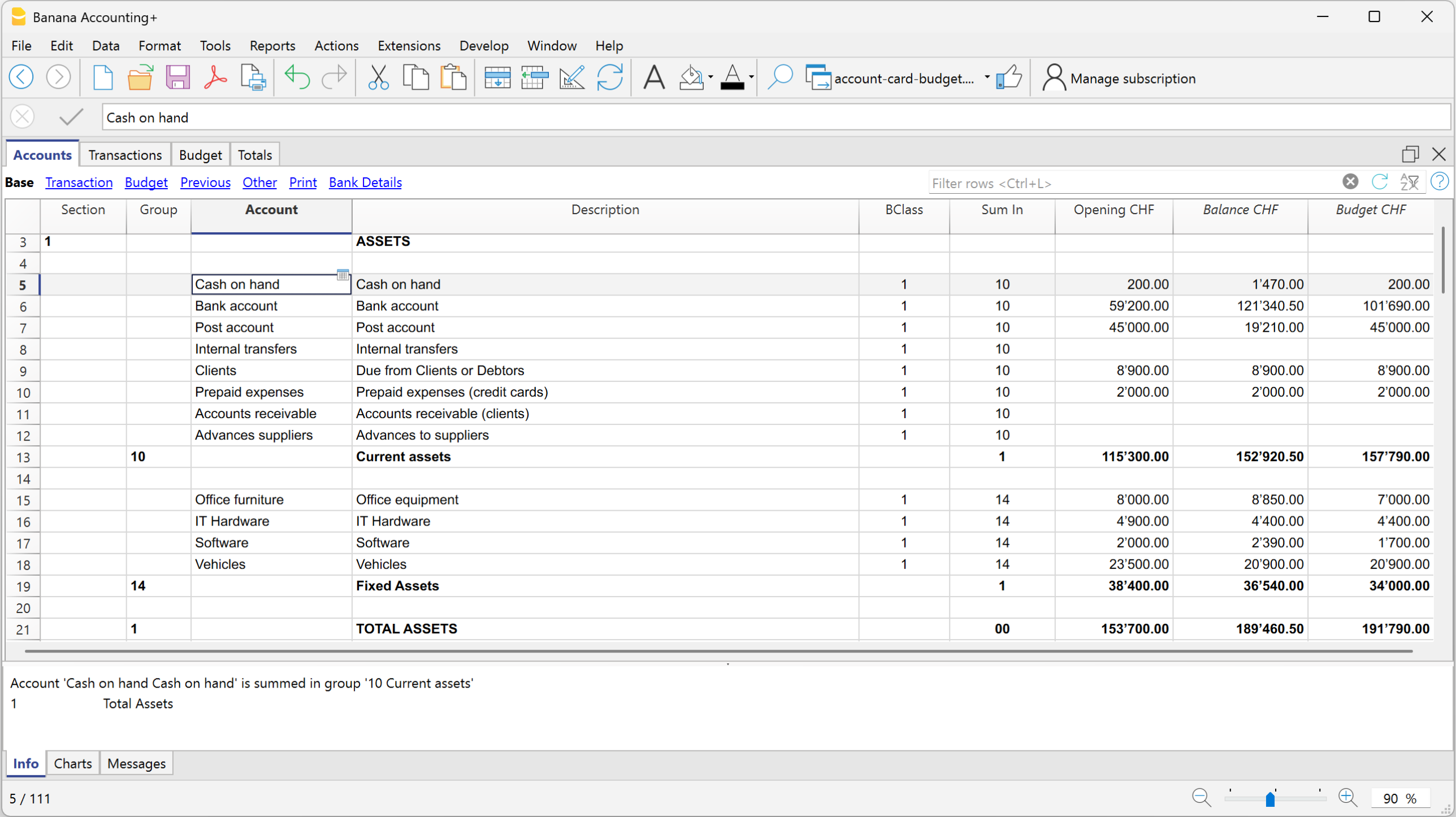
- Costs and Revenue (Profit and Loss Statement)
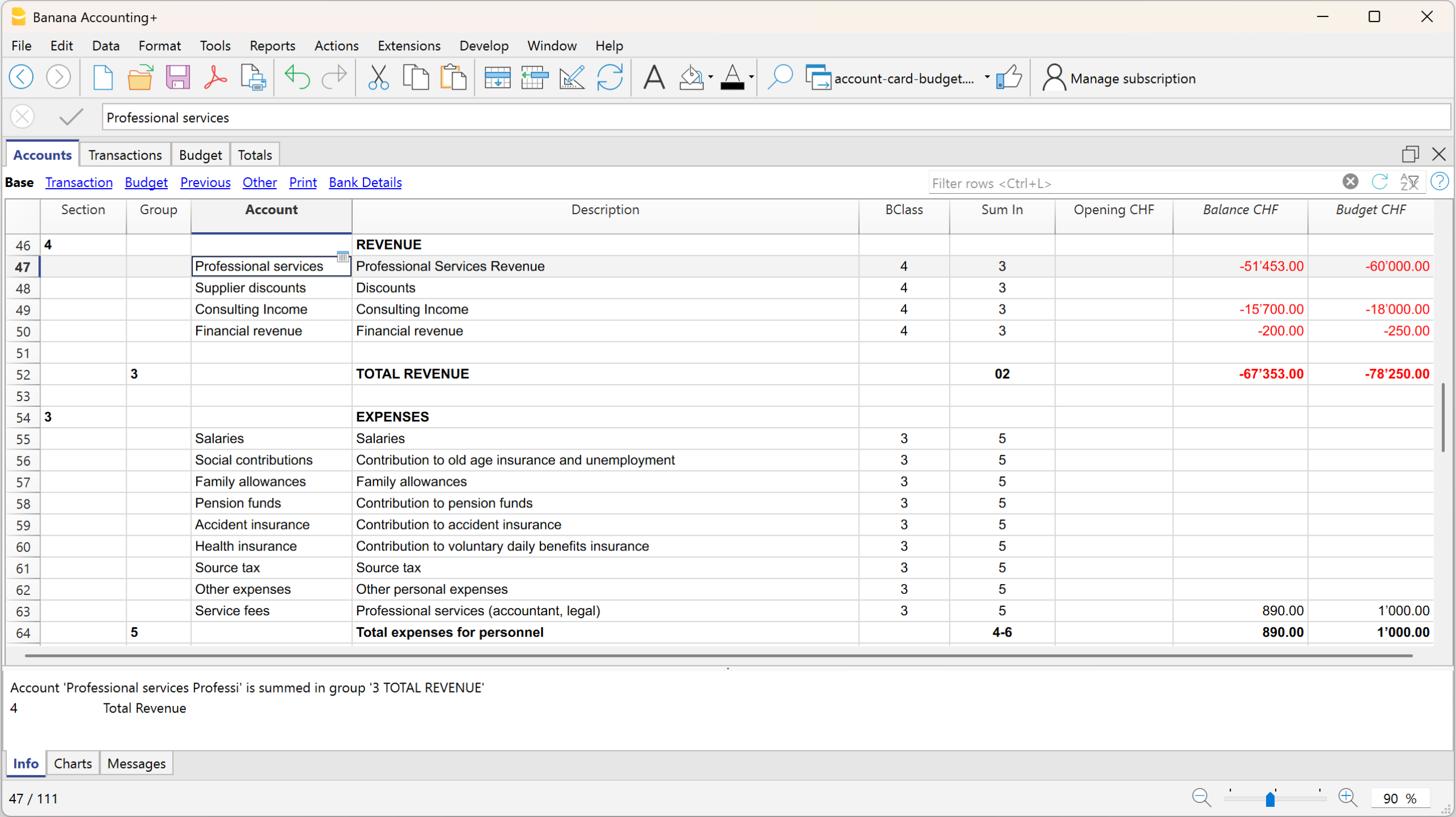
For a more detailed forecast, if not already present, we recommend setting up and using:
Budget Table
The Budget table is the core of the forecasting system, where you enter the transactions you expect during the year or within a defined period.
For each future event, enter the data in the following columns:
- Start date: the date when the transaction begins
- End date: the last date by which the transaction ends (a date one or more years later can also be specified).
If the transaction will always repeat every year, you do not need to enter any date. - Repeat: repetition frequency (day, month, quarter, half-year, year)
- Description: description of the transaction
- Debit / Credit account: accounts available and taken from the chart of accounts
- Amount: transaction amount
If needed, you can also enter VAT code, segments, or cost centers.
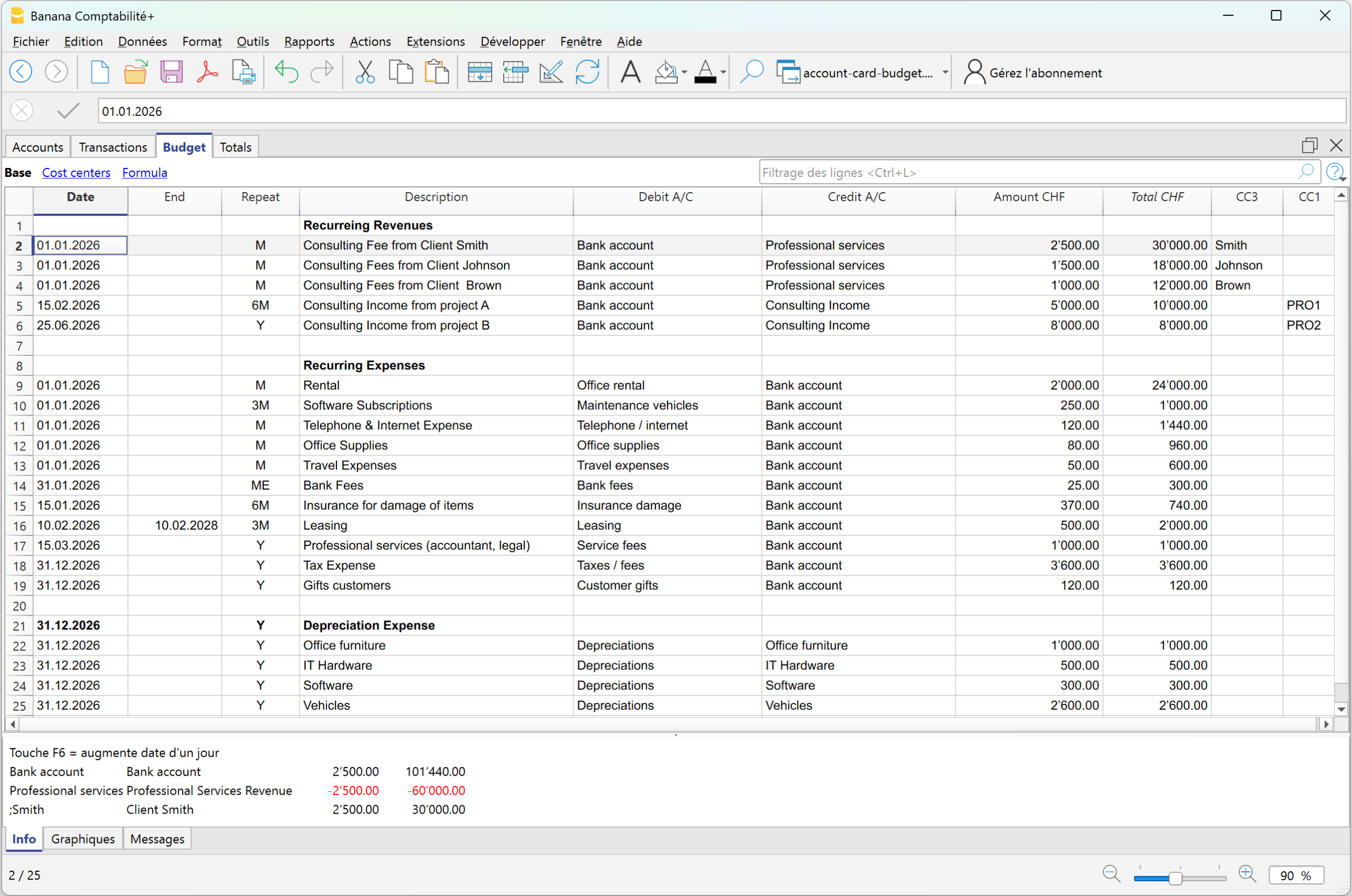
Based on the entered transactions, the program automatically creates all reports, with the same speed and options available in the Enhanced Balance sheet with groups, and reports the balances in the Accounts column, in the Budget view.
Complete forecast reports and comparison with actual data
Forecast reports do not only provide aggregated yearly projections. You can also analyze the data by specific periods: if a cost or revenue occurs only during certain months, the system represents it exactly in the correct periods.
For example: if a cost occurs only in June, July, and August, in the Budget table, by defining the accrual dates, the amount will be assigned exactly to the specific period in the forecast report, without any distribution across other months.
To obtain the forecast balance sheet and profit and loss statement:
- From the menu Reports > Enhanced Balance sheet with groups > in the section Chart of Accounts > Columns, enable Budget
In the Enhanced Balance sheet with groups, if you display the actual, budget, and Budget difference columns, you immediately get an overall view:
Balance Sheet with actual balances, budget balances, and differences
Forecasting in Banana Accounting is not a separate document, but integrates with accounting data and evolves together with real accounting.
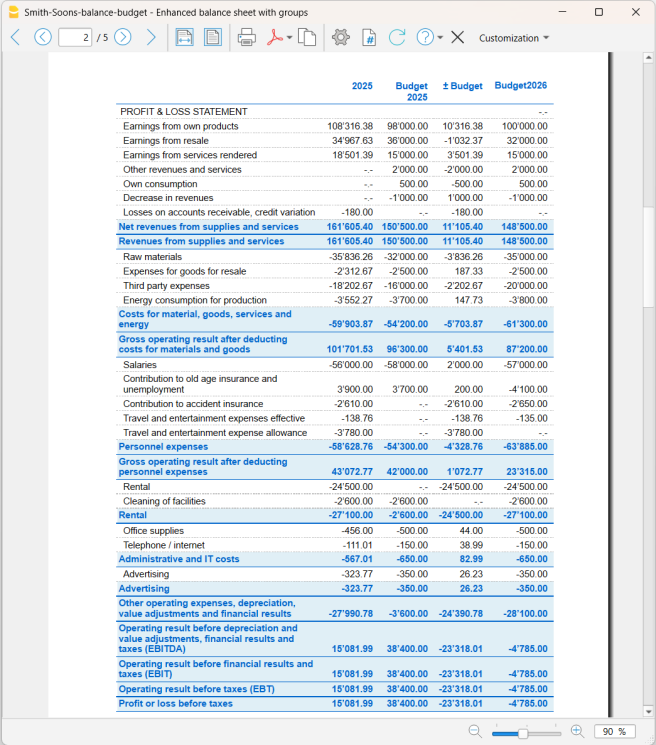
Profit and Loss Statement with actual balances, budget balances, and differences
With this report presentation, you can evaluate whether the company will be profitable and identify possible issues in advance.
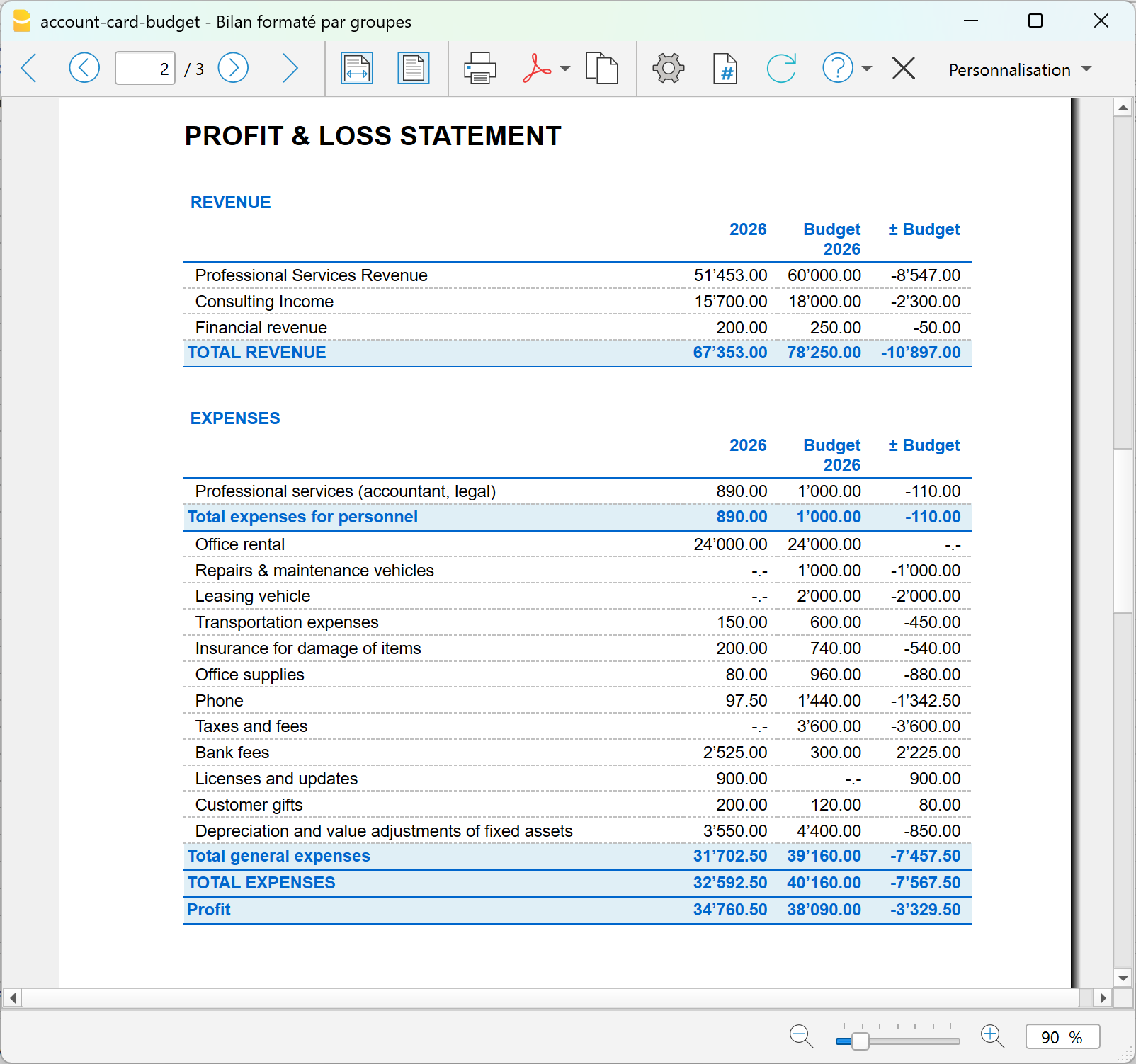
Comparison of actual vs budget account card
With Banana Accounting financial forecasting, you can go beyond traditional forecasting. With the new Account card: Current vs/Budget extension (Beta version), you can compare an account card with both actual transactions and budget transactions.
This is a completely new feature that allows you to:
- analyze in detail the actual transactions compared to the budgeted ones
- easily identify variances shown in the Differences column.
- progressively improve your planning capabilities.
Advantage: customer account card with actual and budget data
With Banana Accounting, for each customer you have a complete account card that integrates:
- actual data → issued invoices and real payments received
- forecast data → future invoices and expected payments
With Banana, the customer account card does not only show what has happened, but also what will happen, with all management details already integrated. In one single view, you can see the past, present, and future.
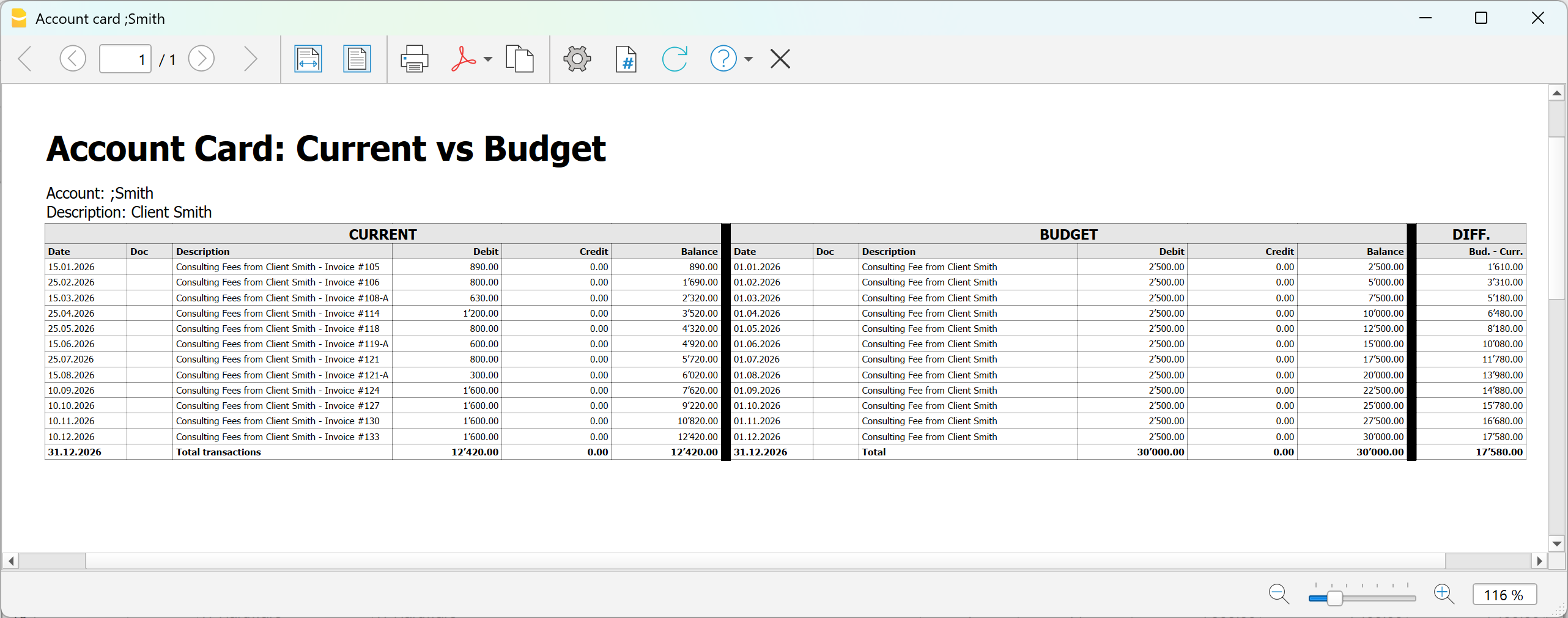
Using the new extension dedicated to the account card, which compares actual and budget transactions, you can analyze in detail:
- Customer
- Project
- Cost center
- Segment
To display the comparison between actual and budget data for an account, you need to:
- Install the Account card current vs budget extension (Beta version)
- From the menu Extensions > Manage extensions > Accout card: current vs budget (Beta version)
- In the dialog window that opens:
Double-click on Account and select from the account list the account (or category), cost center- Two account cards related to the same account are displayed side by side
- In the last column of the budget account card, the Difference column is displayed, highlighting line by line the difference in amounts between actual and budget data.
Summary
With precision financial planning, you can:
- enter detailed forecasts transaction by transaction
- automatically obtain all reports
- monitor liquidity and profitability
- compare forecasts and actual results
- progressively improve decision-making
It is not just about creating a budget, but about using an integrated system to plan and manage the financial future with professional accounting tools.
Pianificazione finanziaria separata dalla contabilità
In this article
Pianificazione finanziaria separata dalla contabilità
Pianificazione finanziaria separata dalla contabilità
La pianificazione finanziaria separata dalla contabilità permette di creare previsioni economiche, finanziarie e patrimoniali in modo indipendente dalla contabilità generale. Consente di simulare ricavi, costi, investimenti e finanziamenti, valutarne gli effetti sulla liquidità e sull'utile e confrontare scenari alternativi. La pianificazione può essere annuale o pluriennale e offre una visione dell'evoluzione futura dell'impresa a supporto delle decisioni aziendali. Si rivolge a medio e grandi imprese e a figure specializzate che devono preparare delle pianificazioni molto dettagliate e avanzate.
Open in Banana WebApp
Run Banana Accounting Plus on your browser without any installation. Customize the template, enter the transactions and save the file on your computer.
Open template in WebApp Open tutorial in WebAppTemplate documentation
Questo tutorial mostra, con un esempio pratico, come creare e gestire una pianificazione economica, finanziaria e patrimoniale in un file separato dalla contabilità, inserendo nella tabella Preventivo i movimenti previsionali e analizzandone i risultati.
Maggiori info alla pagina della nostra Documentazione: Pianificazione separata dalla contabilità.
Come impostare il file della pianificazione
Per creare il file di pianificazione puoi:
- partire da uno dei modelli predefiniti di contabilità in partita doppia di Banana Contabilità, anche con IVA o multimoneta
- utilizzare come base il piano contabile della tua attività, se disponi già di una struttura contabile
- impostare il periodo di pianificazione, la moneta base e le altre proprietà necessarie.
Nel nostro esempio viene preparata la pianificazione finanziaria di uno studio fiduciario già avviato.
Partendo dalla situazione esistente e formulando ipotesi sull'evoluzione dei clienti e delle consulenze, sugli investimenti e sull'eventuale assunzione di un nuovo collaboratore, viene elaborata una previsione per valutare l'evoluzione futura della liquidità, del risultato d'esercizio e della situazione patrimoniale.
Per creare il file:
- Dal menu File > Nuovo, seleziona la tipologia di contabilità e il modello più adatto alle tue esigenze.
- Dal menu File > Proprietà file > Dati base, inserisci i dati della pianificazione, come nome dell'azienda, periodo e moneta base.
- Se utilizzi una contabilità multimoneta o con IVA, verifica le relative impostazioni. Nei modelli predefiniti i conti necessari, come quelli per le differenze di cambio e l'IVA, sono già predisposti.
Se nel file della contabilità la tabella Preventivo non è visibile, puoi aggiungerla dal menu Strumenti > Aggiungi Tabella Preventivo.
La tabella Registrazioni rimane comunque disponibile. Se non viene utilizzata, puoi nasconderla dal menu Dati > Disponi tabelle, impostando la tabella Registrazioni come non visibile.
Le registrazioni inserite nella tabella Preventivo vengono utilizzate per calcolare automaticamente i valori previsionali dei conti e ottenere report economici, finanziari e patrimoniali.
Struttura della pianificazione
La pianificazione viene gestita in un unico file dedicato e si basa sulla logica della partita doppia, consentendo di simulare contabilmente l'evoluzione futura dell'impresa.
Il file utilizza principalmente due tabelle:
- la tabella Conti, che definisce la struttura contabile e mostra i valori risultanti dalla pianificazione;
- la tabella Preventivo, nella quale vengono inserite le registrazioni previsionali e le ipotesi su cui si basa la pianificazione.
Come creare una pianificazione
Per creare la pianificazione, imposta nella tabella Conti la situazione patrimoniale iniziale e inserisci nella tabella Preventivo le operazioni future previste. Banana calcola automaticamente gli effetti delle registrazioni sulla situazione economica, finanziaria e patrimoniale.
Tabella Conti
Se hai scelto uno dei modelli predefiniti, la tabella Conti contiene già i conti necessari per iniziare la pianificazione.
Puoi personalizzare il piano contabile aggiungendo o eliminando conti e gruppi di totalizzazione in funzione delle tue esigenze. Per maggiori informazioni consulta la pagina Tabella Conti.
I saldi effettivi alla data di inizio della pianificazione possono essere riportati nella colonna Apertura e utilizzati come situazione patrimoniale iniziale da cui sviluppare le previsioni.
Per i conti dello Stato patrimoniale, i valori del Preventivo partono quindi dai saldi iniziali di apertura.
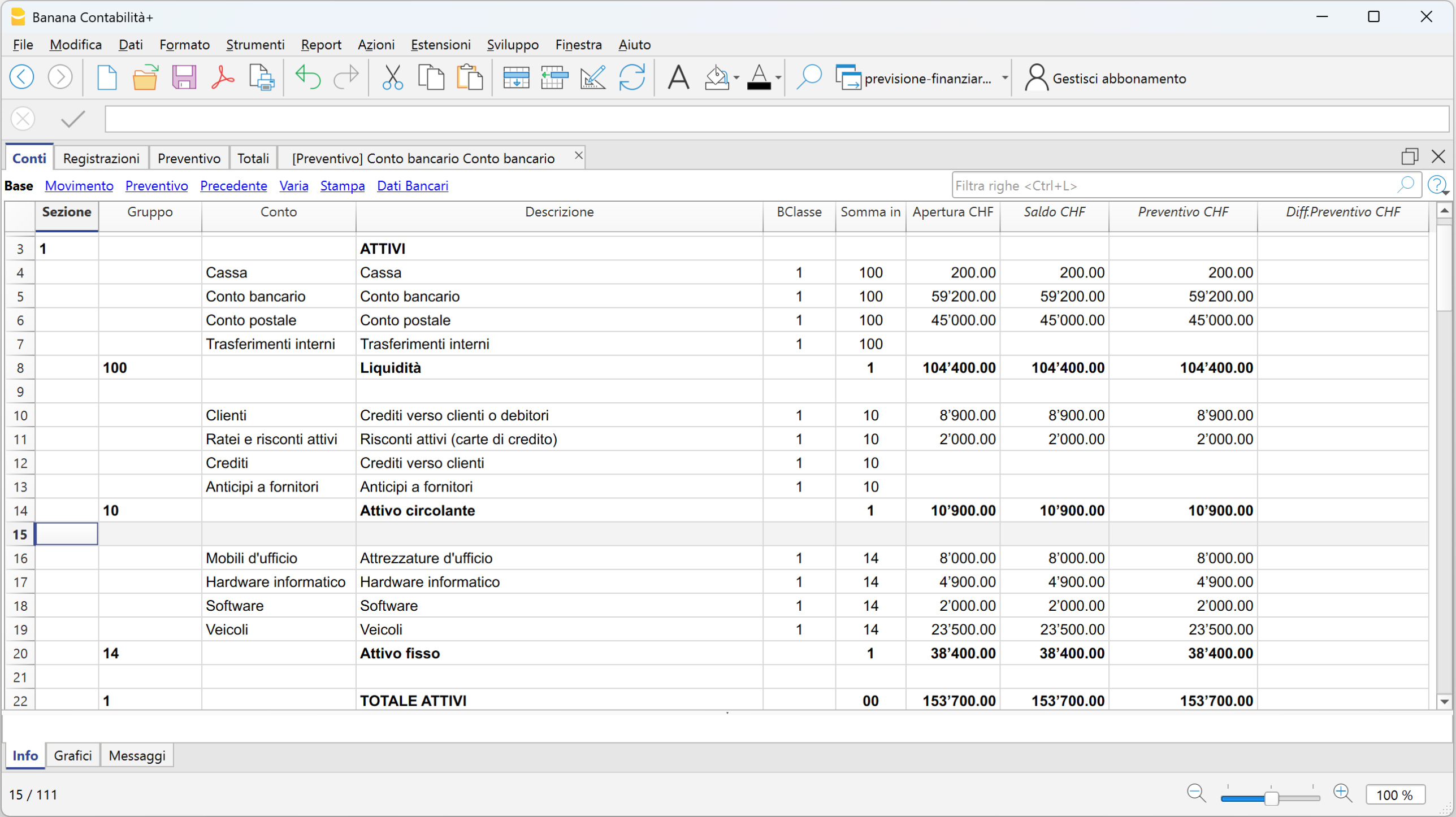
Per i conti del Conto economico, invece, prima dell'inserimento delle registrazioni previsionali i valori del Preventivo sono a zero.
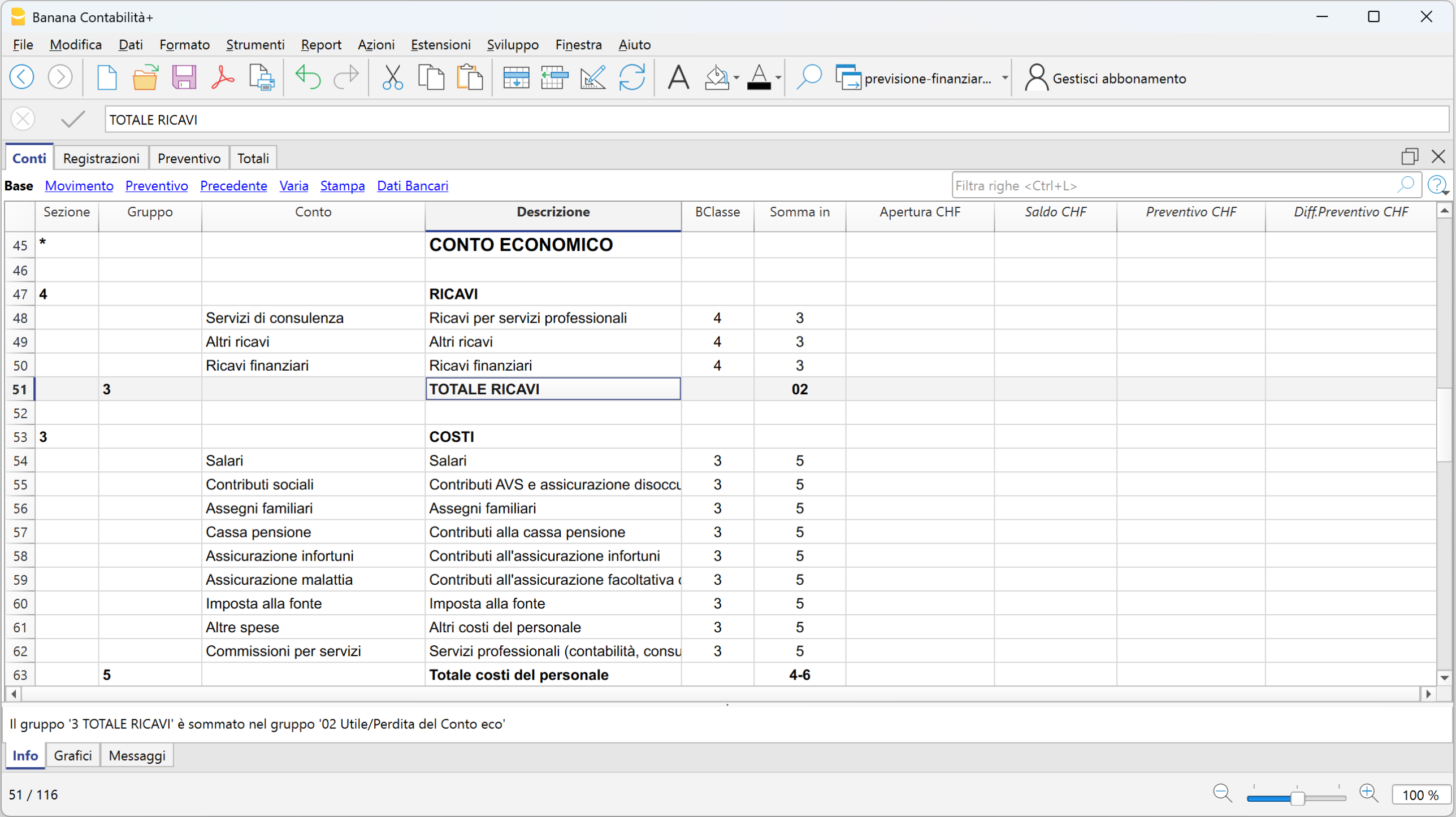
Tabella Preventivo
La tabella Preventivo è il cuore della pianificazione. Qui vengono registrate le operazioni previsionali utilizzando la logica della partita doppia.
Puoi pianificare, ad esempio:
- ricavi e relativi incassi
- acquisti e pagamenti
- salari e altri costi d'esercizio
- investimenti e ammortamenti
- nuovi finanziamenti
- rimborsi di finanziamenti e relativi interessi
- altre operazioni previste.
La tabella permette inoltre di gestire facilmente le operazioni ricorrenti. Non è necessario inserire manualmente una registrazione per ogni ricorrenza: attraverso le colonne Data inizio, Data fine e Ripeti puoi definire la periodicità dell'operazione, ad esempio giornaliera, mensile, trimestrale, semestrale o annuale.
Banana calcola automaticamente le ricorrenze e i relativi valori complessivi. In questo modo la pianificazione diventa dinamica e i report previsionali tengono conto automaticamente della periodicità delle operazioni.
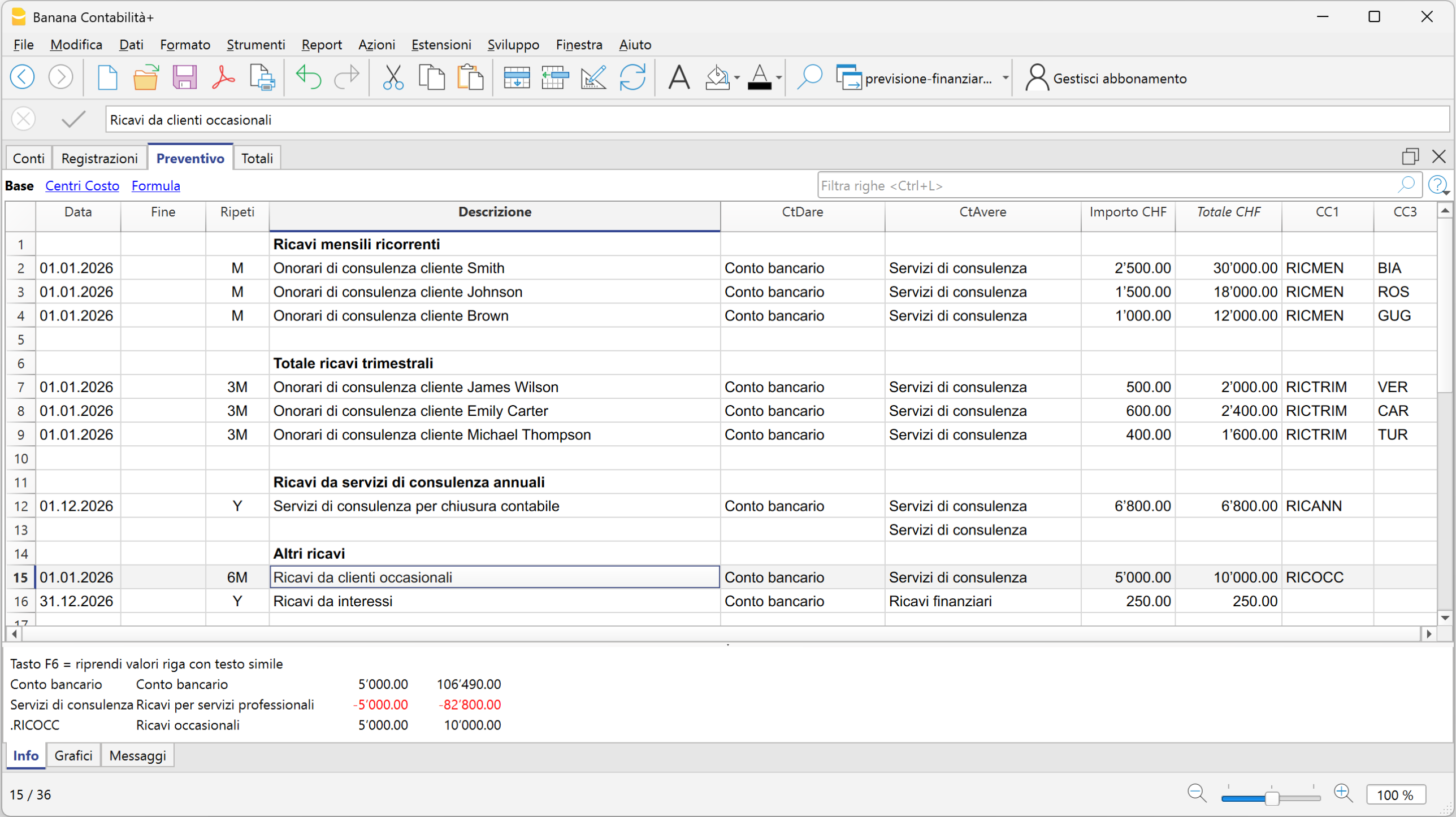
Effetti della pianificazione
Ogni registrazione inserita nella tabella Preventivo produce automaticamente i relativi effetti economici, finanziari e patrimoniali.
Una registrazione previsionale può quindi incidere contemporaneamente sulla liquidità, sui conti dello Stato patrimoniale, sui ricavi e sui costi del Conto economico e, di conseguenza, sull'utile o sulla perdita prevista.
Non è necessario predisporre formule separate per collegare questi elementi: gli effetti derivano automaticamente dalle registrazioni in partita doppia.
Nell'esempio puoi osservare come cambiano gli importi nelle colonne Preventivo e Differenza preventivo dopo l'inserimento delle operazioni previsionali.
Impatto sullo Stato patrimoniale e sulla liquidità
Dopo l'inserimento delle prime registrazioni previsionali, la liquidità prevista passa dal valore iniziale di CHF 104'400.00 a CHF 197'890.00.
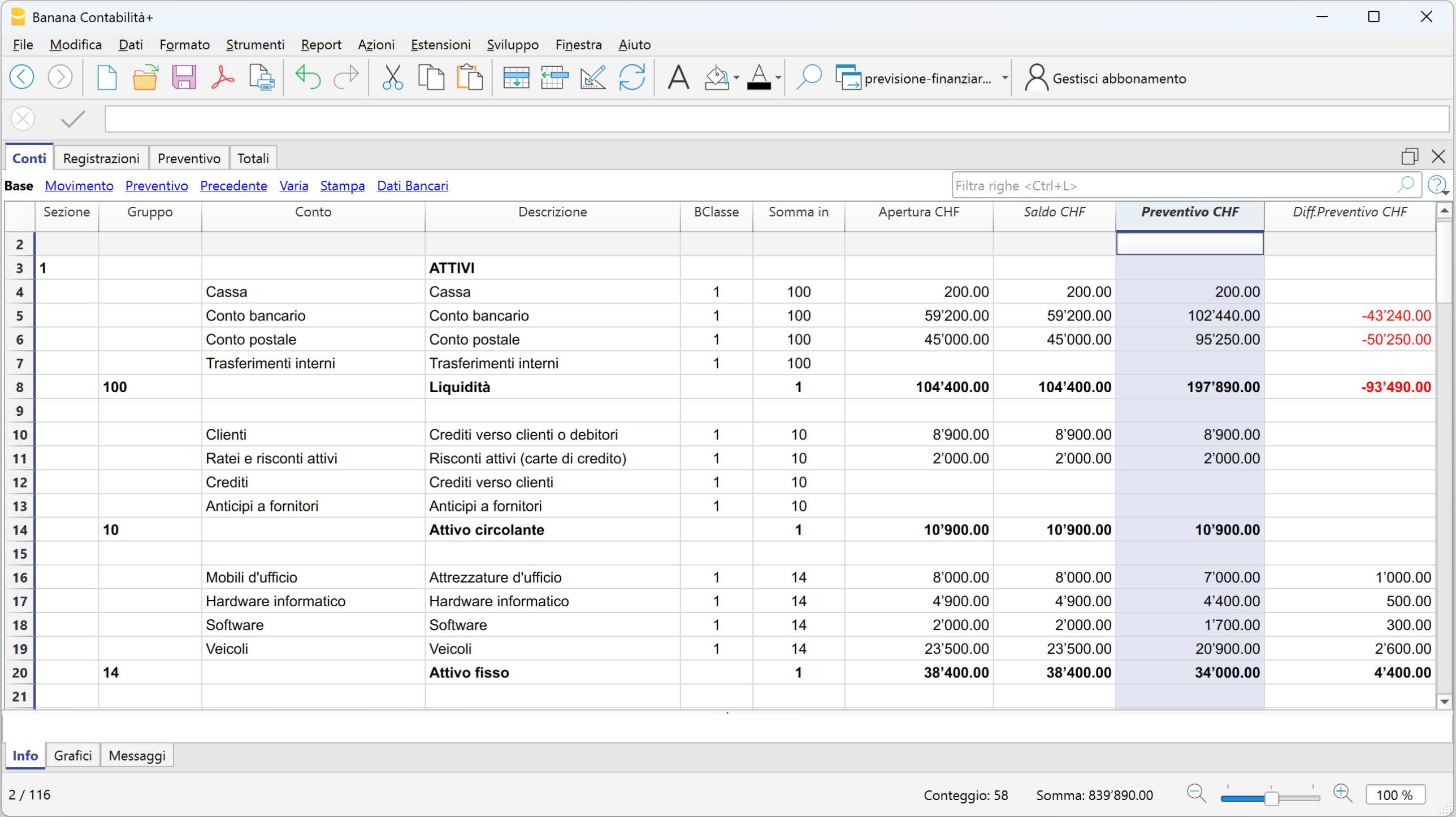
Impatto sul Conto economico
Il Conto economico viene aggiornato automaticamente sulla base delle registrazioni previsionali e determina l'utile o la perdita prevista.
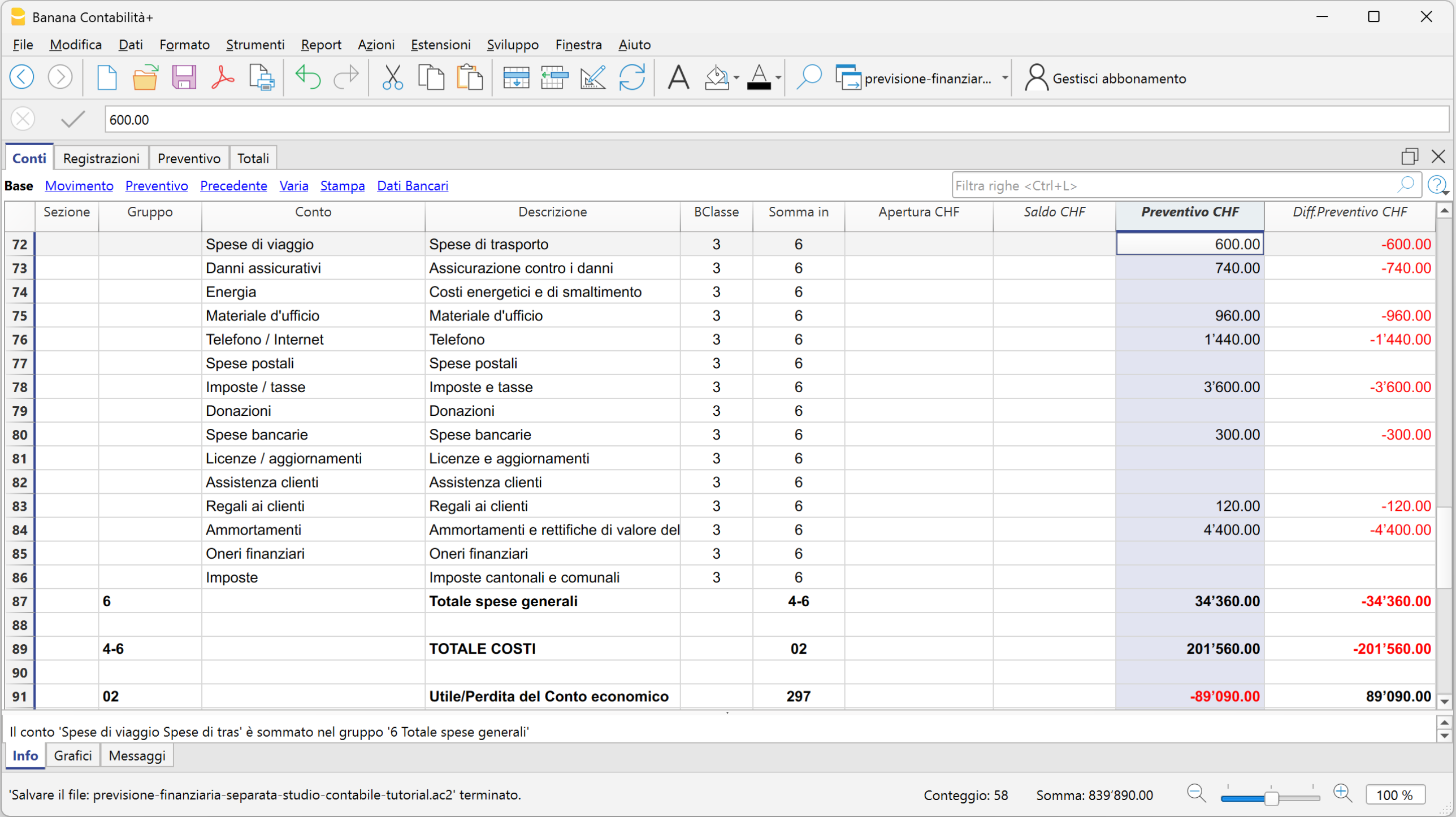
Modificare ipotesi e simulare scenari
Una volta creata la pianificazione di base, puoi modificare le ipotesi e simulare scenari alternativi per confrontarne i risultati con quelli della pianificazione iniziale.
Puoi aggiungere nuove registrazioni previsionali, modificare quelle esistenti oppure utilizzare quantità, prezzi, variabili e formule per verificare come il cambiamento di determinate ipotesi influisce sui risultati complessivi.
Quando un dato viene modificato, Banana ricalcola automaticamente gli effetti collegati, permettendo di verificare immediatamente l'impatto sulla liquidità, sul risultato d'esercizio e sulla situazione patrimoniale.
Ipotesi: aumento delle consulenze del 10%
Supponiamo di voler valutare gli effetti di un aumento del 10% delle consulenze.
Nella tabella Preventivo puoi utilizzare quantità, prezzi unitari, variabili e formule:
- visualizza le colonne Quantità, Prezzo unitario e Formula
- inserisci i valori nelle colonne Quantità e Prezzo unitario
- definisci una variabile per lo scenario di base, ad esempio a = 1
- modifica la variabile per simulare un aumento del 10%, ad esempio a = 1.1
- nella colonna Formula inserisci la formula che utilizza la variabile.
Modificando la variabile, Banana ricalcola automaticamente le registrazioni previsionali interessate e i relativi risultati.
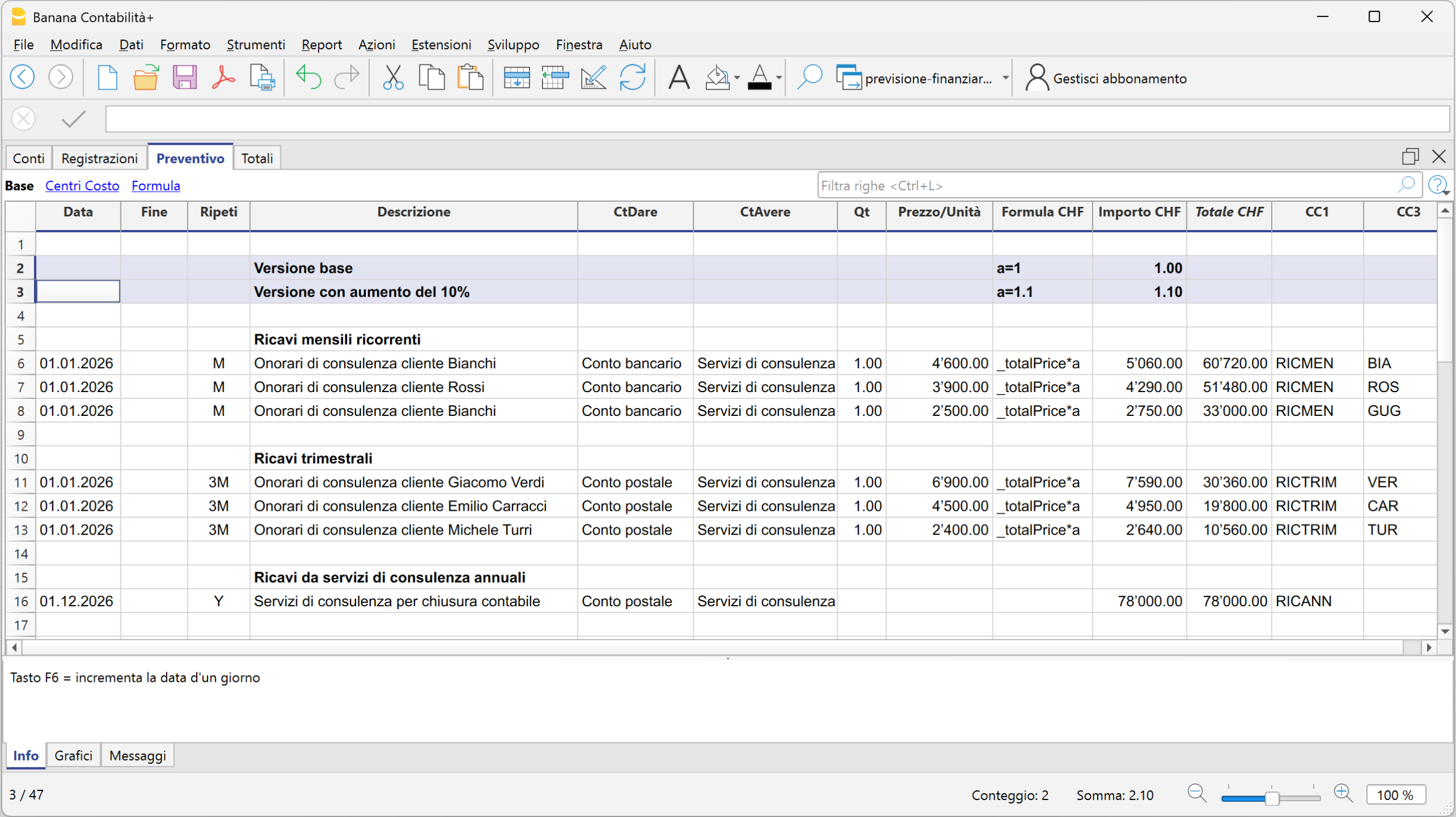
Ipotesi: assunzione di un nuovo collaboratore dal 01.07.2026
Per valutare l'impatto dell'assunzione di un nuovo collaboratore, nella tabella Preventivo vengono aggiunte le registrazioni previsionali necessarie con data di inizio 01.07.2026.
Oltre al salario devono essere considerate anche le relative componenti, come i contributi e gli altri costi del personale previsti.
Banana permette così di verificare l'impatto della nuova assunzione sui costi del personale, sul risultato d'esercizio e sulla liquidità.
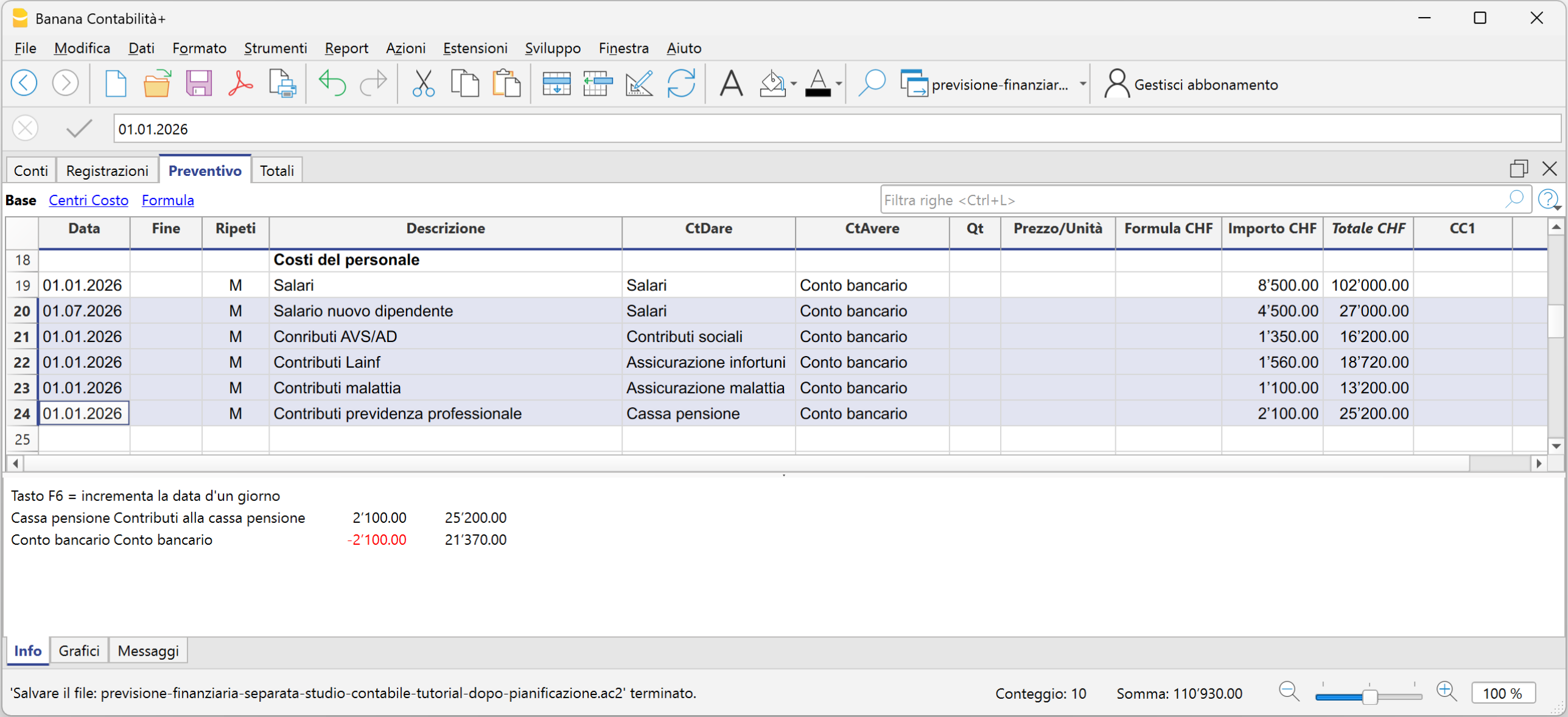
Ipotesi: investimento in nuovo hardware finanziato con un prestito bancario
Supponiamo di pianificare l'acquisto di nuovo hardware per CHF 10'000, finanziato tramite un prestito bancario con un tasso d'interesse del 2.10%.
Nella tabella Preventivo vengono inserite le registrazioni previsionali relative all'investimento e al finanziamento, indicando la data prevista dell'operazione, nell'esempio 01.08.2026.
Per completare la previsione vengono inoltre considerati gli interessi sul finanziamento. Al 31.12 è possibile utilizzare una formula o una variabile per calcolare gli interessi relativi ai cinque mesi da agosto a dicembre e registrare il relativo costo previsto.
In questo modo è possibile valutare contemporaneamente l'impatto dell'operazione sugli investimenti, sull'indebitamento, sugli interessi, sulla liquidità e sul risultato d'esercizio.

Effetti delle ipotesi nei report previsionali
I dati inseriti nella tabella Preventivo possono essere utilizzati per ottenere i principali report economici, finanziari e patrimoniali previsionali.
Dal menu Report > Bilancio abbellito con gruppi, nella sezione relativa ai conti puoi attivare Bilancio e Conto economico e, nella sezione Colonne, selezionare i dati del Preventivo.
Puoi così ottenere lo Stato patrimoniale previsionale e il Conto economico previsionale e verificare gli effetti delle ipotesi inserite nella pianificazione.
Nell'esempio, tutte le variazioni previsionali ipotizzate, aumento del 10% delle vendite, assunzione di un nuovo dipendente e investimento finanziato con un prestito bancario, modificano i risultati della pianificazione rispetto a quelli previsti inizialmente. I relativi effetti si riflettono sullo Stato patrimoniale e sul Conto economico, determinando nuovi valori previsti per la liquidità e l'utile d'esercizio.
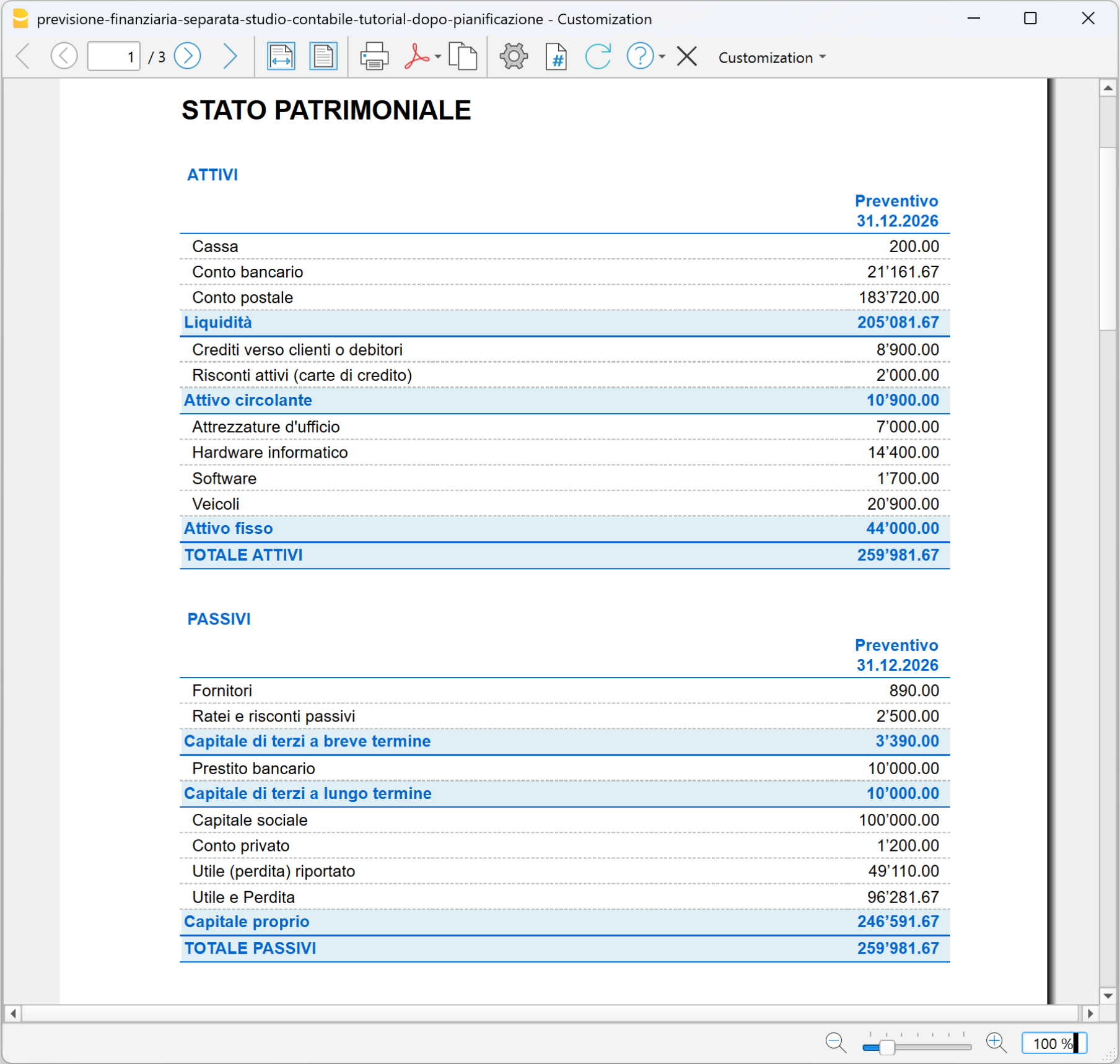
Nello stesso scenario, il Conto economico previsionale permette di confrontare i ricavi e l'utile previsto con quelli della pianificazione di base.
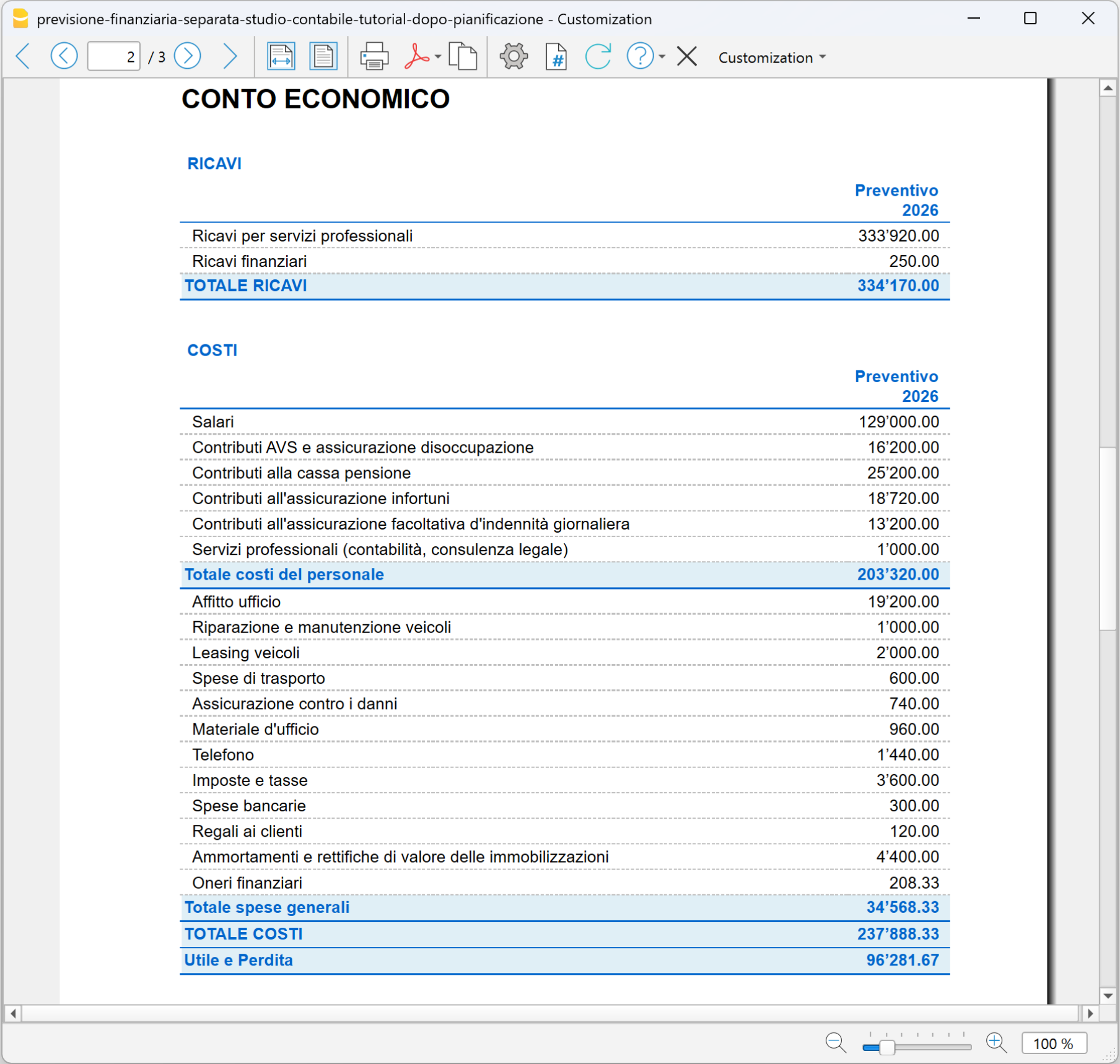
Proiezioni pluriennali
Con Banana Contabilità puoi estendere la pianificazione su più esercizi e creare proiezioni pluriennali.
Per impostare una pianificazione pluriennale, nella tabella Preventivo occorre inserire il movimento previsionale per ciascun anno della pianificazione. Per ogni movimento vengono indicate la relativa data di inizio e di fine periodo, fino a raggiungere la data finale prevista dalla pianificazione.
Gli importi possono essere modificati di anno in anno per tenere conto delle variazioni previste. Ad esempio, puoi prevedere un aumento dei ricavi, una variazione dei costi, nuovi investimenti o una diversa evoluzione dei finanziamenti.
Una volta inserite le previsioni per i diversi esercizi, puoi ottenere report pluriennali e analizzare, anno per anno, l'evoluzione prevista del Conto economico, dello Stato patrimoniale, della liquidità, degli investimenti, dei finanziamenti e dell'indebitamento.
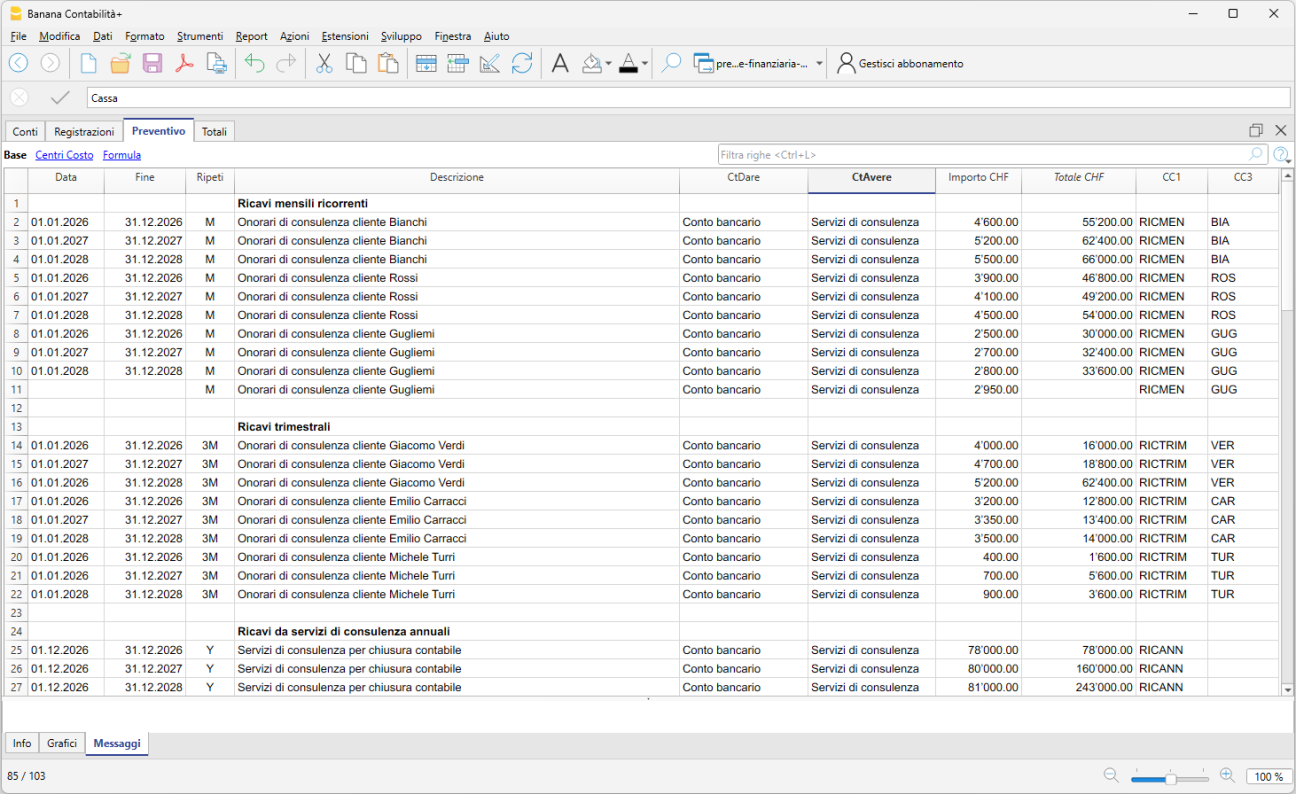
Analizzare i risultati della pianificazione
Una volta completata la pianificazione, puoi analizzare i risultati per l'intero periodo oppure suddividerli per anno. Questo permette di confrontare l'evoluzione prevista della situazione patrimoniale e del Conto economico nel corso di più esercizi.
Per visualizzare e stampare i report:
- dal menu Report > Bilancio abbellito con gruppi
- nella sezione Intestazione e piè di pagina, inserisci l'intestazione della pianificazione
- nella sezione Colonne, attiva la voce Preventivo, sia per il Bilancio sia per il Conto economico
- nella sezione Periodo, seleziona Tutto il periodo
- nella sezione Suddivisione, seleziona Anno
- fai clic su OK.
Esempio di pianificazione pluriennale per lo Stato patrimoniale
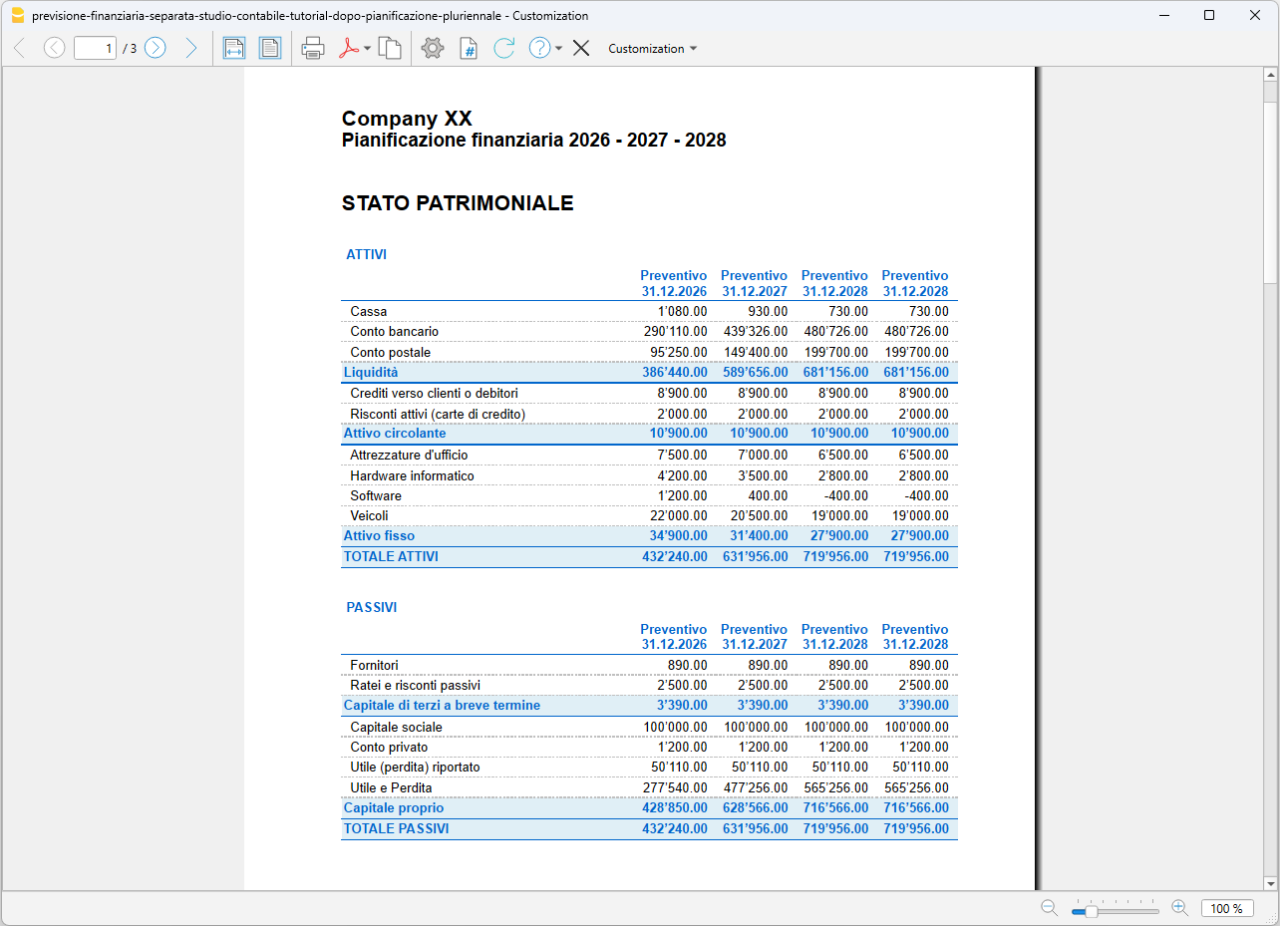
Esempio di pianificazione pluriennale per il Conto economico
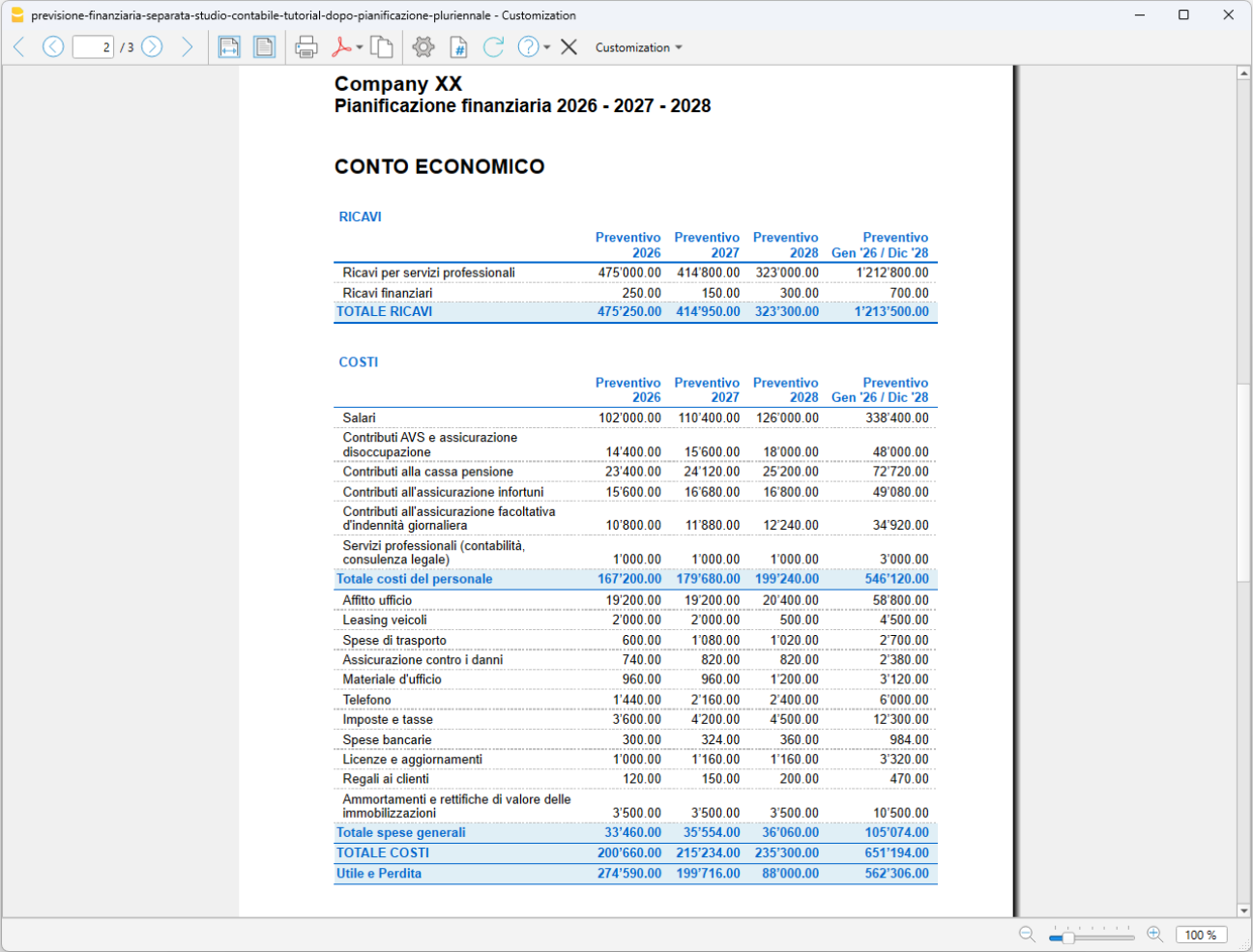
In particolare, puoi verificare:
- se la liquidità prevista è sufficiente durante il periodo di pianificazione
- come evolvono ricavi, costi e risultato d'esercizio
- l'impatto degli investimenti sulla liquidità e sulla situazione patrimoniale
- l'evoluzione dei finanziamenti e dell'indebitamento
- come cambia il patrimonio netto
- se le ipotesi formulate risultano economicamente e finanziariamente sostenibili.
Modificando le ipotesi e le registrazioni nella tabella Preventivo, Banana ricalcola automaticamente i risultati della pianificazione. Puoi così confrontare scenari alternativi e valutarne gli effetti sulla liquidità, sul risultato d'esercizio e sulla situazione patrimoniale, utilizzando i risultati previsionali come supporto alle decisioni aziendali.