In this article
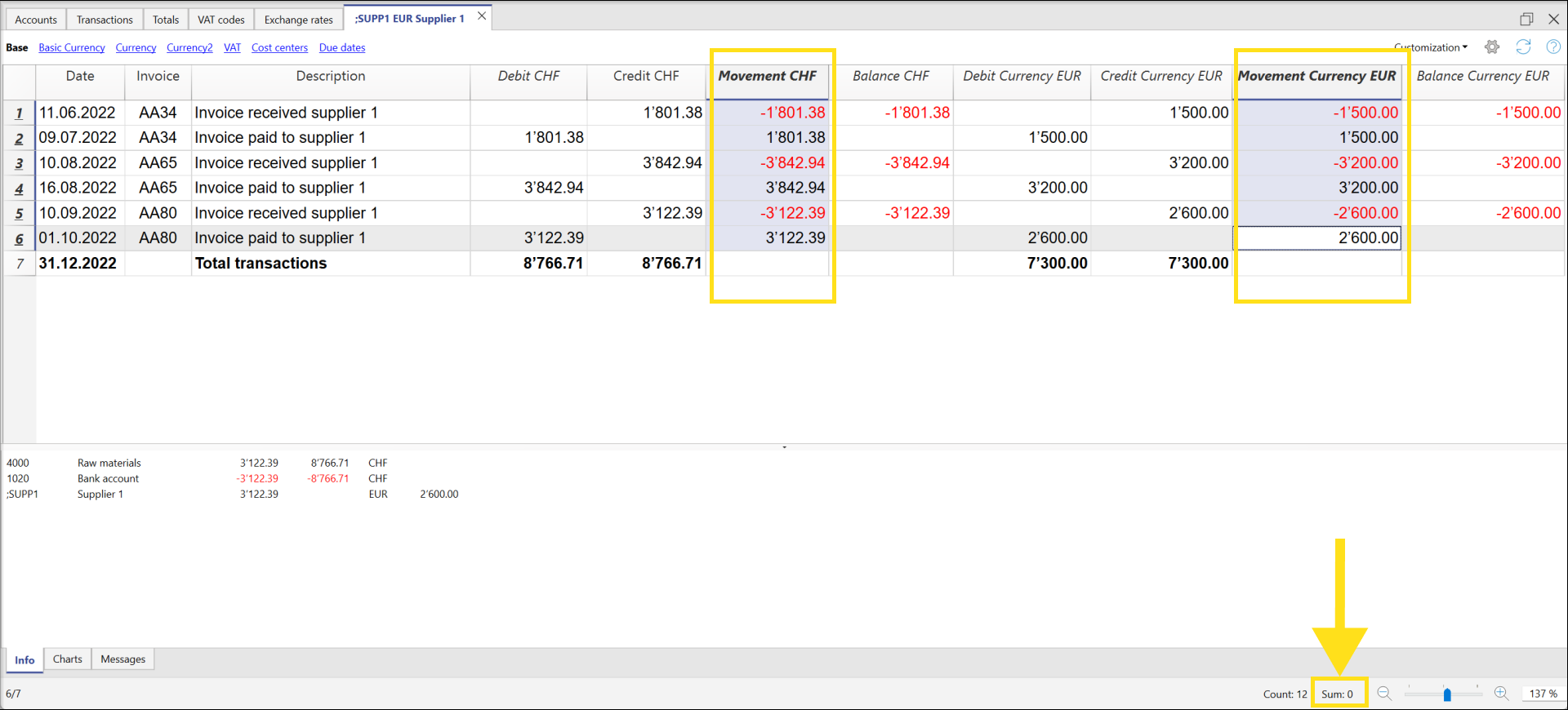
The Movement column, available in the Account cards, allows you to display the amounts recorded in Debit and Credit in a single column.
The amounts are displayed with:
- Positive sign (+) for Debit transactions.
- Negative sign (−) for Credit transactions.
The amounts correspond exactly to those shown in the Debit and Credit columns.
Displaying the amounts in a single column makes it easier to read transactions and check the accounting records.
To enable the Movement column, go to the Data > Columns setup menu and enable the Movement column.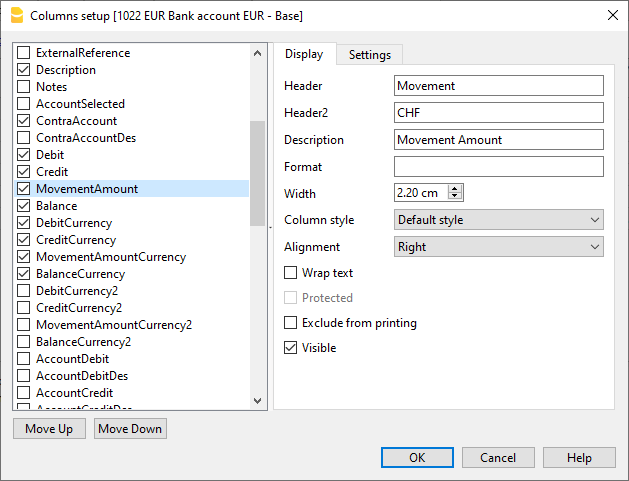
Movement column in the Bank account card