In questo articolo
Con Banana Contabilità Plus puoi gestire facilmente la contabilità aziendale, associativa o personale con la semplicità di un foglio elettronico e la precisione di un software professionale.
Puoi scegliere l’applicativo più adatto alle tue esigenze e far crescere la tua gestione nel tempo, senza mai perdere i tuoi dati. Puoi iniziare subito con uno dei nostri modelli e ottenere sempre risultati professionali.
Guarda il video: ▶ Contabilità in 3 semplici passi
Scegli tra due modalità di tenuta contabile
Gli applicativi di Banana Contabilità Plus si basano su due diversi metodi di registrazione, pensati per utenti con livelli di esperienza differenti.
Questa struttura modulare ti permette di iniziare in modo semplice e di ampliare le funzioni quando le tue esigenze crescono.
- Contabilità Entrate e Uscite – ideale per chi inizia e non è specialista della contabilità.
Gestisce le entrate e le uscite di più conti in modo semplice e intuitivo.
Include anche il Cash Manager, che gestisce le entrate e le uscite di un solo conto (come cassa, banca o progetto).
- Contabilità in Partita Doppia – ideale per chi ha già conoscenze contabili e per gli specialisti. Basata sul sistema standard internazionale Dare e Avere, il metodo professionale per eccellenza.
Include anche la contabilità Multimoneta per gestire conti in valuta estera e differenze di cambio.
- Tutti gli applicativi sono disponibili anche con le opzioni IVA. Includono tabelle, colonne, conti e funzioni per il calcolo e la rendicontazione IVA.
- Le estensioni per i Rendiconti IVA svizzeri sono incluse nel piano Advanced di Banana Contabilità Plus, ma sono utilizzabili in prova anche nei piani Free e Professional fino a 70 registrazioni.
Contabilità Entrate / Uscite
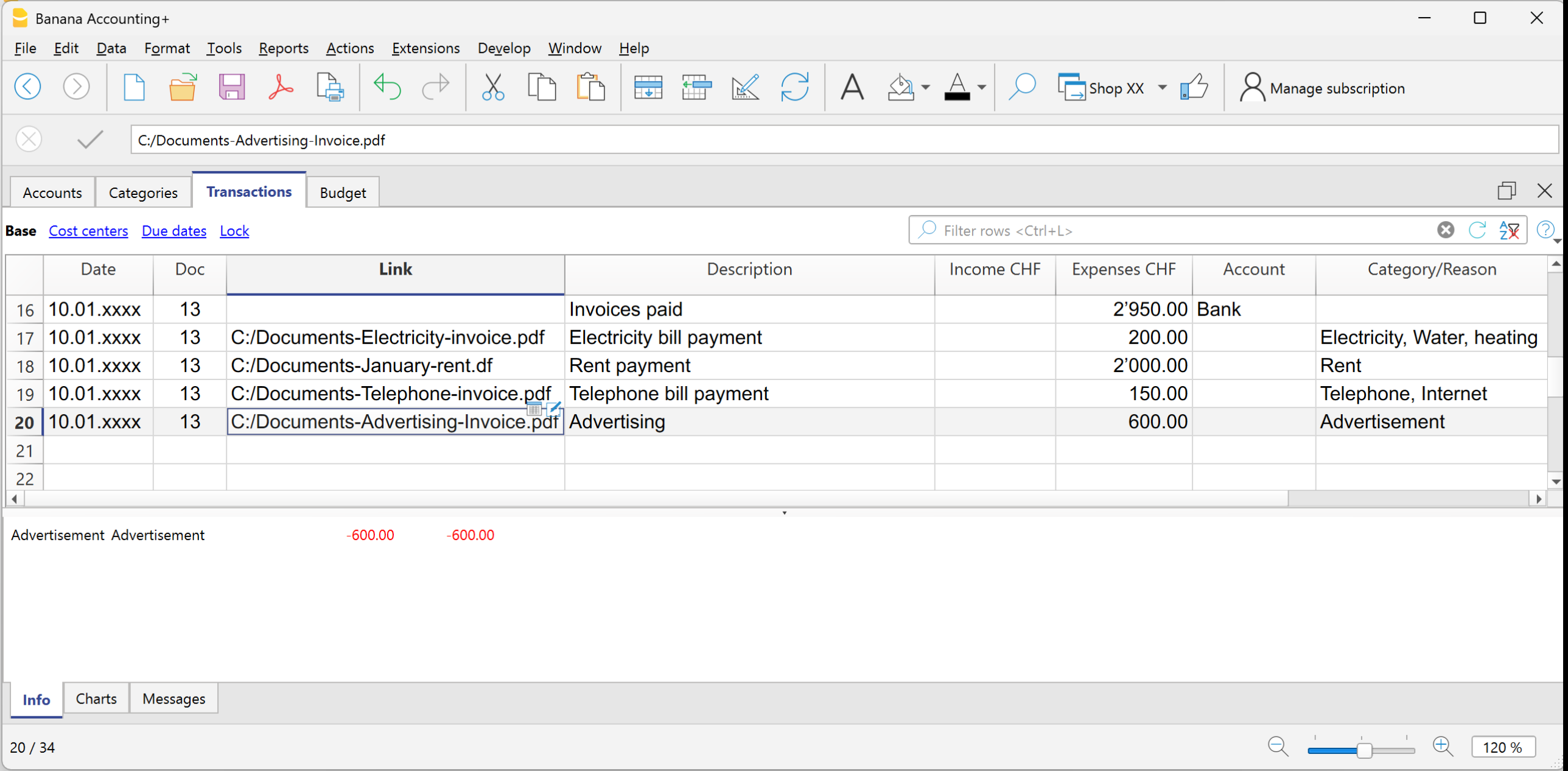
L'applicativo Entrate e Uscite permette di registrare incassi e pagamenti in modo semplice. È perfetto per piccole attività, associazioni o liberi professionisti che vogliono tenere sotto controllo entrate, spese e saldi dei conti anche senza una formazione contabile specifica.
In pochi passaggi puoi sapere:
- quanto hai incassato o speso,
- visualizzare il saldo di tutte le categorie di entrata e di uscita
- ottenere automaticamente report chiari e professionali.
Banana Contabilità Plus include modelli con conti e categorie già preimpostati, per iniziare subito a registrare. L’inserimento dei dati è molto intuitivo grazie alla struttura a colonne ordinate e chiare.
Cash Manager o Libro cassa
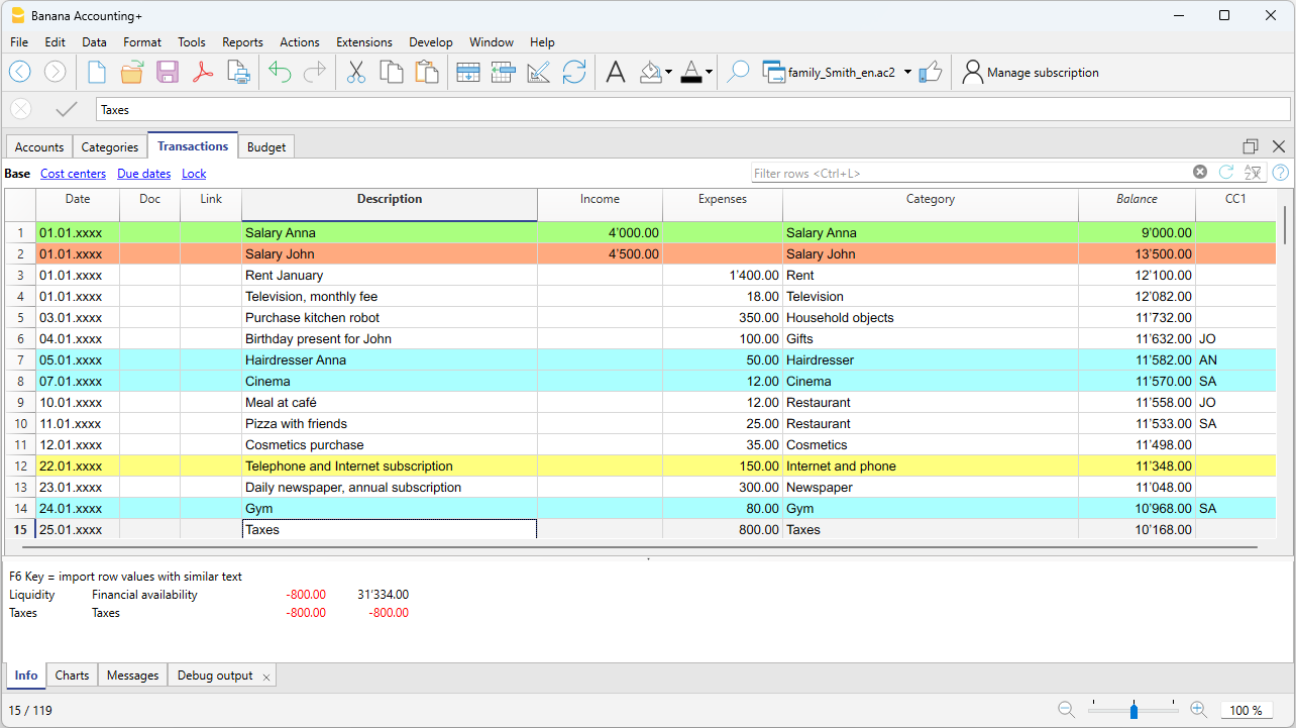
Il Cash Manager, anch'esso basato sulla contabilità Entrate e Uscite, offre una gestione delle entrate e delle uscite del conto cassa o di qualsiasi altro conto.
È semplice, veloce ed intuitivo e utilizzabile da tutti:
- famiglie che vogliono monitorare le spese;
- ragazzi e studenti che imparano a gestire i propri risparmi e le prime spese
- aziende, liberi professionisti, associazioni per gestire la liquidità.
Contabilità in partita doppia
Con l'applicativo di contabilità in partita doppia, Banana Contabilità Plus ti permette di lavorare con precisione, ma con grande semplicità, grazie al suo ambiente familiare a tabelle.
È la soluzione completa e professionale basata sul sistema contabile internazionale Dare e Avere.
Ogni movimento è registrato su due conti — uno in Dare e uno in Avere — per garantire un equilibrio contabile.
È ideale per imprese, contabili, fiduciari e utenti esperti che desiderano la massima precisione e controllo di gestione.
Offre una visione completa del patrimonio, dei costi, dei ricavi e dei risultati aziendali, con report accurati e pronti per la dichiarazione fiscale.
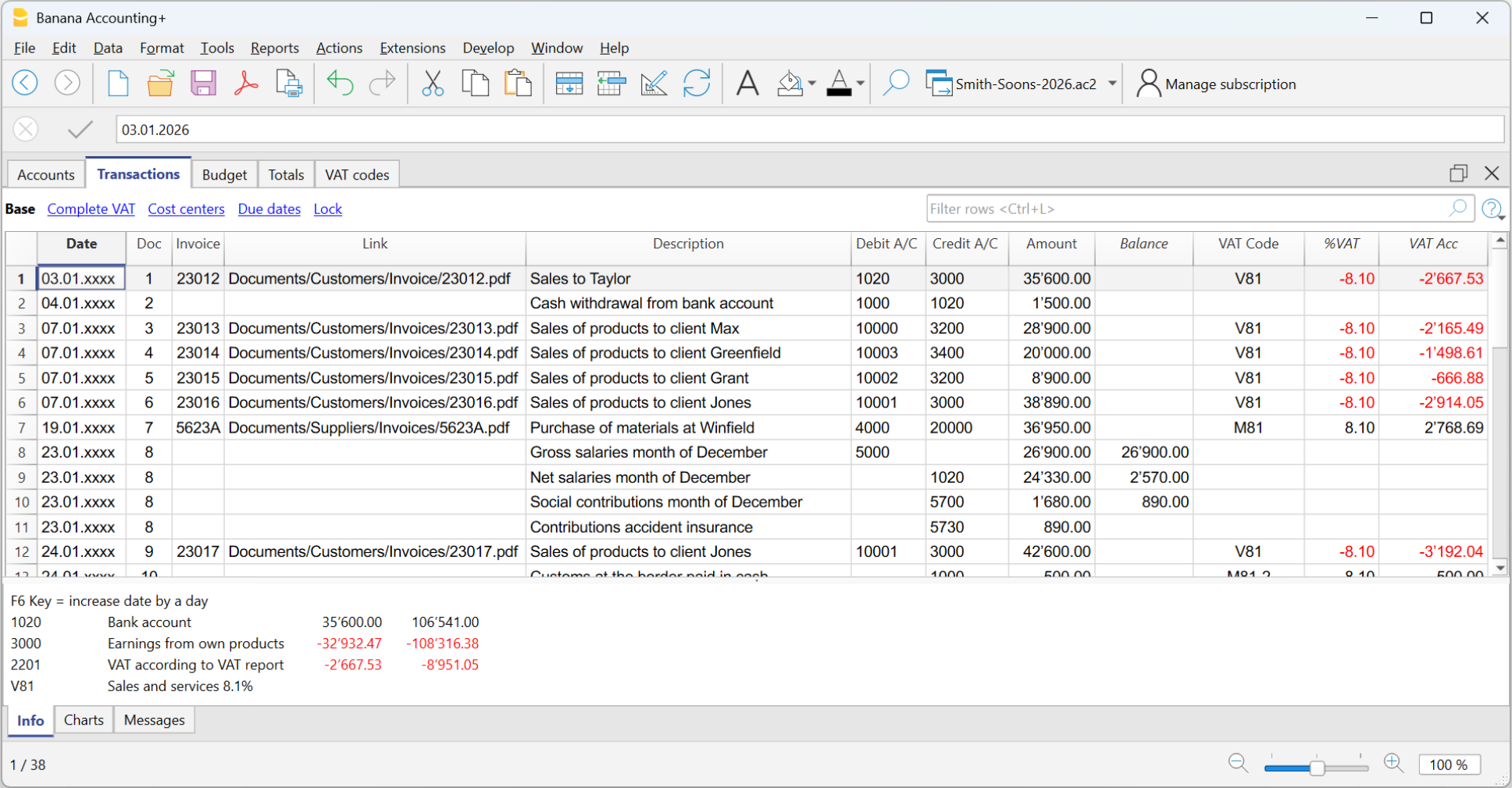
Grazie al potente motore di calcolo, Banana Contabilità Plus gestisce la contabilità in partita doppia in modo molto semplice e completo:
- aggiorna tutti i saldi in tempo reale dopo ogni registrazione;
- segnala automaticamente eventuali sbilanci tra Dare e Avere;
- consente di filtrare righe e modificarle direttamente nella tabella del filtro;
- consente di importare movimenti bancari, memorizzare operazioni ricorrenti e allegare documenti digitali;
- genera bilanci, conti economici, schede conto e giornali in un clic.
Garantisce una visione aggiornata e coerente della situazione economica e finanziaria della tua attività.
Contabilità multimoneta
La contabilità multimoneta si basa sulla contabilità in partita doppia con la possibilità di tenere anche conti in diverse monete. Gestisci facilmente più valute e sfrutta la comodità del calcolo automatico per le fluttuazioni di cambio.
Ideale per chi lavora all'estero, o con l'estero e chiunque abbia operazioni finanziarie che coinvolgono più valute; piccole e medie imprese con fornitori o clienti internazionali, aziende di import ed export, società di servizi finanziari, investitori, viaggiatori e turisti per tenere traccia delle loro spese durante i viaggi.

Struttura degli applicativi contabili
La forza di Banana Contabilità sta nella sua struttura chiara e organizzata. Ogni applicativo è basato su tabelle, con colonne ben chiare e ben definite, simili a un foglio elettronico, ma con funzioni contabili già integrate. Questo approccio unisce la semplicità di Excel alla precisione di un software professionale.
Le principali tabelle sono:
- Conti – presente in tutti gli applicativi contabili. Elenca i conti cassa, banca, clienti, fornitori e altre risorse, con saldi aggiornati in tempo reale.
- Nel Cash manager, la tabella Conti gestisce solo un conto.
- Categorie – presente nella contabilità Entrate e uscite, incluso il Cash Manager. Suddivide entrate e uscite per tipologia (vendite, donazioni, stipendi, spese, ecc.).
- Registrazioni – presente in tutti gli applicativi contabili. Si annotano o si importano le operazioni quotidiane con data, descrizione, importo conto/ categoria.
- Codici IVA - presente in tutti gli applicativi di contabilità con IVA. Gestisce i codici IVA da applicare nelle registrazioni per ottenere calcoli e report in automatico.
- Cambi – disponibile unicamente nei modelli di contabilità in partita doppia multimoneta. Gestisce i cambi delle monete estere in rapporto alla moneta base della contabilità (moneta nazionale).
Dopo ogni registrazione, Banana Contabilità aggiorna automaticamente tutti i totali e genera report professionali: bilanci, rendiconti, giornali e schede conto, sempre pronti per la stampa o l’esportazione.
Modelli predefiniti per ogni applicativo
Per ogni applicativo trovi modelli già pronti, con conti, categorie e funzioni integrate in base al tipo di contabilità scelto.
Ti basta selezionare il modello più adatto per ottenere report professionali e iniziare subito a lavorare.
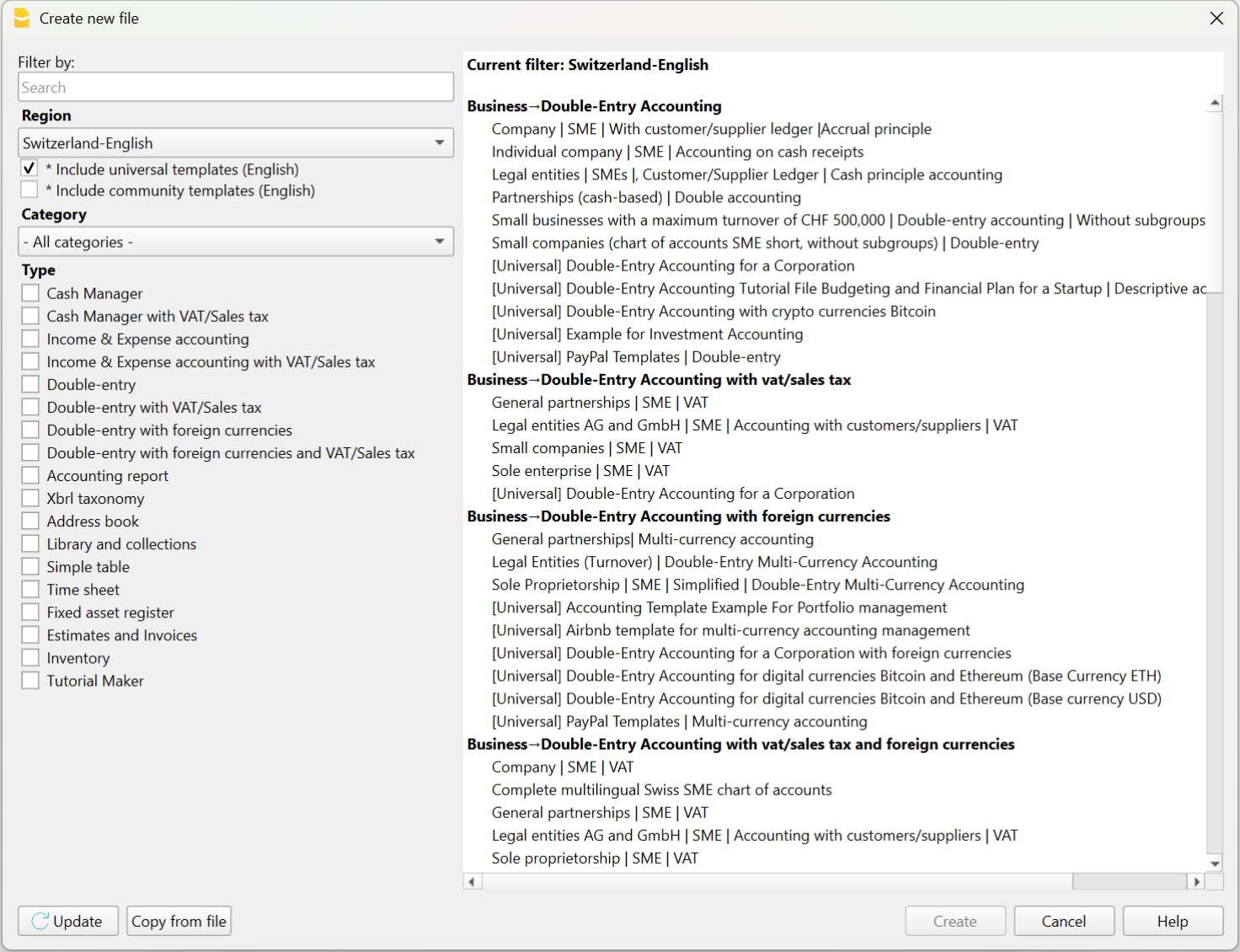
Puoi aprirli direttamente:
- dal programma, dal menu File > Nuovo
- dal nostro Template Store, scaricandoli sul suo computer o aprendoli tramite la WebApp (direttamente nel browser - ancora in fase di test).
In pochi minuti puoi registrare le prime operazioni e ottenere report aggiornati in tempo reale.