In this article
The Banana Accounting Plus WebApp is the version of the program that works directly in your browser. It is the fastest way to try the software: without installation, you can immediately create an accounting file, enter transactions and evaluate whether it meets your needs.
Launch Banana Accounting Plus WebApp
Version 10.2.9, 09.06.2026, file size: 75.9 MB.
Change history (in English)
Try creating your accounting file now
Free to use, with some limitations compared to the desktop version, mainly due to file access restrictions imposed by browsers.
- Clicking the blue "Launch Banana Accounting Plus WebApp" button launches the Banana Accounting+ WebApp.
- Create a new accounting file with the File > New command and choose a template.
- You can modify the file as you wish, adapting the chart of accounts and entering transactions.
- By clicking File > Save As from the menu, the file with your changes is saved using the browser's method (normally in the Downloads folder).
For security reasons, every time you save, the browser creates a new copy and asks you to enter the file name.
For regular use, once you have created and saved your accounting file, we recommend using the desktop version.
Start with a universal template
In the Template Store you can search for a template and open it directly in the WebApp.
Below you will find links to universal templates that open directly in the WebApp.
- Cash Manager - Cash flow plan for freelancers and small businesses
- Cash Manager - Accounting for students
- Income & Expense Accounting - Family budget and household accounts
- Income & Expense Accounting - Religious organization
- Double-entry accounting - Accounting education
- Double-entry accounting - Startup business plan and financial planning
- Double-entry accounting - Financial company with portfolio management (English)
- Multi-currency double-entry accounting - Advanced business plan and financial planning with multi-currency formulas
- Inventory Management
Reopen files on your computer
You can open the saved file with the WebApp or with the desktop version, which offers more features.
- Launch Banana Accounting+ WebApp again
- File > Open and choose the file you saved.
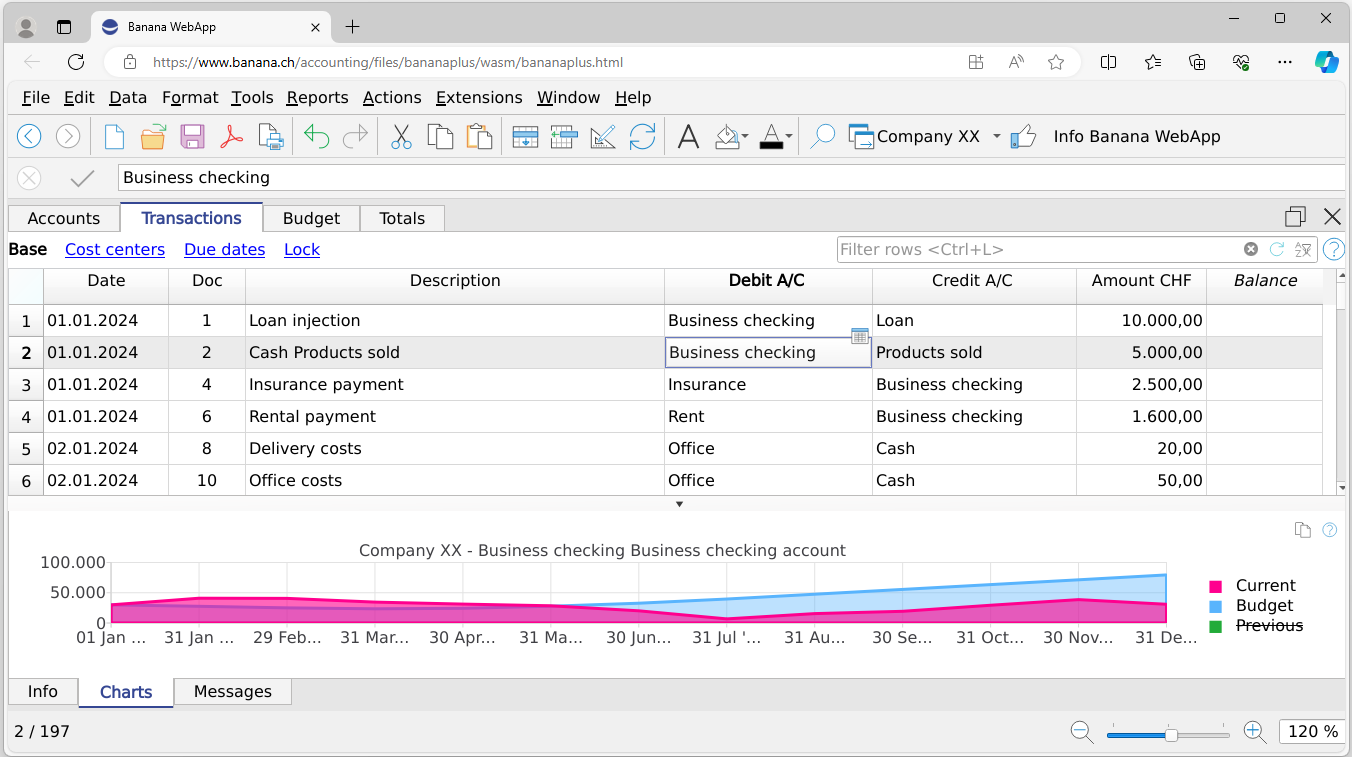
What is a WebApp?
A WebApp is a program that works directly in the browser, without requiring installation.
It offers the convenience of web applications with the user experience of traditional software.
With Banana Accounting+ WebApp:
- You can work anywhere, even without an internet connection (after the initial loading);
- No registration or account is required;
- Your data remains on your computer and is not sent to the cloud;
- You can save and open files only with your consent;
- The browser saves temporary copies of your files to protect you from unexpected closures;
- You can install it as an app through your browser for faster access.
Uses and purposes
The WebApp is designed to:
- Allow everyone to try Banana Accounting without installation.
- Quickly create and customize an accounting file using the templates available in the Template Store.
- Provide students with a practical environment for practice.
- Demonstrate the potential of WebApp technology in accounting.
Current limitations
Compared to the desktop version:
- File access is more restricted due to browser security rules.
- Data may be lost if you close the browser without saving.
- Some commands and dialogs are not yet supported.
- Features such as drag&drop, Recent files and Favorites are not available.
- It is not compatible with touch devices or small screens.
- Password-protected files are not supported.
The WebApp is free: we invite you to try it and send us suggestions and feedback.
Compatibility
Banana Accounting WebApp works with the most popular browsers (Google Chrome, Microsoft Edge, Apple Safari and Mozilla Firefox 64-bit) and uses WebAssembly technology, which makes it possible to run complex applications directly in the browser quickly and securely.
- We recommend using the latest version of your browser and setting the zoom to 100%.
- If you experience problems during loading or execution, clearing the browser cache may help. We recommend using Chrome or Edge.
- On Safari, you need to enable “Disable Cross-Origin Restrictions” in the Develop menu.
WebApp startup parameters
The Banana Accounting WebApp can be launched from any web page by adding a link to this page.
Startup parameters can be added to the link, allowing you to directly load a template available in the Banana Template Store:
- The parameters are specified in the link, separated from the address by a "?". The parameters are then separated by "&"
- For example, to open the template https://www.banana.ch/apps/en/node/4900
- "cmd=template_open" indicates that a template must be loaded when the WebApp opens.
- "cmd_file=templateId"
- The TemplateId is a number greater than 10000 assigned to templates available in the Banana Template Store.
- Complete link example:
https://www.banana.ch/webapp?cmd=template_open&cmd_file=11046
https://www.banana.ch/accounting/files/bananaplus/wasm/bananaplus.html?…
- "cmd_file=url-file"
- This is the URL of the template file available in the Template Store for the specific template, contained in the template download link.
- This is the URL that appears on the related Template Store page.
- Complete link example:
https://www.banana.ch/webapp?cmd=template_open&cmd_file=https://cdn.ban…
- Other commands, for example related to the table, row and column where the cursor should be positioned.
Banana Accounting WebApp Roadmap
WebAssembly is certainly the future of application development. We hope to have a version with the same features as the desktop version as soon as possible:
- Remove the current limitations.
- Connect to the cloud and save accounting data directly to the cloud.
- Allow multiple people to work simultaneously on the same accounting file.