In this article
The Multi-User subscription of Banana Accounting Plus allows several people within the same organisation to access the program through a single annual subscription, managed by one person called the administrator. This option offers several organisational advantages and simplifies administrative work. The program's features remain the same for all users.
The Multi-User subscription is designed for multiple users, while the personal subscription is intended for a single user, even when used on multiple devices. For more details, see the question Multi-User or personal subscription? at the bottom of the page.
Benefits of the Multi-User subscription
- Manage all your colleagues who use Banana Accounting Plus from a single user account
- Access the user account using a primary (administrator) email address
- Receive a single invoice for all users at the administrator's email address
- Manage the secondary email addresses (of the people using the software) independently
- Add new users at any time
From your Banana Accounting Plus user account, you can always view your subscription status, expiry date, issued invoices and much more.
Purchasing a Multi-User subscription
- Multi-User purchase
- Converting individual subscriptions into a Multi-User subscription
- Managing a Professional and an Advanced Multi-User subscription in parallel
- Upgrading a Professional Multi-User subscription to Advanced
Managing a Multi-User subscription
- Access your user account
- View all your information on the Dashboard
- Manage and update the user list
- Remove users
- If the administrator is not a user
Multi-User purchase
When making a purchase, you must first enter your email address. This will be the primary (administrator) email address used for administrative purposes (purchases and renewals). The person managing this email address will be the administrator and may also be one of the software users.
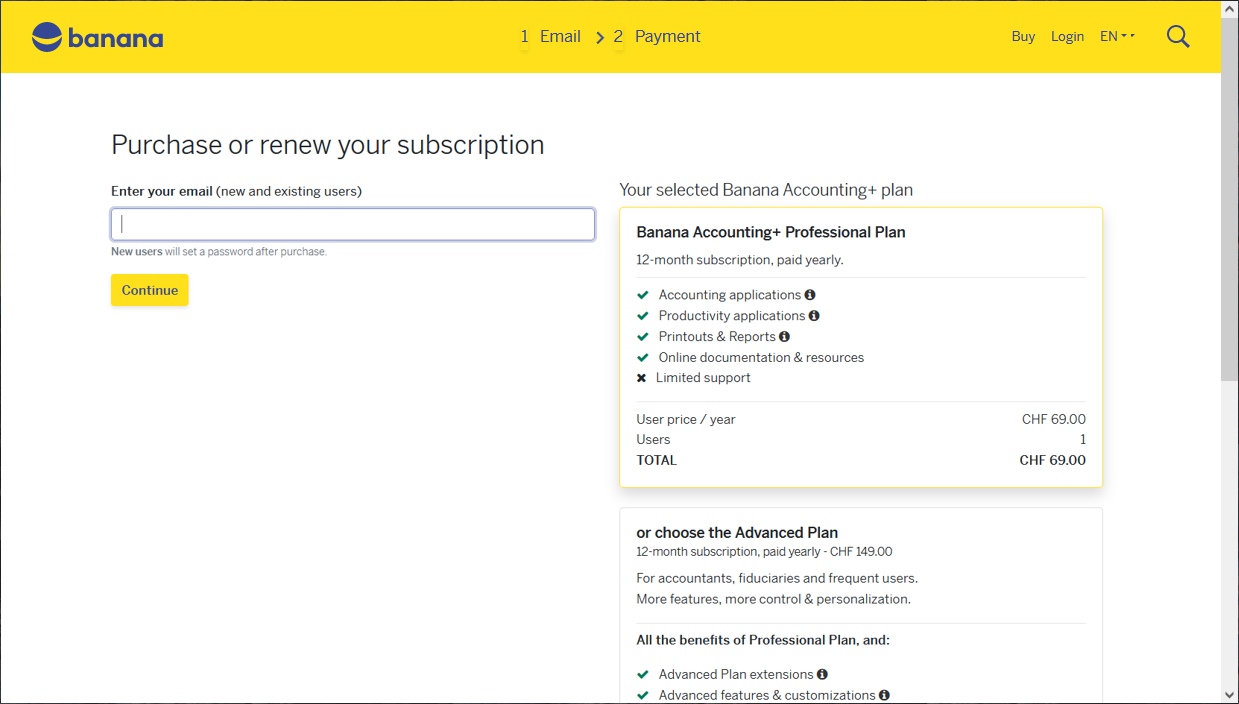
You can now view the purchase page. Enter the number of subscriptions you wish to purchase.
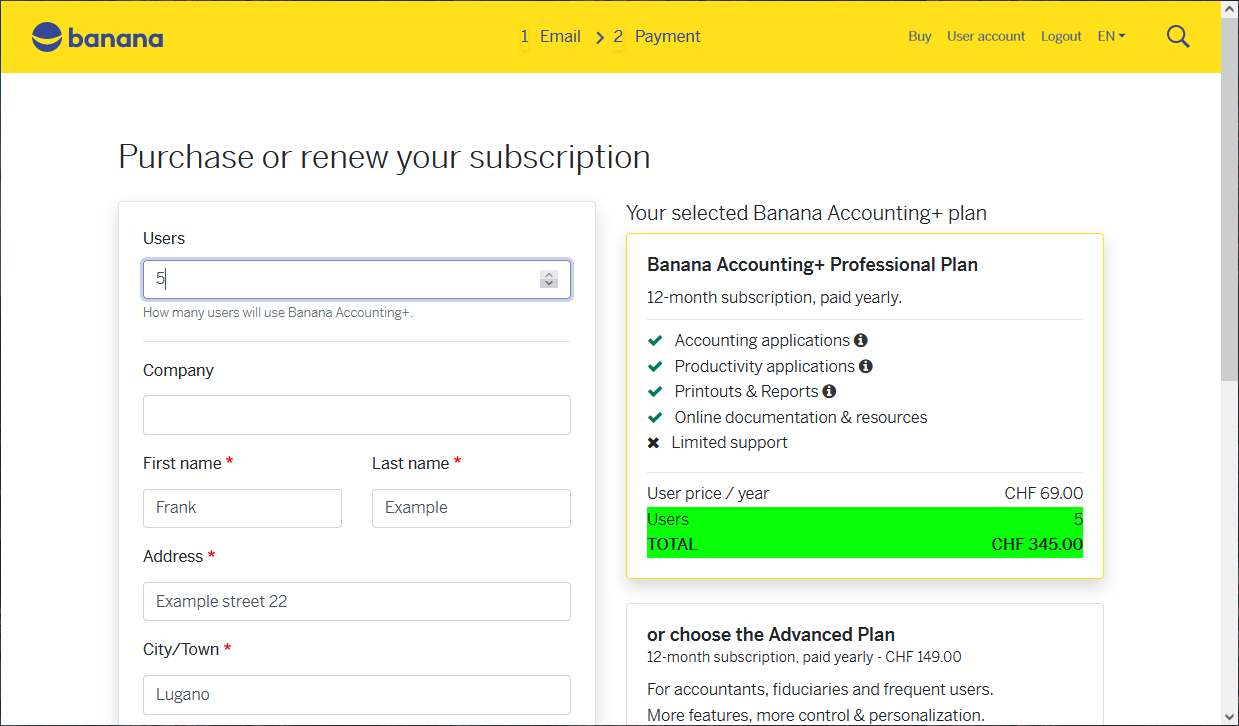
In this example, 5 users have been selected. After purchasing, you will receive a confirmation email asking you to access your user account, where you can specify the 5 email addresses associated with the 5 users (in the Users section). You can access your user account at any time using this link: https://www.banana.ch/shop/en
Converting individual subscriptions into a Multi-User subscription
Special requests, such as converting previously purchased individual subscriptions into a Multi-User subscription (whether purchased directly from us or in a store), must be handled manually by our staff. Contact our customer service by email!
Managing a Professional and an Advanced Multi-User subscription in parallel
You can manage two different subscriptions in parallel, one for the Professional plan and one for the Advanced plan, both using the same administrator email address. However, this setup must be carried out manually by our staff. Contact our customer service by email!
Upgrading a Professional Multi-User subscription to Advanced
Access your user account > Subscriptions > click the Upgrade to Advanced plan button. The pro-rata price is calculated automatically: you only pay the difference between the Professional and Advanced plans for the remaining period until your subscription expires, based on the number of users. Your work continues without interruption. For special cases, contact our customer service by email.
Access your user account
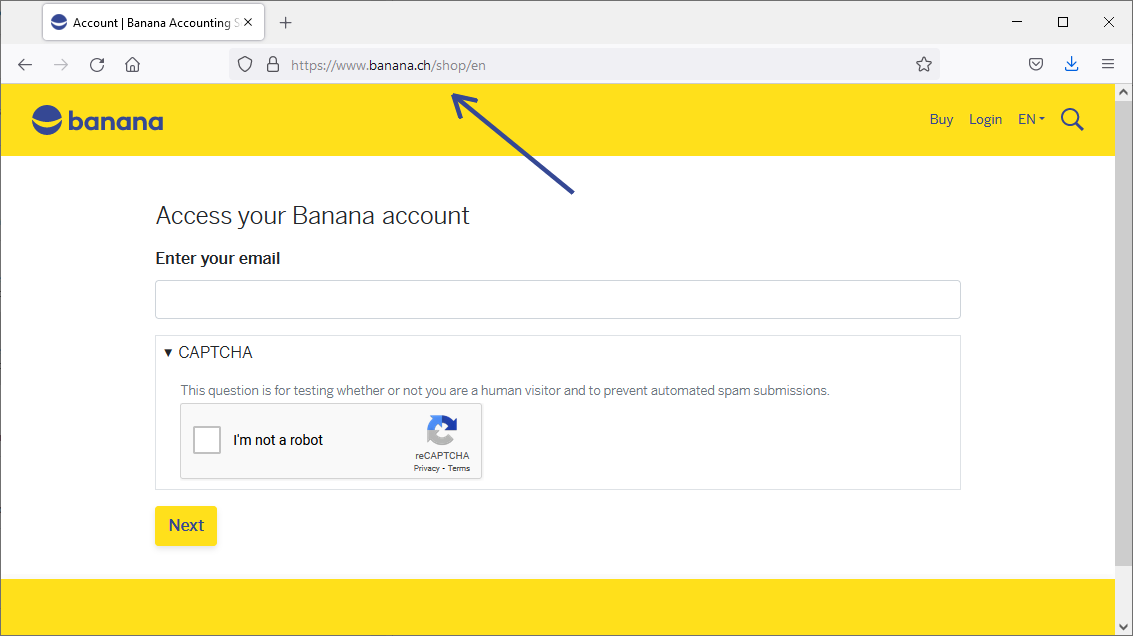
To access your user account, enter https://www.banana.ch/shop/en+in your browser.
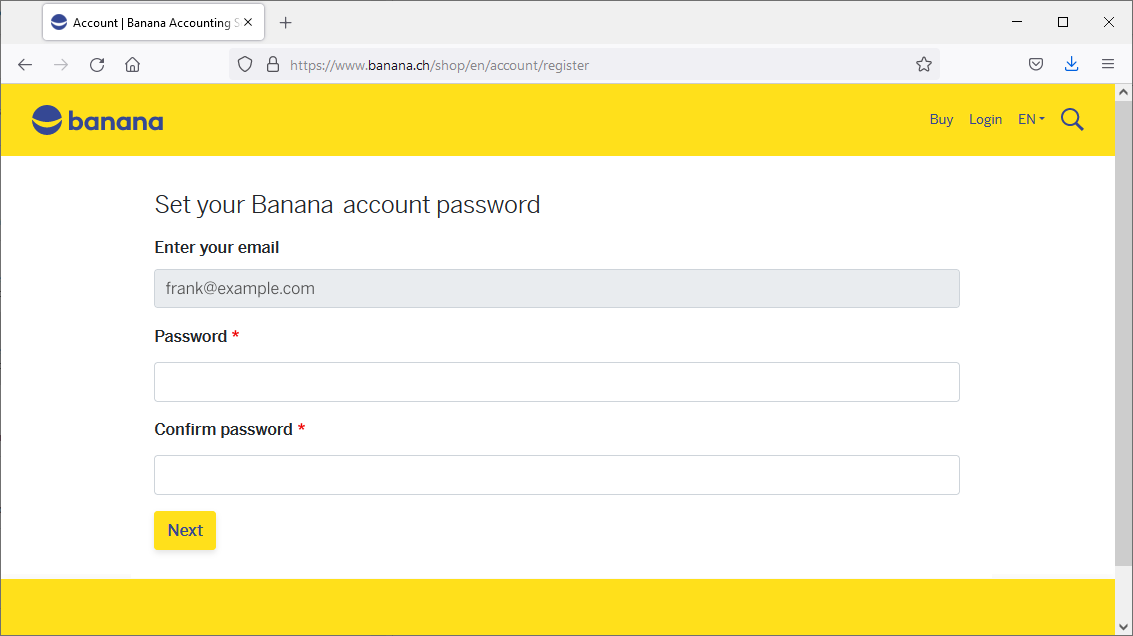
If you have not yet set a password, you will be asked to do so the first time you access your user account.
View all your information on the Dashboard
The Dashboard of your user account provides an overview of all your information.

Manage and update your user list
Once you have logged into your user account, go to the Users section.

Click the Manage (Manage) button to enter the email addresses of the 5 people who will use the purchased subscriptions. You can always add new users using the Buy more (Buy more) button.

Each member/employee who uses the program must:
- Download Banana Accounting Plus
- Install Banana Accounting Plus
- Enter their email address to link it to the subscription
The administrator can change and update employees' or members' email addresses at any time.
Remove users
In your user account, under the Users section, click the Manage button to view your user list. On the same screen, you will also find the Remove users at next renewal (Remove users at next renewal) link.
This link takes you to a window where you can specify the number of users you wish to renew.
Users can only be removed at the end of the subscription period.
Warning: if you reduce the number of users for the next renewal, the program removes the last users in the list by default.
If you reduce the number of users from 5 (see image above) to 3 at the next renewal, the program will remove the email addresses employee4@example.com and employee3@example.com. If necessary, change the order of the email addresses so that the program removes the correct ones.
If the administrator is not a user
Unless otherwise specified, the administrator's email address is automatically included as the first user. If the administrator is not a user, simply remove their email address from this list. You can always view the administrator's email address on the Dashboard and change it under Email > Edit.
Frequently asked questions
When do I need a Multi-User subscription?
If you run a company where several people need to work with Banana Accounting Plus, you need a subscription for each user. Each user must have a personal email address to access Banana Accounting Plus. In these cases, the Multi-User subscription offers several organisational and administrative advantages. The program's features remain the same as those of an individual subscription; however, multiple users cannot work on the same accounting file simultaneously.
Can I have two different plans within the same Multi-User subscription?
No, all users within a Multi-User subscription must have the same Banana Accounting Plus plan (Professional or Advanced). If you need different plans, you can purchase two separate subscriptions. For any specific requirements, contact our customer service.
Multi-User or personal subscription?
The Multi-User subscription allows multiple users to use Banana Accounting Plus, each on their own computer. It differs from the personal subscription, which is intended for a single user registered with their own email address and allows use on up to 5 personal devices. Therefore, a personal subscription cannot be shared among multiple colleagues. The terms of use always apply.
Can I install Banana Accounting Plus on a Terminal Services server or in a Windows domain?
Banana Accounting Plus can be installed on computers registered in a Windows domain with Active Directory and Roaming User Profiles, as well as on computers providing Terminal Services. Each user must activate the program as described above. Activation information is saved in the user's profile.