The guiding principles of Banana Accounting
When you start looking for accounting software, you are faced with a sea of possibilities: from completely “do-it-yourself” Excel solutions, to complex management systems designed for large companies, to many intermediate options. It is normal to feel a little disoriented.
With Banana Accounting we want to make this choice much simpler and more reassuring.
Our software has been designed to be:
Easy to start with: the table-based interface is simple and easy to understand, similar to an Excel spreadsheet, therefore familiar and immediately intuitive even without advanced accounting knowledge.
Clear and readable: data is always presented in an organized and transparent way, so you always know where you are and how to proceed. See how the program works, so you can understand it and have full control of your activity.
Flexible and adaptable: with a modular software, you can start small and expand the features as your business grows.
Free and without constraints: your data always remains accessible, exportable and editable. If one day you want to switch to other solutions, you will not encounter barriers or limitations.
In other words, Banana Accounting not only simplifies the start of your accounting management, but also accompanies you throughout your growth journey, leaving you the freedom to always choose the best path for you.
Useful links
基于表格的界面
在 Banana财务会计软件中,数据被输入在表格中,并被直观的展现,各个表格之间自动连接,实时更新数据。 界面受到 Excel电子表格的启发,忠实于数百年的会计传统,非常直观且高效。在程序的所有区域中,对于会计科目表,发生业务,预算,汇率,增值税代码以及账户明细有着相同的操作方式。

典型的Excel界面为用户提供了很多优化工作的优势。
简单的数据输入
一切都非常直观,因为您可以立即看到所有必须执行的操作,以及在何处输入数据。您可以在任何单元格,行以及表格内输入,更改和删除数据。在输入数据的时候,程序还将根据您键入的文本来提出建议,您可以立刻使用或稍后再用。
快速的数据输入
这些单元格允许您立即输入数据,可以复制和粘贴所有的数据,加快工作的速度和进程。软件会提出输入值的建议,例如自动填充功能,例如:您可以选择先前已使用的信息或数值。
安全的数据输入
软件可以100%确保用户输入数据的准确性,因为在软件的程序中已经集成了在做账过程中所需的所有公式,直接输入数据即可生成专业的结果。 万一您输入了错误的值,程序将通过文本警告消息来指示出错误,用户可以了解自己在哪里犯了错误并可以立即进行纠正。
界面的可用性符合启发式原则
Banana财务会计软件一直关注于用户的需求和期望,并不断开发的软件。我们的目标是创建一个专业,易懂并易于操作的快速财务工具。
为了实现这一目标,我们参考了由 Jackob Nielsen于1990年开发的10个启发式界面规则。即使在目前的互联网环境中,这些原则仍然有效,并且可以为程序,应用程序及网站开发人员作为参考。
1. 系统状态的可见性
“系统应始终通过适当的反馈在合理的时间内让用户了解正在发生的事情。”
- 如果添加或删除一行,更改格式,颜色,您会立即看到操作的结果。
- 当您重新开始记账,或被电话打断时,您会立即看到最后记录的业务。
- 计算(账户余额和其他)会立即更新并显示。
- 可以同时显示多个窗口。
- 预览窗口不会阻止程序的使用,他可以保持并行打开。
- 在下面的信息窗口中,您可以看到关于所选发生业务的附加信息,账户或其他信息。
- 在图形窗口中,您可以看到所选账户的余额变化。如果现金降到零以下,您会立即注意到它。
2. 系统与现实世界相匹配
“系统应当使用用户的语言,用户熟悉的词,句子和概念,而不是系统导向的术语。遵循现实世界的惯例,使信息以自然和逻辑的顺序出现。”
电子表格是从会计界被创建。该表是本地会计模式 (现金账簿,账户列表)。
- 在表格中输入数据会立即改变状态。全部都会立即更新。
- 发生业务表包含所有的业务,完全如会计中所表达的那样。
- 账户表包含并显示资产负债表和利润表,包括账户和组以及相关更新金额,包括余额,业务,预算或差异。
3. 用户自由的控制
“用户经常会错误地选择系统功能,并需要一个明确标记的“紧急出口”才能离开不需要的状态而无需进行扩展对话。支持撤销和重做。”
在Banana财务会计软件中,用户有完全的自由控制权:
- 您可以选择希望自由工作的顺序。
- 您永远不会被系统阻止,并且可以随时更改或中断。
- 您可以在表格中自由操纵并添加或更改任何信息。
- 您可以从一个表格移动到另一个表格。
- 您可以从一个文件切换到另一个文件。
- 可以取消或恢复操作;如果您发现完成的工作不满意,也可以决定不保存文件。
- 使用Esc键可以中断任何对话框的进程。
- 可以保护您的资料:
- 保护任何行不被修改。
- 使用区块链锁定发生业务。
它符合会计数据保护的要求,并可防止恶意的人在您不知情的情况下干扰您的账户。
- 确定保存文件的位置。
所有的会计数据都保存在文件中,具有用户自定义的名称,可以复制,移动,发送邮件,保存在网络或云端,这些对您都非常有用。
4. 一致性和标准化
“用户不应该怀疑不同的词,环境或行为是否意味着相同的事情。应遵循平台惯例。”
Banana财务会计软件旨在始终如一。
- 电子表格的使用方式保持一致。
- 界面和命令符合Microsoft Excel 和 Office, 管理领域中的参考程序。
熟悉该软件会让您立即感到轻松,主要的命令和操作方法都尽可能的相似。 - 在对话和其他的交互中,使用特定于操作系统的图形和逻辑。
- "合成" 允许您以标准化形式保存和使用设置。
- 我们的目标是保持从一个版本到下一个版本的连续性。新设计只有在被认为有效并能代来利益时才会到位。
5. 防止错误
“比好的错误信息提示更好的是精心设计,首先可以防止问题发生。”
Banana 财务会计软件连接数据结构并显示功能,输入行时有帮助。
- 列和行可清楚的表明要插入哪些信息。
- 在编辑模式下,程序将提出建议列表,以避免输入错误。
- 在日期列中,仅输入日期,程序将根据先前的登记,建议年和月的完整日期。
- 在文档列中,不用考虑使用的编号约定,程序都会指示以下编号。
- 在账户或代码列中,将显示现有的列表,并允许您通过输入摘要进行搜索。
- 摘要列将显示已使用的文本,可以与发生业务的其他部分重复使用。
6. 识别而不是撤销
“通过使用对象,操作和可见选项,使用户的记忆负载最小化。用户不必记住从对话的一部分到另一部分的信息。在适当的时候,系统的使用说明应该是可见或易于检索的。”
使用 Banana 财务会计软件与电子表格一样,很清楚您应该做什么以及如何进行。
- 要添加一个发生业务,一个账户或一个组,可以添加一行。
- 要删除一个发生业务,一个账户或一个组,可以删除该行。
- 要格式化,改变颜色,复制和粘贴数据,请先选择区域,然后点击该命令。
- 所有命令都在上下文菜单,顶层菜单或工具栏中可见。
- 在修改模式下,建议输入账号或其他值(参见上一篇文章)。
7. 灵活性和使用效率
“加速器 — 新手用户不可见 — 可经常加速专家用户的交互,使得系统可以满足缺乏经验和有经验的用户。允许用户定制频繁的操作。”
高级用户有多种选择可以更快地工作:
- 您可以使用快捷键。
- 有一些上下文命令可自动执行一定数量的操作(例如撤销借方和贷方账户分配)。
- 您可以将命令(复制,粘贴,删除,格式)应用于整个选定区域。其他的会计程序通常只允许您一次只能在一行上工作。
- 获得多行重复性发生业务。
- 重复性发生业务的行设置。
- “合成”用于设置和保存报告设置和其他命令。
8. 美学和简约的设计
“对话框不应当包含不相关或很少需要的信息。对话框中每一个额外的信息单元都与相关的信息单元竞争,并削弱了他们的相对可见性。”
Banana 财务会计软件被构思成符合监管要求的一般会计文件,并仅包含相关的必要数据。
- 您的会计只能使用所需的选项创建。增值税,多币种,成本中心,部门等功能在不必要时不会出现,但可以在需要时有选择性的激活。
- 您的电子表格可以自定义。您可以隐藏不需要的列。
- 您可以创建列的不同视图,以便在最适合您的情况下访问它们。
9. 帮助用户识别,诊断及从错误中恢复
“错误信息应以简明的语言来表达(无代码),准确表明问题,并建设性提出解决方案。”
Banana财务会计软件有几种方法可以让用户注意到任何错误和问题:
- 输入或执行不正确的操作时,错误消息已有详细的描述。
- 错误或警告以相关行的颜色来突出显示。
- 信息窗口中的错误解释。
- "检查账务" 命令,重新计算并检查输入的所有数据并发生任何错误或问题的信号。
- 窗口显示所有信息的列表,允许您找到发生错误的行。
10. 帮助和文档
“即使系统可以在没有文档的情况下更好的使用,但可能提供帮助和文档是很有必要的。任何此类信息都应当易于搜索,专注于用户的工作,列出要执行的具体步骤,而不是太多。"
- 每条错误消息都有其专用的文档页面,只需单击即可访问,包含原因,解决方案和信息页面链接,这将帮助您解决问题。
- 使用该表时,帮助命令将引导您直接进入应用程序的相关帮助页面和数据表。
- 每个对话框都有一个帮助按钮,指向特定的帮助页面。
- 有一个完整的,非常全面的文档,根据程序的逻辑结构并链接相关主题。
- 除了这个文档外,还有一个索引可以让您明白它的结构并轻松的翻看。
- 通过Javascript编写的程序扩展创建的对话框,也链接到特定的帮助页面。
Excel式的智能会计软件
超过30%的小公司仍使用Excel进行简单的会计核算。Banana财务会计软件是Excel电子表格和会计软件之间最佳的折衷解决方案,因为其吸取了二者最有用和最适合的会计功能,并与智能技术相结合。Banana财务会计软件不会替代Excel,但却是对其进行增强和补充的必备工具。
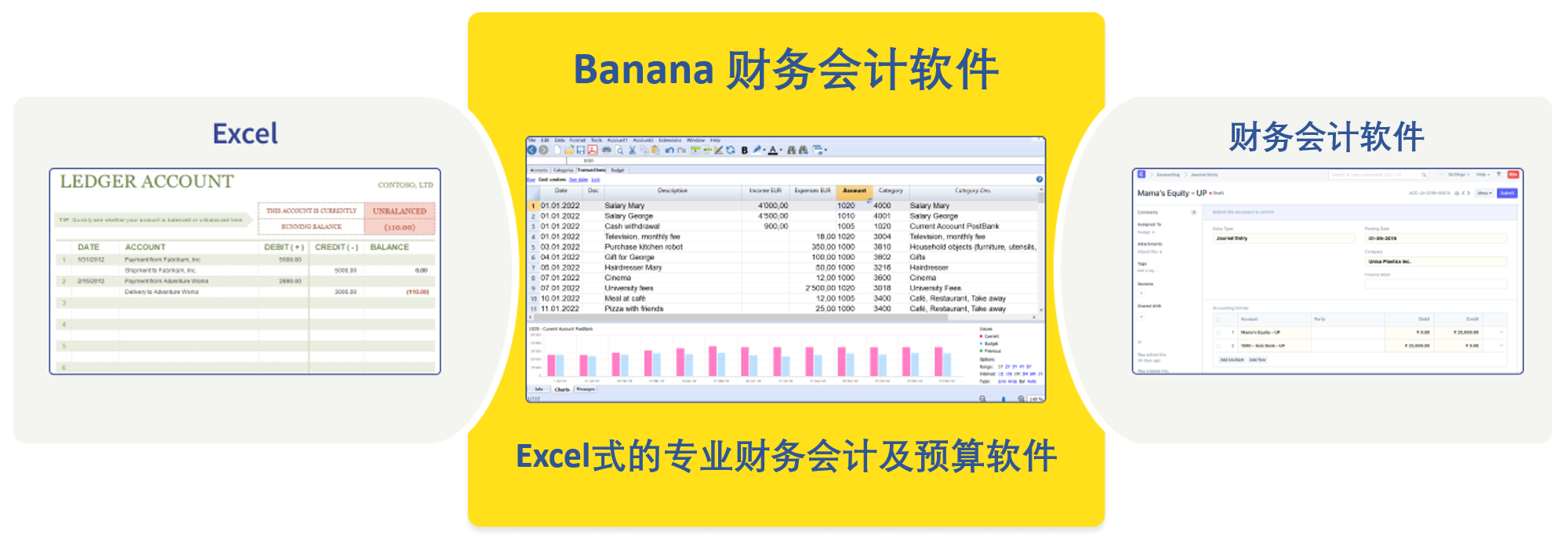
简单,快速,安全的数据输入
Banana财务会计软件具有典型的Excel界面,此特性可使您非常快速地输入数据并可直观的显示所有的数据。用户不必进行任何复杂的设置。与Excel相比,最大的优势是Banana财务会计软件已经为您设置好了一切,各个智能表格之间自动连接,无需输入任何的公式,并随时可以开始记账。 创建新文件时,您可以使用现成的模板,或直接使用配置好的会计科目表,预算表,输入相关的会计业务数据,所有的列及表格都已为您准备好。
也可导入银行或信用卡的明细对账单,并将它们链接到数字收据。
您可以随时修改和取消会计业务。在完成数据输入及检查其无误后,您可以使用软件内的区块链技术对数据进行加密。
财务预测和会计核算
Banana财务会计软件允许您管理财务预测 (通常使用Excel电子表格) 和会计核算 (通常使用会计软件)。在拥有“一体的”功能后,管理更简单,更快捷,您可以更有效全面的地控制公司的财务状况及业务走向。
及时获得会计数据,实时更新
Banana财务会计软件由几个智能表格所组成,并且相互自动连接。您在任何一个表格内输入的数据,都会自动实时的显示及汇总在其它的表格之中。例如,当您在发生业务表格内输入数据的时候,您可在帐户表中立即看到新的实际或预测余额。实时的结果使您可以随时控制一切,并就财务状况做出有效且正确的决策。
全面而专业的报告
Banana财务会计软件会自动提供多个专业会计报告,其中包含会计数据,预测数据或两者的数据。包括资产负债表,损益表,日记帐,账户明细,流动性预测,发票和增值税对帐单。
计划-执行-控制的集成方法
为了能够成功完成一项商业活动,进行计划是至关重要的第一步,之后再实施,并不断检查其执行的进度并进行必要的更正。该方法论可用于各种项目管理以及业务管理。任何希望扩大业务范围的公司都需要租用新空间,雇用员工,购买设备,材料等等。而所有这些活动都需要计划,实施计划以及对执行过程的持续监控。

计划 - 执行 - 控制
瑞士Banana.ch公司设计的计划 -执行 -控制是一种独特且创新的方法,因为它不仅包括财务方面,还包括了经济方面的事项。每个想要成功的公司不仅需要评估其盈利能力,而且还必须评估其流动性的可用性以及自身实现其目标的所有途径,使其不产生任何的债务。
Banana财务会计应用是世界上第一个使用此方法的程序,无需使用任何其它工具即可将基于同一会计科目表的所有数据集成到一个文件中。根据用户的选择,可以在同一会计文件中来准备预算,或者保留帐户或管理二者,以实现对过去,现在和未来财务状况的全面监控。

开始 - 根据需要创建文件
为了使用创新的Banana会计应用方法开始工作,您需要在开始阶段创建新的文件:只需根据需求,选择记帐类型及现成的记账模板即可。
Banana会计应用为您提供量身定制的会计方案,仅包括您所需要的功能,而没有其它任何不必要的复杂功能。

开始 - 自定义文件
通过更改摘要,添加或删除帐户和组,可以随时根据您的需要调整会计科目表。同样的规则适用于软件内所有的智能表格,因此您可以轻松地调整所有表格内的数据,添加或更改任何表内的数据,每个的智能表格内的数据都会自动更新。

输入会计和预测的动向
在会计文件被创建后,您可以选择保留帐户,预算或二者同时运行。在Banana会计应用中,一切都发生在发生业务表格中,您可在其中输入与所执行操作有关的数据;在预算表中,在其中输入对未来预测的数据。您可以根据实时的需要自由复制,粘贴和更正所有的数据。借助区块链保密技术,可以最大程度的保证数据的完整性及加密性,使用该功能可以使用数字密码锁定所有的会计数据。
会计核算部分和财务预算部分均基于复式记账法则:对于每个收入,支出,投资或其它,均指明财务会计活动及数据的去向和来源。
这种创新的方法效率更高,因为它可以考虑到未来所有的预期事件,包括资本和经济事件。由于数据始终保持一致并且不再需要导入和/或导出,因此使用其它工具的效率将得到提高。

银行对帐单以电子格式呈现,您可通过导入数据的方式将银行对账单内的所有数据都自动导入到相应的会计文件中。大多数的信息都是自动检索的,您只需检查数据是否已被正确导入,软件会自动其它完成所有的操作。
实时结果
所有数据都是实时更新的。过去,现在和将来的全部情况一目了然。在账户表格和科目表格中会显示帐户余额,损益以及估计值。在信息窗口中,您将拥有实时更新的帐户余额图以及演变图。
通过数据比较,可使您了解业务如何发展以及在未实现目标的情况下需要采取哪些步骤来改善情况。如果某些支出或收入的预算不正确,则可在预算中对其进行修改,以确保根据公司的财务和经济现实进行最新的预测。

全面的专业报告
财务报告和控制阶段也已标准化,使相同的报告可用于预算数据,最终余额和两者的组合,还可比较单个月份,季度或年度的数据演变 。根据输入的数据自动生成各种类型的,用于税收和/或管理目的的报告。
管理报告

自动化报告

可以导出数据,以便使用其它计算软件 (例如Excel) 进行进一步的分析。
Banana会计应用同样允许您对Apps进行编程,以自动执行某些功能或生成其它报告。预测和会计数据都可以通过这种方式进一步增强。
Modular Custom Accounting
With Banana Accounting, getting started is really easy because you just have to choose the template: when you open it, the accounting is already set up with what you need. Generally, it's enough to slightly adapt the chart of accounts to start entering the transactions right away. Balance sheet, income statement, and many other reports are instantly ready.
The creation of templates designed to meet different types of users is possible only because Banana Accounting is a modular financial management software. This means you can create customized accounting setups by combining components as needed, with a high level of detail.
This major difference from other ERPs on the market allows Banana Accounting, for example, to set up accounting using either the double-entry method or the income and expense method. You can include VAT management, multi-currency, etc.
Start from a predefined template
The predefined templates in Banana Accounting are created by our specialists and designed for specific uses. Banana Accounting includes a wide range of ready-to-use templates, developed for various fields and compliant with the regulations of different countries.
You can view and search the available templates:
- From the File menu > New command
See the list of all templates divided by type of accounting and region. - In the Template Section on the Banana Accounting website.
You can start right away by choosing the template that best suits your needs: you can always adapt it by adding new features or removing those you don't need.
Double-entry or Income/Expense accounting
Like all professional accounting software, Banana Accounting is also based on the double-entry accounting system, which is the global standard and suitable for use in any context.
However, Banana Accounting also offers the option to use Income and Expense accounting, which is more intuitive for those without accounting knowledge. This method replaces the concepts of Debit and Credit with the more familiar terms of Income and Expenses. It is simply a more visual and easier approach, but the internal calculation engine remains the same, allowing you to generate professional reports and results similar to those of double-entry accounting.
Suitable for every need
In Banana Accounting, the data for each fiscal year of an activity is contained in a single file: you can manage an unlimited number of accounting files, each configured for different needs. This way, you can manage business accounting, personal finances, or act as a treasurer for your association. Or, if you're a professional, you can manage the accounts of several clients with a single subscription.
The modularity of Banana Accounting is the key element that makes it extremely easy to use, and that sets it apart from monolithic accounting software, designed only for large companies and packed with mandatory bundled features.
The modularity of the software results in its great flexibility, characterized primarily by the ability to adapt the chart of accounts and the grouping system. You can manage accounting for businesses, non-profit organizations, public entities, individuals, projects, etc.
The software can easily be adapted for use in different countries. When creating an accounting file, you can choose the language, the number of decimal places, and of course the currency.
Multiple application fields
Banana Accounting is a software similar to Excel, designed for individual use, where the user has maximum operational freedom. You can manage as many accounting files as you want, but it is not possible for multiple people to work simultaneously on the same file. Its use is therefore particularly suitable for situations where one or a few people manage the accounting. It is ideal for:
Managing cash book and monitoring cash and bank accounts
Small businesses and entrepreneurial activities
Associations and non-profit organizations
Individuals
Accounting training
Thanks to its modularity and flexibility, it also proves to be a very useful tool for:
Offshore accounting
Management of entities in different jurisdictions, multi-currency and multi-file; allows for maintaining separate and secure accounting records, with customizable reports and no extra costs for each entity.Forensic accounting
Investigative analysis of records and transactions; allows you to import data, verify imbalances, and easily reconstruct flows, with the transparency of the spreadsheet format.Real estate accounting
Management of multiple properties and units; allows you to create separate accounts for each property and obtain immediate reports on profitability, expenses, and condominium statements.Pension fund or financial entity accounting with securities
Monitoring of investments and assets; allows you to manage multi-currency portfolios and value financial instruments with great flexibility.Project accounting
Allows project managers to collect transactions and prepare budgets, with more detail and greater control.Cost and departmental accounting
Allows department managers to collect transactions and prepare budgets with more detail and greater control. The data can then be consolidated into the central system.Small distributed accounting systems integrated into a central system
Branches, local associations, or remote offices; allows local accounts to be managed independently and then easily integrated into consolidated financial statements.
Available components
Banana Accounting offers various modular functions:
- Choice of accounting method, double-entry or income and expense
Simpler for beginners or more formal for those familiar with double-entry. - With or without VAT management
You can work without VAT or activate it and manage registers, rates, and declarations. - With or without multi-currency accounts
Manage multiple currencies in parallel, useful for businesses with foreign clients or suppliers. - Accounting decimals
You can go up to 20 decimals: ideal for cryptocurrencies and minimal currency fractions. - Choice of accounting period
Freely set the fiscal year or custom periods for your business. - Accounting language
Choose the accounting language independently from the interface language. - Add new columns and change table views
Customize tables and views by adding columns, filters, and layouts as needed. - Chart of accounts and grouping setup
Adapt your chart of accounts and structure the groupings as you prefer. - Customizable reports
Generate custom financial statements and reports with configurable filters and settings. - Balance sheet reclassification
Create alternative balance sheet layouts for different financial analyses. - Cost and profit centers
Track expenses and income by projects, departments, or specific activities. - Segments
Add extra levels of analysis to better detail accounts and transactions. - Customer management
Organize deadlines, receivables, and outstanding invoices for each customer. - Supplier management
Monitor payables and payments to your suppliers. - Transactions table with quantities and prices
Link quantities and prices to each transaction, useful for small sales or inventory. - Items table
Manage a list of items with descriptions, prices, and codes, ready for invoicing. - Budget, financial and liquidity planning
Set annual or monthly budgets and compare them with actuals to plan income and expenses and monitor cash flow evolution. - Invoices from transactions
Automatically generate invoices from accounting transactions. - Securities management
Record and monitor investments, stocks, bonds, or other financial instruments. - Certification and transaction locking
Certify and lock transactions to ensure legal data validity. - Extensions
Add extra features (electronic invoicing, reports, printouts) via dedicated extensions.
Different types of components
From a technical point of view, the ability to create customized accounting by choosing its elements is achieved through different technical approaches.
The standard and recommended approach is to start from a predefined template and eventually adapt it.
Of course, it is also possible to start from a completely empty accounting file, but this is rarely done.
Choosing the accounting application
When creating a new accounting file, the first step is to choose the accounting application, among:
- Cash Manager (Cash Book with or without VAT)
- Income / Expense Accounting (with or without VAT)
- Double-entry Accounting (with or without VAT)
- Double-entry Accounting with multi-currency (with or without VAT)
If instead you choose to start from an empty accounting file, you will need to specify:
- The number of decimals for amounts in base and foreign currencies
- The rounding method
- The accounting language
This is a fundamental choice, because these settings cannot be changed later. If the settings of a template are not suitable, or if you want to switch to a different type of accounting, you can use the Tools menu > Convert file to new.
- This command creates a new accounting file with the desired settings.
- All data from the original file is transferred.
However, caution is needed: for example, if you convert an accounting file with VAT to one without VAT, all VAT data will be deleted.
Customizing the chart of accounts
Banana Accounting allows you to customize the chart of accounts by adding numeric or text-based accounts.
Usually, you start from the existing structure and then add the necessary accounts and remove the unnecessary ones. This adjustment can be made at any time.
The Accounts table also includes groups, with a multi-level grouping system that allows you to create any type of balance sheet and income statement structure.
Templates specific to a country usually also include a predefined VAT Codes table, which can also be customized.
The Exchange Rates table can also be customized with the desired currencies.
Using predefined but hidden features
When accounting files are created, there are included features that are normally not visible.
You usually need to make the columns visible using the Data > Columns setup menu command, in order to enter the desired values.
- Cost and profit centers
- Segments
- Notes, Exchange Rate Date columns
- Linking to external documents
- Customer and Supplier management – relevant accounts and groups need to be set in the chart of accounts.
- Invoice printing – Allows printing invoices directly from transaction rows. You must first set up the group and customer accounts.
With the Columns setup command, you can view all the available columns in the table and add new ones to enter additional information.
Possibility to Add New Features
With the Tools > Add/Remove functionalities menu command, you can activate other features. These commands usually add columns or tables already configured for a specific purpose.
- Address columns in the Accounts table
To use accounts also for customers and suppliers, print invoices, or other purposes. - Budget table
For managing financial planning. - Item, quantity, and price columns in transactions
To manage quantities, useful for handling invoices and securities. - Items table
To manage a list of items, useful when issuing invoices.
Also used for integrated securities management. - Simple table
Customizable, useful for managing notes, projects, or others. - Documents table
Allows adding image files (e.g., for logos) or Javascript and CSS files used in extension development or invoice customization.
Extensions
Extensions (or Plug-ins) are Javascript programs that extend the functionality of Banana Accounting.
Extensions are often used together with other customizations. For example, the "Cash Report for ETS" extension requires the chart of accounts to be set with specific groupings. The "Donors" report requires specific cost centers to be used. The Securities Management extension requires the Items table to be present.
Extensions are divided into:
- General extensions – For report creation and input of additional data.
- Data import extensions for accounting – For example, to import bank CSV statements.
- Invoice printing extensions – Scripts for printing invoices.
Extensions must first be installed:
- Extensions available on the Banana Accounting website
From the Extensions menu > Manage extensions command, you can view all the extensions already prepared for different uses.- Extensions usually must be installed manually.
- Some extensions, however, are already linked to specific templates and are installed automatically when the file is opened.
- Extensions are updated automatically when new versions are available.
- Extensions developed directly
- Embedded Extension – The Javascript code is saved within the Documents table.
- Local Extensions – Stored locally.
- Packaged Extensions – Packages that contain a set of features. Generally, the extensions available in the store are packages.
Switching to other accounting software
Banana Accounting is one of the easiest professional accounting software to get started with: an intuitive and flexible tool that adapts to your needs and grows with your business.
But it’s also the kind of software that, should you one day need a more structured solution, allows you to migrate without difficulty. With Banana, you’re never locked in: you can start worry-free and stay free to choose.
Many users gratefully tell us how Banana Accounting helped them start and manage their business in the early years. We are proud to have contributed to the success of so many businesses and individuals, and we’re happy to see them grow and reach even more ambitious goals.
Easy migration from Banana
There are several reasons why switching from Banana Accounting to another program is simple. Here are the main ones:
- Your data always stays with you
With Banana Accounting Plus, all your accounting data belongs to you and remains in your possession at all times. The files for the accounting(s) you manage—both for the current year and all previous years, including receipts and other information—are saved on your local devices or your cloud (OneDrive, iCloud, Google Drive, DropBox, etc.). Even when your Banana Accounting Plus subscription ends, everything remains in your possession, with no special actions needed.
With cloud-based accounting software, the situation is very different: as soon as you stop paying the subscription, you lose access to your data. To comply with data retention obligations, you need to download everything. This makes switching to other solutions much more difficult. - Software always accessible, even after the subscription ends
Thanks to the Free plan of Banana Accounting Plus, available to everyone, you can always open your accounting files and view the chart of accounts, transactions entered, etc. (any printouts will have a watermark). Your access to data is always guaranteed. - Easy export
You can easily transfer data from Banana Accounting Plus to the new software, either by simply copying and pasting from the chart of accounts or transactions, or by exporting the data in various formats, including Excel. - Knowledge that stays with you
Banana Accounting Plus is a professional software that helps you understand the logic of accounting programs, especially double-entry accounting. This makes it much easier to switch to other solutions, since they all follow the same method. - Structured chart of accounts
With Banana Accounting, you can immediately set up a chart of accounts tailored to your company’s accounting and tax needs. If you switch to another solution in the future, you can directly import this structure (if supported), or at least you will already have a clear model of your requirements—an important advantage for making onboarding with the new software faster and easier. - You can start using the other software
With Banana Accounting Plus, you can easily use another software alongside it. You can export the data to test it in the new program while continuing to work in Banana. When you're ready to fully transition, you just need to export the updated data again.
Things to consider when changing software
Switching accounting software always requires some effort and a period of training. Here are some helpful points:
- The right time to transition
You can switch software at any time, but it’s usually easier at the beginning of the year: close the current fiscal year with your current software and start the new year in the chosen one. - Transition period
Plan for a period of overlap. If you transition during the year, continue keeping accounts with your current software until you're sure the new system provides all necessary printouts (financial statements, VAT Report, management control reports). - Check the features
Before switching, check if Banana Accounting already offers what you think is missing—you might avoid migrating altogether. - Move towards double-entry accounting
If you're using Income and Expense accounting and your needs are growing, consider switching to double-entry accounting as a first step. - Don’t take anything for granted
Banana Accounting is flexible and fast—don’t assume other software will have the same functions. Make sure the new program covers both what you’re missing and what you’re used to. Identify the features truly critical to your business and test them before making the final switch.
快速输入
在Banana财务会计+中,有几个实用的功能可以加速工作,并可以自动输入
以下是用于快速数据输入的最常用功能:
复制、剪切和粘贴数据
使用这些功能可以将数据从一个单元格复制、剪切和粘贴到另一个单元格,从一行到另一行,从一个表格到另一个表格,从Excel到Banana财务会计软件等。详见编辑菜单中的功能。
文字、账户和金额自动完成
自动完成功能使数据输入更加容易和快速。只要您输入头几个字符,程序就会根据已经存在的数据 (账户、增值税代码、日期或您已经输入的文字) 建议如何完成。
在工具栏菜单 → 基本设置 → 编辑器中,您可以限制建议的值的数量,甚至可以禁用该功能。
您可以使用以下键之一来接受建议的值:
- 回车键,接受选择并移动到下一个可编辑的单元格,根据选择的设置,可以是右边,也可以是下面。
- 按Ctrl+向下箭头键,接受所选数值并移动到下面的单元格。
- Tabulator键,接受并移动到右边的单元格。
- Shift+Tabulator键,接受并切换到左边的单元格。
- F6键 (或Mac的Cmd+6) 接受文本并执行相关命令 (详见下文的解释)。

请注意:
要停用上一年的自动填写功能,必须从文件菜单 → 文件和账户属性 → 选项中停用智能填充上年发生业务的选项。
输入键和快捷键
您可以通过几个快捷键来加快文字的输入速度。以下是最常见的情况:
- 在日期列中,使用点". "插入了今天的日期。
- 在时间列中,使用点'.'插入当前的时间 (例如在时间表上)。
- 使用F4键 (或苹果电脑上的Cmd+4):复制上面单元格的数据。
您可以从帮助菜单 → 键盘快捷键中找到完整的快捷键列表。
重复性的发生业务
您是否有每个月不断重复或几乎相同的业务?可以把它们写在经常性业务表中,当您需要它们的时候,可以在发生业务表中自动调用它们。请看如何输入经常性业务的页面。
导入银行报表
自动从银行、邮政和信用卡报表或PayPal交易中导入数据。查看所有可用选项。
综合计算器
不再需要计算器:您可以在不受保护的单元格中快速输入公式,然后按回车键,程序通过输入最终结果进行计算。这个功能允许您立即进行计算,例如,当您必须引用一个纸质文件中的数值或必须计算一个百分比时。集成的计算器存在于所有的表格和所有的金额类型列中。

执行命令 (F6键)
某些列与使用编辑菜单 → 执行口令激活的操作相关联,或者与信息窗口中指示的相应键 (苹果电脑上的 F6 或 Cmd+6) 相关联。此功能可以快速检索数据或行,而无需重新键入内容。具体操作示例:
- 文件列:恢复经常性业务或渐进式编号。
- 摘要列:恢复类似的行数据。
文字换行
当某一行的文字非常长时,格式菜单中的计算行高命令可以将其完全显示出来,调整行高。欲了解更多信息,请参阅格式菜单的页面。
下面是最常用的检查和检测错误的功能:
余额列
在Banana财务会计+ 中,引入了激活发生业务表中的余额列的可能性,它可以实时验证借方和贷方账户之间的差额,并立即显示任何差额。
检查账务的命令
使用操作菜单中的检查账务命令对所有的操作进行重新检查,并立即报告任何错误或差额。
合计表
合计表为您提供了关于您的业务情况的简明概览,因为它显示了主要组别的总数,并用于检查账户的余额。请参阅合计表的页面。