Neste artigo
The Rename command is a tool in Banana Accounting Plus that allows you to quickly modify:
- an account or category number
- a VAT code
- an item number
- a link (Link or DocLink).
It is accessible from the Data menu and allows you to update a reference automatically, without having to manually search and replace every occurrence in the file.
Warning
The Data > Rename command changes references within the accounting file (accounts, VAT codes, items, links).
It should not be confused with the Rename file function of the operating system, which only changes the name of the accounting file.
Available in Banana Accounting Plus only with the Advanced plan. Switch now from the Professional plan to the Advanced plan, or purchase it directly.
When to use the Rename command
When you need to change an account number, a VAT code or a Link, the command replaces the selected value with the new value and automatically changes it in all tables where it has been used:
- Accounts and Categories table
- VAT Codes table
- Items table
- Transactions tables
- File properties (Basic data)
In the case of links (Link or DocLink), the program also automatically updates the name of the linked file in the folder where it is located.
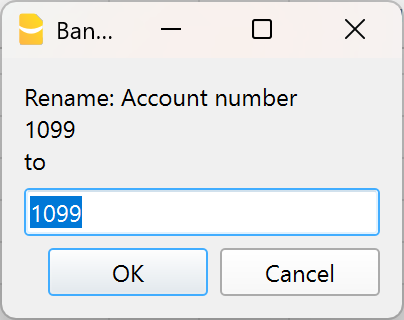
Example - Change account number in the Accounts column, Accounts table.
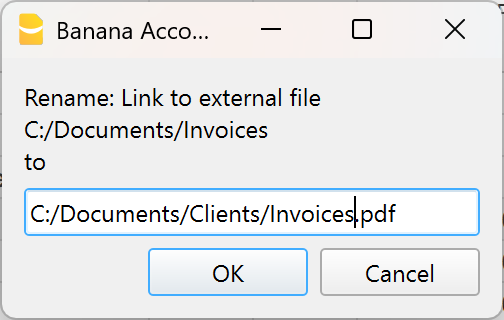
Example - Change link name, in the Doc.Link column of the Transactions table.
How to rename
- Position yourself on the cell to be modified (account number, category, VAT code, item number or link).
- Select Data > Rename.
- In the window that appears, enter the new reference.
The program automatically performs some checks:
Check for duplicates
It verifies that an identical account or group number does not already exist.
If it exists, a warning message is displayed. If you confirm the operation anyway, the error will be reported.
Check for protected or locked rows
It verifies that the rows where the account is used are not protected or locked. Otherwise, the program indicates that it cannot proceed with the renaming.
Automatic replacement
If there are no obstacles, the value is replaced in all tables and in the Basic data.
NOTE
In the chart of accounts it is not possible to have two identical account numbers. The command does not perform any recalculation: it simply replaces the reference wherever it is used.
Rename a link (Link)
In Banana Accounting Plus it is possible to insert, in the Link column of the Transactions table, links to digital supporting documents (receipts, invoices, tickets, etc.).
The Rename command allows you to modify the link text and automatically updates:
- the file name in the folder where it is saved
- all links to that document present in the accounting
In this way, consistency is maintained between accounting and archived documents.
For more information, see the page dedicated to digital supporting documents.