In questo articolo
In Banana Contabilità, il risultato d’esercizio viene ripartito automaticamente durante il riporto dei saldi iniziali nel nuovo anno utilizzando il comando Crea nuovo anno.
Nella finestra di dialogo, nella sezione Ripartizione Utile/Perdita, cliccando sulla freccia verso il basso della prima casella, vengono visualizzati tutti i conti di bilancio disponibili.
È possibile selezionare il conto o i conti sui quali ripartire il risultato d’esercizio. La ripartizione può essere effettuata su un massimo di tre conti, utilizzando le tre caselle disponibili.
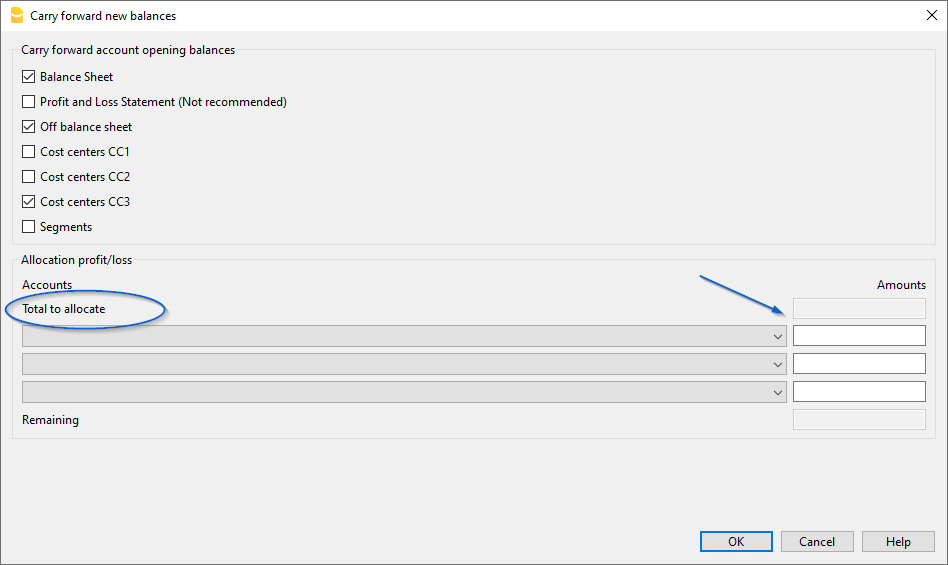
Nella casella (o nelle caselle) sotto la colonna Importi, inserire l’importo da ripartire per ciascun conto selezionato.
Le informazioni dettagliate sulla finestra di dialogo Crea nuovo anno sono disponibili nella pagina della documentazione: Dialogo Riporta saldi a nuovo