In questo articolo
Stai avviando un’attività e non sei uno specialista di contabilità? La scelta del software giusto è fondamentale: può farti risparmiare tempo, denaro e stress. In questo articolo ti mostriamo i 6 errori più comuni che vale la pena evitare, per non compromettere la tua gestione finanziaria.
Da anni lavoriamo al fianco di micro e piccole imprese, freelance, associazioni e fondazioni, e abbiamo visto come questi errori si ripetono spesso, non solo tra chi deve scegliere un software di contabilità per la propria attività, ma anche tra consulenti o professionisti che consigliano agli altri quale programma usare.
1. Tardare nell'adottare un software
Quando si avvia un'attività si hanno sempre tante cose da fare ed è facile commettere l’errore più grave, quello di rimandare l’adozione di un sistema capace di mostrare quanto si incassa, quanto si spende e quanti soldi restano a disposizione.
L’inizio è un momento delicato, in cui è normale doversi confrontare con imprevisti. È fondamentale monitorare la liquidità fin da subito, perché la sua mancanza è spesso la causa principale delle difficoltà che possono mettere a rischio l’impresa.
Adottare subito una gestione contabile ti permette di:
- Sapere quanta liquidità ti rimane e pianificare meglio le spese, invece di dover ricorrere a prestiti.
- Accorgerti subito di quanto pesano le spese impreviste che nascono quando si avvia un’attività.
- Verificare se le entrate sono in linea con le previsioni.
- Capire se la tua attività è in utile o in perdita.
- Reagire rapidamente a tendenze di mercato interessanti e abbandonare quelle non redditizie.
- Avere le informazioni indispensabili per chiedere supporto ad un consulente o accedere a crediti supplementari.
Se hai già individuato il software più adatto, adottalo subito e inizia a registrare regolarmente i movimenti per avere dati finanziari aggiornati.
Se invece non hai ancora trovato la soluzione ideale, non rimanere fermo: inizia con un programma semplice, adatto alle tue esigenze e competenze. L’importante è che sia comunque un software professionale, capace di fornirti informazioni finanziarie strutturate e di accompagnare la crescita della tua attività.
Anche una scelta temporanea va bene, purché faciliti in futuro il passaggio ad altri strumenti.
Un’alternativa è delegare completamente la tenuta contabile a terzi. Il supporto di specialisti è sempre utile, ma tieni presente che, di regola, la contabilità verrà gestita soprattutto per adempiere agli obblighi fiscali. Se desideri che seguano anche la gestione della liquidità, dovrai accordarti in modo specifico affinché ti forniscano i dati in tempo utile per il controllo di gestione. Inoltre, dovrai organizzarti per raccogliere e consegnare loro tutti i documenti necessari con la massima tempestività.
2. Aspettare per raccogliere i giustificativi in digitale
Seppur non sia un errore legato direttamente alla scelta del software, molti aspettano di averne uno per iniziare a raccogliere i giustificativi contabili in formato digitale. È uno sbaglio che complica tutto.
Con i computer e gli smartphone che tutti abbiamo a disposizione, conviene digitalizzare i giustificativi fin da subito. Così facendo semplifichi enormemente la gestione, perché se i documenti sono già in formato digitale puoi ritrovarli in pochi secondi grazie agli strumenti basati sull’AI e, quando lavori nel software contabile, puoi collegarli facilmente alle registrazioni corrispondenti.
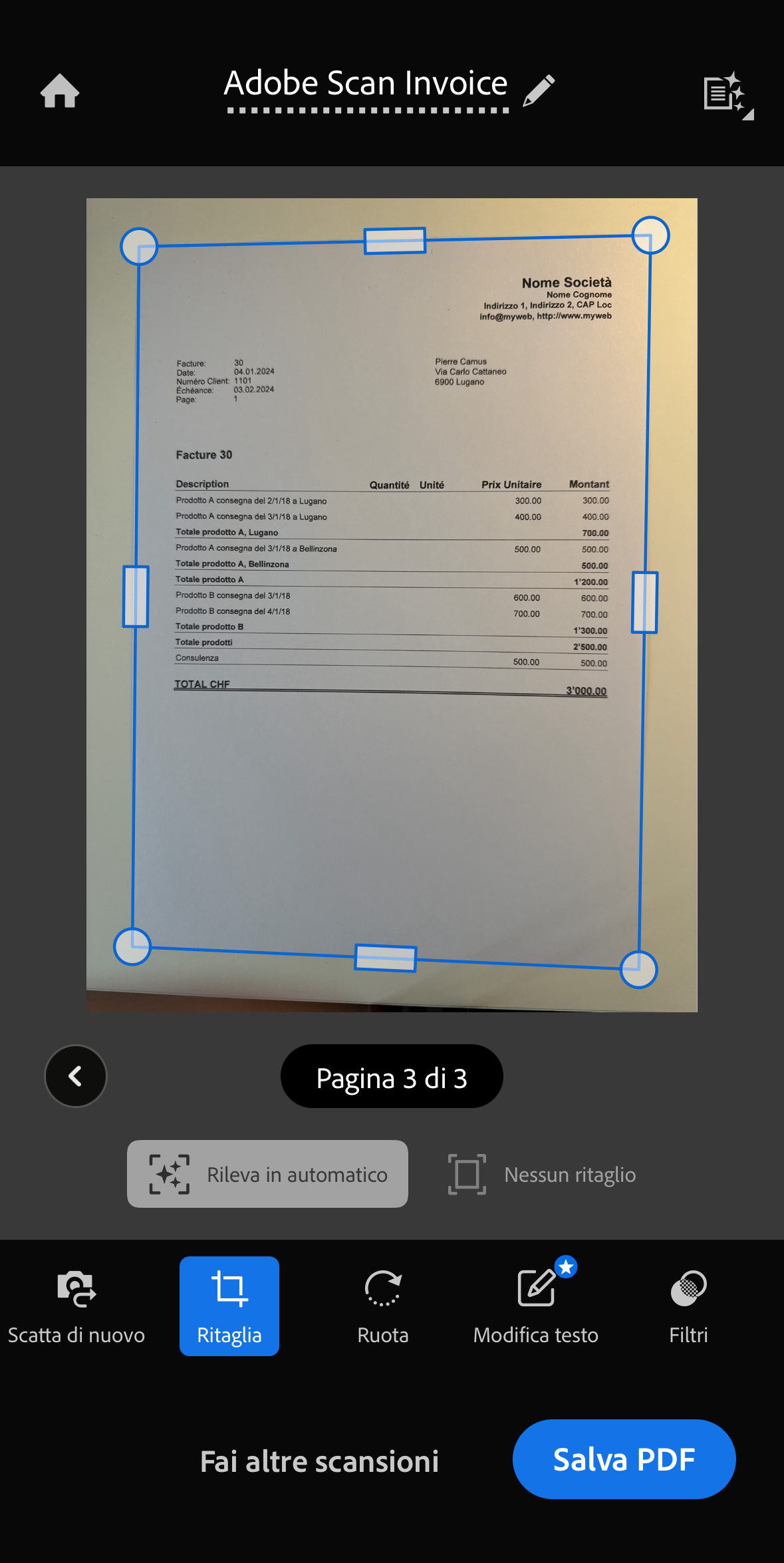
Le app di Google Drive, Dropbox, OneDrive, iCloud includono già funzioni di scansione, ma esistono anche app dedicate come Adobe Scan che tagliano automaticamente il foglio e lo salvano in PDF, il formato ideale perché consente anche di unire più pagine in un unico file. Dopo aver fatto la scansione è comunque importante conservare i documenti originali in un raccoglitore, e numerarli in ordine.
L'ideale è creare sul tuo computer una struttura di cartelle ben organizzata per documenti e contabilità. Ancora meglio se organizzi i tuoi documenti in una cartella del computer che è collegata a un servizio cloud (Google Drive, Dropbox, OneDrive, iCloud), così la sua copia online si aggiorna automaticamente e potrai accedere ai file da diversi dispositivi e usarli direttamente anche in altri applicativi.
I giustificativi in formato digitale (fatture, contratti o ricevute scaricati o ricevuti via e-mail) possono essere salvati in un'unica directory. Dedica qualche secondo in più a rinominare i file con la data nel formato aaaa-mm-gg (es. 2025-08-12-telekom-fattura-luglio): avrai documenti ordinati cronologicamente e facilmente reperibili.
Anche se il tuo software contabile permette di caricare direttamente i giustificativi, può essere più pratico gestirne prima l’archiviazione nel cloud: resteranno così accessibili, ordinati e riutilizzabili con altri strumenti, ogni volta che ne avrai bisogno.
Quando poi lavori nella contabilità, è importante che il software ti consenta di collegare facilmente i documenti già archiviati alle registrazioni: con Banana Contabilità puoi allegare a ogni movimento il relativo documento giustificativo in formato digitale, in modo da averlo sempre a portata di clic.

Esempio di organizzazione directory per salvare giustificativi digitali
3. Scegliere il software senza valutare se è adatto a te
Ti è mai capitato di affidarti al consiglio di un collega, di un amico o del commercialista? Oppure di scegliere semplicemente il programma considerato “il migliore”? È un approccio diffuso, e a volte funziona, ma non garantisce che il software sia davvero adatto alle tue esigenze e competenze.
Tutti i produttori cercano di rendere i propri programmi semplici da usare, ma la facilità d’uso dipende anche dalle tue conoscenze, dal tempo che puoi dedicare e dagli obiettivi che vuoi raggiungere. Non è raro iniziare con entusiasmo e poi abbandonare il software dopo le prime difficoltà, perdendo così tempo prezioso.
Un esempio viene da Intuit, azienda leader mondiale in questo settore, la quale sviluppa QuickBooks, un software che noi consideriamo un punto di riferimento e una fonte di ispirazione per migliorare Banana Contabilità. Intuit ha riconosciuto apertamente il seguente problema: nel 2021 ha segnalato che milioni di persone provano QuickBooks ma non proseguivano, proprio a causa delle difficoltà iniziali. È chiaro che non è colpa del software, ma dipende dalle competenze delle persone.
Per questo, quando avvii una nuova attività, è utile chiedere consiglio ad esperti o sfruttare strumenti basati sull’ intelligenza artificiale per orientarti. È importante però che la scelta del software tenga conto delle tue reali necessità e competenze, altrimenti i problemi non si risolveranno.

Intuit Big Bets: Intuit.com, 17 settembre 2021 (evidenziazione aggiunta)
4. Pensare che tutti i software siano troppo complicati
Molti rinunciano a usare, e quindi anche a scegliere un software di contabilità perché lo immaginano troppo complesso, adatto solo agli specialisti. È vero che i programmi tradizionali sono spesso monolitici: impostati per uno scopo preciso, includono a prescindere la partita doppia, la gestione IVA, la multi-moneta e altre funzioni avanzate che non sempre servono e che rendono questi software pesanti e complicati per chi non è uno specialista.
In realtà oggi esistono anche soluzioni professionali ma al tempo stesso semplici, come Banana Contabilità, che permettono di creare una contabilità su misura, scegliendo il metodo contabile più adatto e selezionando solo le opzioni e le funzionalità in base alle proprie esigenze. Questa estrema componibilità ha permesso la creazione di numerosi modelli già pronti, pensati per esigenze specifiche, che rendono l'avvio molto più semplice.
Puoi iniziare con modelli basati sul Cash Manager (completamente gratuiti) per una semplice gestione tipo libro cassa, oppure con modelli basati sulla contabilità Entrate/Uscite, ideali per chi non è specialista ma desidera funzionalità contabili complete e professionali, adatte a piccole imprese, associazioni, fondazioni e privati.
Anche la partita doppia diventa accessibile grazie a modelli alleggeriti, privi di IVA, multi-moneta e di altre funzioni riservate ad aziende di maggiori dimensioni. Proprio per questa combinazione di semplicità e professionalità, Banana Contabilità è utilizzato anche nelle scuole: consente di apprendere i concetti fondamentali della contabilità e prepara all'uso di qualsiasi altro gestionale, compresi gli ERP più complessi.
Con Banana Contabilità la semplicità non è un limite, ma la porta d’ingresso a funzionalità evolute, attivabili solo se necessarie. Un altro esempio è la Gestione titoli integrata nella contabilità, assente nella maggior parte degli ERP: una funzione avanzata disponibile, non attiva di default, che non complica l’esperienza di chi non ne ha bisogno.

Interfaccia della contabilità Entrate/Uscite di Banana Contabilità
5. Affidarsi a Excel per tenere la contabilità
Excel è uno strumento potente e flessibile, e spesso viene utilizzato per tenere la contabilità anche perché su internet si trovano facilmente modelli gratuiti già predisposti. Anche se l’inizio può sembrare semplice e veloce, è ormai ampiamente riconosciuto che Excel non è la scelta giusta, perché non è uno strumento specifico per la gestione della contabilità.
Conviene partire da subito con un software di contabilità che offre vantaggi concreti che Excel non può garantire, e che permette di risparmiare tempo prezioso:
- Struttura contabile preimpostata, con la possibilità di generare bilanci e conti economici in automatico.
- Riduzione degli errori manuali, grazie a controlli interni e calcoli già impostati.
- Importazione dei movimenti bancari, che consente di risparmiare tempo e ridurre il rischio di errori.
- Apprendimento della logica contabile, che aiuta a capire cosa si sta facendo senza nascondere i passaggi.
- Collegamento ai giustificativi contabili, che permette di visualizzare con un clic la ricevuta o la fattura.
Con Excel è difficile andare oltre la semplice registrazione di entrate e uscite senza investire molto tempo. Se ritieni che Excel sia una soluzione sufficiente, considera che puoi ottenere gli stessi risultati in modo più semplice e veloce con il Cash Manager di Banana Contabilità, un’applicazione totalmente gratuita simile a un libro cassa, che permette di classificare entrate e uscite per categoria e offre molte altre funzionalità.
Partendo con un programma semplice, ma già basato su una logica contabile, diventa poi più facile passare a soluzioni più avanzate.
6. Sottovalutare la complessità dei software ERP
Molti software contabili offrono già tutto il necessario per la gestione di un’azienda: contabilità, fatturazione, magazzino, ordini, stipendi, ecc. Gli ERP (Enterprise Resource Planning) sono invece pensati per realtà di dimensioni maggiori, con volumi rilevanti e più persone che lavorano contemporaneamente. Sono strumenti potenti ma complessi, che richiedono competenze specifiche, una struttura organizzativa adeguata e tempi di implementazione significativi.
L’adozione di un ERP richiede una preparazione adeguata e, nella maggior parte dei casi, anche tempo. Se serve solo la gestione contabile, iniziare con un ERP può essere eccessivo, con il rischio di perdere il controllo delle proprie finanze proprio nel momento di maggior bisogno.
Per una nuova attività, una piccola impresa, un’associazione o una fondazione, il vero traguardo iniziale è riuscire a mantenere i conti aggiornati in autonomia, anche senza conoscenze contabili avanzate. Esistono soluzioni, come Banana Contabilità, progettate per risultare semplici e immediate, perché permettono di utilizzare solo le applicazioni necessarie, senza essere costretti a gestire funzioni che non servono.
Non temere di “perdere tempo” iniziando con un software più essenziale: al contrario, una buona organizzazione contabile, l’abitudine a raccogliere i giustificativi e ad aggiornarli regolarmente rendono molto più facile passare in seguito a sistemi complessi. E se hai già dati chiari sull’andamento dell’attività, sui volumi e sulle necessità amministrative, scegliere e configurare un ERP diventa più semplice ed efficace.
Un modo semplice per iniziare: prova Banana Contabilità Plus
Evitare gli errori che abbiamo visto significa partire con il piede giusto. Se vuoi fare pratica e scoprire quanto può essere semplice tenere i conti in ordine, puoi iniziare subito con il piano Free di Banana Contabilità Plus: crei la tua contabilità, inserisci le registrazioni e verifichi se il programma fa davvero al caso tuo.
Hai accesso a tutte le funzioni del piano Advanced (piano più completo), senza limiti di tempo, fino a 70 righe di registrazione. Inoltre, il Cash Manager (libro cassa) e il Time Sheet (foglio ore) sono gratuiti e illimitati.
Basta scaricare il programma dalla pagina Download, installarlo sul computer e scegliere uno dei tanti modelli preimpostati (menu File > Nuovo) creati da esperti per diverse nazioni e tipologie di attività: piccole imprese, associazioni, fondazioni o privati.
- Modelli di contabilità per la Svizzera
- Modelli di contabilità per l'Italia
- Modelli di contabilità per ogni paese (Universali)
Se in seguito deciderai di passare a un piano a pagamento, non perderai nulla: il lavoro già fatto rimarrà intatto.v
Puoi anche usare Banana Contabilità Plus WebApp direttamente dal tuo browser. È il modo più veloce per provare a impostare una contabilità e inserire dati. Per iniziare, puoi scegliere uno di questi modelli universali, veri e propri “jolly” non legati a una nazione specifica:
- Cash Manager - Piano della liquidità per Freelance e piccole Aziende
- Contabilità Entrate/Uscite - Bilancio familiare e Conti di casa
- Contabilità in Partita doppia - Insegnamento contabilità
- Contabilità in Partita doppia - Business plan e pianificazione finanziaria di una Startup
- Contabilità in Partita doppia Multi-moneta - Business plan e pianificazione finanziaria avanzata con formule per la multi-moneta