In questo articolo
Gli allegati sono documenti di testo aggiuntivi (ad esempio relazioni, note esplicative o commenti) che possono essere inclusi nella stampa del rendiconto per fornire informazioni complementari ai dati di bilancio.
La sezione Allegati è accessibile dal menu Report > Bilancio abbellito con gruppi > Allegati. Tutti gli allegati aggiunti:
- vengono elencati alla fine del Bilancio e del Conto Economico.
- Ogni documento inizia su una nuova pagina.
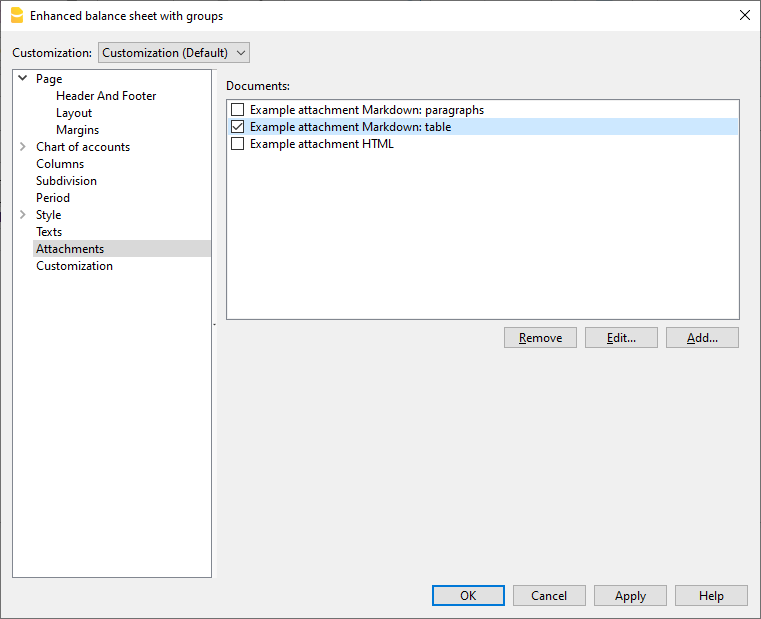
Documenti
Sono elencati tutti i documenti presenti nella tabella Documenti del tipo Html o testo.
- Puoi spostare la sequenza fra i diversi report, trascinando l'elemento con il mouse.
- Vengono stampati solo i documenti con il visto.
Modifica
Apre un editor di testo che consente di inserire o modificare il contenuto del documento selezionato.
Aggiunge
Aggiunge un nuovo documento HTML vuoto. Per aggiungere documenti in testo semplice o Markdown, utilizzare gli appositi comandi nella tabella Documenti.
Se la tabella Documenti non è ancora presente, il programma la crea automaticamente. Non è subito visibile, ma viene visualizzata alla prossima riapertura del file contabile.
Elimina
Elimina l’elemento selezionato e il relativo contenuto.
L’operazione equivale a eliminare una riga dalla tabella Documenti.
Aggiungere un allegato con testo Markdown
Per aggiungere un allegato in formato Markdown:
- Creare un nuovo documento Markdown come spiegato nella pagina Editore Markdown.
- Contrassegnare (vistare) il documento nell’elenco degli allegati.
- Il testo verrà stampato insieme al rendiconto.
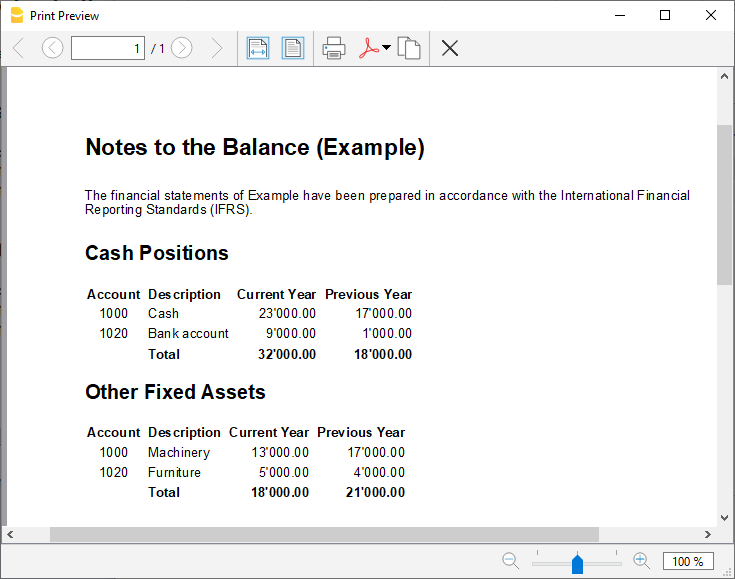
Note
- La stampa di testi in formato Markdown è disponibile solo con l’abbonamento Advanced.
- Questa funzionalità non è presente nelle versioni precedenti del programma.
- Se il file viene aperto con una versione precedente, verrà segnalato che il file non è completamente compatibile.
- Se si modifica questa sezione e si conferma con OK, per annullare l’operazione è necessario utilizzare più volte il comando Annulla.
Come creare gli allegati
Per maggiori informazioni su come creare gli allegati o note nel bilancio, consultare la pagina: