Neste artigo
The notes in the annual report (explanatory notes) are texts that accompany the balance sheet and the income statement.
They serve to:
- explain how the annual report was prepared (principles and criteria used)
- clarify important items or specific aspects of the year (e.g. depreciation, VAT, extraordinary events)
- provide contextual information for a correct interpretation of the data.
The notes do not change the totals of the balance sheet, but they improve its clarity and transparency.
How to insert notes / attachments
In Banana Accounting, the notes are managed as attachments and are included in the balance sheet printout.
The Attachments section is accessible from the menu: Reports > Enhanced Balance Sheet with Groups > Attachments.
The attached texts are printed after the balance sheet and the income statement, each on a new page.
How to prepare the attachments
The notes or attachments to be included in the balance sheet printout can be prepared in two different ways:
- with the Document table
- with the Attachments section of the Enhanced Balance Sheet with Groups
Below you can find the detailed explanations.
Create attachments in the Documents table
The notes or attachments to be included in the balance sheet printout can be prepared via the Documents table.
To make it visible, go to the menu Tools > Add/Remove functionality > Add Documents table.
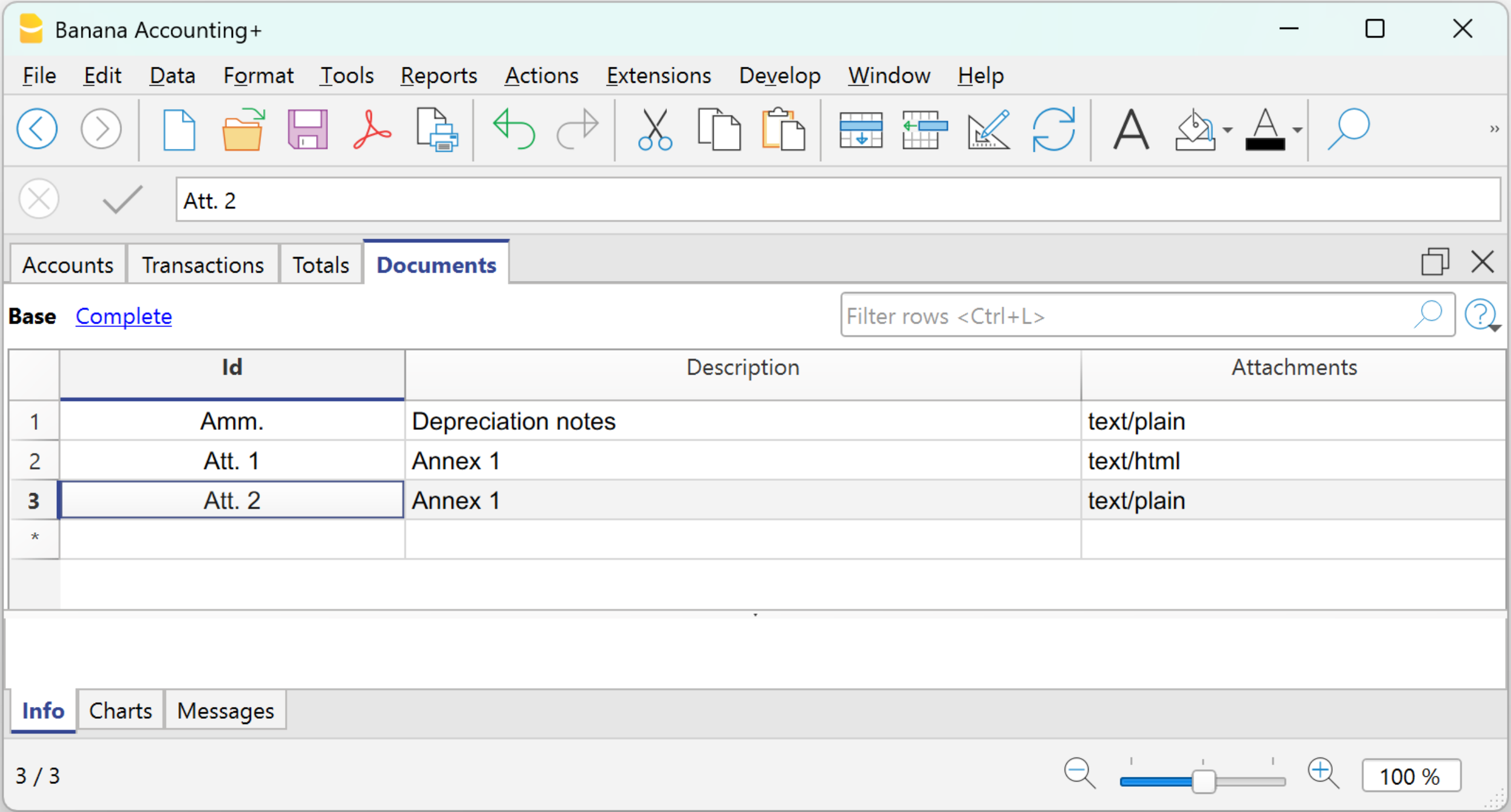
Procedure:
- In the Id column, indicate the type of note.
- In the Description column, enter the description of the note.
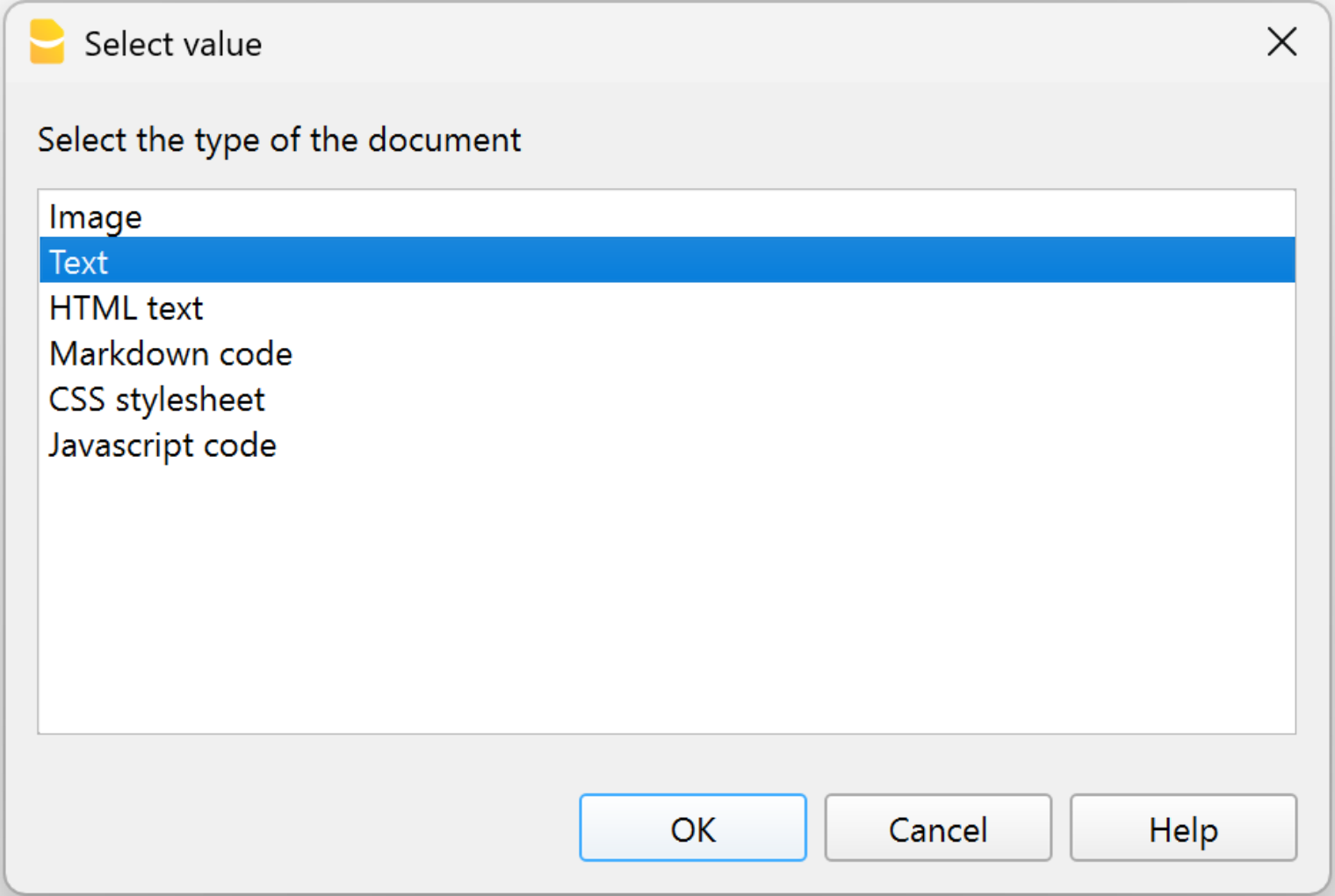
The description text is used as the document name in the Attachments section of the Enhanced Balance Sheet with Groups. - In the Attachments column, click the pencil icon, select the document type, and enter the text in the editor.
You can choose between two types of documents:- Text
Plain text with no formatting (e.g. for simple notes). - HTML Text
Text with formatting (bold, bullet points, etc.). You can choose to write the text normally or enter the HTML source code in the dedicated section.
- Text
The texts created in the Documents table are displayed in the section Attachments of the Enhanced Balance Sheet with Groups.
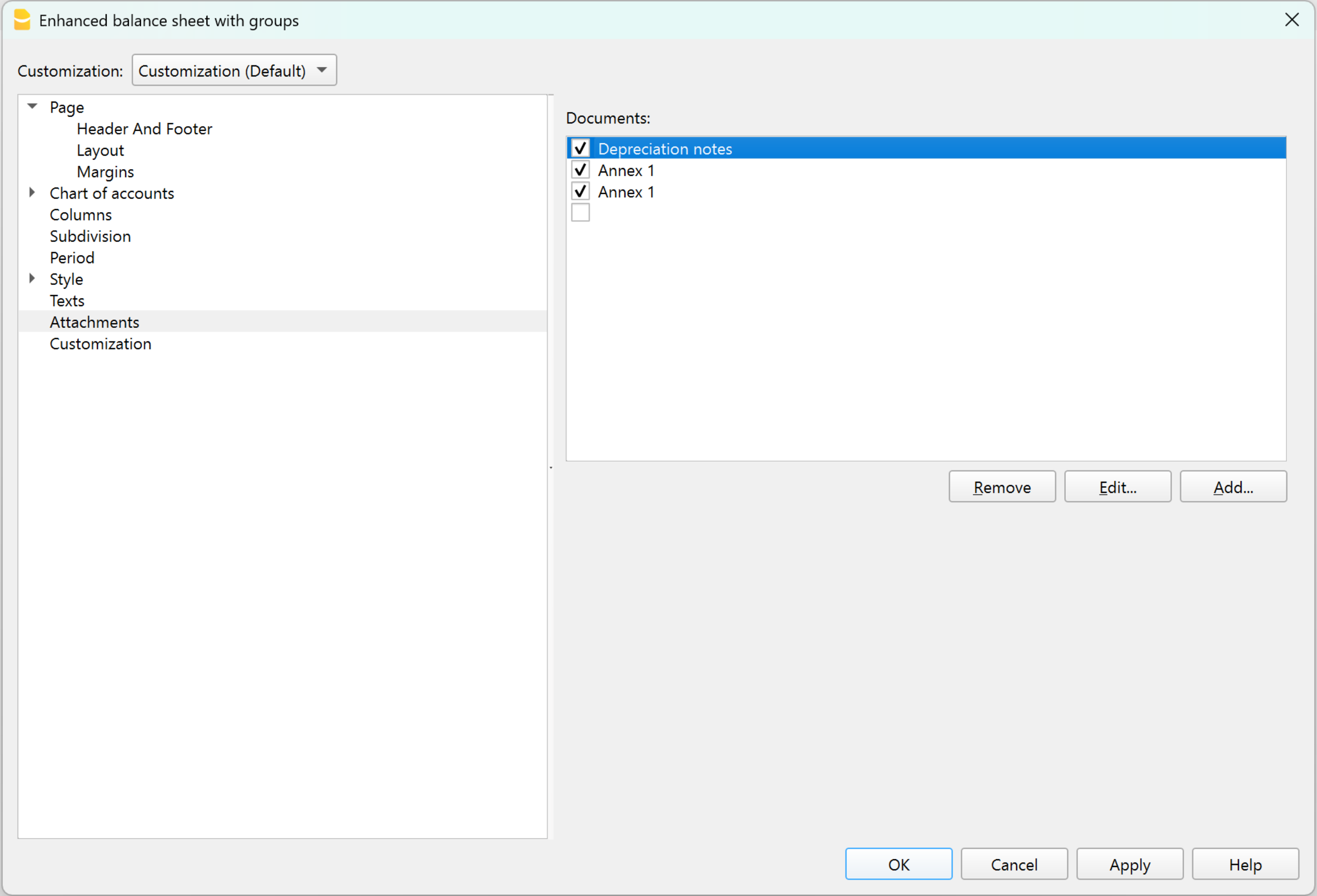
Create attachments in the Enhanced Balance Sheet with Groups
The notes or attachments to be included in the balance sheet printout can be prepared directly from the Attachments section of the Enhanced Balance Sheet with Groups.
Procedure:
- open Formatted Balance Sheet by Groups > Attachments
- click on Add
- The HTML Text editor dialog opens.
- Enter or modify the text in the editor.
You can choose to write the text normally or insert the HTML source code in the dedicated section.
The text is formatted (bold, bullet points, etc.).
The texts entered in the editor are automatically shown in the Documents table.
View and print notes / attachments
In the Attachments section of the Enhanced Balance Sheet with Groups, check the documents to be included in the printout. Only checked documents will be printed. The notes are printed at the end of the balance sheet and income statement, each on a new page.