In this article
Are you still using Banana Accounting 9 or an older version?
With the Professional Plan of Banana Accounting Plus, you can continue enjoying the ease of use of the software you already know, with a modernised interface, new features and regular updates.
Even if you only do your accounting a few times a year, Banana Accounting Plus can save you a lot of time: you can import bank statements more easily, check transactions and find the documents you need faster. You can continue using your existing accounting files without converting them and rely on software that is always up to date and ready to use.
On this page, we show you the main differences between Banana 9 and the Professional Plan of Banana Accounting Plus, with comparison images and practical examples.
A more modern and intuitive interface
With the Professional Plan of Banana Accounting Plus, the workspace has been modernised to make the software even easier and more pleasant to use. The layout is clearer, the icons are larger and the menus have been reorganised so you can find the commands you need faster.
A more practical start page
The new start page displays the main operations more clearly and provides direct access to the Getting Started and Settings features.
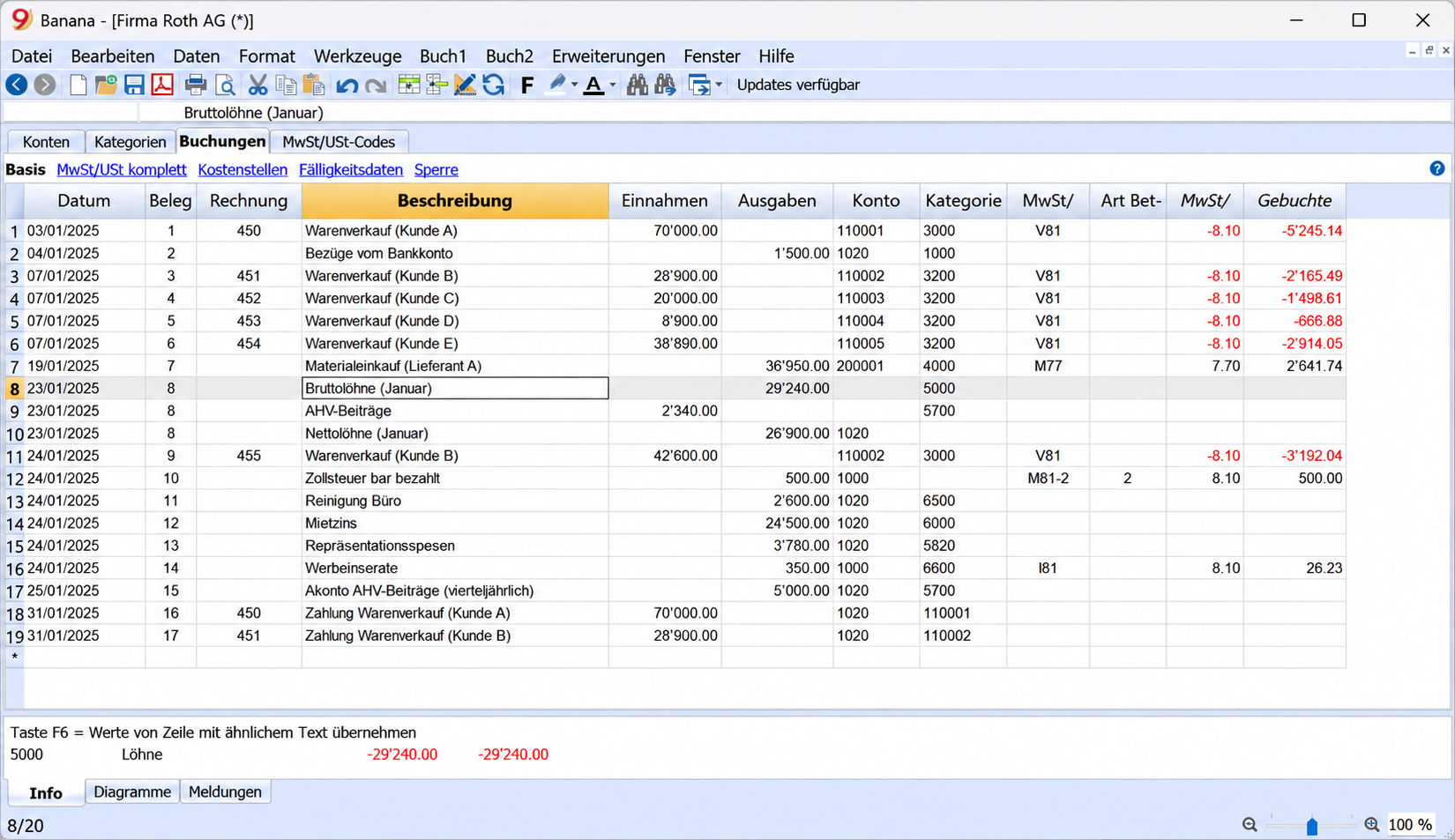 Banana Accounting 9 | 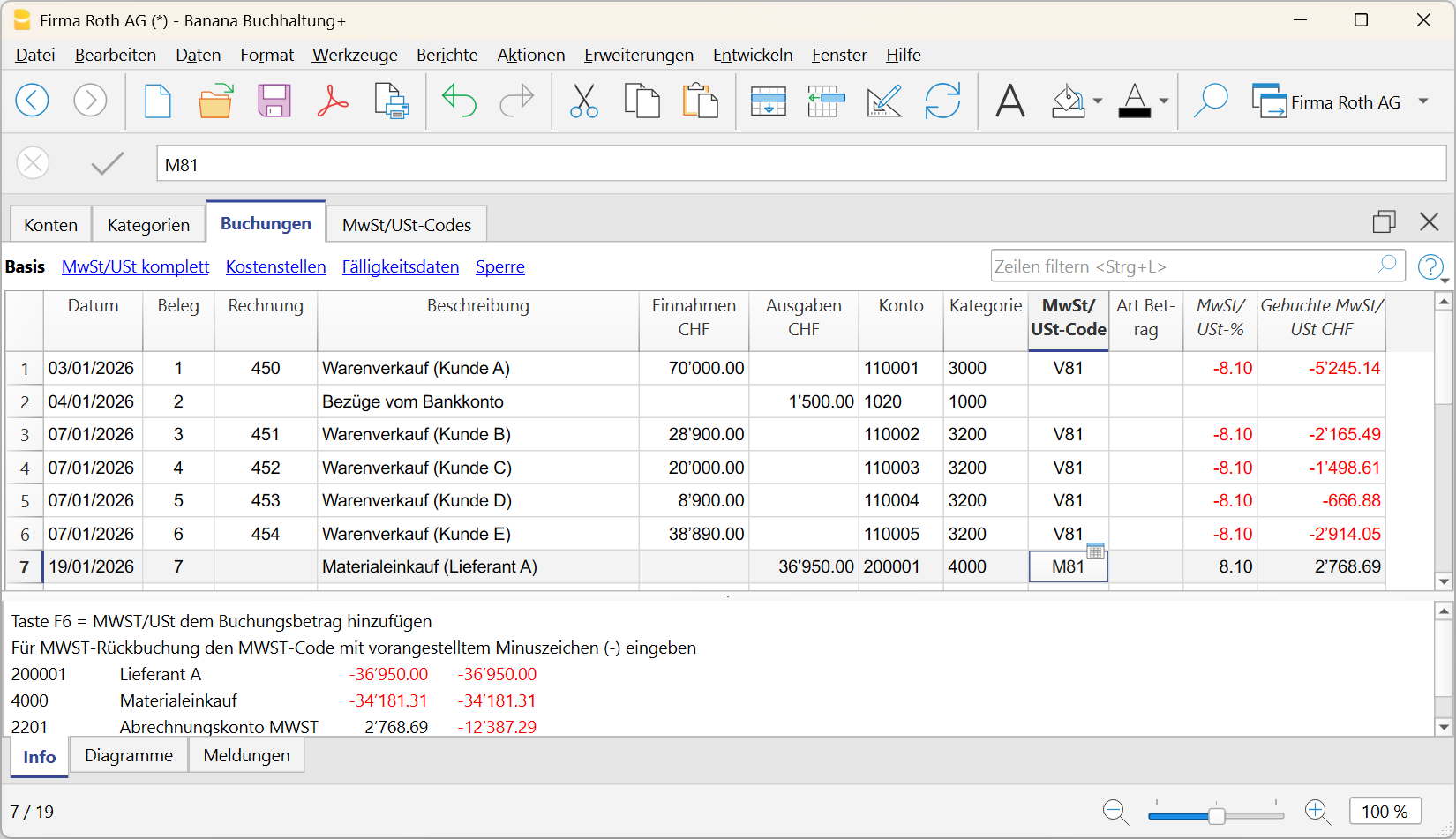 Banana Accounting Plus |
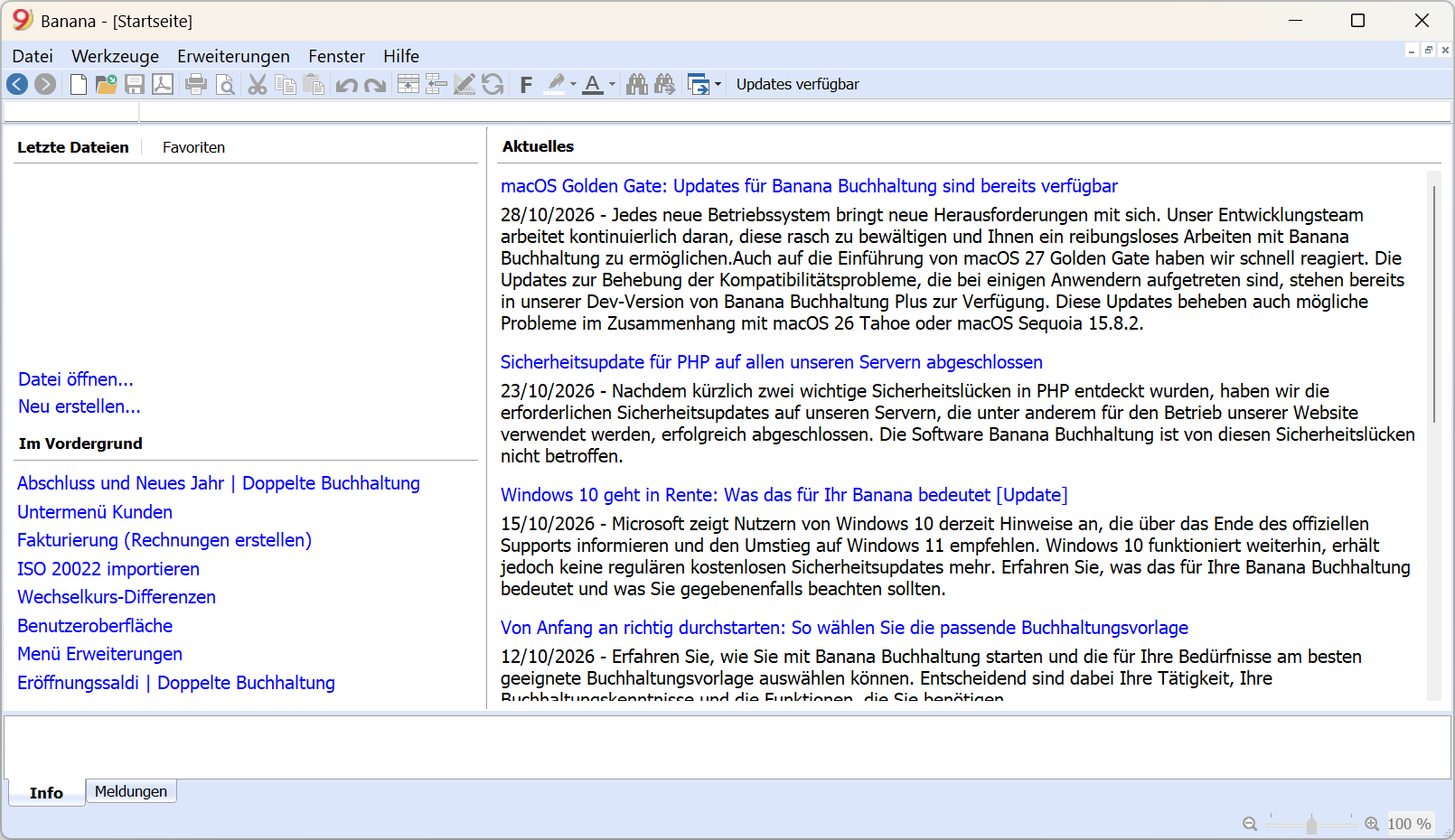 Banana Accounting 9 | 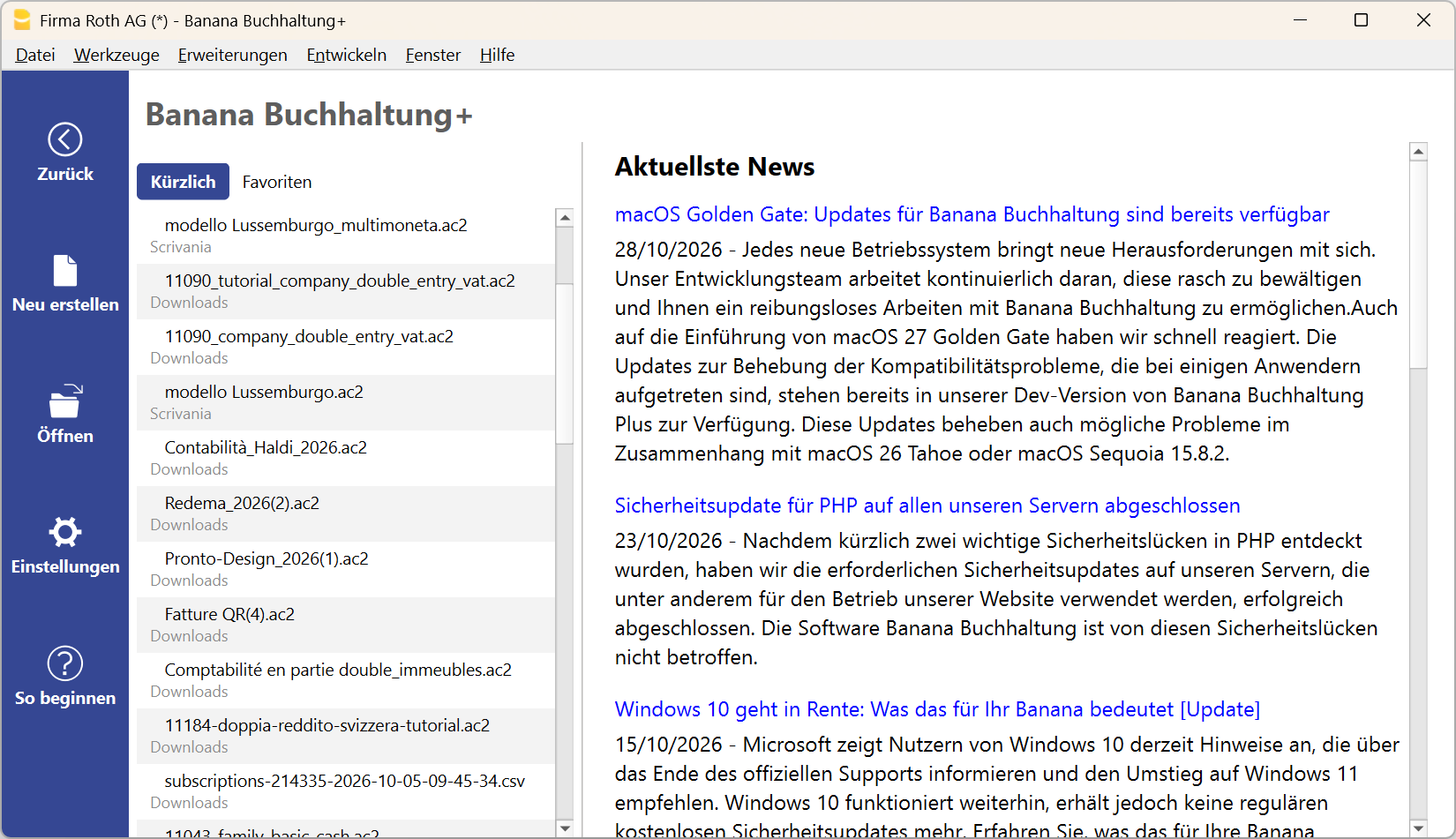 Banana Accounting Plus |
Creating a new accounting file is now even easier
The window for creating a new file has been reorganised and now also includes the new Estimates and Invoices and Inventory Management applications.
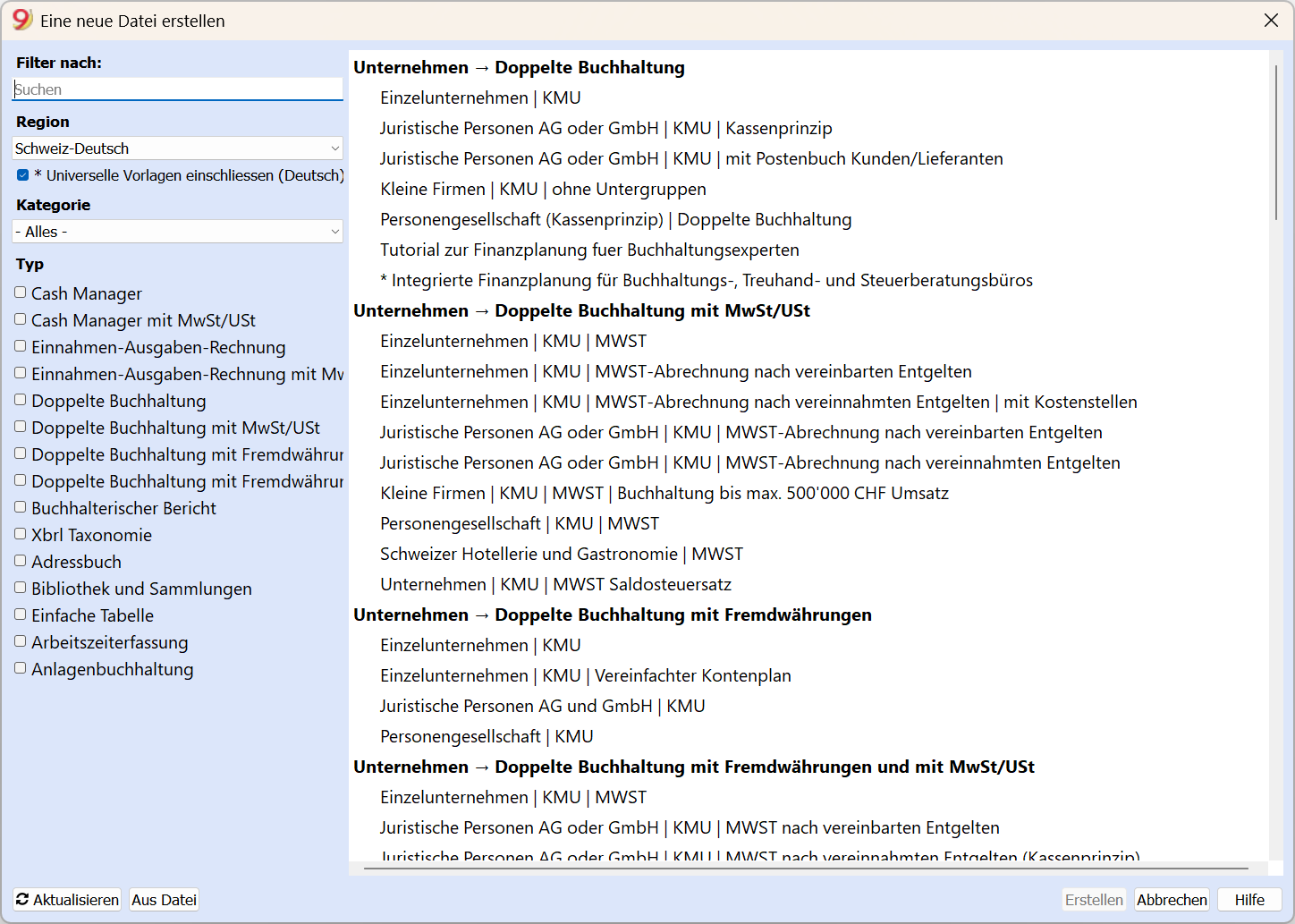 Banana Accounting 9 | 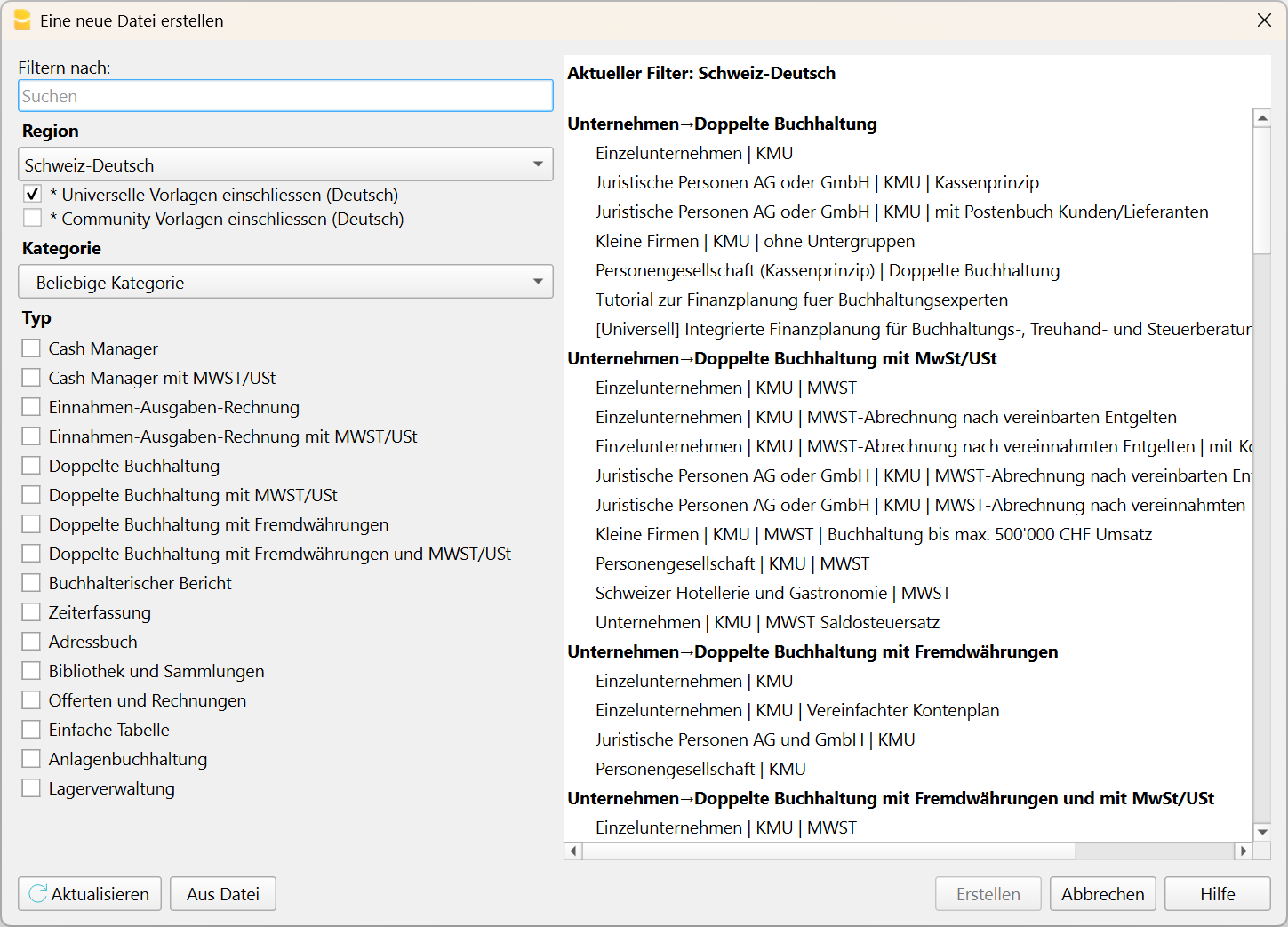 Banana Accounting Plus |
A more comfortable workspace
Larger icons, a more pleasant layout and new display options, including light and dark themes, allow you to create a workspace that better suits your preferences.
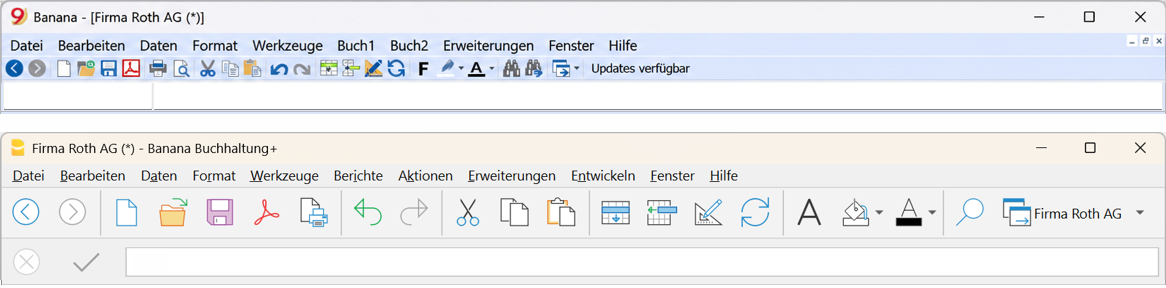
Comparison of the menu bars in Banana Accounting 9 and Banana Accounting Plus
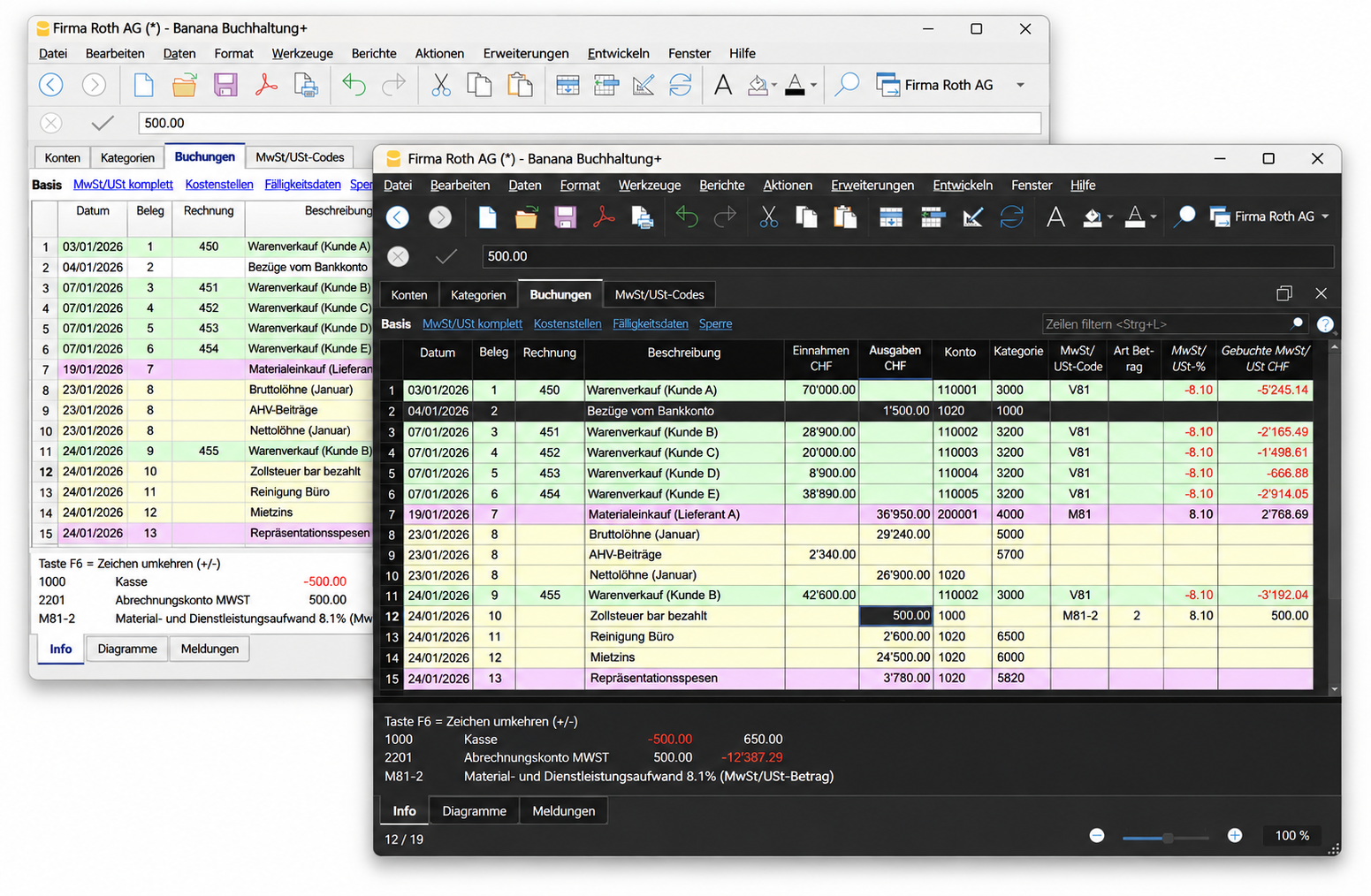
Light and dark themes in Banana Accounting Plus
More convenience in your accounting
With the Professional Plan of Banana Accounting Plus, you have access to new tools and improved commands that make your work easier and simplify the checking of your accounting data.
Spot differences immediately with the new Balance column
In the Transactions table, you can display the new Balance column. This allows you to spot possible differences in your transactions immediately. If the column remains empty, there are no differences. A small improvement that makes everyday checks and year-end closing easier.
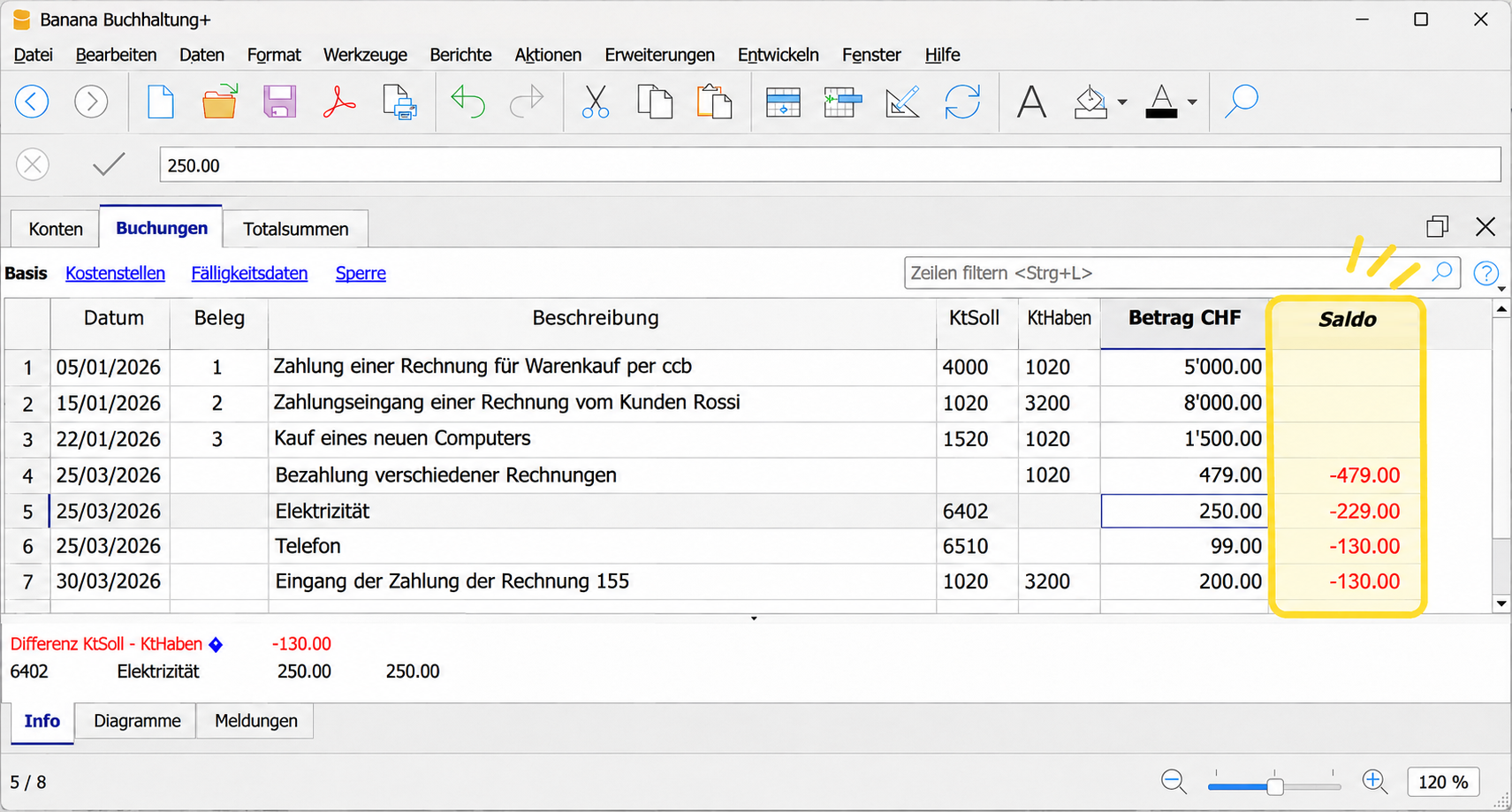
The Balance column in the Transactions table helps you spot possible differences immediately
Clearer menus and better organised commands
The previous Account1 and Account2 menus have been reorganised and renamed Reports and Actions, making it easier to find the features you need.
In the Actions menu, you will also find the Sort transactions by date command, which helps you organise your transactions more easily.
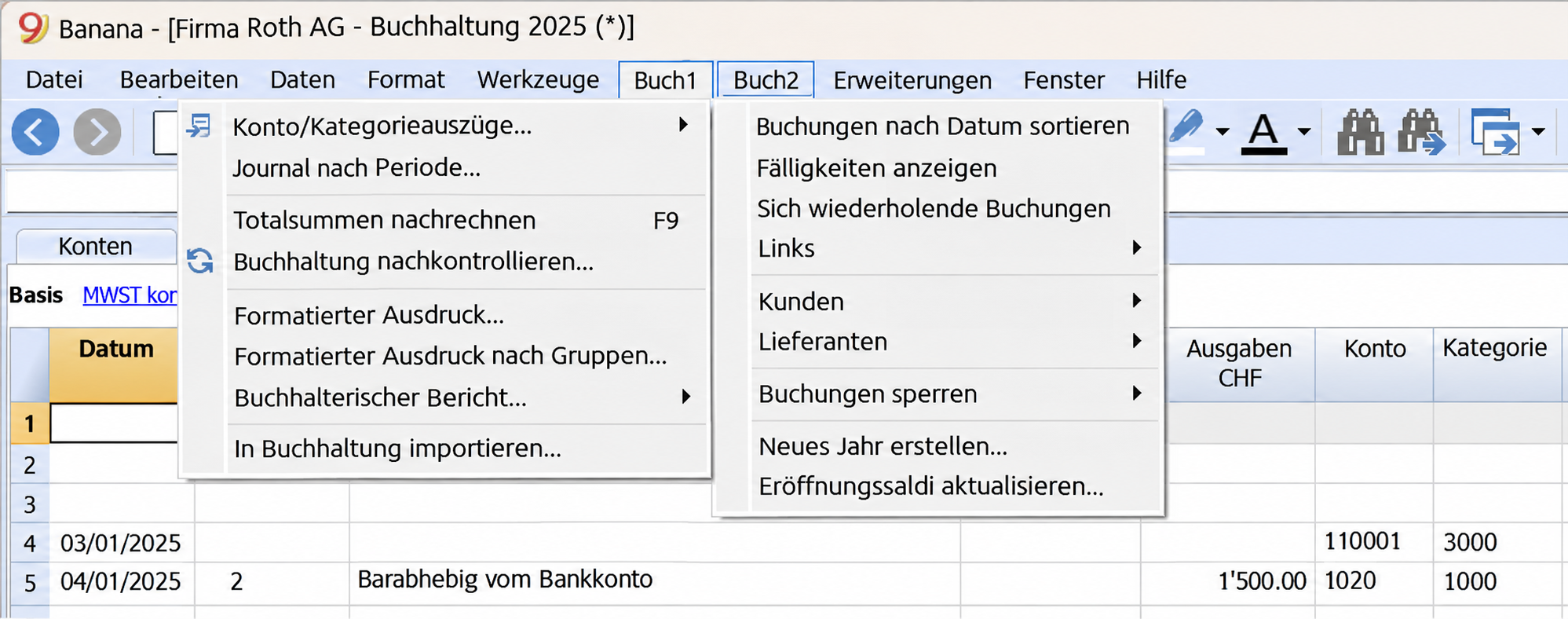 Banana Accounting 9 – Account1 and Account2 menus | 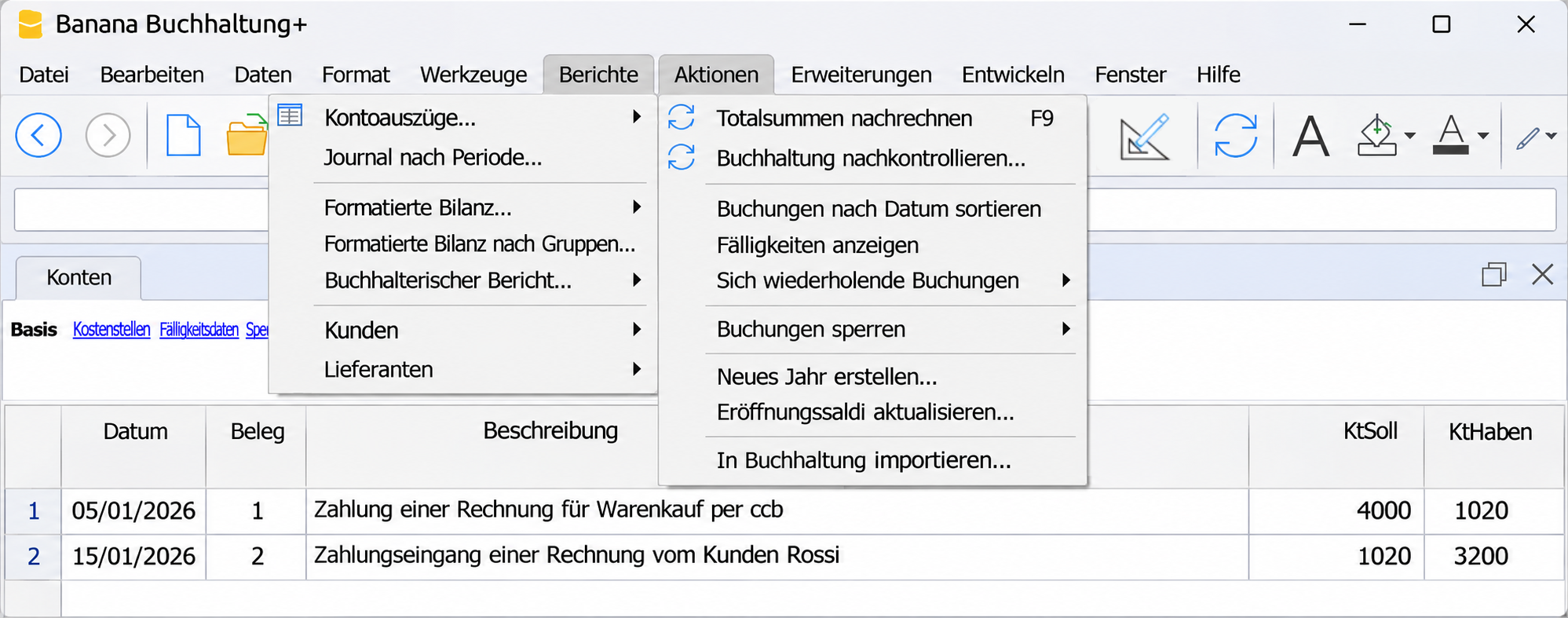 Banana Accounting Plus – Reports and Actions menus |
Import bank statements and save time
Are you still entering all your bank account transactions manually?
With the Professional Plan of Banana Accounting Plus, you save time by importing your bank statements directly into your accounting file, without having to enter each transaction individually.
The new ISO 20022 format – compatible with current banking standards
Banana Accounting 9 already allowed you to import bank statements in ISO 20022 format. However, it used an older version that has become outdated as banking standards have evolved. The Professional Plan of Banana Accounting Plus supports the current ISO 20022 format, also known as camt.053, which is usually provided as an XML file.
ISO 20022 is an international banking standard. Some banks already allow you to download statements in this format directly from their e-banking service. With other banks, you may need to request activation of this feature.
Why should you import bank statements?
- You save time: you no longer need to enter every transaction manually.
- You avoid data entry errors: data is imported directly from the bank file.
- You simplify your accounting: after importing, you can complete and check the transactions.
- You use an up-to-date format: it is compatible with current banking standards.
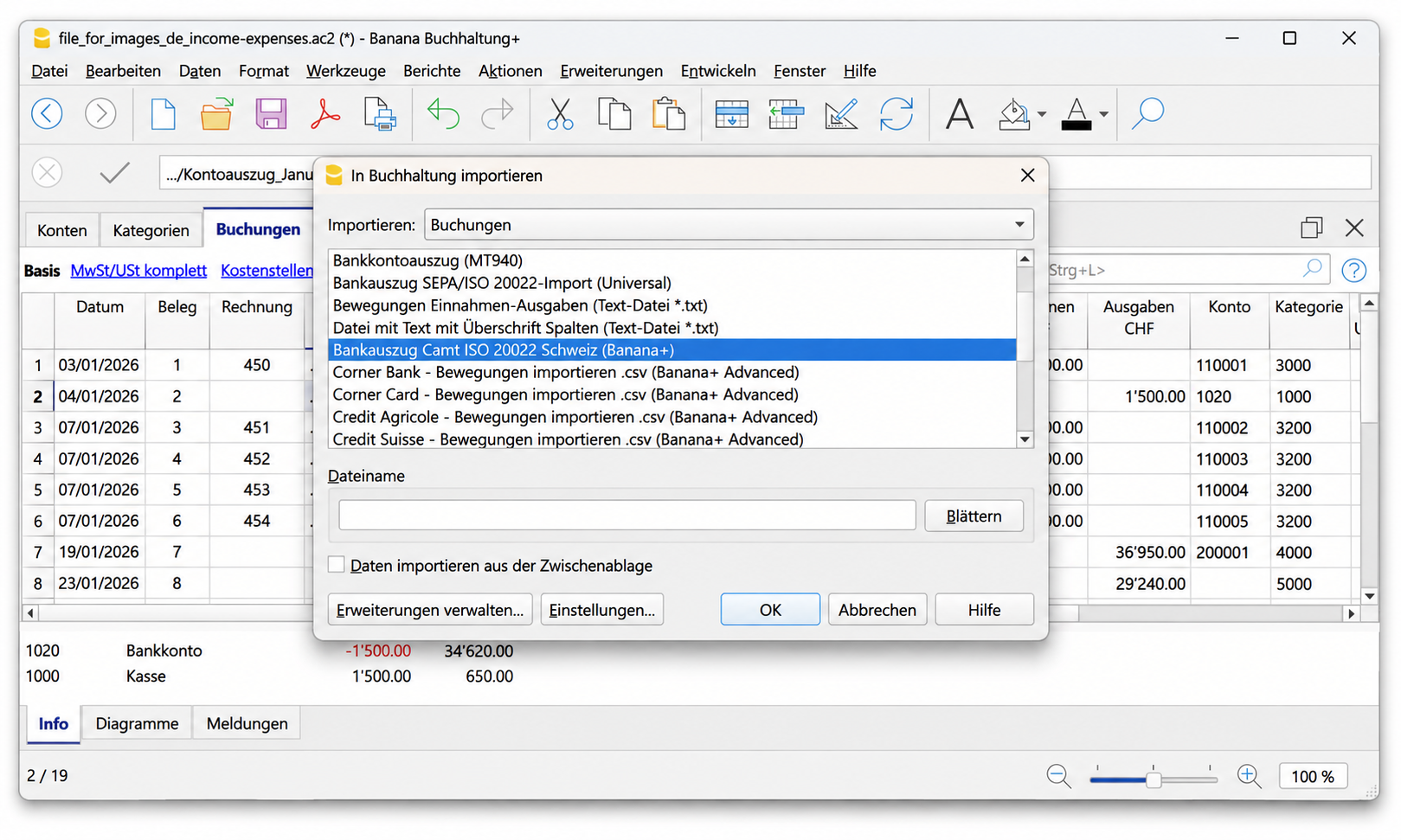
Importing bank statements in the new ISO 20022 format
Create QR payment slips and invoices with QR codes
With the Professional Plan of Banana Accounting Plus, you can create blank Swiss QR payment slips, letters with QR payment slips and invoices with QR codes.
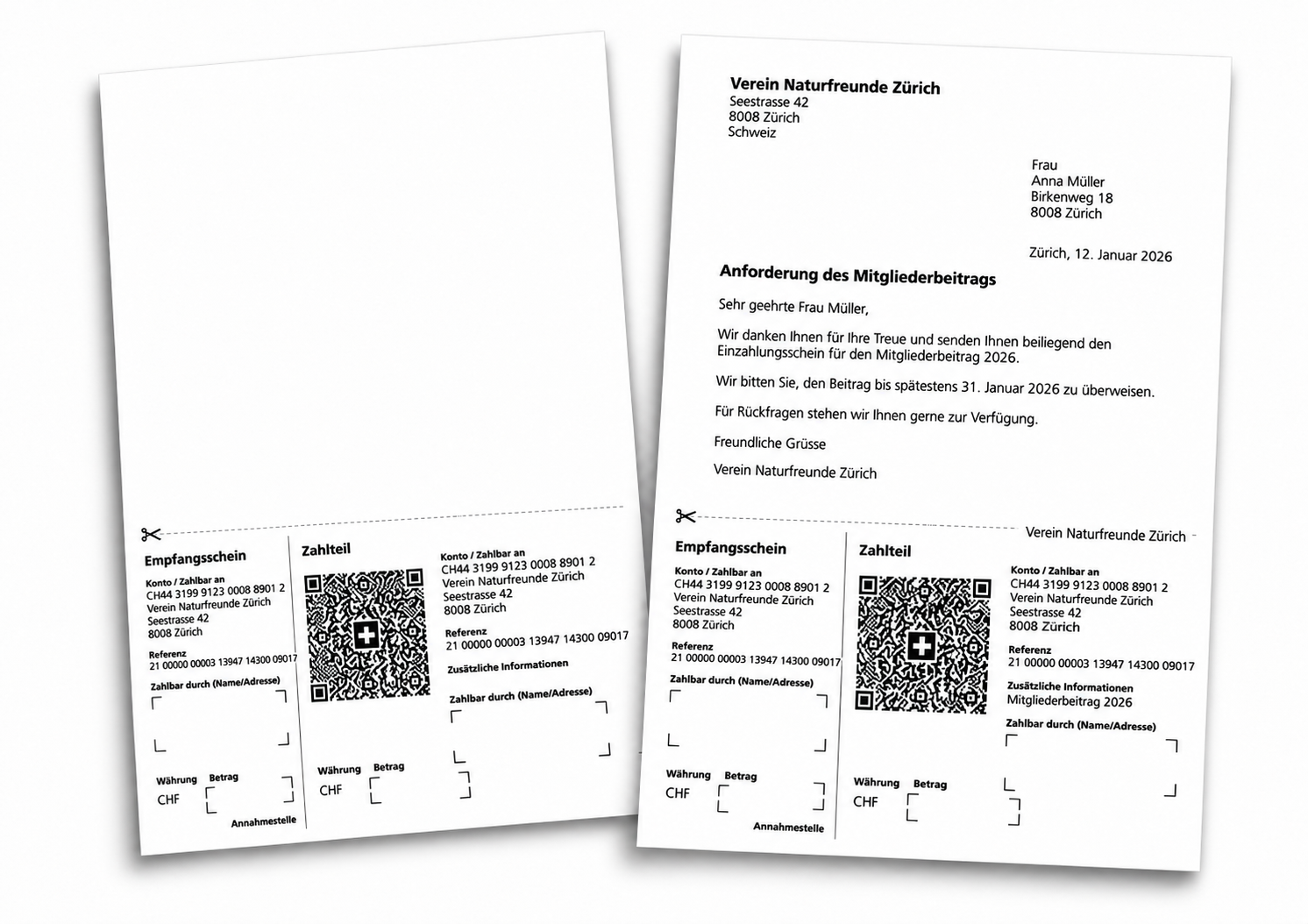
Create QR payment slips and letters with QR codes using the Professional Plan of Banana Accounting Plus
Digital receipts always at your fingertips
Are you still searching for invoices and receipts in folders on your computer?
With the Professional Plan of Banana Accounting Plus, you can link digital receipts directly to your transactions, so you can find and open them again with just one click.
Compared to Banana 9, linking documents is now more practical too: in the Link column, simply start typing. Banana will suggest documents that have not yet been linked, without you having to search through long lists.
Less time spent searching for documents and better organisation of your accounting.
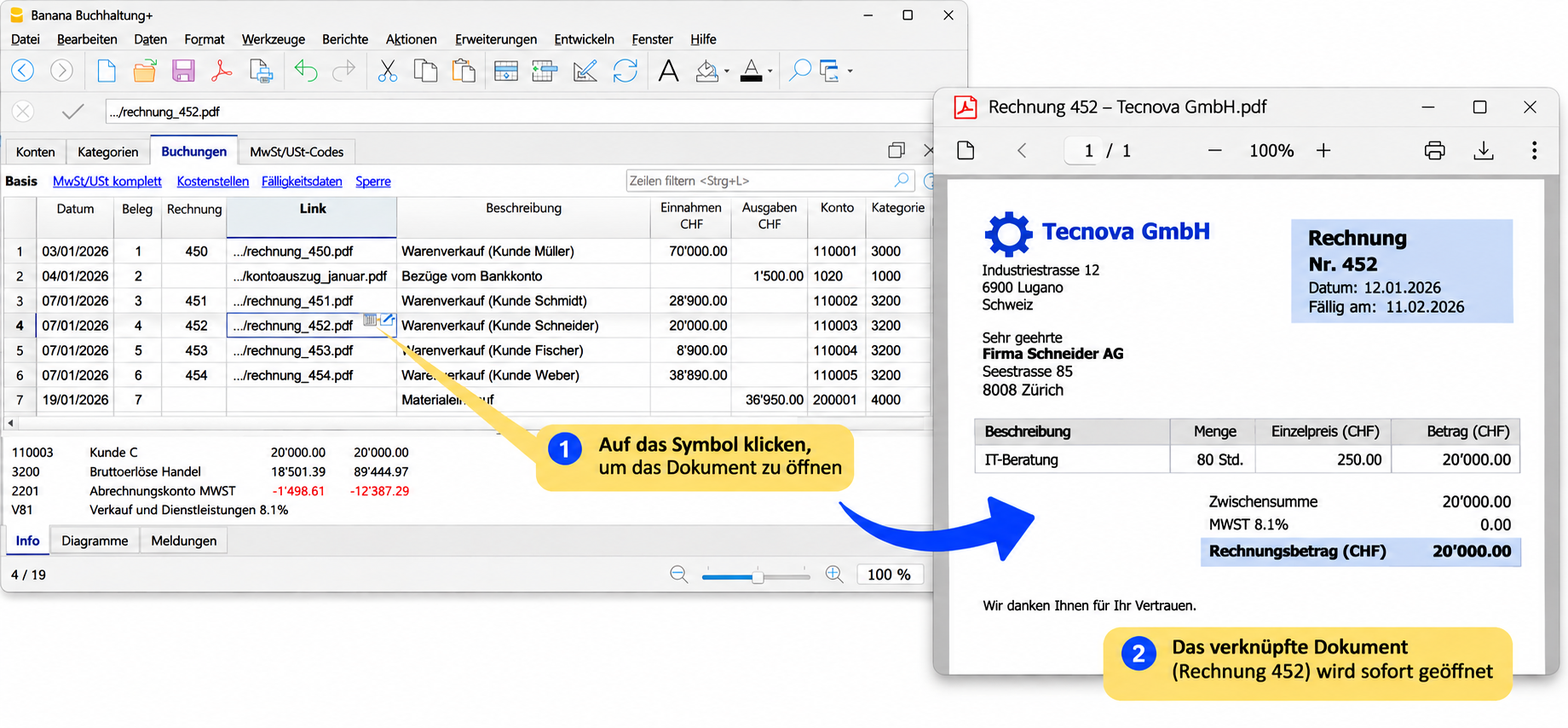
Easily link and find your digital receipts.
More comprehensive and flexible invoicing
With the Professional Plan of Banana Accounting Plus, you have new options for creating and managing your invoices. Choose the solution that best suits your business.
Invoices with QR codes and new extensions
The integrated invoicing feature, already available in Banana 9, has been improved with new extensions: CH10 for Switzerland and UNI11 for other countries. With the CH10 extension, you can create invoices that include a Swiss QR code directly – a feature that was not available in Banana 9.
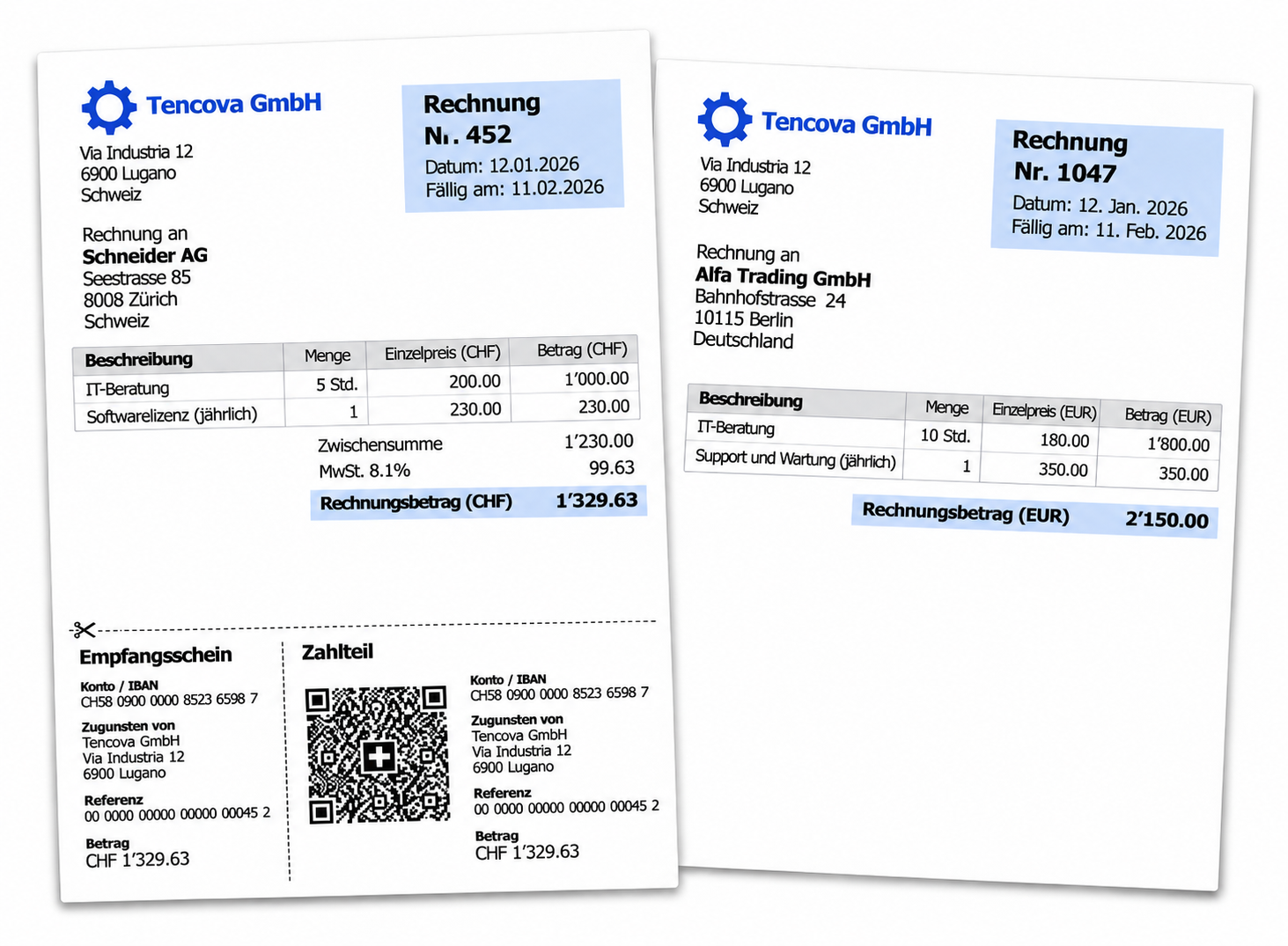
Invoices with QR codes, in your customers' language and currency.
New Estimates and Invoices application
With the Professional Plan of Banana Accounting Plus, you can also use Estimates and Invoices – a standalone application that allows you to create and manage estimates and invoices independently of your accounting.
It is particularly suitable for freelancers, self-employed professionals and microbusinesses, especially if you use income and expense accounting and want to manage invoicing separately from your accounting transactions.
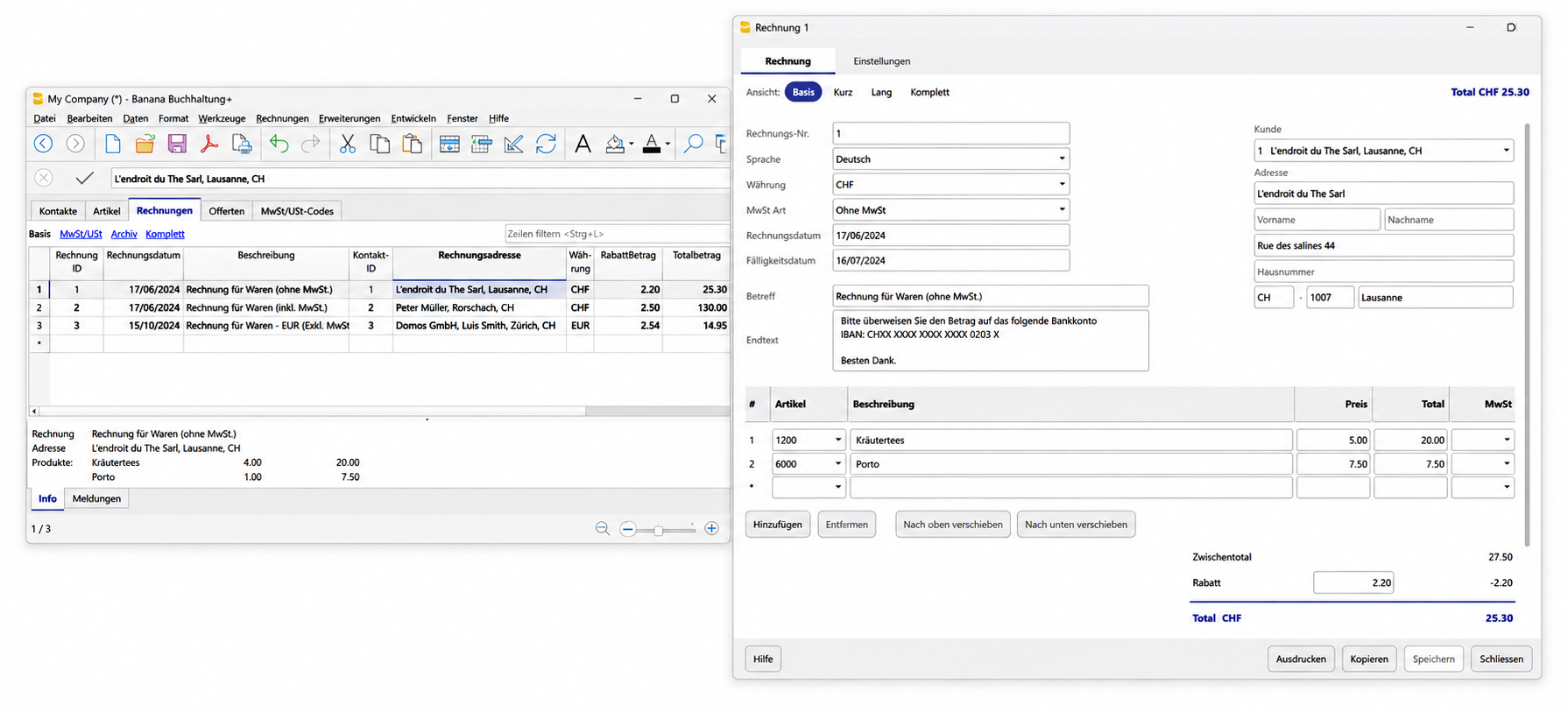
Manage estimates and invoices independently of your accounting.
More flexible donation statements for associations
Do you manage the accounting for an association? With the Professional Plan of Banana Accounting Plus, you have access to an updated extension for creating donation statements for your supporters.
Compared to Banana 9, you can manage texts more flexibly, reuse texts already saved in your documents and select the donors for whom you want to create statements more easily. Less repetitive work and personalised donation statements for your association.
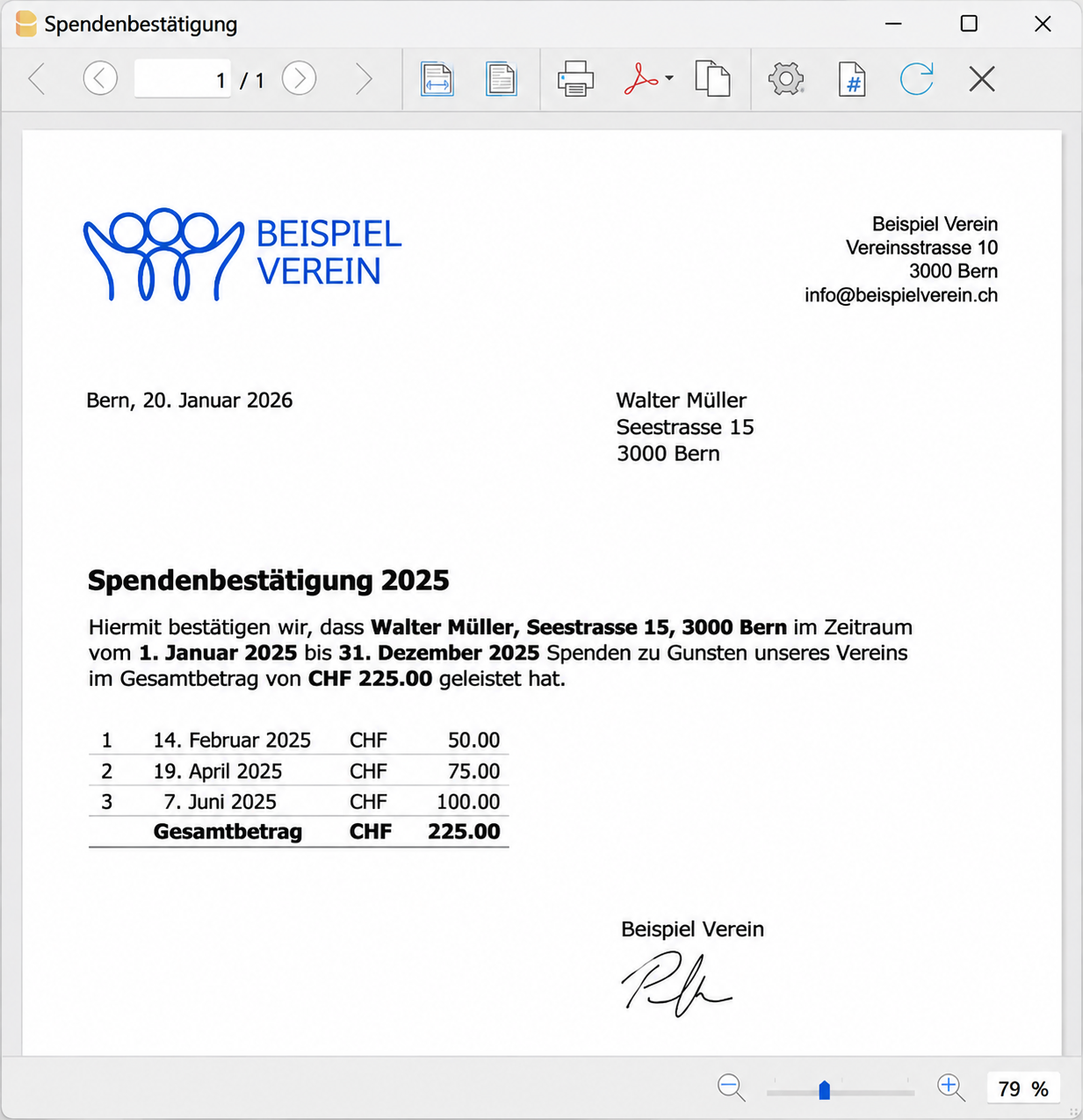
Create personalised donation statements for your association's supporters.
Check account transactions more easily
With the Professional Plan of Banana Accounting Plus, you will find the new Movement column in the account cards. It shows how much each individual transaction increases or decreases the account balance.
This allows you to immediately see the difference between the amount of each transaction and the running balance. It makes checking and reviewing your transactions easier. A clearer overview and less time spent checking accounts.
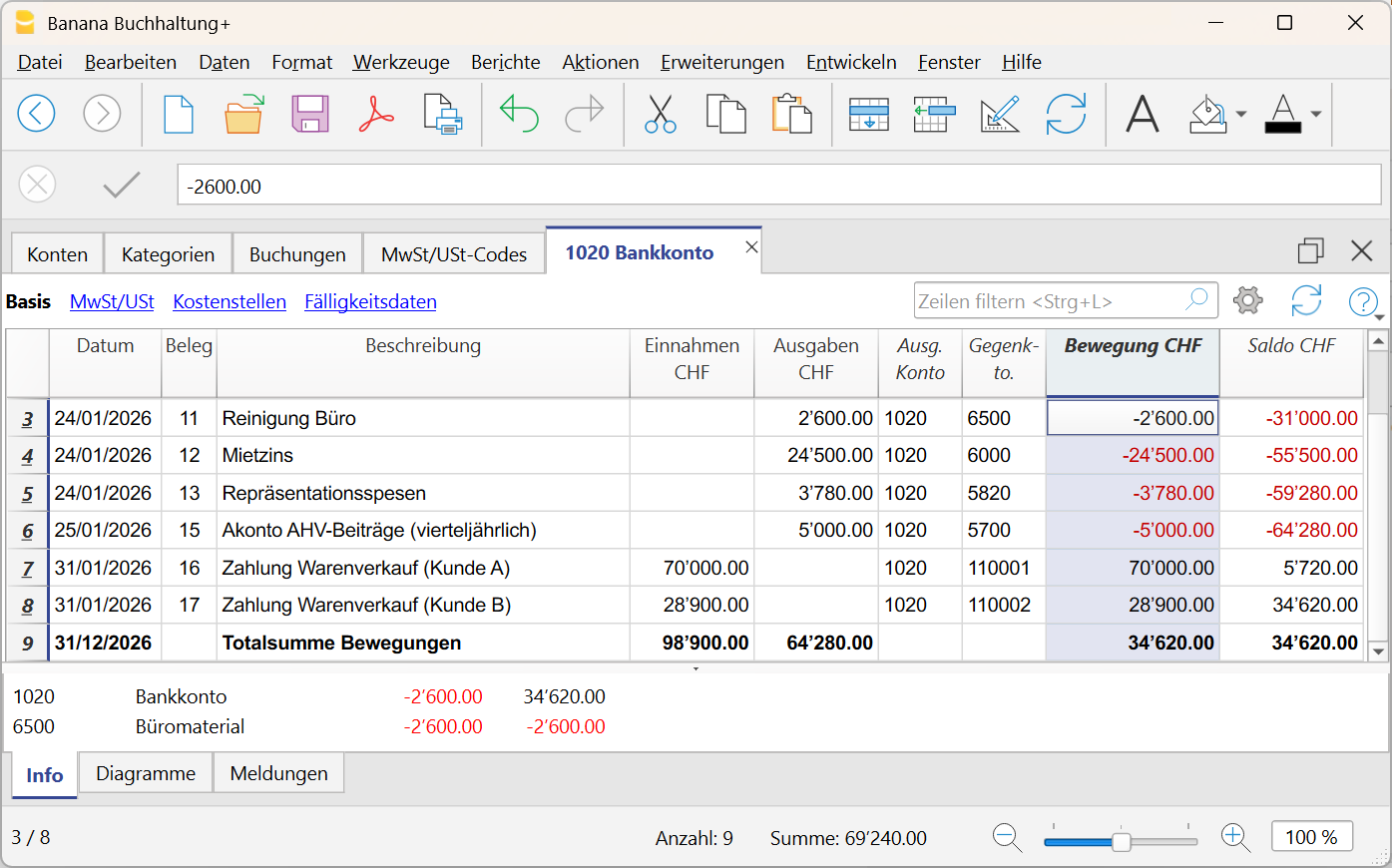
Check each transaction and follow changes in the account balance.
Manage VAT reverse charge more easily
With the Professional Plan of Banana Accounting Plus, you can enter transactions with VAT reverse charge more easily.
Where applicable, you can record the VAT due and the deductible input VAT in a single transaction. This avoids additional steps and reduces the risk of errors. Less manual work and more efficient VAT management.
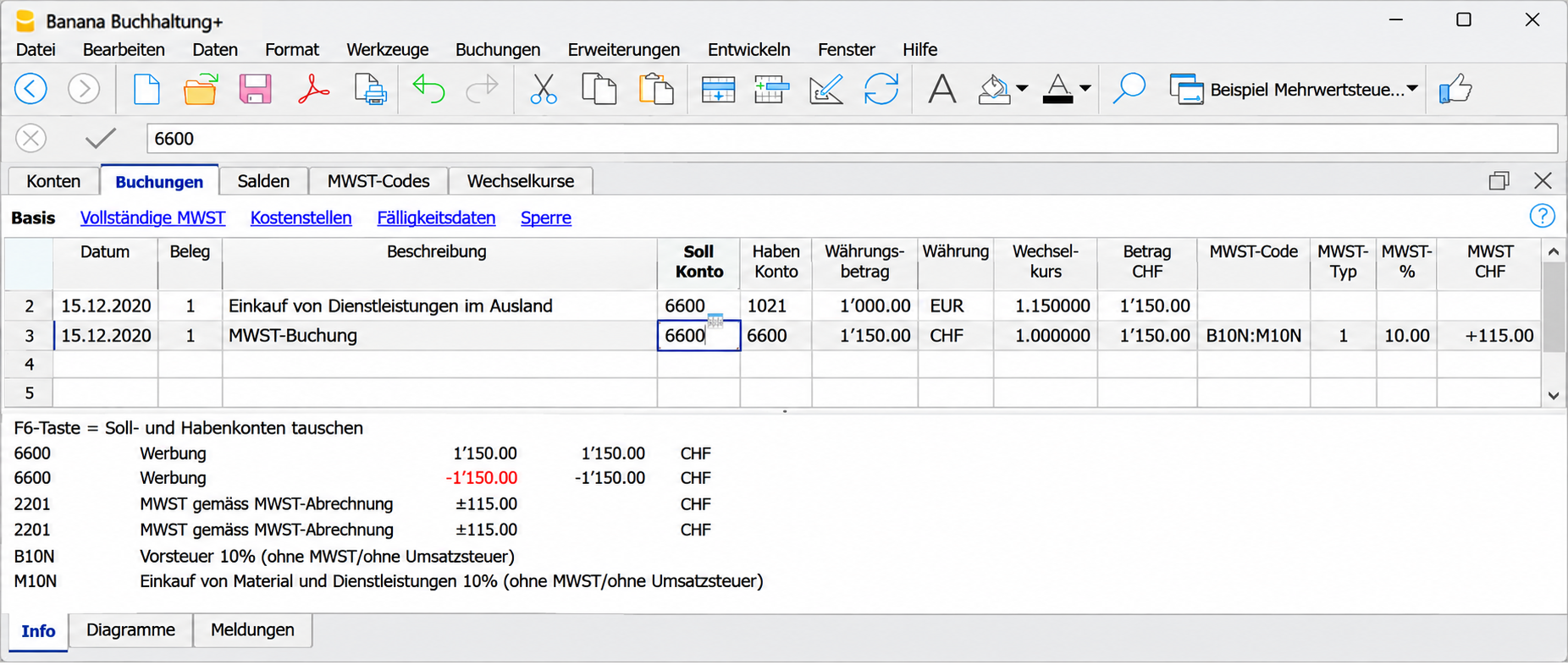
Record VAT with reverse charge in a single transaction.
Start a new accounting year without losing segment balances
Do you use segments to manage projects, activities or business areas separately in your accounting?
With the Professional Plan of Banana Accounting Plus, when creating a new accounting year, you can choose to automatically carry forward the opening balances of your segments. This keeps your data consistent from year to year, without having to transfer balances manually.
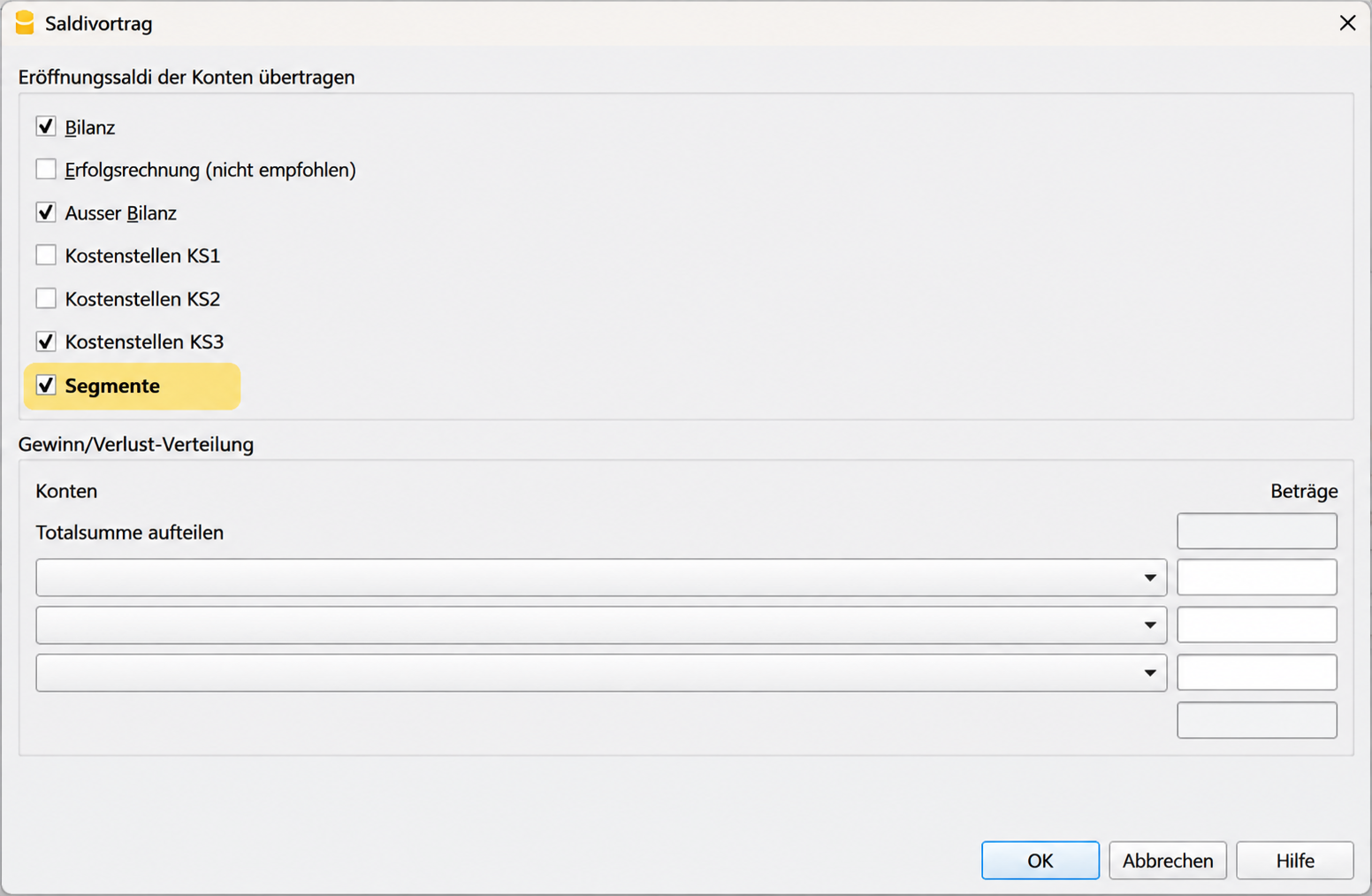
Automatically carry forward segment balances to the new accounting year.
Faster checks with the sum of selected cells
With the Professional Plan of Banana Accounting Plus, you can select multiple numeric cells and immediately see their sum in the status bar.
You can now copy the sum with just one click and paste it wherever you need it, without having to enter it again or use a calculator. A small feature that speeds up your daily checks.
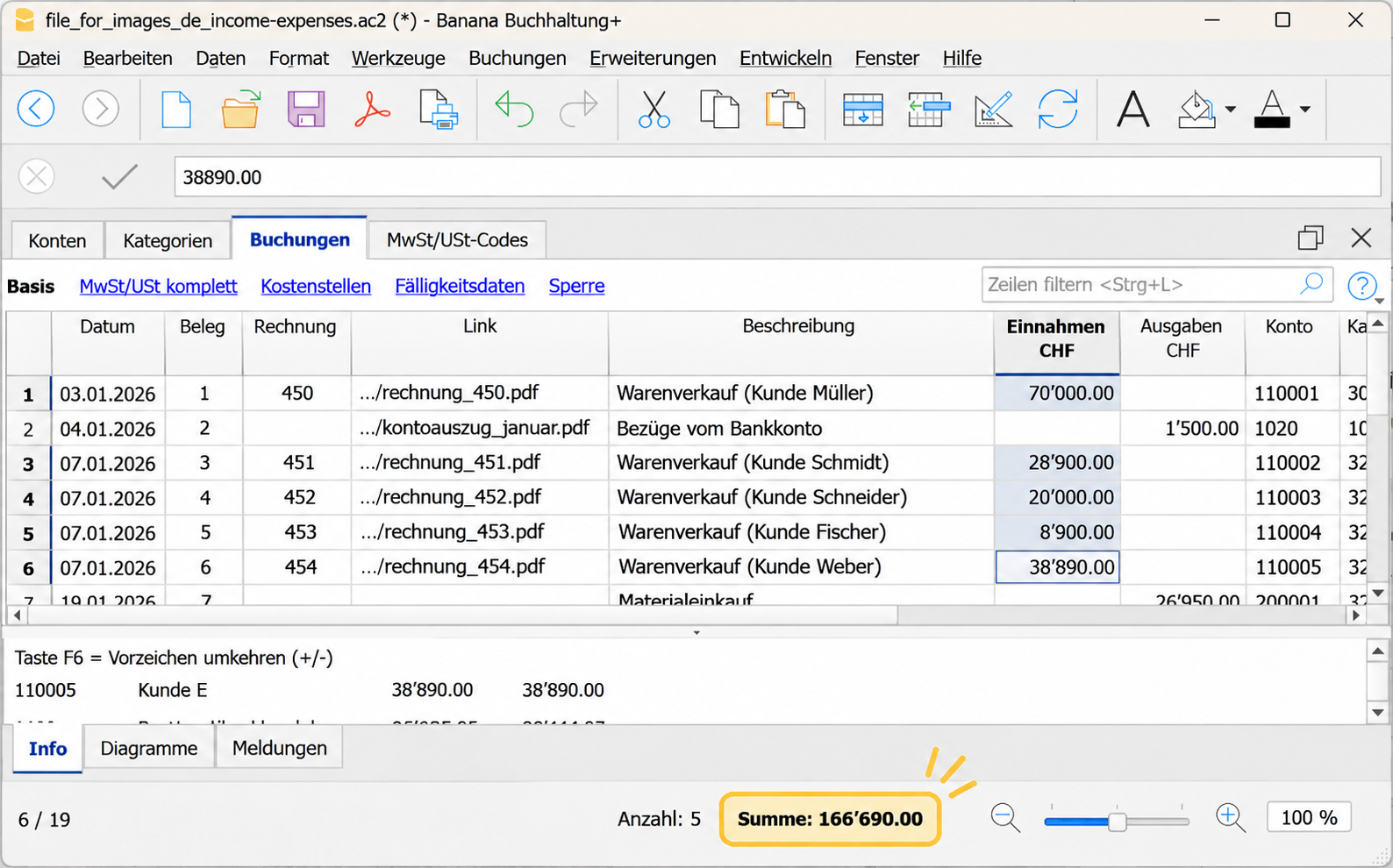
Display the sum of selected cells and copy it with one click..
Always up to date and ready when you need it
Do you update your accounting every day or only a few times a year? With the Professional Plan of Banana Accounting Plus, you have everything you need to manage your accounting simply and quickly. Thanks to regular updates and new features, you save time even if you only use Banana occasionally. You can also rely on software that is always up to date.

Your main benefits:
- Install Banana Plus on up to 5 personal devices, so you can use the software on your computers.
- Create an unlimited number of files to manage multiple accounts, business activities or clients.
- Benefit from ongoing updates and improvements, without having to purchase new versions.
A small investment that helps you save time and manage your accounting with less effort.
Upgrade to the Professional Plan of Banana Accounting
The Professional Plan offers many improvements over Banana 9 and older versions: fewer manual steps, more modern tools and many features that make your accounting easier and faster. Upgrade now and enjoy all the benefits of the Professional Plan of Banana Accounting Plus.
The Professional Plan of Banana Accounting Plus
is available for CHF 89/year (Switzerland) or EUR 84 + local VAT (other countries).
For more information, visit the Update page.