In dit artikel
The Banana import format is "Text file with column headers".
- Fields and column names must be separated by the tab character "\t".
- Each line (after a "\n") is a new record.
- Character encoding should preferably be UTF-8; otherwise, use the local encoding.
The first line contains the column header names.
- You can use any column name available in the table.
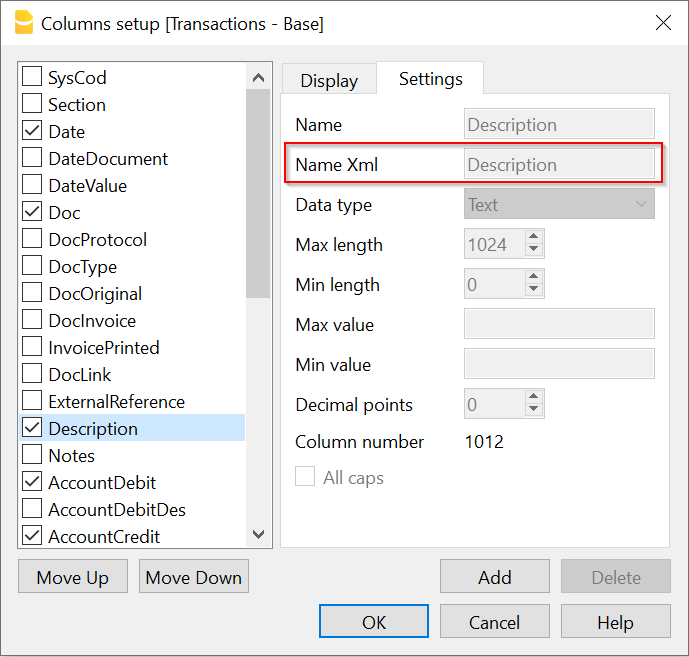
- Column names are case-sensitive and must correspond to the Banana NameXml (English) of the column. You can find the NameXml of a column by clicking its header and selecting Settings, as shown in the example:
- From line 2 onward, the file contains the data to be imported.
- The format for Date fields is yyyy-mm-dd.
- Use a decimal point "." as the decimal separator.
- Amounts should not contain a thousands separator.
Example file format:
Date	Doc	Description	AccountDebit	AccountCredit	Amount

2023-10-12	1	Description 01	1020	2800	2000.00
2023-10-19	2	Description 02	6580	1000	300.00
2023-10-12	3	Description 03	1000	2800	3240.00
2023-10-19	4	Description 04	6570	1020	700.00