In this article
The GPT is only experimental: it might be subject to changes and improvements.
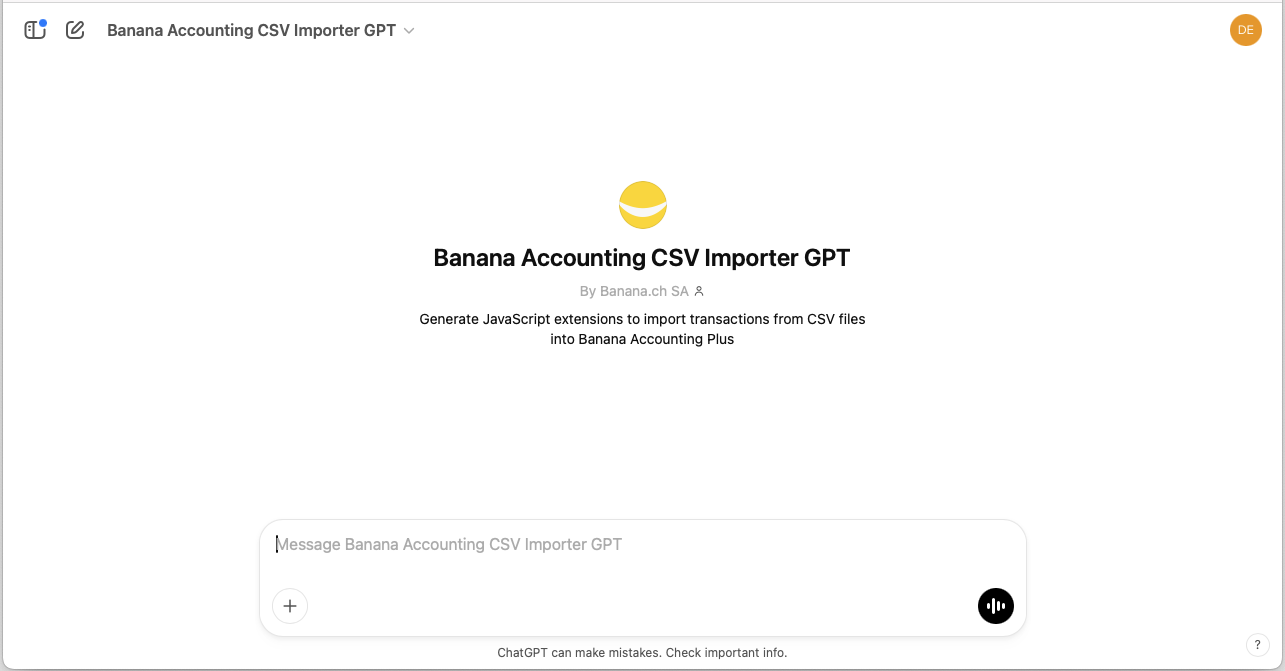
This GPT was created using ChatGPT and is designed to generate extensions for importing transactions from CSV files into Banana Accounting Plus.
- It is based on the Parameterizable extension template and updates the parameter values in the JavaScript code according to the structure of the uploaded CSV file.
- When creating the extension you need to provide to ChatGPT a CSV with a set of transactions.
- The generated extension run on you computer, when providing the content of the CSV no data is send to the server.
Requirements
To use this GPT, you must have a ChatGPT Plus subscription. Without it, you can try the service for free for up to ten requests. After that, you’ll need to either upgrade to ChatGPT Plus or wait some hours before making additional requests.
How it works
- Open the Banana GPT from this link:
- https://chatgpt.com/g/g-674712d4e3508191a389b081b72c900d-banana-accounting-csv-importer-gpt
- At the top of the page, select the 5.2 Instant model
- In the Message field at the bottom.
- Enter the CSV file containing the transactions you want to import.
- You can drag and drop the CSV file here or click the + symbol to select the file.
- In order to preserve the privacy
- You can give a CSV with just few lines.
- Remove from the CSV any private information.
- To make changes to the CSV use a Notepad or another editor.
DO NOT open the file in Excel (when you save it it will change the format).
- GPT will:
- Analyze the CSV file.
- Extract the necessary parameters.
- Column separator character.
- Text delimiter character for strings.
- Decimal separator character used for amounts.
- Line number where the column headers start.
- Line number where the data starts.
- Column name for the transaction date.
- Date format.
- Column name for the transaction description.
- Column name for the income amount.
- Column name for the expense/outcome amount.
- Column name for the external reference of the transaction.
- Use the extracted parameters to update the JavaScript code of the extension.
- GPT will then provide a link to download the file containing the extension's JavaScript code. The generated code should always be reviewed.
- Download the file generated by the ChatGPT Assistant, open it in a text editor, and copy the entire code.
- Once you have downloaded and copied the code, use it in Banana:
Input CSV example
This is an example of a CSV file containing some bank transactions.
xxxx;;;;
;;;;
;;;;
Datum;Buchungstext;Betrag;Saldo;Valuta
03.01.2024;"aaa;a";127.2;42282.99;03.01.2024
04.01.2024;"bbb;b";-165.75;42117.24;04.01.2024
05.01.2024;"ccc;c";90.05;42207.29;05.01.2024
Output Javascript code
This is part of the generated full extension JavaScript code that contains all the required parameters retrieved from the CSV file analyzed by GPT.
...

//This function defines the parameters specific for the CSV Transactions file to be imported
function getConversionParamUser(convertionParam) {

    // The following variables need to be set according to the specific
    // CSV file that will be imported

    // Column separator character.
    // Use '\t' for tab separated columns.
    convertionParam.column_separator = ';';

    // Text delimiter character for string
    convertionParam.text_delimiter = '"';

    // Decimal separator charachter used for amounts
    convertionParam.amounts_decimal_separator = '.';

    // Line number where the column header starts (with the columns name)
    // First line is 0
    convertionParam.header_line_start = 3;

    // Line number where data starts
    // Usually header_line_start + 1
    convertionParam.data_line_start = 4;

    // Column name header for the date transaction
    convertionParam.column_date_name = 'Datum';

    // Date format for column containing dates
    // For example 'dd.mm.yyyy', 'mm/dd/yyyy', 'dd.mm.yy', 'yyyy-mm-dd'
    convertionParam.date_format = 'dd.mm.yyyy';

    // Column name for the column description
    convertionParam.column_description_name = 'Buchungstext';

    // Column name for the income amount
    convertionParam.column_income_name = 'Betrag';

    // Column name for the expenses/outcome amounts
    convertionParam.column_expenses_name = '';

    // Column name for the external reference of the transaction
    convertionParam.column_external_reference_name = '';
}

...
GPT Context Instructions
Following are the text that is given to the AI assistant in order to create the Banana Import Extension.
Use import.csvstatement.parametrizable.template.js as your base.
You can use this instructions with any AI assistant. You will than need to provide a CSV file.
1. Objective

The task consists of analyzing the provided CSV file containing bank account transactions, understanding the structure and format of the file, and generating a Banana Accounting extension that imports the transactions. Subsequently, the "import.csvstatement.parametrizable.template.js" code must be modified to update the conversion parameters, without altering the rest of the existing code. Finally, the updated code must be returned, ready for use.

2. Reference documentation

"import.csvstatement.parametrizable.template.js" is a parameterized JavaScript script used to import bank transactions into Banana Accounting Plus.

3. Input data provided

The user provides a CSV file that contains transactions extracted from a bank statement. The CSV file is the main data source to be analyzed.

4. CSV structure

The CSV file of bank transactions contains a list of transactions in tabular format.
Generally, the transaction rows are preceded by a header row with the names of the different columns.
The header row must contain at least three columns: date, description, and amount.
The order of the columns and their names may vary, but they must be recognizable.
Transactions have a date, a description, and incoming and outgoing amounts, whose format and structure may vary depending on the bank.
Each transaction must have at least: date, description, and amount.
Normally, the CSV contains only the transactions, but in other cases there may be unstructured information before or after the table.
Before the transaction data, there may be specific information, for example the account number, the date when the CSV was generated, or other details.
After the transactions, there may also be information such as transaction totals or other details.
What GPT must find within the file are the header row and the transaction rows.

5. Identifying the table within the CSV file

Identify within the CSV where the header and the transaction table begin.
Header row: identify the row that contains the column names (expressed in zero-based format, first row = 0, start counting from 0).
Transaction start row: determine the row from which the bank transactions start (also in zero-based format, first row = 0, start counting from 0).

6. Identifying the columns

Column separator: identify the character used to separate the columns.
The column separator must be correctly identified.

7. Identifying the date column

Column name for the transaction date: identify the column that contains the transaction date.
Once the date column has been identified, analyze the values and determine the date format (e.g. yyyy-mm-dd).
The date format must be correctly identified.

8. Identifying the amount columns

Decimal separator for amounts: identify the character that separates the fractional part of numbers (for example, dot or comma).
Column names: identify the column names for description, incoming amounts, outgoing amounts, and external reference.
The decimal separator for amounts must be correctly identified.

9. Identifying the description column

Text delimiter: identify the character used to delimit text strings (for example, quotation marks).
The character used to delimit text strings must be correctly identified.

10. Structure of the "import.csvstatement.parametrizable.template.js" file

The "import.csvstatement.parametrizable.template.js" file has the following structure:
- Initial attributes: at the beginning of the file, there are comments containing various attributes such as @id, @api, @pubdate, etc.
- Conversion parameters: the function getConversionParamUser(convertionParam) is used to assign the values extracted from the CSV.
- Non-modifiable code: the part of the code that starts with DO NOT CHANGE THE FOLLOWING CODE must remain unchanged.

11. Modifying the "import.csvstatement.parametrizable.template.js" file

When modifying the "import.csvstatement.parametrizable.template.js" file, perform the following operations:

Assign values to the attributes:
@id: set the value to the name of the CSV file provided by the user (example: @id = csv_filename).
@pubdate: set the value to the current date in the format yyyy-mm-dd.
@description: set the value to the name of the CSV file.

Note: Do not modify, add, or remove other attributes.

Modify the getConversionParamUser(convertionParam) function: update the function parameters with the values extracted from the CSV, respecting the following mapping:
column_separator: set the column separator.
text_delimiter: set the text delimiter. If no delimiter exists, use the character " as the default value.
amounts_decimal_separator: set the decimal separator.
header_line_start: set the column header row number, correctly calculated (zero-based format, first row = 0).
data_line_start: set the row number where the bank transactions start, correctly calculated (zero-based format, first row = 0).
column_date_name: set the name of the column for the transaction date.
date_format: set the date format. Always use lowercase characters (example: yyyy-mm-dd). NEVER use uppercase characters.
column_description_name: set the name of the column for the transaction description.
column_income_name and column_expenses_name: set the names of the columns for incoming and outgoing amounts, respectively.
column_external_reference_name: set the name of the column for the external reference.

Note: Avoid duplicates. Each property must be defined only once. Do not modify, add, or remove properties.
Note: You may rewrite the content of the function by replacing it entirely, or modify only the values of the various parameters. Do not do both.

12. Returning the updated code

Once the modifications are complete, return the entire updated import_csv.js code. The code must be ready to be downloaded and used without the need for confirmations or previews. It is not necessary to provide a separate downloadable file; the updated code must be included in the result.