Banana Investment Accounting
Banana Investment Accounting combines professional double-entry accounting with investment management in a single, integrated solution. Manage shares, bonds, funds, and other financial instruments in multiple currencies, directly within your accounting file.
We invite you to watch this video
- ▶ Banana Integrated Investment Accounting - Short Video Overview 3'15"
It brings advanced investment accounting features, typically found only in specialized software, within reach of businesses, accounting professionals, and private investors.
Integrated Investment Accounting
By integrating investment management directly into double-entry accounting, every investment transaction becomes part of your financial accounting. You can keep track of investments, Book Values, realized and unrealized gains or losses, and exchange rate differences, while maintaining an up-to-date Balance Sheet and Profit & Loss statement.
Each investment is linked to its corresponding Balance Sheet account, while quantities, prices, and other investment-specific information are managed alongside the accounting data. Purchases, sales, income, costs, and valuation adjustments are recorded within the same system, keeping the investment data and the related accounting entries connected.
This integrated approach makes it easier to reconcile investment positions with the corresponding accounting balances and reduces the need for separate spreadsheets or investment records.
Using Investment Accounting in a Separate File
Investment Accounting can also be managed in a separate Banana Accounting file and used as an investment subledger for your main accounting, replacing spreadsheets or other separate investment records.
This approach may be useful when:
- you use another software solution for your financial accounting;
- you want to keep detailed investment data separate from your main financial accounting;
- you want to maintain separate investment accounting and integrate only the required accounting data into your main accounting, for example at the end of the year.
In this way, Banana Investment Accounting can be used either as a fully integrated solution within your financial accounting or as a separate system dedicated to managing and monitoring your investments.
A Valuable Tool for Accounting Professionals
An increasing number of companies and individuals hold significant and increasingly complex investment portfolios. For accounting professionals, this creates new opportunities to provide specialized, value-added services.
Banana Investment Accounting makes it possible to manage financial accounting and investments within the same accounting system. By extending traditional accounting services to include investment accounting, professionals can better serve clients with complex financial assets and create opportunities for additional services, including financial reporting, investment monitoring, and advisory support.
Banana Investment Accounting can be particularly useful for:
- Companies holding and managing different types of investments
- Pension funds managing multi-asset investment portfolios
- Family offices managing multi-asset investment portfolios
- Independent accountants providing investment accounting services
- High-Net-Worth Individuals and Ultra-High-Net-Worth Individuals managing complex investment portfolios
- Non-profit organizations managing investments or endowment funds.
The Advantages of Double-Entry Accounting
Many people managing investments still rely on accounting software that does not integrate investment management. As a result, they often need separate spreadsheets to calculate book values, gains and losses, and other investment-related information. This can be time-consuming and makes reconciliation more difficult, especially when investments are held with multiple banks or custodians that provide reports using different formats and valuation methods.
With Banana Investment Accounting, investment transactions are integrated directly into a consistent double-entry accounting system. Investment data and financial accounting remain connected and can be reconciled and verified at any time.
Key advantages include:
- In the Items table, you can define your investments, including shares, bonds, funds, and other financial instruments, together with information such as the investment ID, currency, Asset Account, opening quantity, and prices.
- In the Transactions table you can record purchases, sales, dividends, interest, charges, and other investment transactions, together with the investment ID, amount in transaction currency, exchange rate, quantity, and unit price.
- When an investment is sold, the Investment Accounting extension can calculate the realized gain or loss and, where applicable, the exchange rate gain or loss, and create the related accounting transactions.
- At any time during the year, you can update Market Prices to determine current Market Values and unrealized gains or losses. When required by the applicable accounting treatment, the Investment Accounting extension can create the adjustment transactions needed to align Book Values with Market Values.
- The accounting data is immediately reflected in the Balance Sheet and Profit & Loss statement, providing an up-to-date view of your financial position.
- The detailed investment and accounting data remains available for reconciliation, customized reporting, performance analysis, and tax-related reporting.
- Your accounting data remains under your control: Banana Accounting runs locally on your computer, and you decide where your accounting files are stored.
Investment Accounting
Multi-currency investment accounting is one of the most complex areas in accounting.
It combines financial accounting, based on the double-entry method, with the need to track individual investments in a way that resembles inventory management, including quantities, purchase prices, book values, and market values.
- Introduction to Investment and Portfolio Accounting
Professional accountants working in finance are generally familiar with investment accounting and its specific requirements. For those who are less familiar with this specialized area, investment accounting can be challenging. Therefore, we have prepared a theoretical guide that explains the key concepts and challenges, including how to determine the book value of investments and how to calculate realized and unrealized gains and losses, including those arising from exchange rate differences. - How to start
A practical guide that explains the logic and workflow of Banana Investment Accounting. It covers the main steps:- Set up the accounting file and the information required for your investments.
- Record daily investment transactions in chronological order and follow the appropriate workflow to ensure that book values are calculated correctly.
- At the end of the year, update Market Prices and exchange rates and, when required by the applicable accounting treatment, record the corresponding valuation and exchange rate adjustments.
- Banana Investment Accounting can also be used by finance and accounting professors to improve investment accounting education.
Table-based accounting
Banana Accounting uses a table-based interface similar to Excel, where accounting and investment data is entered and displayed in tables. This provides a clear overview of the information and makes it easy to search, select, and modify data.
If you are already familiar with investment accounting, this brief overview will help you understand how Banana Accounting works and whether it fits your needs. You will also find links to more detailed information.
A typical Investment Accounting template or file includes the following elements:
- File properties
- Company names, Currency and Accounting Period.
- Settings specific to Investment accounting.
- Accounts Table
- It contains the chart of accounts and defines how data is grouped for the Balance Sheet and Income Statement.
- This is where you enter the Opening amounts.
- Items Table
- It lists and identifies all investments, such as bonds, shares, and funds.
- The Asset Account column links each Item to its corresponding Investment Balance Sheet Account, a key element of the entire solution.
- Exchange Rate Table
It defines the currency codes and stores both opening and current exchange rates for accurate multi-currency management. - Transactions Table
- It records all investment transactions.
- This is where you enter the double-entry account, amounts, and exchange rate for financial accounting.
- This is where you enter the Item code, quantity, and price required for investment accounting.
- Double-Entry Accounting Reports
The software provides access to all standard accounting reports, such as the Balance Sheet, Income Statement, Account Cards, and more. - Investment Accounting Extensions
You need to install the Investment Accounting Extension, which provides specific functionalities for investment management, including profit and loss calculations, valuation reporting, and other analytical tools tailored to securities accounting.
Accounts Table
Within the Accounts table you define all the accounts including the ones necessary for the Investment accounting: Balance Sheet accounts for investments, Profit and Loss Accounts.
- The accounting chart is fully customizable based on your specific needs.
- In the Account table you also enter the opening amounts and you see the current balance.

Items Table with Investments
In the Items table, you enter the information for each investment.
Using the Asset Account, each investment is linked to the corresponding investment account specified in the Accounts table.
You also enter the opening quantity and price.

Transactions Table with Investment Details
The Transactions table is the core of the accounting system, where you enter double-entry accounting transactions.
- For investment transactions, you specify the investment ID, quantity, and price.
- You can easily manage all the information in one place, including purchases and sales of investments, realized and unrealized gains or losses on investments, realized and unrealized exchange rate gains or losses, commissions, expenses, and more.
- You can import transactions from bank statements and create rules that automatically complete them.

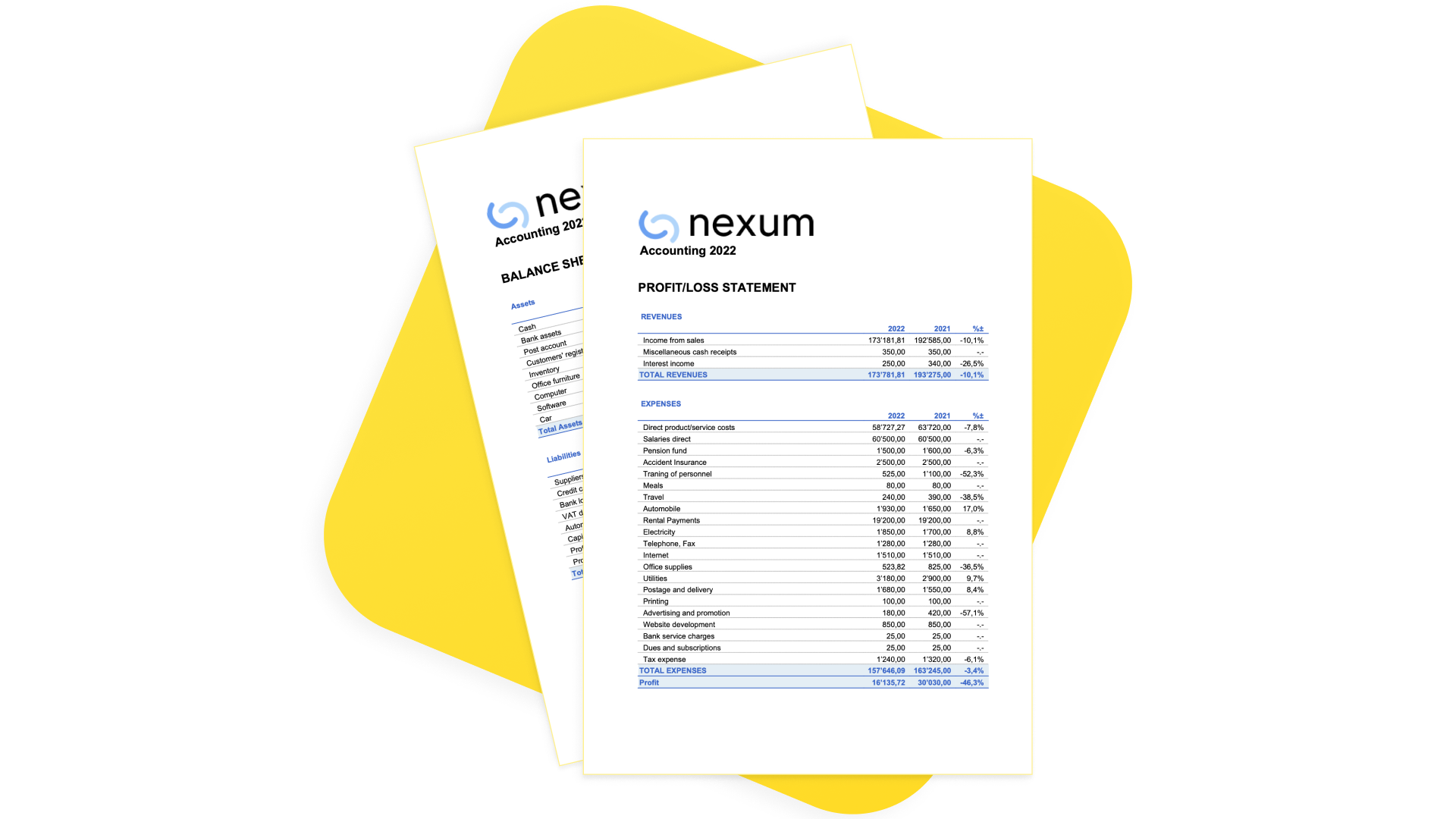
Balance Sheets & Income Statements
With a predefined, fully customizable chart of accounts and presentation, you can manage the accounting of any type of business, financial corporation, foundation, non-profit organization, or private fortune.
Instantly generate Balance Sheets, Income Statements, and all other double-entry accounting reports ready for auditing.
Investments and Portfolio Reporting
The software provides multiple investment and portfolio reports.

Documentation
Limitations
The current version has some limitations:
- Market prices are not automatically retrieved from financial data providers.
Current prices can be entered manually or imported using the Investment Accounting Extension. - The current account value of each item is available as a report, but it is not displayed in the Items table.
Dedicated Newsletter
Subscribe to our newsletter to stay updated on new features and tips for Investment Accounting in Banana. Interested? Just write to us at info@banana.ch and mention that you’d like to subscribe to the Investment Accounting newsletter.
Is there more you need?
The solution is already used by several customers, but we still consider it to be under development, as we continue to improve it based on user feedback and requests.
We also plan to add the automatic import of investment data (ISIN, quantity, price, commissions) from bank statements.
Please feel free to reach out if you have any specific questions or requests. Given the time invested in development and the high value it provides to customers with specific investment accounting needs, we may offer it through a specific subscription plan in the future.
How to start with an Investment Accounting
This page outlines the main steps required to set up Investment Accounting in Banana Accounting and links to the detailed documentation for each topic.
You can start from a ready-to-use Investment Accounting template or add the Investment Accounting functionality to an existing double-entry accounting file.
Before You Start
Investment Accounting combines double-entry accounting with investment management, allowing you to manage investments within the same accounting system.
This page assumes that you are already familiar with concepts such as:
- Book Value and Market Value
- valuation methods
- realized and unrealized gains and losses
- exchange rate gains and losses.
If you are new to Investment Accounting, refer to the Theoretical Introduction before continuing.
Note: If you currently use an Income & Expenses accounting file, convert it to a Double-entry Accounting file before continuing.
Setting Up the Accounting File
There are two ways to start working with Investment Accounting:
- Adapt an existing accounting file
If you already use Banana Accounting, you can add the Investment Accounting functionality to your existing accounting file by configuring the required tables, columns, accounts, Items, and settings. - Start from a template
You can create a new accounting file from one of the provided templates. Templates already include the required tables, columns, accounts, and settings.
For more information, see the following Templates:- Double-entry accounting with Investment Accounting – for managing investments in a single accounting currency.
- Multi-currency double-entry accounting with Investment Accounting – for managing investments in multiple currencies.
- Multi-Currency Investment Accounting in a Separate File
If you prefer to keep your investment accounting separate from your general accounting, you can manage investments in a dedicated Banana Accounting file.
The templates also provide examples of Asset Accounts, Items, realized and unrealized gain and loss accounts, and investment transactions.
Even if you intend to adapt an existing accounting file, reviewing one of the templates can help you understand the recommended structure.
Add the Items Table and Investment Columns
If your accounting file was not originally created for Investment Accounting, enable the required tables and columns.
Complete the following steps:
- Add the Items table and the investment-specific columns to the Transactions table.
- Make sure that the ItemId column is visible in the Transactions table. Use Data > Display Columns and enable the ItemId column if necessary.
- Install the Investment Accounting extension using Extensions > Manage Extensions.
Change the Decimal Precision for Unit Price
Some investments require Unit Prices with more decimal places.
If necessary, increase the Unit Price decimal precision using:
Tools > Add/Remove functionalities > Change Unit Price Decimal Places
This can be useful for investments whose prices require greater decimal precision.
Setting Up the Exchange Rate Table
If you use Multi-currency Accounting, define the currencies and exchange rates in the Exchange Rate Table.
The Exchange Rate table stores both opening and current exchange rates:
- the opening exchange rate is used to convert opening account balances and opening investment values into the base currency;
- the current exchange rate is used for current valuations and exchange rate calculations.
For foreign-currency investments, set up the required currencies before entering opening values for the related accounts and Items.
Setting Up the Accounts Table
Review your chart of accounts and add the accounts required for Investment Accounting. See Accounts.
In particular:
- add the Investment Balance Sheet Accounts that will hold the Book Value of your investments;
- add any income and expense accounts required for investment transactions, such as:
- realized gains and losses;
- unrealized gains and losses;
- commissions, bank fees, and broker expenses;
- dividends;
- interest;
- exchange rate gains and losses, when applicable;
- enter the opening balance for each Investment Balance Sheet Account.
You may use separate Investment Balance Sheet Accounts for different investment categories or currencies, for example shares, bonds, or funds.
Setting Up the Items Table
Each investment, such as a share, bond, fund, or ETF, is represented by an Item.
In the Items table:
- create one Item for each investment;
- assign a unique ItemId;
- link each Item to its Investment Balance Sheet Account using the Asset Account field;
- specify the investment currency;
- specify the Asset Type:
- 1 – investments measured by effective quantity, such as shares, ETFs, and funds;
- 2 – investments measured by nominal value, such as bonds;
- enter the opening Quantity and Price Begin, when applicable.
The Item and its Asset Account must use the same currency.
If you are continuing from a previous accounting year, the opening Quantity and Price Begin should correspond to the closing Quantity and Price Current carried forward from the previous year.
Opening Value Reconciliation
The opening values of the Items must be consistent with the opening balances of their Investment Balance Sheet Accounts.
For each Investment Balance Sheet Account:
Opening balance of the account = sum of the Value Begin amounts of the Items linked to that account
Banana calculates the Current Quantity from the opening Quantity and the Quantity changes recorded in Transactions for the corresponding Item.
The current balance of each Investment Balance Sheet Account must remain reconciled with the Book Values of the Items linked to that account.
Enter or Import Transactions
The Transactions table combines double-entry accounting information with investment-specific information.
Transactions can be entered manually or imported, for example from a bank statement.
For transactions involving investments:
- enter the ItemId;
- for purchases and sales, enter the Quantity;
- enter or verify the Unit Price;
- make sure that the Investment Balance Sheet Account used in the transaction corresponds to the Asset Account assigned to the Item.
When Quantity and Amount are entered, Banana can calculate the corresponding Unit Price.
Investment purchases and sales are generally recorded as compound transactions. Separate rows may be used for:
- the investment movement;
- the bank payment or receipt;
- commissions, bank fees, or other transaction costs;
- interest or other income;
- realized gain or loss on the investment;
- realized exchange rate gain or loss, when applicable.
For sales, use Calculate Sale Data to calculate the values required to complete the sale transaction.
Update Market Prices
Enter the current Market Price of each investment in the Price Current column of the Items table.
You can enter prices manually or use the Update Market Prices command.
Banana calculates:
Market Value = Current Quantity × Market Price
Updating the Market Price allows you to determine the Market Value and the unrealized gain or loss without changing the Book Value of the investment.
Create Market Value Adjustments
When required by the applicable accounting treatment, you can adjust the Book Value of investments to their Market Value.
Before creating the adjustment:
- update the current exchange rates, when applicable;
- update the Price Current of the investments.
Then use Create Adjustment Transactions.
The extension calculates the difference between the current Book Value and the Market Value and creates the required unrealized gain or loss transactions.
The adjustment changes the Book Value without changing the Quantity held. A neutral or zero Quantity is used as applicable.
For exchange rate differences, use Create Exchange Rate Differences when required.
End-of-Year Operations and Checks
At the end of the accounting year, complete the required valuation and exchange rate adjustments and verify that the balance of each Investment Balance Sheet Account corresponds to the sum of the Book Values of the Items linked to that account.
For the complete year-end procedure, see:
Theoretical Introduction to Investment and Portfolio Accounting
Multi-currency investment accounting combines financial accounting, based on double-entry bookkeeping, with investment accounting, which uses inventory-like information such as quantities, unit prices, and investment values.
This combination makes it possible to manage both the accounting value of investments and the information required to track individual securities, including their quantities, prices, and valuations in different currencies.
Investment Accounting requires an understanding of both financial accounting and the specific principles used to track and value investments. This introduction provides a practical overview of these concepts and explains how they are applied in Banana Investment Accounting.
It covers key topics such as quantities and unit prices, book value and market value, investment valuation, realized and unrealized gains or losses, and the effects of exchange rate changes on investments denominated in foreign currencies.
This introduction provides a high-level overview of Investment Accounting and does not address specific accounting, regulatory, or tax requirements that may apply to individual circumstances or jurisdictions. Users should verify the appropriate accounting and tax treatment for their circumstances with their auditors or professional advisors.
Banana Investment Accounting can also be used by finance educators as a practical tool for teaching Investment Accounting.
Terminology
In the industry, several equivalent terms are used, which may vary depending on the context, such as Investment Accounting, Portfolio Accounting, and Securities Accounting. In this text, the term Investment Accounting will be used as a synonym for Securities Accounting. Portfolio Accounting, on the other hand, more specifically refers to information and trading systems for securities.
In Banana Accounting, investment accounting uses the inventory functionalities, specifically the Items table and the Item ID as the code for the security. Each Item therefore represents a security, although Items can also be used simply for other purposes, such as creating invoices.
When an Item is linked to an Asset Account, the program treats it as an asset with an accounting value. The term “asset” is therefore applicable to securities management, but it can also refer to other types of assets or, hypothetically, even to other balance sheet elements, including liabilities.
The use of different terminology can naturally be confusing, but this situation arises from the program’s flexibility, which allows the same features to be used in multiple ways. The investment accounting setup is therefore an additional extension of these core functionalities.
The Purpose of Investment Accounting
Online investment platforms provided by your bank or broker are designed to help you follow the market, compare assets, and make informed buy or sell decisions. However, they do not give you full control over your investments from an accounting perspective.
The purpose of Investment Accounting is to provide a comprehensive financial overview of your investments. It allows you to maintain an inventory of all your securities, track quantities and historical changes, and seamlessly integrate investment values, purchases, sales, and market fluctuations into your accounting records. Additionally, it ensures that revenues such as interest and dividends and costs like expenses and commissions are accurately reflected within your Balance Sheet and Income & Expense accounting.
Beyond financial tracking, Investment Accounting helps you optimize the fiscal impact of your investments, ensuring that tax-related aspects such as capital gains, withholding taxes, and deductions are properly accounted for. It also supports compliance and auditing, providing structured and transparent records that facilitate regulatory reporting and financial reviews.
Investment Accounting Goals and Future Developments
Over the years, we have refined the Investment Accounting solution in close collaboration with financial specialists, particularly those in the Swiss financial sector.
Our objective has always been aligned with their needs: to deliver a straightforward, reliable, and professional way to manage investments directly within financial accounting software. Traditionally, such functionality has only been available in specialized and costly financial systems.
With Banana Accounting, we have focused on creating a solution that is simple, intuitive, and efficient, yet powerful enough to give you full control over your investments while streamlining compliance and reporting.
We have also developed and introduced highly innovative features, such as the unique neutral numbers (±123.00) — exclusive to Banana Accounting. This groundbreaking concept makes it incredibly easy to record transactions that affect the value of investments without changing their quantity, ensuring both precision and simplicity in day-to-day accounting operations.
We highly value your feedback and suggestions, as they help us continuously improve the solution, its documentation, and this introduction.
Please use the form at the bottom of this page to get in touch with us — we’ll be glad to hear your thoughts and ideas.
Learning Tool for Finance Students
In line with our company’s mission, we aim to provide a solution that enhances financial literacy and supports practical learning.
By integrating investment management directly into Banana Accounting, students of Finance, Accounting, and Auditing can explore how an investment accounting solution works, gain hands-on experience, and avoid time-consuming manual exercises.
Using a professional accounting tool, they can easily experiment with real-world and complex scenarios, from managing investments to recording transactions, and immediately see how each operation affects the Balance Sheet and the Income Statement.
Differentiating Investments from Bank Deposits & Cryptocurrency Holdings
From an accounting perspective, it is crucial to distinguish between bank deposits or cryptocurrency holdings and investments (securities) based on how they are recorded and valued.
Bank Deposits & Cryptocurrency Holdings – Tracked with an Accounting Balance
- Bank deposits and cryptocurrency holdings are monetary assets recorded as part of a company’s or individual’s cash or financial reserves.
- These holdings are easily tracked using a standard accounting balance, as they have a single value expressed in the account’s currency.
- If held in foreign currency or cryptocurrency, their value is adjusted using the exchange rate at the reporting date.
- Example: A bank account with $10,000 is recorded as a cash asset, converted into the base currency if needed (e.g., €9,090 at an exchange rate of 1.10).
Investments (Securities) – Require an Inventory-Like System
- Investments such as stocks, bonds, and mutual funds share similarities with inventory management, as they involve:
- A quantity (e.g., number of shares or bond nominal value).
- A unit price (e.g., market price per share or bond percentage value).
- An exchange rate, if denominated in a foreign currency.
- Unlike bank holdings, investments cannot be tracked using a simple accounting balance because their value changes not just due to exchange rates but also due to market price fluctuations and transactions (buying, selling, reinvesting).
- Proper Investment Accounting ensures that each transaction and value change is accurately recorded, much like how an inventory system tracks stock levels and price variations over time.
Why Investment Accounting Matters
Because investments behave more like an inventory of financial instruments, traditional accounting methods used for bank balances are not sufficient to track them accurately. Instead, a dedicated investment accounting system is required to properly manage:
- Purchases & Sales – Tracking quantities and cost basis.
- Market Value Changes – Adjusting for price fluctuations.
- Revenues & Expenses – Including dividends, interest, and commissions.
- Exchange Rate Effects – Converting values in foreign currencies.
By structuring investment records similarly to inventory management, Investment Accounting ensures full control and accurate reporting of financial assets.
Structure of the Investment Accounting File
Banana Accounting is a highly modular financial accounting system that allows you to create files with features activated only when needed.
The multi-currency investment accounting setup is among the most advanced, as it combines double-entry financial accounting with inventory-style management for tracking securities, quantities, and valuations. A typical Investment Accounting template or file includes the following elements:
- File properties
- Company names, Currency and Accounting Period.
- Settings Specific to the Investment accounting .
- Accounts Table
- Contains the chart of accounts and defines how data is grouped for the Balance Sheet and Income Statement.
- Enter the Opening amounts.
- Items Table
- Lists and codes all investments, such as bonds, shares, and funds.
- The Asset Investment column links each security to its corresponding Balance Sheet account — a key element of the entire solution.
- Exchange Rate Table
Defines the currency codes and stores both opening and current exchange rates for accurate multi-currency management. - Transactions Table
- Records all investment transactions.
- Enter the double entry account, amounts and exchange rate for the financial accounting.
- Enter the Item code, quantity and price specific for the Investment accounting.
- Double-Entry Accounting Reports
Provides access to all standard accounting reports such as Balance Sheet, Income Statement, Account Cards, and more. - Investment Accounting Extensions
You need to install the Investment Accounting Extensions to add specific functionalities for investment management, including profit and loss calculations, valuation reporting, and other analytical tools tailored to securities accounting.
The Investment Accounting Elements
To understand investment accounting, it is important to understand the following key elements:
- Accounting period.
- Information regarding the investment.
- Investment Classification by Measurement Type.
- The Quantity element.
- Price and valuation methods.
- Investment account.
The connection between the financial accounting and the Investments Inventory System. - Book Value and Book Price.
- Realized Gains and Losses
- Unrealized Gains and Losses
- Investments Revenues and Costs.
- Impact of exchange rates
- Double-Entry Investment Transactions.
- Investments and Account Reconciliation.
- Investments (Items) card.
Accounting period
Financial accounting is always relative to a specific period. In the accounting you specify the start and end date:
- The balance sheet is prepared for a specific date (instant).
- The Balance at the beginning of the period (opening balance).
- The current balance or the balance at the end of the period.
- The Profit & Loss is prepared for a period (duration).
- Revenues, costs, gains, losses, and taxes are always related to a specific period.
Inventory systems do not have an accounting period concept. They record purchases and sales continuously over time.
There is a conceptual difference in the temporal logic between Financial Accounting, an Inventory system, and Portfolio management systems.
- Portfolio management systems
- Only track events that affect the change in a position (purchase or sale).
- The profit or loss is calculated based on the difference between purchase and sale.
- Accounting systems
- Require an initial balance and therefore a specific valuation. Quantity and price per unit for each investment at the beginning of the period.
- Require an end balance and a valuation of each investment. Quantity and price per unit for each investment at the end of the period.
The end quantity and price will become the opening quantity and price for the following year. - Under the fair value method, the Investment Value is adjusted and recorded as an unrealized gain or loss.
If the Investment Value increases over time, an increase in value and a gain are recorded for the period and contribute to the overall profit or loss. - When an investment is sold, the realized gain or loss is determined by comparing the value of the sale with the Book Value attributable to the quantity sold.
Information Regarding the Investments
To properly manage and account for investments, it is essential to record key identifying information and classify them based on their measurement type.
Every investment should be clearly defined with standard financial identifiers:
- Investment Id (ItemId):
The ItemId is used to uniquely identify the Investment. You can use a ticker symbol or an ISIN as the ItemId. - Ticker Symbol.
The unique exchange-listed symbol for publicly traded securities (e.g., AAPL for Apple Inc.). - ISIN (International Securities Identification Number).
A globally recognized unique identifier for financial instruments (e.g., US0378331005 for Apple Inc.). - Description.
The full name and type of the investment (e.g., "Apple Inc. – Common Stock" or "U.S. Treasury Bond 10Y"). - Investments can be grouped to provide clearer overviews and totals.
Investments are entered in the Items table.
Investment Classification by Quantity Type
Investments can be classified based on how their quantity and Unit Price are expressed:
- Investments Measured by Nominal Value (Asset Type = 2)
(e.g., Bonds, Treasury Notes)- These securities are expressed in terms of face value (nominal value).
- The Book Value is determined based on the purchase price, which may be different from the nominal value due to discounts or premiums.
- Example: A €100,000 corporate bond might be acquired at 97% of face value, meaning the actual acquisition cost is €97,000.
- Investments Measured by Effective Quantity (Asset Type = 1)
(e.g., Shares, ETFs, Mutual Funds)- These securities are recorded based on the number of units owned.
- Each unit has a Market Price, and the total investment value fluctuates accordingly.
- Example: 200 shares of XYZ Corp. at €50 per share have a Market Value of €10,000.
By properly identifying and classifying investments, Investment Accounting ensures accurate tracking of quantities, values, and financial reporting.
Quantity Element
Investment accounting shares similarities with inventory systems. When buying or selling investments, a quantity element is involved, which can be expressed as either an effective quantity or a nominal value.
The key quantities to manage include:
- Quantity at the beginning of the accounting period. Recorded in the Items Table.
- Quantity changes during the accounting period.
Tracked through transactions. - Current Quantity.
Calculated as the initial quantity plus increases and minus decreases.
Unit Price and Valuation
Each investment has a Unit Price, or simply a price.
- For quantity-based investments, such as shares, the Unit Price is expressed per unit.
- For nominal-value investments, such as bonds, the Unit Price is generally expressed as a percentage of nominal value.
The investment value is determined by multiplying the Quantity by the applicable Unit Price.
Cost Attribution Methods
Cost attribution methods determine how the historical cost of an investment is allocated to individual units when multiple purchases are made at different prices.
These methods affect the calculation of realized gains or losses, but do not determine the measurement basis of the investment itself.
- Weighted Average Cost (WAC)
The cost per unit is calculated as a weighted average of all purchase prices.
This method smooths price fluctuations over time and is commonly used for investment accounting. - Moving Average Cost with Market Adjustments (MAC-MA)
This method is based on the Weighted Average Cost approach but includes periodic adjustments to reflect market prices.
It combines cost averaging with market valuation elements.
This method is used by the Banana Accounting Investment Extension. - First-In, First-Out (FIFO)
The earliest purchased units are considered sold first.
In rising markets, this often results in lower costs and higher reported profits. - Last-In, First-Out (LIFO)
The most recently purchased units are considered sold first.
This method can reduce reported profits in rising markets but is rarely used for investments and is not permitted under IFRS.
FIFO
The FIFO (First-In, First-Out) method assumes that the investments purchased first are also the first to be sold.
FIFO is an accepted cost attribution method under IFRS and various national GAAP frameworks. In some jurisdictions, it may also be used for tax purposes when calculating realized gains on investment sales.
Banana Investment Accounting does not automatically calculate realized gains using the FIFO method, but the corresponding amounts can be calculated and recorded manually.
Weighted Average Cost (WAC)
The cost per unit is averaged over time with each purchase, smoothing price fluctuations.
Moving Average Cost with Market Adjustments (MAC-MA)
Investments may be measured at fair value, in which case their accounting value is periodically adjusted to reflect market prices.
Banana Investment Accounting uses the Moving Average Cost with Market Adjustments (MAC-MA) method, which combines moving average cost calculations with periodic market value adjustments. This approach allows the Book Value of investments to be adjusted to reflect market prices while maintaining the quantity information required for investment tracking.
Example Calculation (MAC-MA)
Step 1: Purchases and Moving Average Cost
- Buy 100 shares @ $10 → Cost = $1,000
- Buy 50 shares @ $15 → Total Cost = $1,000 + $750 = $1,750
- Total Quantity = 150 shares
- Moving Average Cost per share = $11.67
Step 2: Market Value Adjustment
Assume the market price increases to $14 per share.
- Market Value = 150 × $14 = $2,100
- Current Book Value = $1,750
- Unrealized Gain = $2,100 − $1,750 = $350
After recording the market value adjustment:
- Quantity = 150 shares
- Book Value = $2,100
- Book Price = $14 per share
- The $350 increase is recorded as an unrealized gain.
Step 3: Sale of Investments
Assume 50 shares are then sold at $15 per share.
- Selling Value = 50 × $15 = $750
- Book Value of Quantity Sold = 50 × $14 = $700
- Realized Gain = $750 − $700 = $50
After the sale:
- Remaining Quantity = 100 shares
- Remaining Book Value = 100 × $14 = $1,400
- Remaining Book Price = $14 per share.
Investment Valuation Methods in Accounting
Investments can be accounted for using different measurement bases and different cost attribution methods.
These two concepts serve different purposes and should not be confused.
Measurement bases define the value at which investments are recognized in the financial statements, independently of how costs are attributed upon sale.
- Historical Cost
Investments are recorded at their original purchase price, without considering subsequent market fluctuations, except in cases of impairment or disposal.
Compatible with: WAC, FIFO - Fair Value (Mark-to-Market)
Investments are remeasured at their current market price, reflecting changes in market conditions in real time.
Compatible with: MAC-MA. - Lower of Cost or Market (LCM)
Investments are measured at the lower of historical cost or current market value, applying a conservative valuation approach to prevent overstatement. - Amortized Cost
Used primarily for fixed-income securities.
The investment value is adjusted over time based on interest income and principal repayments, using an effective interest method. - Net Realizable Value (NRV)
Investments are measured at the estimated selling price minus any costs necessary to complete the sale. - Intrinsic Value
The investment is valued based on fundamental analysis of its underlying economic value rather than observable market prices.
This approach is typically used for analytical purposes rather than formal accounting measurement. - Recoverable Amount
The investment is measured at the higher of its fair value less costs to sell and its value in use.
This basis is commonly applied in impairment testing.
Market value of an investment
The market value of an investment is the current price assigned to it in the financial market, and this price can fluctuate according to market conditions. When securities are bought or sold, the portfolio management system informs the holder of the exact market price at which each transaction occurred. Unlike the book value, which is determined by the accounting process, the market price is directly provided by the market and does not require any calculation by the holder.
Within the Investment Manager, the market value of an investment is entered in the "Price Current" column of the Items table. By entering this market price, you can use the valuation report feature to calculate any unrealized gains or losses, which represent the difference between the current Market Value and the Book Value of the investment. This provides a snapshot of the potential profit or loss if the securities were sold at the current market price, even though they have not yet been sold.
Fair Value Adjustments and Realized vs. Unrealized Results
When investments are measured at fair value, changes in market prices give rise to fair value adjustments. These adjustments reflect changes in the value of an investment after initial recognition and before its disposal.
Accounting standards differ in how these fair value changes are presented and whether a distinction is made between realized and unrealized gains and losses.
IFRS approach
Under full IFRS, a clear distinction is made between:
- Realized gains and losses, arising from the sale or disposal of an investment; and
- Unrealized gains and losses, arising from changes in fair value while the investment is still held.
Depending on the classification of the financial instrument, unrealized fair value changes may be recognized:
- in profit or loss, or
- in other comprehensive income (OCI), for financial instruments measured at fair value through other comprehensive income (FVOCI).
In all cases, unrealized results remain analytically distinct from realized gains and losses, even if they are recognized in equity rather than in profit or loss.
IFRS for SMEs, Swiss GAAP FER, and International GAAP Approach
Under IFRS for SMEs, Swiss GAAP FER, and most national GAAP frameworks worldwide (including European continental GAAPs as well as accounting systems in North America, Asia, and other jurisdictions), the accounting model for investments is deliberately simplified.
Although investments may be measured at fair value in specific circumstances, these frameworks generally do not require a formal separation between realized and unrealized gains and losses at the equity level and do not apply an OCI or FVOCI model comparable to full IFRS.
When fair value changes are recognized, they are typically recorded directly in profit or loss as part of the period result, without mandatory reclassification into realized, unrealized, or OCI components. The emphasis is placed on prudence, understandability, and practical application, rather than on detailed presentation structures designed primarily for capital-market reporting.
Implications of Using the MAC-MA Method
Banana Accounting uses the Moving Average Cost with Market Adjustments (MAC-MA) method to manage investment portfolios.
This method is compatible with the accounting approaches applied under IFRS for SMEs, Swiss GAAP FER, and most national GAAP frameworks worldwide, which are based on simplified valuation and presentation principles for investments.
Under these frameworks:
- Investments may be measured at fair value without a mandatory formal separation between realized and unrealized gains and losses at the equity level.
- Fair value adjustments, when recognized, are generally recorded directly in profit or loss as part of the period result.
No OCI or FVOCI model comparable to full IFRS is required.
Within the MAC-MA method:
- The moving average cost is used to determine the carrying amount of investments sold and the resulting realized gains or losses.
- Market value adjustments reflect changes in fair value while investments are held and give rise to unrealized gains or losses.
By contrast, MAC-MA is not an IFRS-defined measurement model. Under full IFRS, financial instruments must be classified and measured according to specific categories (such as amortized cost, FVTPL, or FVOCI), each with prescribed recognition and presentation rules.
Accordingly, the MAC-MA method cannot be applied directly for IFRS financial statements and requires appropriate adjustments or reconciliations when IFRS reporting is required.
User Responsibility, Disclosure, and Professional Assessment
The applicability of the MAC-MA method depends on the specific accounting framework, regulatory environment, and tax rules applicable to each entity. In addition, the investment valuation and cost attribution method applied should generally be disclosed in the presentation of the financial statements, in accordance with applicable accounting standards.
Users are therefore required to assess the suitability of the MAC-MA method in consultation with their auditors and tax advisors, taking into account their individual reporting, disclosure, and compliance requirements.
Asset Account and Book Value
Investments are assets that are part of the balance sheet. In financial accounting, unlike an inventory system, there is no direct tracking of quantity and price. Instead, financial transactions are recorded based on monetary amounts, requiring the use of specific accounts to track changes in investments.
When setting up the accounting system, you must create the necessary investment Asset Accounts in the Accounts table to track securities. If you hold investments in multiple currencies, you need one investment account per currency.
- When creating investment elements in the Items Table, you need to specify for each Item a valid Asset account specified in the Account table of the same currency.
- The Asset account of the Item serves as the link between financial accounting and investment accounting.
- For each transaction affecting an investment account, you must also associate the corresponding investment item (Item ID).
If you post an amount to an Asset account without specifying the Item ID, discrepancies will arise between financial accounting and the investment inventory system.
Book Value and Book Price
The Book Value is the accounting value of an investment position. It represents the value assigned to the investment in the accounting records.
The Book Price is the accounting value per unit of the investment. When a single unit book price applies to the position, it is calculated by dividing the Book Value by the quantity:
- Book Price = Book Value / Quantity
Therefore:
- Book Value = Book Price × Quantity
The Book Value changes when transactions or accounting adjustments affect the accounting value of the investment. Purchases and sales may change both the quantity and the Book Value, while valuation adjustments and other book value adjustments may change the Book Value without changing the quantity.
The Book Price depends on the cost attribution and valuation method used. It is particularly important when an investment is sold because it is used to determine the Book Value attributable to the quantity sold.
Reconciliation between Financial Accounting and Investment Accounting
Financial accounting and investment accounting must remain reconciled through the Asset Account:
- The opening balance of each Asset Account must equal the sum of the opening values of all Items linked to that Asset Account.
- The opening value of each Item is calculated as Opening Quantity × Opening Price.
- The current balance of each Asset Account must equal the sum of the current Book Values of all Items linked to that Asset Account.
- The current Book Value of each Item is determined by its opening value and by the transactions and adjustments recorded for that Item through its Asset Account.
Gains and Losses on Investments
Changes in the value of an investment may result in realized or unrealized gains and losses.
- A realized gain or loss arises when all or part of an investment is sold.
- An unrealized gain or loss arises when the Book Value of an investment is adjusted to a different valuation, such as its current Market Value, while the investment is still held.
Realized and unrealized gains and losses are recorded separately through the appropriate accounting transactions.
Realized Gains and Losses
A realized gain or loss arises when all or part of an investment is sold. It represents the difference between the Selling Value and the Book Value attributable to the quantity sold.
- If the Selling Price is higher than the Book Price, there is a realized gain.
- If the Selling Price is lower than the Book Price, there is a realized loss.
The Book Value attributable to the quantity sold is:
Book Value of Quantity Sold = Book Price × Quantity Sold
The realized gain or loss is:
Realized Gain/Loss = Selling Value − Book Value of Quantity Sold
or, when expressed using unit prices:
Realized Gain/Loss = (Selling Price − Book Price) × Quantity Sold
Accounting Treatment
When the sale is recorded in double-entry accounting, the amount received is debited to the bank account and credited to the Asset Account. The realized gain or loss is then recorded separately so that the balance of the Asset Account corresponds to the Book Value of the investment quantity that remains.
When the entire investment is sold, the remaining quantity is zero and the Book Value must also be zero. After recording the sale, but before recording the realized gain or loss:
- A remaining debit balance in the Asset Account represents a realized loss.
- A remaining credit balance in the Asset Account represents a realized gain.
The realized gain or loss is then recorded in the appropriate account so that the Asset Account balance returns to zero.
When only part of an investment is sold, the realized gain or loss relates only to the quantity sold. The remaining balance of the Asset Account must correspond to the Book Value of the quantity still held.
Example – Complete Sale
Assume an investment has:
- Quantity: 10 shares
- Book Value: $200
- Book Price: $20 per share
If all 10 shares are sold at $25 per share:
- Selling Value = 10 × $25 = $250
- Book Value of Quantity Sold = 10 × $20 = $200
- Realized Gain = $250 − $200 = $50
- Remaining Quantity = 0
- Remaining Book Value = 0
The $50 realized gain is recorded in the appropriate Realized Gain account.
If all 10 shares are sold at $18 per share:
- Selling Value = 10 × $18 = $180
- Book Value of Quantity Sold = 10 × $20 = $200
- Realized Loss = $200 − $180 = $20
- Remaining Quantity = 0
- Remaining Book Value = 0
The $20 realized loss is recorded in the appropriate Realized Loss account.
Example – Partial Sale
Using the same initial position, assume that 4 shares are sold.
If 4 shares are sold at $25 per share:
- Selling Value = 4 × $25 = $100
- Book Value of Quantity Sold = 4 × $20 = $80
- Realized Gain = $100 − $80 = $20
- Remaining Quantity = 6 shares
- Remaining Book Value = 6 × $20 = $120
If 4 shares are sold at $18 per share:
- Selling Value = 4 × $18 = $72
- Book Value of Quantity Sold = 4 × $20 = $80
- Realized Loss = $80 − $72 = $8
- Remaining Quantity = 6 shares
- Remaining Book Value = 6 × $20 = $120
The Calculate Sales Data command can calculate the realized gain or loss and create the corresponding accounting transactions.
Unrealized Gains and Losses
An unrealized gain or loss arises when the Book Value of an investment is adjusted to a different valuation, such as its current Market Value, while the investment is still held.
Unlike a realized gain or loss, no sale takes place and the quantity of the investment remains unchanged.
When an investment is adjusted to its Market Value:
- If the Market Value is higher than the Book Value, there is an unrealized gain.
- If the Market Value is lower than the Book Value, there is an unrealized loss.
The Market Value is:
Market Value = Market Price × Quantity
The unrealized gain or loss is:
Unrealized Gain/Loss = Market Value − Book Value
or, when expressed using unit prices:
Unrealized Gain/Loss = (Market Price − Book Price) × Quantity
The adjustment is recorded between the Asset Account and the appropriate Unrealized Gain or Loss account. The adjustment changes the Book Value without changing the quantity.
Example – Unrealized Gain
Assume an investment has:
- Quantity: 10 shares
- Book Value: $200
- Book Price: $20 per share
- Market Price: $25 per share
The Market Value is:
10 × $25 = $250
The unrealized gain is:
$250 − $200 = $50
After recording the $50 adjustment:
- Quantity = 10 shares
- Book Value = $250
- Book Price = $25 per share
Example – Unrealized Loss
If the Market Price is instead $18 per share:
- Market Value = 10 × $18 = $180
- Unrealized Loss = $200 − $180 = $20
After recording the $20 adjustment:
- Quantity = 10 shares
- Book Value = $180
- Book Price = $18 per share
The Create Adjustment Transactions command can calculate the required valuation adjustments and create the corresponding accounting transactions.
Revenues and Costs of Investments
A key function of an accounting system is to track both revenues (such as interest and dividends) and costs (such as commissions, bank fees, and broker expenses) associated with investments.
Revenues and costs related to investments are recorded as transactions linked to the investment (ItemId) but using accounts different from the Asset account. This ensures that these transactions do not affect the Book Value of the investment itself.
Each transaction can be assigned to an appropriate revenue or expense account, allowing for detailed reporting on all income and costs associated with a specific investment. This approach provides clear insights into the performance and profitability of investments while maintaining accurate financial records.
Impact of Exchange Rates on Investments
For investments denominated in foreign currencies, their valuation in accounting is influenced by both market price changes and exchange rate fluctuations. In addition to affecting the value of the investment in the accounting currency, exchange rate changes may give rise to unrealized or realized gains or losses that require appropriate accounting treatment.
Key Factors in Exchange Rate Impact
- Initial Exchange Rate at Purchase.
The exchange rate used to record the investment at the time of acquisition. - Current Exchange Rate at Reporting Date.
The rate used to update the investment’s book value in financial statements. - Market Price and Currency Interaction.
A security's value may increase in its original currency, but if the exchange rate moves unfavorably, the gain may be reduced or turned into a loss when converted. - Realized Gains/Losses on Sale.
When an investment is sold in a foreign currency, exchange rate differences can lead to additional gains or losses beyond market price changes.
Example of Exchange Rate Impact
- You purchase 100 shares of a stock at $200 per share, for a total cost of $20,000.
- At the time of purchase, the USD/EUR exchange rate is 1.10, meaning the recorded book value is €18,182.
- If the stock price remains at $200 but the exchange rate changes to 1.05, the book value in EUR would increase to €19,048, reflecting a gain purely due to currency fluctuation.
Because investments can be impacted by both market price movements and exchange rate variations, a proper Investment Accounting System ensures accurate financial reporting, helping investors and accountants manage risk and maintain compliance.
Impact of Exchange Rates on Investments and Adjustments
For investments denominated in foreign currencies, their valuation in accounting is influenced by both market price changes and exchange rate fluctuations. These fluctuations impact both unrealized gains/losses (before sale) and realized gains/losses (after sale), requiring proper adjustments in financial reporting.
Key Factors in Exchange Rate Impact
- Initial Exchange Rate at Purchase
- The exchange rate at the time of acquisition is used to record the investment's book value in the reporting currency.
- Current Exchange Rate at Reporting Date
- At each financial reporting period (e.g., month-end, quarter-end, year-end), investments in foreign currencies must be revalued based on the latest exchange rate.
- Market Price and Currency Interaction
- A security’s value may increase in its original currency, but if the exchange rate moves unfavorably, the gain could be reduced or even turned into a loss when converted to the reporting currency.
- Unrealized Gains/Losses Due to Exchange Rate Changes
- Even if an investment is not sold, the difference in exchange rates between the purchase date and the reporting date can create unrealized foreign exchange gains or losses, which should be recorded separately.
- Realized Gains/Losses on Sale
- When an investment is sold, the difference between:
- The original exchange rate at purchase, and
- The exchange rate at the time of sale,
determines an additional realized gain or loss due to currency fluctuations.
- When an investment is sold, the difference between:
Example of Exchange Rate Impact
- Step 1: Initial Investment Purchase
- You buy 100 shares at $200 per share, for a total cost of $20,000.
- At the time of purchase, the USD/EUR exchange rate is 1.10.
- The recorded book value in EUR is 20,000 divided by 1.10, which equals €18,182.
- Step 2: Exchange Rate Adjustment at Reporting Date
- At the reporting date, the stock price remains $200, but the exchange rate changes to 1.05.
- The new book value in EUR is 20,000 divided by 1.05, which equals €19,048.
- The unrealized foreign exchange gain is 19,048 minus 18,182, which equals €866.
- This gain is recorded in the foreign exchange adjustment account as an unrealized gain.
- Step 3: Realized Foreign Exchange Gain/Loss on Sale
- Later, you sell 100 shares at $210 per share, for a total of $21,000.
- At the time of sale, the USD/EUR exchange rate is 1.08.
- The converted sale amount in EUR is 21,000 divided by 1.08, which equals €19,444.
- The initial book value was €18,182, so the total realized gain is 19,444 minus 18,182, which equals €1,262.
- This realized gain includes both the market price gain (from $200 to $210) and the foreign exchange gain (due to currency movement from 1.10 to 1.08).
Accounting Treatment
- Unrealized Exchange Gains and Losses
- At reporting periods, any changes in exchange rates affect the book value.
- These adjustments are recorded in an exchange rate adjustment account.
- Realized Exchange Gains and Losses
- When an investment is sold, the foreign exchange gain or loss is finalized and recorded in the profit and loss statement.
End of Year Exchange Rates
Different banks/custodians may use different exchange rates when preparing their reports.
- Due to the accounting principle of consistency, for the end of year revaluation you should always use the exchange rate defined in the Exchange Rate table.
- If, for auditing purposes, you need to reconcile the amounts reported by custodians or banks, you should create an Excel sheet and not change the values or exchange rates in the accounting records.
Double-Entry Investment Transactions
Investment account transactions are recorded in the Banana Accounting Transactions table. The Transactions table includes both standard double-entry accounting columns and additional columns used for investment tracking.
- Investment Id (Item or ItemId).
When recording a transaction that refers to an investment you always need to specify the Investment ID. - Quantity.
- If present, together with the Unit Price it is used to calculate the transaction amount.
- When you enter a positive or negative quantity the program will update the existing quantity for the Investment in the Items Table.
- When using quantities, you must always specify the security’s Asset Account as either the debit or credit account.
If not, the Investment unit price (Balance divided by the quantity) will be wrong. - Positive quantity values (123.00)
- Will increase the existing quantity.
- You will use when
- Buying investments.
- Stock split, which increases the quantity without affecting the value.
- Negative values (-123.00)
- Will decrease the existing quantity.
- You will use when selling investments.
- Neutral Values (±123.00) or zero quantity
- Neutral Values will be used to calculate the transaction amount.
- Neutral Values will not increment or decrement the existing quantity in the Item table.
- They are used to record changes to the Investments without affecting the quantity.
For example, Market price adjustments, the quantity remains the same, but the value of the investment (balance) is changed.
- Price per unit.
If present, together with the Quantity it is used to calculate the transaction amount. - Transaction amount
- If you enter the Quantity and Unit Price, the program automatically calculates the Amount.
- For market price adjustments the amount is entered without quantity or with a neutral quantity.
- Account Debit or Account Credit
- Asset account
- When changing the quantity or the balance of the investment you always need to enter as a debit or credit account that corresponds to the Asset account associated with the Investment.
- Revenues and Cost accounts
- When recording revenues and costs related to the investment, you specify the account that is related to the revenue or cost.
- The program will create reports that calculate all the costs associated with a specific investment.
- Asset account
Examples of Double-Entry Transactions
The Transactions Table is where you enter investment transactions. Here is a brief explanation:
- When buying or selling investments, multiple lines are typically needed to enter the necessary accounts, quantity, and price. The date and item are repeated.
- The Item column (Investment ID) allows you to specify the investment, while the Qt. (quantity) and Unit Price columns provide the necessary information for inventory tracking.
- The Account Debit and Account Credit columns enable you to specify the accounts for bank transactions, asset accounts, revenues, costs, and realized or unrealized gains or losses, including those related to exchange rates.
Opening Value
When starting a new accounting or a new year you need to enter:
- Opening amounts for Investment accounts.
As with any other accounts, enter the opening amount of each Investment account in the account currency.- The program calculates the opening amount in the base currency using the opening exchange rate from the Exchange Rate table.
- The opening balance should equal the sum of the opening values of all investments associated with that account.
- Opening Quantity and Price for Investments.
For each investment, enter the opening quantity and opening price.- The program calculates the opening value by multiplying the opening quantity by the opening price.
- The program also calculates the opening value in the base currency using the opening exchange rate.
Accounts and Investments Reconciliation
When an investment is entered in the Items table, it must be linked to the Asset Account where its accounting value is recorded.
For all investments linked to the same Asset Account, there must be full correspondence between:
- the opening balance of the Asset Account and the opening values of the linked investments
- the current balance of the Asset Account and the Book Values of the linked investments.
The command Reconciliation Report will calculate the book value of all accounts and check for the correspondence. If there are any differences it will notify you.
Investment Accounting Software
An Investment Accounting system is specialized software that records, values, and reports investments such as shares, bonds, ETFs, and investment funds.
Unlike a traditional accounting system, it manages both the accounting value and the investment-specific information required to track securities over time, including quantities, prices, market values, exchange rates, and realized and unrealized gains and losses.
Typical functions include:
- Recording purchases and sales of securities.
- Calculating book value and cost basis.
- Processing interest, dividends, and commissions.
- Perfoming market and foreign currency valuations.
- Calculating realized and unrealized gains and losses.
- Preparing accounting and investment reports.
Professional investment accounting systems may also support multiple accounting frameworks, such as IFRS and GAAP, as well as tax, reconciliation, and compliance reporting.
Elements
Investment accounting software consists of sophisticated solutions that are usually based on general accounting software or ERP (Enterprise Resource Planning) systems. These solutions typically include several components.
These solutions include several components.
- General ledger
- Double-entry accounting engine (Accounting Book of Record, ABOR) – Records all investment-related debits/credits.
- Multi-basis accounting – Supports IFRS, US GAAP, statutory, and tax accounting simultaneously.
- Chart of accounts & financial statements – Provides Balance Sheet and Profit & Loss outputs.
- Trade and transaction capture – Records purchases, sales, income events, fees, and settlements.
- Cash and liquidity management – Tracks cash movements, forecasts, and balances.
- Investment accounting
- Investment Book of Record (IBOR) – Tracks real-time quantities, cash, and exposures.
- Security master and reference data – Provides centralized instrument definitions and reference data, such as ISINs, coupons, and ratings.
- Market data & pricing engine – Imports or calculates prices, FX rates, yields, and curves.
- Valuation and revaluation logic – Calculates fair value, amortized cost, and unrealized gains and losses.
- Performance measurement – Calculates returns and contributions and compares performance against benchmarks (optional).
- Risk and exposure analytics – Provides duration, FX exposure, sensitivity, and VaR metrics (optional).
- Regulatory & compliance reporting – Supports filings (e.g., Solvency II, NAIC, UCITS).
- Reconciliation tools – Matches cash, positions, and transactions with custodians/brokers.
- Client & portfolio reporting – Generates statements, holdings reports, and dashboards.
Accounting and Investment Book of Record
- Accounting Book of Record (ABOR)
An ABOR is a double-entry accounting journal that records financial transactions. - Investment Book of Record (IBOR)
- An IBOR is similar to an inventory system and records the quantities and prices of securities bought and sold.
- It may be maintained in a separate database or as a subledger of the ABOR system.
Investment data from the IBOR is typically integrated into the ABOR through a process that creates double-entry accounting transactions at specified intervals, usually daily.
Single Book of Record
Instead of maintaining a separate IBOR, Banana Accounting uses a single ABOR journal that also integrates the information required for investment accounting.
Double-entry transactions include the information required for investment accounting, such as the Investment ID, quantity, price, and other details.
The Asset Account provides the connection between investment accounting and financial accounting. In the Accounts table, you define the Asset Accounts used to record the accounting value of the investments.
In the Items table, each investment is linked through the Asset Account column to one of the Asset Accounts defined in the Accounts table.
When entering transactions that change the quantity or value of an investment, you must use the Asset Account defined for that investment in the Items table.
The opening balance of each Asset Account must match the sum of the opening values of all investments linked to that Asset Account.
The current balance of each Asset Account must match the sum of the current values of all investments linked to that Asset Account.
Simplicity Through Innovation
Simplicity Through Innovation
Integrating investment management into a financial accounting system while keeping it simple to use is a significant technical challenge. Many investment accounting solutions rely on separate portfolio management systems or complex subledgers, making implementation and daily operation more complicated.
Banana Accounting follows a different approach by extending its standard accounting system with features specifically designed for investment accounting.
One of these is the integrated Items system, which allows investment information to be recorded directly in accounting transactions. Each transaction can include the Investment ID, quantity, and unit price, while the program automatically calculates the corresponding accounting amount. This makes it possible to manage investment movements without maintaining a separate investment journal.
Another distinctive feature is the support for neutral quantities (±). A neutral quantity is entered by typing ±123, which Banana Accounting automatically converts to ±123. Unlike positive or negative quantities, a neutral quantity does not change the number of securities held. Instead, it is used to calculate the accounting amount for transactions that modify the book value of an investment without affecting its quantity, such as market value adjustments, unrealized gains and losses, or other valuation entries.
These innovations allow Banana Accounting to manage complex investment accounting scenarios using the same transaction model employed for standard accounting, reducing complexity while maintaining complete integration between financial accounting and investment management.
Keeping Track of the Book Value
One of the most challenging aspects of investment accounting is maintaining the book value of each investment throughout its entire life cycle.
Unlike portfolio management systems, which primarily focus on market value, portfolio performance, and trading activities, investment accounting must determine and maintain the accounting value of each investment. The book value represents the accounting value of the investment and is used to determine realized and unrealized gains and losses. It may also be relevant for tax purposes, depending on the applicable tax rules.
To maintain the correct book value, every investment transaction must be recorded together with all the information that affects its accounting value. This includes:
- purchases and sales;
- quantities and unit prices;
- commissions and transaction costs;
- interest and dividends;
- realized gains and losses;
- unrealized gains and losses resulting from market value adjustments;
- realized and unrealized exchange rate differences.
Traditional accounting software generally records only monetary amounts and does not manage the quantities and prices required for investment accounting. As a result, accountants often maintain separate spreadsheets to calculate book values, realized gains and losses, and year-end valuations, increasing both workload and the risk of errors.
Banana Investment Accounting integrates investment management directly into the accounting system. By recording quantities, prices, expenses, commissions, and other investment data together with the accounting entries, the information required to maintain the book value of each investment and calculate realized and unrealized gains and losses, including those arising from exchange rate fluctuations, remains integrated within the accounting system.
Using the Moving Average Cost with Market Adjustments (MAC-MA) method, Banana Accounting produces both financial accounting reports, such as the Balance Sheet and Profit & Loss Statement, and investment reports for monitoring securities, eliminating the need for separate spreadsheets and manual reconciliations.
Banana Investment Accounting: Professional Wealth Management for the Individual
Banana Investment Accounting integrates investment management directly into a double-entry accounting system. It allows you to manage securities, maintain their book values, and produce both investment reports and financial statements from a single accounting file.
Unlike traditional portfolio management software, Banana Accounting maintains both investment positions and their accounting book values within a single integrated system. Every investment transaction is reflected in both the investment data and the financial accounting, keeping investment information and the Balance Sheet and Profit & Loss Statement directly connected.
Key Benefits for the Professional Investor
- Unified Financial View: Manage your assets, liabilities, revenues, and expenses within a single, integrated accounting environment. This provides a comprehensive view of your financial position and reduces the need to maintain information across separate systems.
- Professional-Grade Accounting: Leverage a professional accounting solution used by companies, pension funds, and family offices. This ensures your records are structured, controlled, and audit-ready, providing a high level of financial transparency.
- Integrated Reporting: Investment transactions update both the investment data and the financial accounting. This allows you to generate Balance Sheet, Profit & Loss, and investment reports from the same accounting data.
- Complex Investment Management: Manage different types of investments, including shares, bonds, funds, ETFs, and cryptocurrencies, with support for multiple currencies.
- Gain, Loss, and Valuation Calculations: The Investment Accounting Extension can calculate realized gains and losses when investments are sold. Investment values can also be adjusted to current market prices to calculate and record unrealized gains and losses.
- Data Privacy and Control: Banana Accounting runs locally on your computer, and you decide where your accounting files are stored, whether locally or using a cloud storage service of your choice.
Ease of Use & Accessibility
- Excel-Like Interface: Banana Accounting uses a table-based interface similar to Excel, where accounting and investment data is entered and displayed in tables. This makes it easy to view, search, select, and modify data.
- Simple Installation: Banana Accounting can be installed directly on Windows, macOS, and Linux, without requiring a complex server setup.
- Prerequisite Knowledge: A working knowledge of double-entry accounting is required to use the solution effectively.
How It Works: The Double-Entry Advantage
Banana Investment Accounting combines financial accounting, based on the double-entry method, with investment accounting, which uses information similar to inventory management, such as quantities and prices.
- Accounts Table: This table contains the Chart of Accounts and shows the current balance of each account. Transactions entered in the Transactions table update the corresponding account balances according to the double-entry accounting method, providing the data used for the Balance Sheet and Profit & Loss Statement.
- Items Table: In the Items table, you define your investments, such as shares, bonds, funds, and ETFs. Each investment is linked to an Asset Account defined in the Accounts table.
- Transactions Table: Investment transactions, such as purchases, sales, dividends, and fees, are recorded here. Along with the standard double-entry information, such as debit and credit accounts and amounts, you also specify the Investment ID, quantity, and price.
- Automatic Updates: The software automatically updates the quantities in the Items table and the balances in the Accounts table based on the transactions entered. The updated accounting data is reflected in the Balance Sheet and Profit & Loss Statement.
- Investment Reporting: Use the Investment Accounting Extension to generate detailed reports on investments, including quantities, values, gains and losses, and other investment-related information.
Get Started
To get started with Banana Investment Accounting, download Banana Accounting and explore the available documentation, templates, and examples.
Detailed guides and tutorials are available in the Banana Accounting documentation to help you set up Investment Accounting and manage different investment accounting scenarios.
How Finance Professors Can Use Banana Investment Accounting to Enhance Investment Education
Teaching investment and accounting concepts can be challenging when students only see theory or isolated examples. Banana Investment Accounting provides a practical tool for applying these concepts in an accounting environment. By combining traditional double-entry accounting with investment management, the software allows professors to demonstrate how investment transactions, valuations, and market changes are reflected in financial accounting and financial statements.
Whether used in financial accounting, investment accounting, portfolio management, or auditing courses, Banana helps students develop practical skills and understand how accounting principles are applied to real-world investment scenarios.
Students learn not only how investment transactions are recorded, but also why they affect the Balance Sheet, the Profit & Loss Statement, and the book value of each investment. By applying accounting principles and workflows used in professional investment accounting, students can connect theoretical concepts with practical application.
Free for students:
Students can use the Banana Accounting Free plan and manage up to 70 transactions at no cost.
Teaching Benefits
Banana Accounting gives professors a practical tool that supports both traditional accounting education and investment-related courses.
Strengthens Core Accounting Skills
Students learn double-entry accounting through realistic investment transactions and practical examples. Each transaction, whether a purchase, sale, dividend, fee, or adjustment, shows its impact on the Balance Sheet and Profit & Loss Statement. This reinforces the fundamental accounting principles taught in introductory and intermediate accounting courses.
Helps Students Understand Investment Concepts
Banana integrates quantities, prices, book values, and market values directly into the accounting system..
Students can see how:
- book values and market values are determined
- realized and unrealized gains and losses are calculated and recorded
- exchange rate differences affect financial results
This helps students connect investment accounting concepts with their practical accounting treatment.
Connects Theory With Real-World Practice
Students work with realistic investment scenarios, including:
- Recording purchases and sales
- Accounting for bond coupon accruals
- Performing multi-currency valuations
- Preparing year-end adjustments and reconciliations.
These exercises help students apply accounting concepts to situations they may encounter in professional accounting and finance roles.
Helps Reduce Teaching Workload
Ready-made templates, automated calculations, and reports such as the Appraisal, Security Card, and Reconciliation reports reduce the need to create complex spreadsheets and manual examples from scratch.
Suitable for Multiple Courses
Banana can be used across different accounting and finance courses:
- Financial Accounting – Double-entry accounting, financial reporting, and adjustments
- Investment Accounting – Book values, valuations, and realized and unrealized gains and losses
- Investment and Portfolio Management – Investment transactions, market values, and foreign currency effects
- Auditing – Transaction tracing, reconciliation, and accounting controls.
A single tool can therefore support different teaching and learning objectives.
What Professors Can Teach Using Banana Investment Accounting
This section explains concrete learning outcomes:
Securities Valuation and Book Value Tracking
Students learn:
- the difference between book value and market value
- the moving average cost method
- how unrealized gains and losses are calculated and recorded
- how to prepare year-end valuation adjustments using the Investment Accounting Extension.
Investment Transactions: From Theory to Double-Entry
Students practice recording:
- Purchases
- Sales
- Commissions and fees
- Accrued interest (for bonds)
- Dividends and coupons
- Realized gains and losses and exchange rate differences.
Multi-Currency Investment Accounting
Students learn how exchange rate changes affect:
- book values
- realized exchange rate gains and losses
- year-end revaluations using the Exchange Rate Table
- realized and unrealized exchange rate gains and losses.
Investment Reporting and Analysis
Using investment accounting reports, students can work with:
- Appraisal report
- Security Card Report
- Reconciliation and Check Balances.
Students learn to analyze investment positions, valuations, gains and losses, and their relationship with the financial accounting data.
By combining double-entry accounting with integrated investment management, Banana Accounting provides a practical learning environment for teaching investment accounting, securities valuation, portfolio management concepts, financial reporting, and the accounting treatment of investment transactions.
Accounts Table
To manage investments with Banana Investment Accounting, the Accounts table includes both standard financial accounting accounts and specific accounts used for investment accounting.
Each investment is represented by an Item linked to an Investment Balance Sheet Account. Investment transactions combine investment-specific information, such as the Item ID, quantity, and price, with the corresponding accounting entries, keeping investment data and financial accounting directly connected.
Investment accounts are organized into three categories:
- Investment Balance Sheet Accounts – represent the book value of investments
- Investment Value Adjustment Accounts – record realized and unrealized gains and losses and other adjustments affecting investment book values
- Investment Profit & Loss Accounts – record investment income and expenses such as dividends, interest, commissions, and fees.
Together, these accounts provide the accounting structure required to record investment transactions, maintain the book value of each investment, and reflect investment activity in the Balance Sheet and Profit & Loss Statement.
Investment Balance Sheet Accounts
Investment Balance Sheet Accounts represent the book value of investments reported in the Balance Sheet. Each account summarizes the book value of all investments linked to it.
Each investment (Item) is associated with one Investment Balance Sheet Account where purchases, sales, and other transactions affecting its book value are recorded.
The balance of each Investment Balance Sheet Account must equal the total book value of all Items linked to that account.
When to Create Investment Balance Sheet Accounts
The number of Investment Balance Sheet Accounts depends on the organization of the portfolio. Common configurations include:
- You need at least one Investment Balance Sheet Account to record the purchase and sale of investments.
- If you manage different types of securities, such as shares, bonds, or investment funds, it is recommended to create a separate account for each category.
- If you are using multi-currency accounting, you need at least one Investment Balance Sheet Account for each currency.
- If you manage bonds, it is recommended to create a separate Balance Sheet account to record recoverable withholding tax, where applicable.
- Key Characteristics:
- Every Item must be linked to one Investment Balance Sheet Account.
- The currency of the Item must match the currency of its Investment Balance Sheet Account.
- In investment transactions affecting quantity or book value, the Investment Balance Sheet Account is used together with the corresponding Item ID.
- Types of Balance Accounts:
- Investment Balance Sheet Accounts are normally asset accounts because they represent the book value of investments. Other Balance Sheet accounts, including liability accounts where required, may also be used for specific investment-related transactions.
- Account Configuration:
- Account: Account name.
- Description: Account description.
- BClass: 1 for Asset accounts or 2 for liability accounts.
- Sum In: Name of the group.
- Currency (multi-currency accounting only): Account currency.
- Opening (and Opening Currency for multi-currency accounting): The opening balance of the account.
- The opening balance must match the sum of the opening values of all securities (items) linked to the account in the Items table. See also Opening and closing page for more information.
- You can verify the opening balances using Actions > Check Accounting. Select “Items” and “Asset accounts opening balances” to check for inconsistencies.
Investment Value Adjustment Accounts
Unlike Investment Balance Sheet Accounts, Investment Value Adjustment Accounts do not represent the Book Value of investments. Instead, they record gains, losses, and other accounting adjustments that increase or decrease the Book Value of an investment.
They are used to record gains, losses, and other adjustments resulting from:
- the sale of an investment
- a market value revaluation
- an exchange rate fluctuation
- other accounting adjustments.
Investment Value Adjustment Accounts are used in investment adjustment transactions together with:
- the Investment Balance Sheet Account
- the corresponding Item ID.
Realized Gains and Losses
These accounts are used when an investment is sold and a gain or loss is realized.
- Realized Gain on Investments: Records a gain when the Selling Price is higher than the Book Price. The gain is calculated as:
(Selling Price−Book Price) × Quantity Sold - Realized Loss on Investments: Records a loss when the Selling Price is lower than the Book Price. The loss is calculated as:
(Book Price − Selling Price) × Quantity Sold - Realized Exchange Rate Gain: Records a gain when the base currency value of the investment increases due to exchange rate differences upon sale.
- Realized Exchange Rate Loss: Records a loss when the base currency value of the investment decreases due to exchange rate differences upon sale.
Unrealized Gains and Losses
Unrealized gain and loss accounts are used to record changes in the value of an investment while the investment is still held.
- Unrealized Gain on Investments: Records an increase in value when the market value is higher than the Book Value.
- Unrealized Loss on Investments: Records a decrease in value when the market value is lower than the Book Value.
- Unrealized Exchange Rate Gain: Records an increase in the base currency value resulting from exchange rate fluctuations.
- Unrealized Exchange Rate Loss: Records a decrease in the base currency value resulting from exchange rate fluctuations.
Other Value Adjustments:
Other adjustment accounts may be used to record specific changes to the Book Value of an investment that are not directly related to realized or unrealized gains and losses.
- Depreciation: Records decreases in the Book Value of assets resulting from depreciation or similar value adjustments.
- Capitalized Costs: Records costs that are capitalized and therefore increase the Book Value of an investment.
- Income Adjustments: Records investment-related income adjustments that affect the Book Value, where applicable.
- Rounding Differences: Records small adjustments required to correct differences resulting from rounding.
Investment Profit & Loss Accounts
These accounts record income and expenses associated with investments, such as dividends, interest, commissions, and fees.
Unlike Investment Balance Sheet Accounts and Investment Value Adjustment Accounts, these accounts do not represent or adjust the Book Value of an investment. They may be associated with the corresponding Item ID to track income and expenses related to individual investments.
- Common Profit & Loss Accounts:
- Interest Earned: Records interest income earned from investments.
- Interest Paid: Records interest expenses related to investments, borrowing, or margin accounts.
- Dividend Income: Records dividend income received from investments.
- Commission Costs: Records commissions and transaction fees recognized as expenses.
- Charges: Records other charges related to investments.
- Other Income: Records other investment-related income.
- Other Costs: Records other investment-related expenses.

These accounts record income and expenses related to investments but do not affect their Book Value.
Relationship Between Investment Accounts
Together with the linked Items and investment transactions, these account categories form the core of the Banana Investment Accounting model, ensuring consistency between investment positions, Book Values, and financial accounting.
Items Table with Investments List
The Items table contains one row for each investment and provides the information required to track quantities and determine the Book Values and Market Values of all securities managed in Banana Investment Accounting. Together with the Accounts table, it forms the core of the investment accounting model.
Each row represents one investment (Item). The Item identifies the security, tracks its quantity and valuation information, and links investment transactions to the corresponding Investment Balance Sheet Account.
Data to be entered
Enter all investments by specifying the following information:
- Item: The unique ID used to identify the investment, such as an ISIN or ticker symbol.
- Description: The description of the investment.
- Sum In: Defines the group to which the investment belongs, such as stocks, bonds, funds, or other investment categories.
- Groups are used to calculate subtotals in the Items table and organize investment reports.
- Investments belonging to the same group are often linked to the same Investment Balance Sheet Account.
- Asset Account: The Investment Balance Sheet Account to which the investment is linked.
- It represents the connection point between Financial Accounting and Investment Accounting.
- The Asset Account must be an asset Balance Sheet account, as it represents the accounting value of the investment. If a different type of account is entered, such as an Income Statement account, the program displays a warning message.
- The total Book Value of all securities linked to the same Investment Balance Sheet Account must correspond to the balance of that account. The Reconciliation Report verifies that the account balance and the total Book Value of investments remain consistent.
- Asset Type: Defines how the investment quantity and price are expressed:
- 1- Investments Measured by Effective Quantity: Stocks, ETFs, funds, and similar securities.
- 2- Investments Measured by Nominal Value: Bonds, debt securities, and similar investments.
- This internal classification is used by the investment accounting extension to calculate quantities and values. It is not part of the accounting reports.
- Currency (for multi-currency accounting only): The currency of the investment.
- The currency must be the same as the currency of the Investment Balance Sheet Account selected in the Asset Account field.
- Begin Qt: The opening quantity of the investment.
- Price Begin: The opening Book Price per unit of the investment.
- Price Current: The current Market Price per unit of the investment.
- This value can be entered manually or updated using the Import market prices, which allows market prices for multiple securities to be updated at once.
Data calculated automatically
The program automatically calculates:
- Value Begin (also Value Begin Currency for multi-currency accounting): Represents the opening Book Value of the investment.
- Value Begin = Begin Qt × Price Begin.
- In multi-currency accounting, the exchange rate applied between Value Begin Currency and Value Begin is the opening exchange rate without a date specified in the Exchange rates table for that particular currency.
- The sum of the Value Begin amounts of all investments linked to the same Investment Balance Sheet Account must correspond to the opening balance of that account in the Accounts table.
- See also the Opening and closing page for more information.
- Current Qt: Represents the current quantity of the investment.
- It is calculated from the Begin Qt plus or minus the quantity changes recorded in transactions.
- Value Current (also Currency Value for multi-currency accounting): Represents the current Market Value of the investment.
- Value Current = Current Qt × Price Current.
- In multi-currency accounting, the exchange rate applied between Currency Value and Value Current is the current exchange rate without a date specified in the Exchange rates table for that particular currency.
- Value Current represents the Market Value of the investment and should not be confused with its current Book Value.
- The totals for the different groups.
Grouping
Grouping allows investments to be organized into categories such as stocks, bonds, ETFs, or funds.
The Sum In field links each Item to the corresponding group, allowing subtotals to be calculated in the Items table and results to be organized in reports such as the Portfolio Valuation Report.
Grouping and Investment Balance Sheet Accounts serve different purposes. A group determines how investments are organized and totaled for reporting purposes, while the Investment Balance Sheet Account determines where their Book Value is recorded in financial accounting.
Transactions of purchase and sale of investments
The Transactions table is the core of the accounting workflow. It records all investment operations, including purchases, sales, income, expenses, transfers, and valuation adjustments.
By linking accounting entries to the corresponding Item, Banana Investment Accounting keeps the accounting records and the related investment data synchronized.
Before entering investment transactions, you must:
- create the required Investment Balance Sheet Accounts in the Accounts table
- define each investment in the Items table.
This documentation assumes that you are familiar with financial accounting, investment accounting, and the principles used to determine the Book Value and realized gain or loss when an investment is sold.
Recording Investment Transactions
Investment transactions are recorded in the Transactions table and linked to the corresponding Item. This allows Banana Investment Accounting to update the accounting records together with the related investment quantities and Book Values.
The information required depends on the type of investment operation. The sections below explain the general booking requirements, while the specific pages provide detailed instructions and examples for shares, funds, bonds, and other investment operations.
Preparing Transaction Data
Before entering an investment transaction, collect all the information required to complete the accounting entry.
The information is often provided by different sources:
- Bank statement – provides the net amount credited or debited
- Portfolio statement – provides the investment details, including quantity, unit price, currency, and transaction date.
Transactions can be entered manually or imported automatically.
Banana Investment Accounting supports several import methods:
- importing bank statements using Import into Accounting
- copying and pasting data prepared in Excel
- importing data generated by Excel macros
- using customized import extensions for specific banks or portfolio management systems.
Regardless of the import method, every investment transaction must contain the information required to correctly update the related accounting records and investment data.
Transaction Structure
Investment purchases and sales are generally recorded as compound (multi-line) transactions following the principles of double-entry accounting. Each row records one accounting component of the operation, while the same Item is used on all rows related to the investment.
A typical investment transaction may include:
- a row for the bank payment or receipt
- a row for the investment movement, including Quantity and Unit Price and, when applicable, Exchange Rate
- separate rows for commissions, bank charges, taxes, or other transaction costs
- for sales, separate rows for the realized investment gain or loss
- for foreign-currency sales, separate rows for the realized exchange rate gain or loss.
The Item identifies the investment involved in the transaction. Repeating the Item on the related rows allows Banana Investment Accounting to associate revenues, costs, gains, losses, and other accounting entries with the corresponding investment for tracking and reporting purposes.
For sales, the Calculate Sale Data command uses the historical investment data to calculate the realized investment gain or loss and, when applicable, the realized exchange rate gain or loss.
Required booking information
To correctly update both Financial Accounting and Investment Accounting, each investment transaction must include the information required to identify the investment and record the related accounting entries.
The required information depends on the type of transaction. The following information is typically required when recording investment purchases and sales.
Basic Transaction Information
- Date – The transaction date.
- Item – Identifies the investment defined in the Items table. Enter the same Item on all rows related to the investment.
- Description – A short description of the transaction.
Bank Payment or Receipt
This row records the payment for a purchase or the receipt from a sale.
- Debit Account (sale) – Bank account receiving the sale proceeds
- Credit Account (purchase) – Bank account used to pay for the investment
- Amount – Amount credited or debited by the bank for the transaction.
Investment Movement
This row records the purchase or sale of the investment and updates its quantity and the balance of the corresponding Investment Balance Sheet Account.
- Debit Account (purchase) – Investment Balance Sheet Account assigned to the Item in the Items table.
- Credit Account (sale) – Investment Balance Sheet Account assigned to the Item in the Items table.
- Quantity – Positive for purchases and negative for sales.
- Unit Price – Price per unit at which the investment is purchased or sold.
- Exchange Rate – Exchange rate used for the transaction, when applicable.
Banana Investment Accounting uses the Quantity and Unit Price to calculate the transaction amount. In multi-currency accounting, the applicable Exchange Rate is used to convert the amount into the base currency.
Note: The Investment Balance Sheet Account must correspond to the account assigned to the Item in the Items table. If a different account is used, Banana Investment Accounting displays a warning.
Bank Charges and Commissions
Use additional rows to record brokerage fees, bank commissions, taxes, or other transaction costs according to the applicable accounting treatment.
- Debit Account – Expense account for transaction costs recognized as expenses.
Additional Details for Sales Transactions
When an investment is sold, the sale is recorded at the Selling Value. The realized gain or loss adjusts the Investment Balance Sheet Account so that the Book Value attributable to the quantity sold is removed and the remaining balance corresponds to the Book Value of the quantity still held.
The realized gain or loss corresponds to the difference between the Selling Value and the Book Value attributable to the quantity sold.
Realized Gain/Loss = Selling Value − Book Value of Quantity Sold
Book Value of Quantity Sold = Book Price × Quantity Sold
The Book Price used for the calculation is determined according to the MAC-MA method used by Banana Investment Accounting.
These values can be entered manually or calculated using the Calculate Sale Data command.
Realized Gain/Loss on Investment
The realized gain or loss is recorded between the Investment Balance Sheet Account assigned to the Item and the appropriate realized gain or loss account:
- Realized Gain – recorded using the Realized Gain on Investments account.
- Realized Loss – recorded using the Realized Loss on Investments account.
The adjustment ensures that the remaining balance of the Investment Balance Sheet Account corresponds to the Book Value of the quantity still held.
Realized Exchange Rate Gain/Loss
For investments denominated in a foreign currency, an additional adjustment may be required to account for exchange rate differences realized upon sale.
- Realized Exchange Rate Gain – recorded using the appropriate realized exchange rate gain account.
- Realized Exchange Rate Loss – recorded using the appropriate realized exchange rate loss account.
The Investment Balance Sheet Account assigned to the Item is used as the corresponding account for the adjustment.
Transactions that change the Book Value without changing the investment quantity, such as market value adjustments, can be recorded using a neutral quantity or zero quantity, so that the accounting value changes without affecting the Current Quantity. See Adjustment to the Market Price for detailed instructions.
Specific Investment Transactions
The accounting structure and required entries vary depending on the type of investment and transaction. See the following pages for detailed instructions and examples:
- Booking Share Movements – purchases and sales of shares
- Booking Fund Unit Movements – subscriptions, redemptions, distributions, reinvestments, switches, and consolidations
- Booking Bond Movements – purchases, sales, accrued interest, coupons, and withholding tax
- Adjustment to the Market Price – year-end market value adjustments
- Book Rounding Differences – adjustments for rounding differences
- Calculate Sale Data – calculation of realized investment and exchange rate gains or losses on sales.
Booking share movements
Share purchases and sales are recorded as compound transactions, with separate rows for the different accounting components of the operation. This structure makes it possible to record the investment movement, bank payment or receipt, transaction costs, and any realized gains or losses while keeping the Book Value of the investment up to date.
The Item identifies the share involved in the transaction. Enter the same Item on all rows related to the investment so that Banana Investment Accounting can associate the accounting entries with the corresponding investment.
Purchase of shares
A share purchase is generally recorded using separate rows for the investment purchase, transaction costs, and payment.
- Purchase of shares
- In the Debit Account column, enter the Investment Balance Sheet Account assigned to the Item in the Items table.
- Enter the number of shares purchased in the Quantity column.
- Enter the purchase price per share in the Unit Price column.
- Banana Investment Accounting automatically calculates the corresponding amount.
- Transaction costs
- Enter the appropriate account for bank charges, commissions, or other transaction costs in the Debit Account column, according to the applicable accounting treatment.
- Enter the amount of the transaction costs.
- Payment for shares and transaction costs
- Enter the account used to make the payment, normally the bank account, in the Credit Account column.
- The payment corresponds to the total amount debited by the bank for the purchase, including any transaction costs included in the payment.

Sale of shares
A share sale generally requires additional rows because, in addition to recording the sale and the amount received, the Book Value of the investment must be updated and the realized gain or loss must be recorded.
- Sale of shares
- In the Credit Account column, enter the Investment Balance Sheet Account assigned to the Item in the Items table.
- Enter the number of shares sold as a negative value in the Quantity column.
- Enter the Selling Price per share in the Unit Price column.
- Banana Investment Accounting automatically calculates the corresponding Selling Value before transaction costs.
- Transaction costs
- Enter the appropriate account for bank charges, commissions, or other transaction costs in the Debit Account column, according to the applicable accounting treatment.
- Enter the amount of the transaction costs.
- The Selling Value less transaction costs corresponds to the net amount received, unless other transaction components are present.
- Net amount received
- In the Debit Account column, enter the bank account receiving the sale proceeds.
- Enter the net amount credited by the bank after deducting transaction costs and any other amounts included in the transaction.
- In multi-currency accounting, use a bank account with the same currency as the investment.
- Realized Gain or Loss on Investment
- The realized gain or loss corresponds to the difference between the Selling Value and the Book Value attributable to the shares sold.
- Use the Calculate Sale Data extension to automatically calculate the realized gain or loss based on the historical investment data.
- On the same row, the extension records the sale quantity as a neutral number, allowing the quantity to be used for the calculation without changing the Current Quantity of the investment.
- Record a realized gain using the appropriate realized investment gain account, or a realized loss using the appropriate realized investment loss account. Use the Investment Balance Sheet Account assigned to the Item as the corresponding account.
- Realized Exchange Rate Gain or Loss (multi-currency accounting only)
- When an investment is denominated in a foreign currency, its sale may generate a realized exchange rate gain or loss in addition to the realized gain or loss on the investment.
- The realized exchange rate gain or loss reflects the effect of exchange rate differences on the Book Value of the quantity sold when expressed in the base currency.
- Use the Calculate Sale Data extension to automatically calculate the realized exchange rate gain or loss based on the historical investment data.
- Record a realized exchange rate gain using the appropriate realized exchange rate gain account, or a realized exchange rate loss using the appropriate realized exchange rate loss account. Use the Investment Balance Sheet Account assigned to the Item as the corresponding account.

Booking share fund unit movements
Fund units are generally accounted for in the same way as shares when they are purchased or sold. However, funds may involve specific transactions such as:
- subscriptions
- redemptions
- distributions
- reinvested distributions
- accumulation units
- switches or conversions between fund classes
- splits or consolidations.
Each fund is identified by an Item and linked to the Investment Balance Sheet Account assigned to that Item. Transactions affecting the number of units are recorded using the corresponding Item, Quantity, and Unit Price.
For funds, the price per unit is often referred to as the Net Asset Value (NAV). The NAV represents the value per fund unit and is generally used as the Unit Price when recording subscriptions, redemptions, reinvestments, and other transactions involving fund units.
Subscriptions and Redemptions
Subscriptions and redemptions of fund units are recorded in the same way as purchases and sales of shares.
A subscription increases the number of units held and the Book Value of the investment. Record the additional units as a positive value in the Quantity column and use the Investment Balance Sheet Account assigned to the Item.
A redemption decreases the number of units held. Record the redeemed units as a negative value in the Quantity column. If the redemption value differs from the Book Value of the units redeemed, the difference is recorded as a realized gain or loss on the investment.
For foreign-currency investments, a redemption may also generate a realized exchange rate gain or loss.
For detailed instructions on purchases and sales, see Booking Share Movements. For the calculation of realized gains or losses, see Calculate Sale Data.
Distribution / Income Units
Income or distribution units periodically distribute income to the investor without changing the number of fund units held.
Record the amount received as investment income and the corresponding increase in the bank account. Use the corresponding Item to associate the income with the investment.
If taxes, withholding taxes, commissions, or other charges are deducted from the distribution, record them on separate rows using the appropriate accounts.

Accumulation Units
Accumulation units do not normally distribute income in cash. Instead, the income generated by the fund is retained within the fund and reflected in the value of the units.
Because no additional units are normally issued and no cash is received, the quantity held does not normally change.
If the accumulated income must be recognized separately for accounting, tax, or reporting purposes, record the required adjustment according to the applicable accounting and tax treatment.
An increase in the NAV does not by itself change the Book Value of the investment. Any adjustment to the Book Value must be recorded according to the applicable accounting treatment.

Reinvestment
When a distribution is reinvested, the distribution income is used to acquire additional fund units instead of being paid out to the investor.
Record the investment income and the acquisition of the additional units as separate accounting components of the transaction. The acquisition increases both the Quantity and the Book Value of the investment, even when there is no net movement on the bank account.
The quantity of additional units is calculated as:
Additional Units = Reinvested Amount / Unit Price (NAV)
For example, if USD 100 is reinvested at a NAV of USD 50 per unit, 2 additional units are acquired. If the NAV is USD 37.50, 2.6667 additional units are acquired.
Fund quantities can therefore include decimal units.

Switch / Conversion
A switch or conversion transfers an investment from one fund or fund class to another. The accounting treatment depends on whether the operation is treated as a sale and subsequent purchase or as an internal transfer.
If the switch is treated as a sale and purchase, record the sale of the old Item and the acquisition of the new Item as separate investment movements. Any resulting realized gain or loss and, for foreign-currency investments, any resulting realized exchange rate gain or loss are also recorded.
If the switch is treated as an internal transfer, decrease the Quantity of the old Item and increase the Quantity of the new Item. Transfer the corresponding Book Value from the Investment Balance Sheet Account associated with the old Item to the Investment Balance Sheet Account associated with the new Item. No realized gain or loss is recorded if the transaction does not constitute a realization.
If both Items are assigned to the same Investment Balance Sheet Account, the transfer changes the quantities and Book Values attributed to the individual Items without changing the overall balance of the Investment Balance Sheet Account.
For Items denominated in different currencies, the transferred values and any exchange rate differences must be recorded according to the accounting treatment applicable to the conversion.

Split / Consolidation
A split or consolidation changes the number of fund units held without changing the total Book Value of the investment.
- In a split, the number of units increases and the Book Value per unit decreases proportionally.
- In a consolidation, the number of units decreases and the Book Value per unit increases proportionally.
No cash movement and no realized gain or loss are normally recorded.

Booking share bonds movements
Bond transactions are recorded using the same general transaction structure as other investments, but bonds introduce specific concepts such as nominal value, accrued interest, coupon interest, and withholding tax.
For bonds, the Quantity represents the nominal value of the bond rather than the number of securities held. The Unit Price represents the bond price, generally expressed as a percentage of the nominal value.
Purchase of Bonds
A bond purchase generally includes separate rows for the bond purchase, bank charges, accrued interest, and payment.
- Purchase of bonds
- In the Debit Account column, enter the Investment Balance Sheet Account assigned to the Item in the Items table.
- In the Quantity column, enter the nominal value of the bond purchased.
- In the Unit Price column, enter the purchase price of the bond, generally expressed as a percentage of the nominal value.
- Banana Investment Accounting automatically calculates the corresponding purchase amount.
- Transaction costs
- In the Debit Account column, enter the appropriate account for bank charges, commissions, or other transaction costs, according to the applicable accounting treatment.
- Enter the amount of the transaction costs.
- Accrued Interest
- When a bond is purchased between coupon payment dates, the buyer normally pays the seller the interest accrued from the previous coupon date to the purchase date.
- Record the accrued interest using the appropriate account according to the applicable accounting treatment.
- In the Description column, you can indicate the accrual period and the applicable interest rate.
- Payment of Bonds
- In the Credit Account column, enter the account used to make the payment, normally the bank account.
- The total payment generally includes the bond purchase amount, accrued interest, bank charges, and any other transaction costs.

Collection of Interest Coupons
At each coupon payment date, record the interest earned on the bond. The gross interest may be divided between the net amount received and any withholding tax deducted.
- Net Interest
- In the Debit Account column, enter the bank account receiving the net interest.
- Enter the amount credited by the bank after deduction of withholding tax and any other applicable deductions.
- Recoverable Withholding Tax
- If withholding tax has been deducted and is recoverable, record the recoverable amount using the appropriate Balance Sheet account.
- In Switzerland, a 35% withholding tax may apply to certain Swiss investment income, including interest subject to Swiss withholding tax.
- Gross Interest
- In the Credit Account column, enter the appropriate interest income account.
- Record the gross amount of interest before withholding tax.
The net interest received plus the recoverable withholding tax corresponds to the gross interest, unless other deductions are present.

Sale of Bonds
A bond sale generally requires separate rows for the sale, bank charges, accrued interest, net amount received, realized gain or loss and, for foreign-currency investments, any realized exchange rate gain or loss.
- Sale of Bonds
- In the Credit Account column, enter the Investment Balance Sheet Account assigned to the Item in the Items table.
- In the Quantity column, enter the nominal value of the bond sold as a negative value.
- In the Unit Price column, enter the selling price of the bond.
- Banana Investment Accounting automatically calculates the corresponding Selling Value.
- Transaction costs
- In the Debit Account column, enter the appropriate account for bank charges, commissions, or other transaction costs, according to the applicable accounting treatment.
- Enter the amount of the transaction costs.
- Accrued Interest
- When a bond is sold between coupon payment dates, the buyer normally pays the seller the interest accrued from the previous coupon date to the sale date.
- Record the accrued interest received using the appropriate account according to the applicable accounting treatment.
- Net Amount Received
- In the Debit Account column, enter the bank account receiving the proceeds.
- Enter the net amount credited by the bank.
- The net amount received generally reflects the Selling Value plus accrued interest, less transaction costs and any other deductions.
- Realized Gain or Loss on Investment
- When a bond is sold, the difference between its sale value and its Book Value must be recorded as a realized gain or loss.
- Use the Calculate Sale Data extension to automatically calculate the realized gain or loss based on the historical investment data.
- On the same row, the extension records the sale Quantity as a neutral number, allowing the quantity to be used for the calculation without changing the Current Quantity of the investment.
- Record a realized gain using the appropriate realized investment gain account, or a realized loss using the appropriate realized investment loss account. Use the Investment Balance Sheet Account assigned to the Item as the corresponding account.
- Realized Exchange Rate Gain or Loss (multi-currency accounting only)
- When a bond is denominated in a foreign currency, its sale may generate a realized exchange rate gain or loss in addition to the realized gain or loss on the investment.
- The realized exchange rate gain or loss reflects the effect of exchange rate differences on the Book Value of the nominal value sold when expressed in the base currency.
- Use the Calculate Sale Data extension to automatically calculate the realized exchange rate gain or loss based on the historical investment data.
- Record a realized exchange rate gain using the appropriate realized exchange rate gain account, or a realized exchange rate loss using the appropriate realized exchange rate loss account. Use the Investment Balance Sheet Account assigned to the Item as the corresponding account.

Nominal Value
The nominal value, also known as the face value, is the amount on which the bond interest is calculated.
In Banana Investment Accounting, the nominal value of a bond is entered in the Quantity column.
Interest
Bond interest is generally determined by the coupon rate, expressed as a percentage of the nominal value. The bondholder receives the interest according to the coupon conditions, typically at regular intervals. Interest is calculated on the nominal value of the bond.
Adjustment to the market price
Market price adjustments are generally recorded at the end of the accounting period to adjust the Book Value of investments that are still held to their current Market Value.
The adjustment is based on the difference between the Market Value of the investment and its current Book Value:
Market Value Adjustment = Market Value − Current Book Value before the adjustment
- If the Market Value is higher than the Book Value, the difference is recorded as an Unrealized Gain on Investments.
- If the Market Value is lower than the Book Value, the difference is recorded as an Unrealized Loss on Investments.
The adjustment is recorded between the Investment Balance Sheet Account assigned to the Item and the appropriate Investment Value Adjustment Account.
The investment remains in the portfolio; the adjustment changes its Book Value without changing the Quantity held.
You can automatically create the required adjustment transactions using the Create adjustment transactions extension.

Book rounding difference
Small rounding differences may arise, especially at year-end, because banks, financial institutions, and Banana Investment Accounting may apply different rounding methods to investment prices and values.
When a rounding difference affects the Book Value of an investment, it can be corrected by entering a manual adjustment transaction.
Record the adjustment between the Investment Balance Sheet Account assigned to the Item and the appropriate Rounding Differences account.
The adjustment changes the Book Value of the investment without changing the Quantity held.
Command for calculating profit and loss investment's sales
When an investment is sold, the Book Value attributable to the quantity sold must be removed from the investment, and the realized result of the sale must be recorded.
Depending on the investment and its currency, the sale may require the calculation of:
- Realized Gain or Loss on Investment – the realized result arising from the difference between the Selling Value and the Book Value attributable to the quantity sold.
- Realized Exchange Rate Gain or Loss – for investments denominated in a foreign currency, the realized result arising from exchange rate differences associated with the Book Value of the quantity sold when expressed in the base currency.
The Calculate Sale Data extension uses the historical investment data to automatically calculate the values required to complete the sale transaction, record the realized results, and correctly update the Book Value of the investment.
Calculate Sale Data dialog

Investment Accounting Opening and Closing the Year
Beginning of the year
At the beginning of a new accounting year, make sure that the opening quantities and values of the investments in the Items table are consistent with the corresponding opening balances.
When a new accounting year is created from the previous year, Banana Accounting automatically carries forward the closing investment data and account balances required as opening values for the new year.
If you need to add a new security manually, enter its opening information in the Items table and make sure that its opening value is consistent with the opening balance of the Investment Balance Sheet Account specified in the Asset Account column.
Add a new security
To manually add a new security at the beginning of the accounting year, define it in the Items table and enter its opening values:
- Begin Qt. – Enter the opening quantity of the security. For bonds, enter the opening nominal value.
- Price Begin – Enter the opening unit price of the security.
Banana Investment Accounting automatically calculates the Value Begin based on the values entered in Begin Qt. and Price Begin.
In multi-currency accounting, the corresponding opening value in the base currency is also calculated automatically.

Matching Opening Values with the Investment Balance Sheet Account
The total opening value of the securities must correspond to the opening balance of the Investment Balance Sheet Account specified in the Asset Account column of the Items table.
If multiple Items are assigned to the same Investment Balance Sheet Account, the sum of their Value Begin amounts must equal the opening balance of that account.
For example, if two shares are assigned to the same Shares CHF account, the sum of their opening values in the Items table must correspond to the opening balance of the Shares CHF account in the Accounts table.
This correspondence keeps the investment values in the Items table and the related balances in Financial Accounting aligned.

The following image shows that the opening values in the Items table correspond to the opening balance of the related Investment Balance Sheet Account in the Accounts table.

Opening Exchange Rate
In multi-currency accounting, Banana Investment Accounting automatically calculates the Value Begin of each security in the base currency using the applicable opening exchange rate.
The same opening exchange rate is used to calculate the opening balance of the corresponding Investment Balance Sheet Account in the base currency. This allows the opening Value Begin amounts of the Items and the opening balance of the related Investment Balance Sheet Account to remain consistent.
For more information about the values calculated in the Items table, see Data calculated automatically.
Check initial balances
After entering the opening values, you can verify that the opening values of the securities correspond to the opening balances of the related Investment Balance Sheet Accounts:
- Use the Actions > Check Accounting command. Select the Items and Asset accounts opening balances options.

- Use the Check balances report extension to verify that the opening values of the securities are consistent with the corresponding opening accounting balances.

End of the Year
At the end of the accounting year, enter the current Market Price of the security in the Price Current column of the Items table, normally using the year-end market price.
Banana Investment Accounting automatically calculates the Market Value:
Value Current = Current Qt. × Price Current
The Current Qt. is automatically updated based on the investment transactions recorded during the year.
The resulting Value Current represents the Market Value of the investment.
Closing Exchange Rate
In multi-currency accounting, Banana Investment Accounting automatically calculates the Value Current of each security in the base currency using the applicable current exchange rate.
This allows the Market Value of investments to be expressed in the base currency and used when calculating the required year-end valuation adjustments.
This is particularly important when determining the difference between the current Book Value and Market Value of foreign-currency investments.
Create Adjustment Transactions
Before closing the accounting year, make sure that all required valuation adjustments have been recorded.
You can use the Create adjustment transactions extension to automatically calculate and create the required adjustment transactions based on the difference between the current Book Value and the Market Value of each investment.
The extension records the adjustment in the Investment Balance Sheet Account specified in the Asset Account column of the Items table, using the appropriate Investment Value Adjustment Account as the corresponding account.
After the adjustment, the Book Value of the investment corresponds to its Market Value. Consequently, the balance of each Investment Balance Sheet Account should correspond to the sum of the Value Current amounts of all Items assigned to that account.
To verify the balances, compare:
- the current balance of the Investment Balance Sheet Account in the accounting records
- the Value Current of the related Items in the Items table.
If multiple Items are assigned to the same Investment Balance Sheet Account, its balance should correspond to the sum of the Value Current amounts of all Items assigned to it.

In this example, the corresponding values in the Items table confirm that the Item values are consistent with the balance of the related Investment Balance Sheet Account.

Recording the adjustment using a separate Balance Sheet account
If required by the applicable accounting treatment, auditing requirements, or reporting structure, the valuation adjustment may be recorded in a separate Balance Sheet account instead of directly adjusting the Investment Balance Sheet Account specified in the Asset Account column.
In this case, you can:
- manually record the adjustment transactions
- modify the account used in the transactions generated by the Create adjustment transactions extension.
The Price Current should continue to represent the current Market Price of the investment, and Value Current therefore continues to represent its Market Value.
When the valuation adjustment is recorded in a separate Balance Sheet account, the balance of the Investment Balance Sheet Account alone will not correspond to the Value Current of the related Items. The separate Balance Sheet account used for the valuation adjustment must also be taken into account when reconciling the accounting values with the Market Value of the investments.
Creating a New Accounting Year
When you create a new accounting year using the Create New Year command, Banana Accounting automatically carries forward the closing values required for the new accounting year.
For each Item:
- the closing Current Qt. becomes the Begin Qt. of the new year
- the closing Price Current becomes the Price Begin of the new year.
The closing balances of the Investment Balance Sheet Accounts are also carried forward as opening balances for the new accounting year.
The opening Value Begin amounts of the Items should therefore be reconciled with the corresponding opening balances. When valuation adjustments are recorded directly in the Investment Balance Sheet Accounts, the Value Begin amounts should correspond to those account balances. When valuation adjustments are recorded in separate Balance Sheet accounts, the balances of those accounts must also be taken into account.
After creating the new year, use the Check balances report to verify the consistency between the opening values of the Items and the corresponding opening balances.