在此文中
With the Advanced plan of Banana Accounting Plus, you have tools designed for audit and accounting professionals. Faster checks, reliable financial statements, and automated processes: less time on controls, more time to deliver value to your clients.
Why choose the Advanced plan of Banana Plus
The Advanced plan combines reliability, automation, and control. It's the ideal solution for professionals who want to work with more precision and less effort. It's not just about managing numbers, but about getting a system that works with you, reducing errors and increasing the value of your service.
Main benefits:
- Efficiency – Automatic checks and verifications that drastically reduce audit times.
- Precision – Features that prevent errors and instantly detect inconsistencies.
- Versatility - Allows you to go beyond simple accounting, also including specialized areas such as forensic accounting, trusts and financial planning.
- Added value – More time for complex mandates and consulting activities.
Set up your client's accounting in just a few minutes
Thanks to the predefined templates of Banana Accounting Plus, you can start working immediately with a ready-to-use chart of accounts, configured based on language, legal form, and business sector. Of course, you can then customize every detail to suit your client's specific needs.
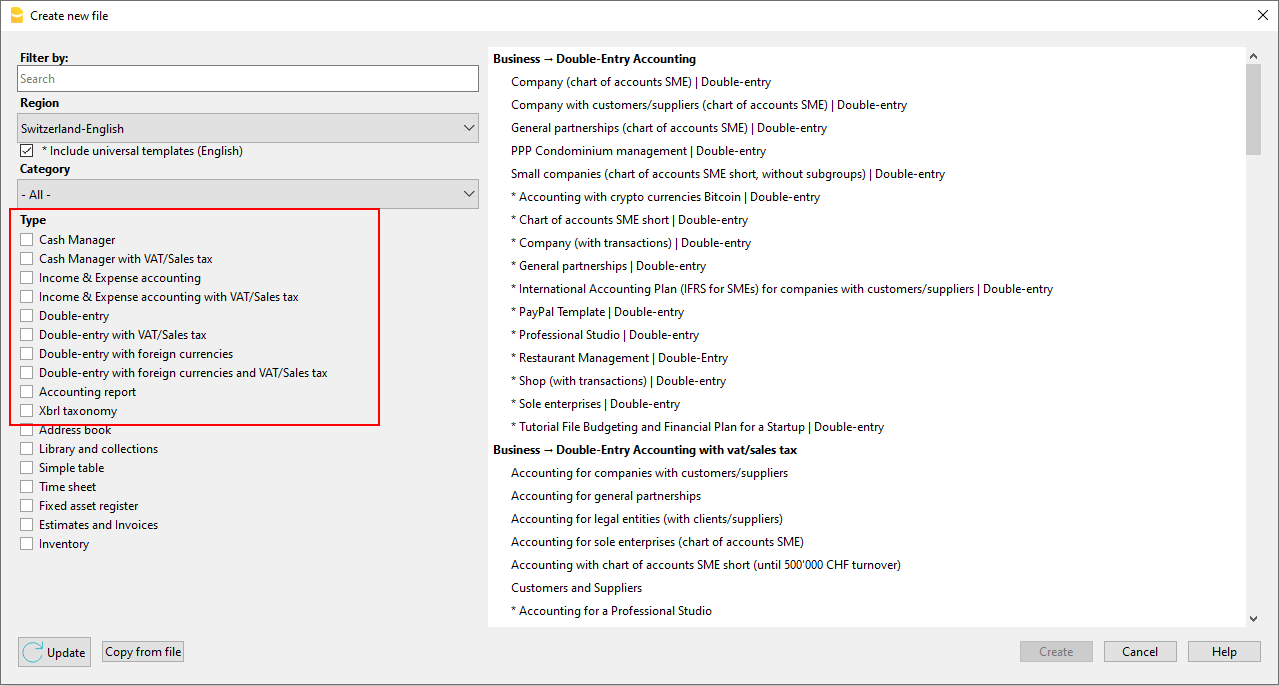
Simplify your client's accounting with automation
Many clients enter transactions independently, but they don't always have in-depth accounting knowledge.
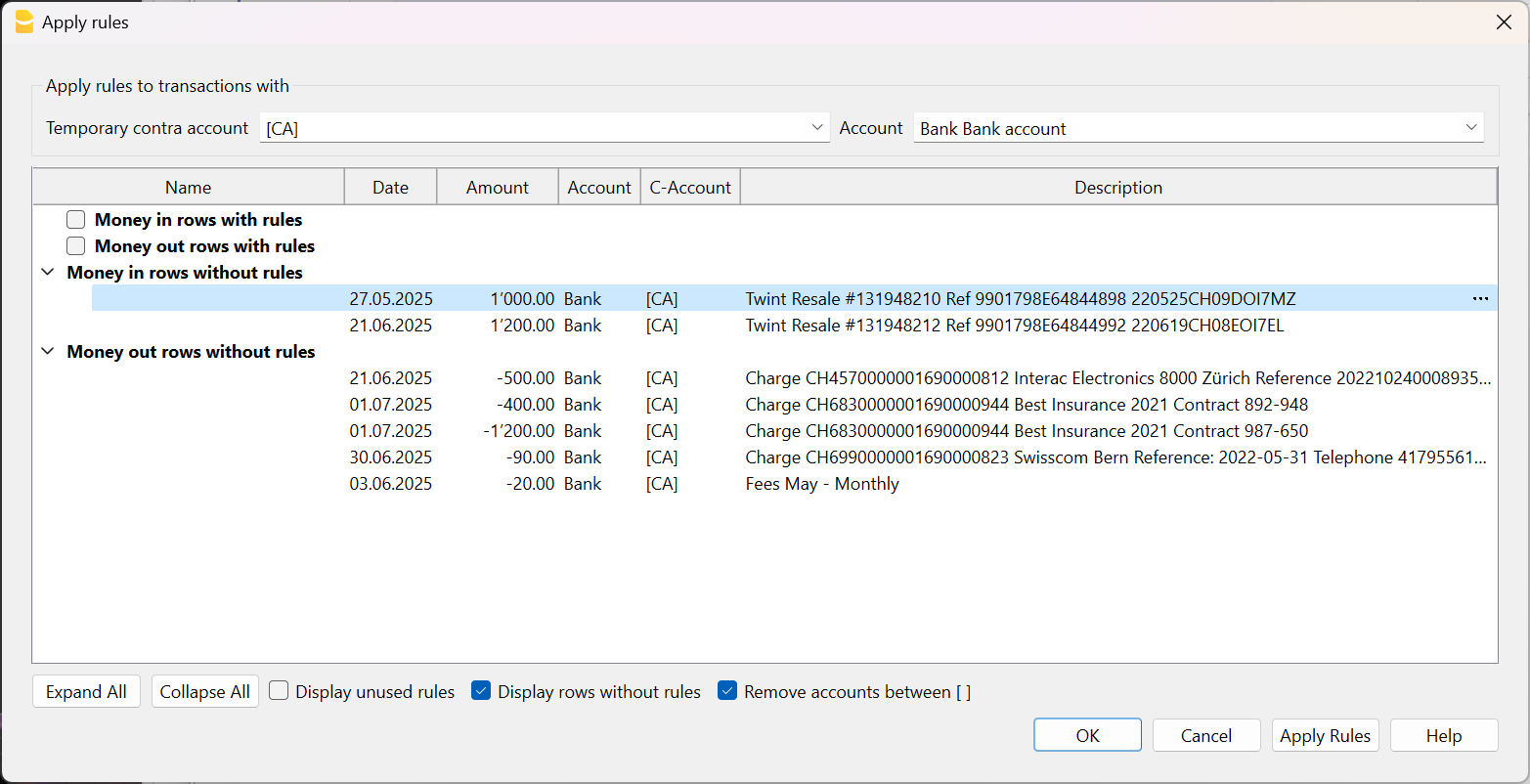
With Banana Accounting Plus, you can set up rules and automations that ensure consistent data and reduce the time spent on manual checks.
Thanks to the automatic features, you can:
- Automatically create recurring transactions
- Store recurring transactions
- Set rules to automatically complete imported transactions from bank statements.
Fewer errors, more efficiency, and more time to dedicate to your clients.
Set up your clients' accounting in no time
If you manage accounting for several clients, you can significantly speed up transactions by importing them directly from bank statements.
- With the Advanced plan of Banana Accounting Plus, you have import filters compatible with .csv files from major Swiss banks.
- With the Professional plan, on the other hand, you can only import files in the ISO 20022 standard format.
In addition, by setting Rules for completing imported transactions, the program automatically enters the counterpart accounts, VAT codes, and other accounting elements (feature available only in the Advanced plan).
This way, you’ll have more time to:
- Handle more mandates
- Focus on more complex accounting
- Offer targeted analysis and consulting
▶ Video: Rules for completing imported transactions (Apply rules dialog).
Instantly spot accounting discrepancies
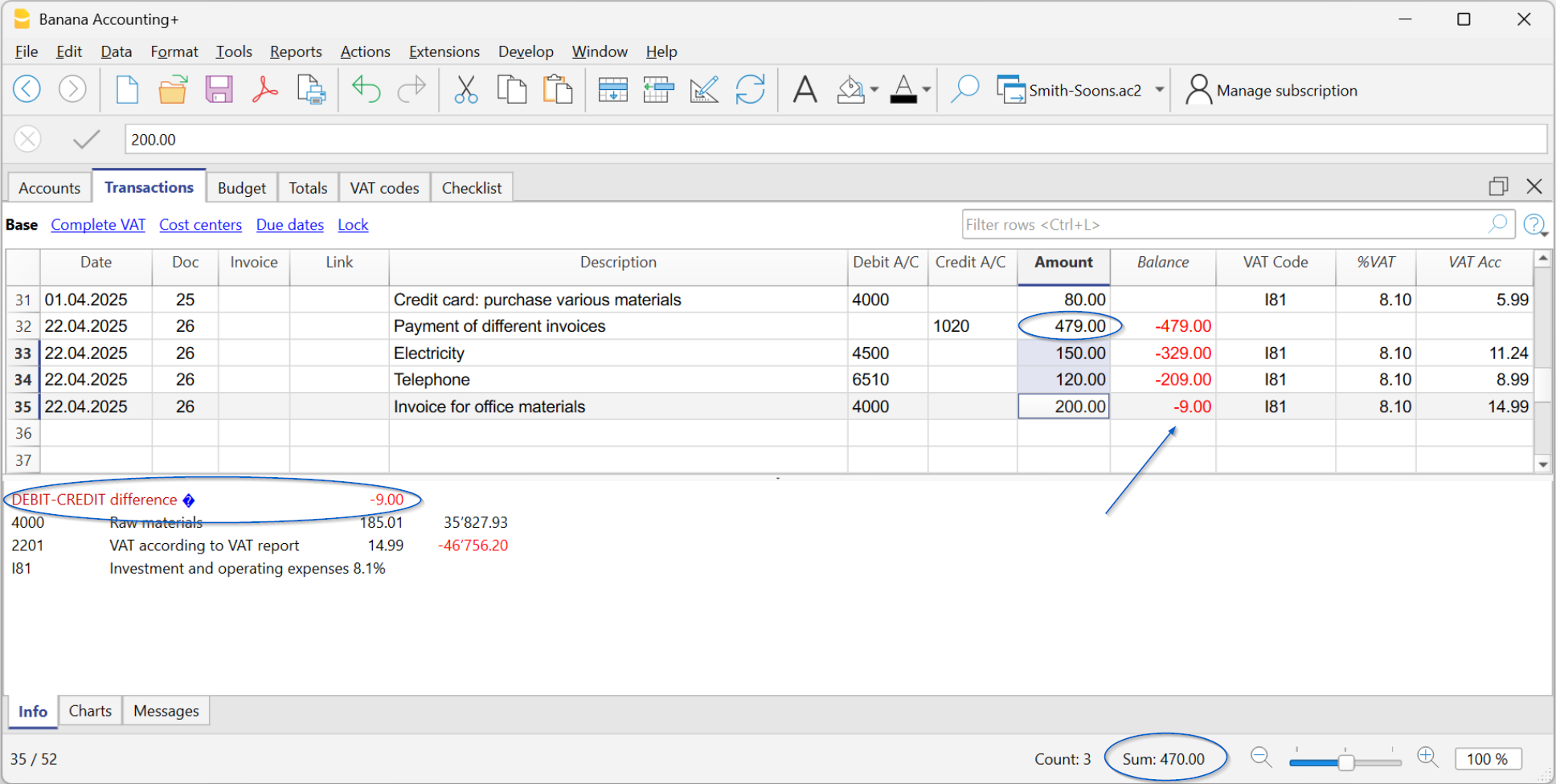
The Balance column helps you immediately identify any discrepancies between Debit and Credit (or between Income and Expenses), directly highlighting the non-matching amount from the row where it occurs. This way, you can promptly correct the differences and always have accurate and reliable accounting.
Since the discrepancy is also shown in the following rows until it is corrected, keeping an eye on this column allows you to spot errors immediately and prevent them from accumulating.
▶ Watch the Video on the Balance column
Instant checks and verifications
When the client sends you the Banana file, you have everything under control. With the Check accounting command, the program automatically performs checks on:
- Errors in the chart of accounts, in case it has been modified
- Differences in opening balances (Accounts table).
- Differences in transactions (Transactions table).
- Uncalculated exchange rate differences.
- Bank balances that do not match the statement balances.
More information about balance check transactions is available on the Balance check transactions page.

Find and fix errors instantly
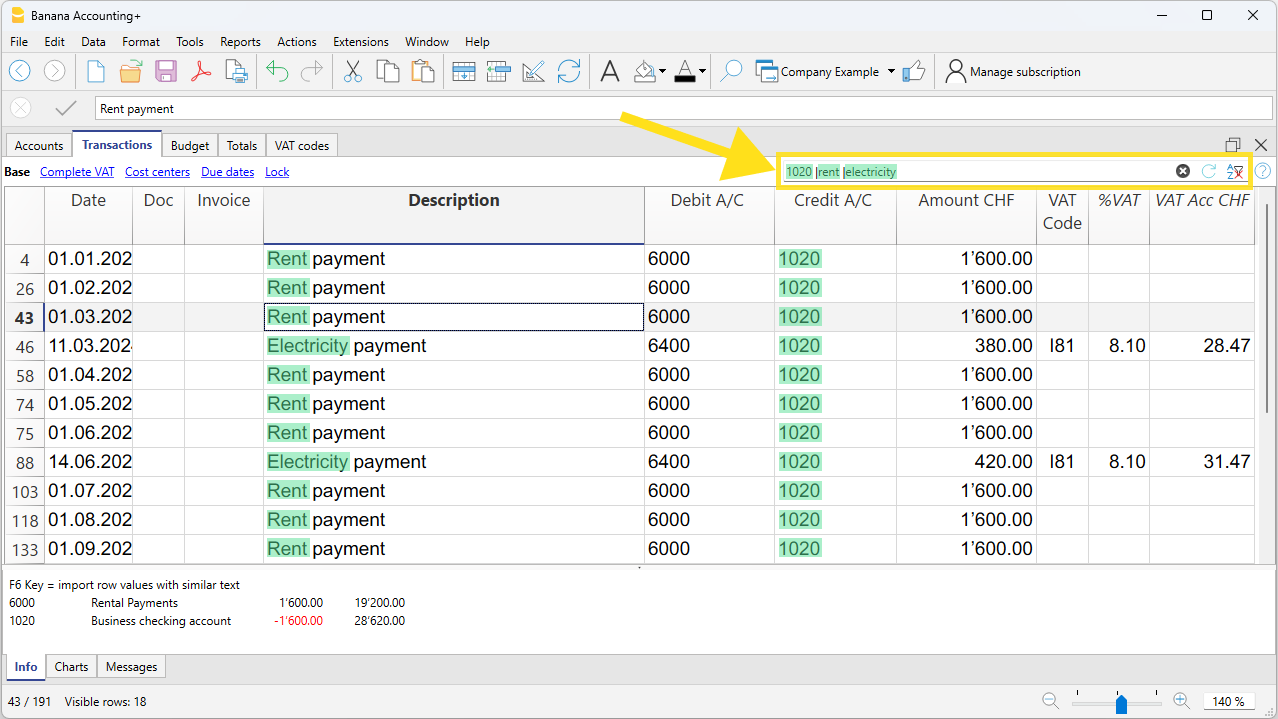
With the Temporary filter feature, you can immediately find any transaction by typing a text or an amount, saving a lot of time in searches and checks.
For example, by entering a supplier’s name, you can check if all invoices have the correct VAT code and directly edit the filtered rows.
Or, by entering a bank account number, all rows of related transactions will be displayed, just like an account card. You can edit and correct directly in the filtered rows.
Client's VAT management
Banana Accounting Plus handles VAT according to Swiss Federal Tax Administration regulations. The Swiss VAT Report is automatically generated thanks to the following extensions, included in the Advanced plan of Banana Accounting Plus:
The extensions are based on current rates and VAT codes linked to the respective boxes of the VAT report.
In Banana Accounting Plus, for accounting transactions, the VAT code entry depends on the two reporting methods provided by Swiss VAT regulations:
- Cash basis reporting (Received).
- Accrual basis reporting (Invoiced).
VAT Return Reconciliation with Turnover
Banana Accounting Plus includes the Swiss Annual VAT Reconciliation extension (currently in Beta version), which allows you to compare the VAT data submitted to the Swiss Federal Tax Administration (FTA) with the data recorded in your accounting file.
The extension generates detailed reconciliation reports and, in the event of discrepancies, enables you to identify the transactions that caused them, making verification and any necessary corrections much easier.
This tool is particularly useful during accounting closing and auditing procedures, but it can also be used before submitting each periodic VAT return to verify the accuracy of the data and ensure that the information reported to the FTA corresponds to the accounting transactions recorded in the books.
Professional financial statements and reports
Thanks to automated functions, you instantly get the Balance Sheet and Income Statement, automatically generated using the Report > Formatted balance sheet by groups command. You can generate, for example:
- Annual and periodic balance sheet and income statement
- Balance sheet and income statement with budget comparison
- Balance sheet and income statement with previous year or period comparison.
- Reports directly in the Accounts table, with column customization.
Reclassified Financial Statements
Forecasts and cash flow analysis
With Banana Accounting Plus, you can offer your clients a more complete and timely financial analysis service. The forecasting and cash flow management features allow you to create real-time liquidity projections, integrating budget data with actual data.
This way, you can monitor liquidity trends, identify potential issues in advance, and support your clients in strategic decision-making.
Advanced management in specific areas
Banana Accounting also offers solutions for specialized fields, particularly appreciated by fiduciaries and accountants.
- Trust accounting
With Banana Accounting, it is also possible to manage the accounting of a trust in a simple and transparent way. Thanks to the flexibility of the chart of accounts, you can clearly separate assets, income, and distributions to beneficiaries, while always maintaining full control of the situation. Banana helps you keep orderly accounting, suitable for reporting requirements and compliant with the principles of clarity and traceability required for managing a trust. More information on the following pages: Trust accounting (double-entry and multi-currency) | Banana Accounting Software - Forensic accounting
Allows you to reconstruct accounting situations, analyze even incomplete data, and document every intervention accurately. More information on the following page: Forensic Accounting and Accounting Reconstruction - Financial planning
Allows you to create forecast scenarios, analyze cash flows, and support strategic decisions. More information on the following pages: Planning and analysis
These solutions allow you to offer a more complete service, going beyond simple accounting management.