In this article
We summarize here how you can execute the code as a Document Based Extension:
Document Based Extension
The generated code is saved within the accounting file.
Once you have generated the code with the ChatGPT Assistant:
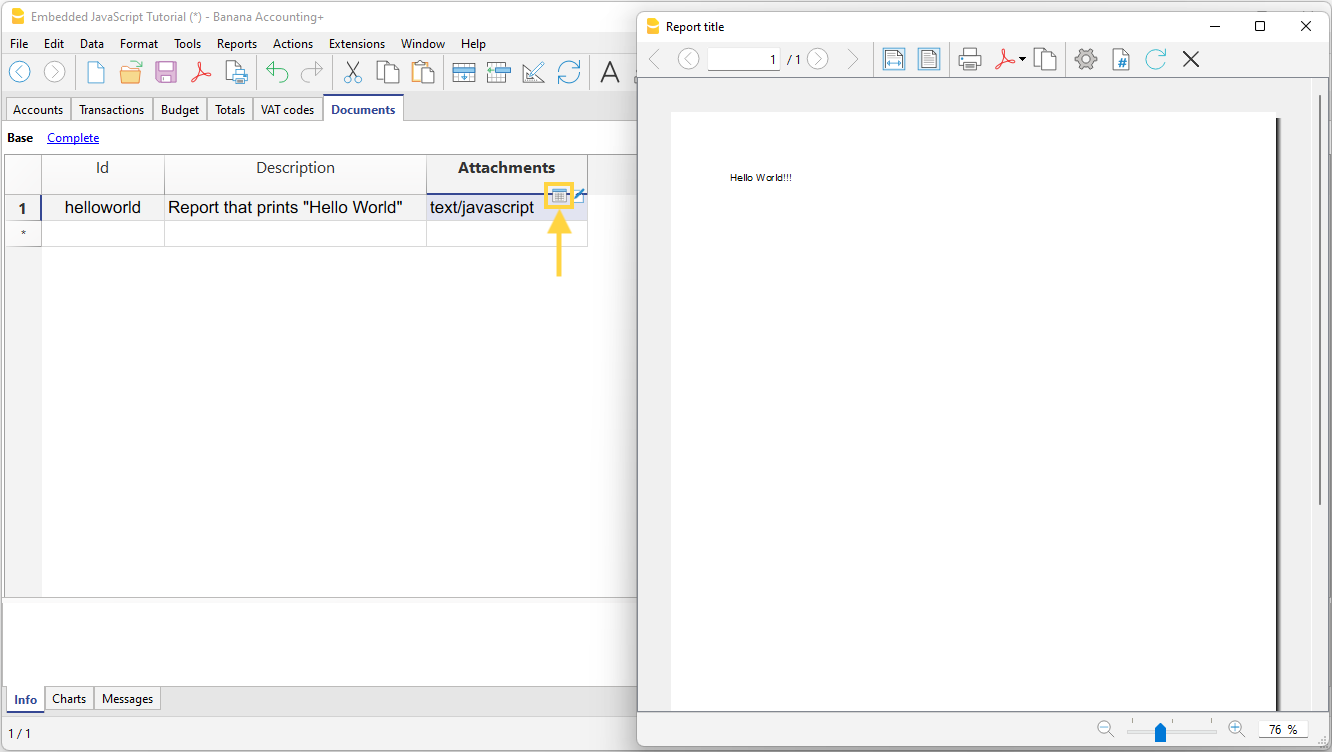
- Run the code by clicking on the Execute icon in the Attachments column.
Add the code
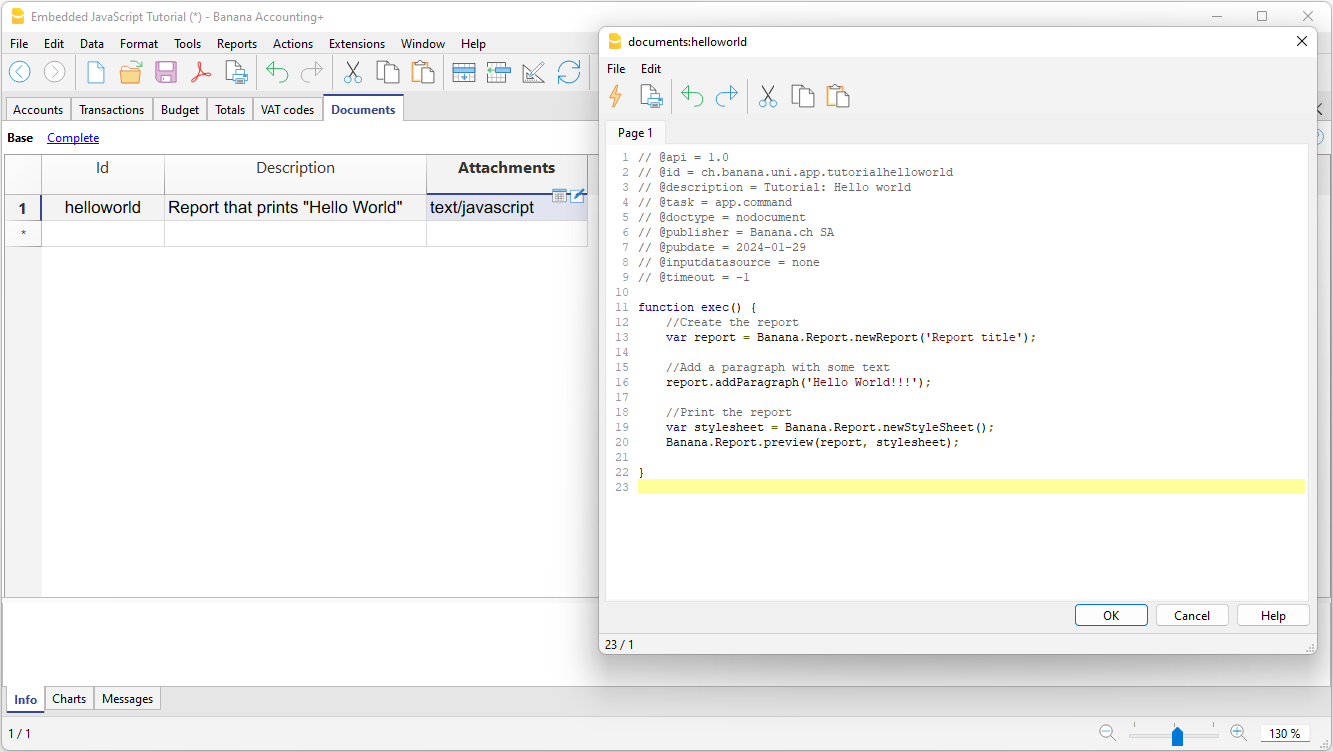
- Create a new row in the Documents table.
- In the Attachments column, click the Edit icon and choose JavaScript code.
You can later modify or replace the code by clicking the Edit icon again.

Editor window
Enter the code in the editor window and save.
- Copy the code generated by ChatGPT.
- In the text editor:
- Delete the existing sample code.
- Paste the copied code.
- Click OK.
- Save the accounting file.
Run the extension
Click the Execute icon to run the extension.
Single File Based Extension
The generated code is saved in a single JavaScript (.js) file stored locally on your computer.