In this article
If you use the flat rate method, you must enter the activity code in Banana exactly as defined and approved by the Swiss Federal Tax Administration (FTA).
The activity codes are assigned individually and can be consulted on the FTA portal, in the Reporting method section, or requested directly from the FTA, which communicates them to the taxpayer in writing.
The activity codes:
- Are not available in Banana and there is no complete list of usable codes.
- Are managed and accessible via the FTA portal, in the Reporting method section.
- If you cannot retrieve the activity code via the FTA portal (as described on this page), you must contact the FTA directly, which will provide the codes to be used.
- Are only applicable for periods starting in 2025. For periods before 2025, no activity code is required.
- If you only intend to print the VAT report and manually enter the amounts in the FTA portal, the activity codes are not required.
How to obtain activity codes and rates
Below is the procedure to find the activity codes and the flat rates to be entered in the VAT extension dialog in Banana.
- Log in to the FTA portal using your registered user credentials.
- Click on New transactions.
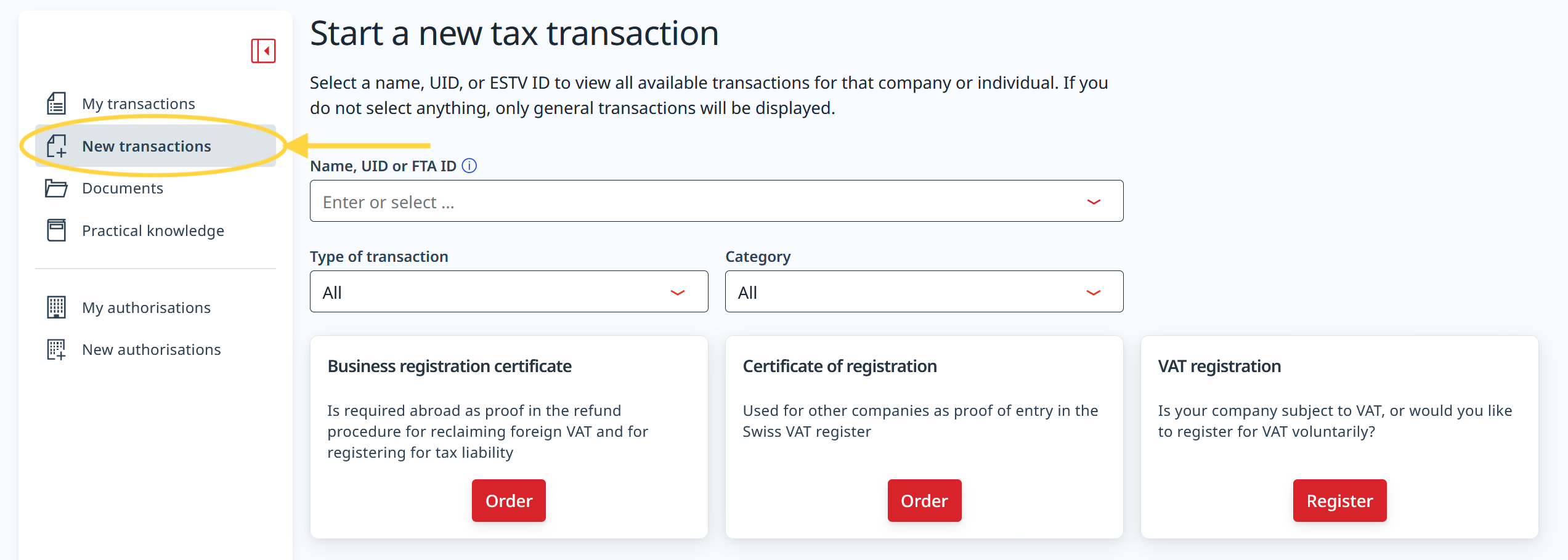
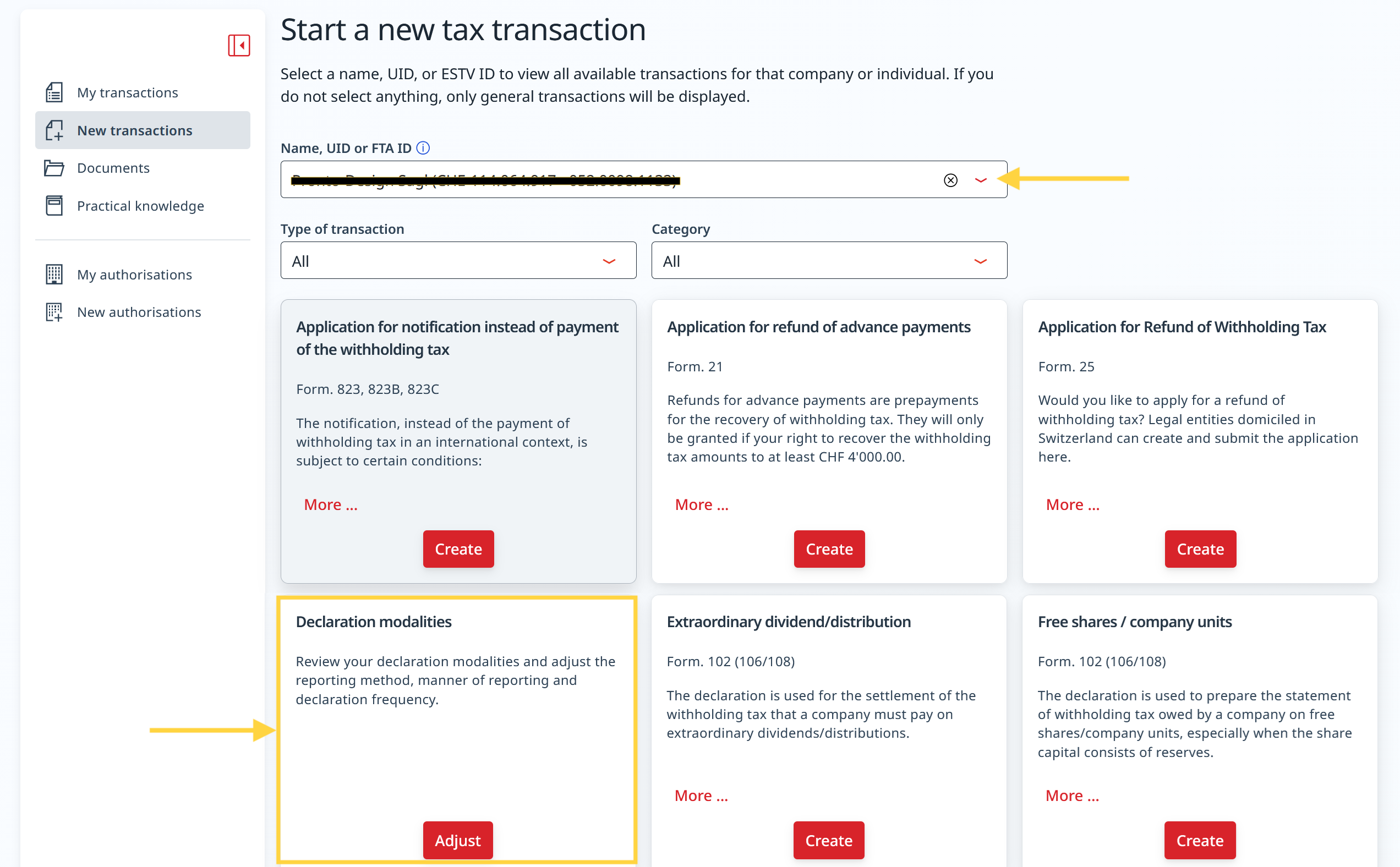
- Select the company name and the corresponding VAT number.
- Click on Adjust in the Declaration modalities section.
- Click on menu to open the Declaration method.
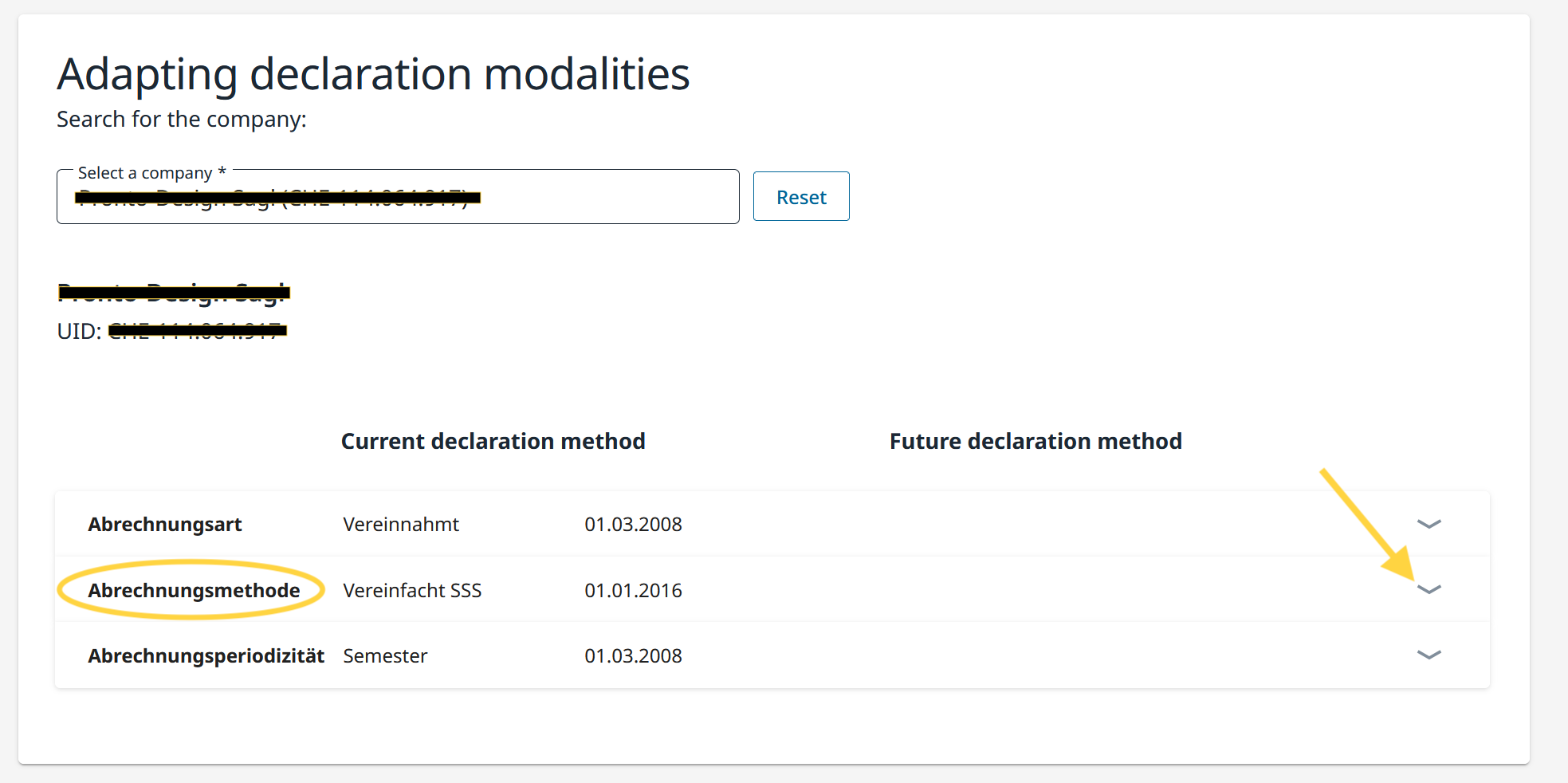
- A new section opens at the bottom of the page.
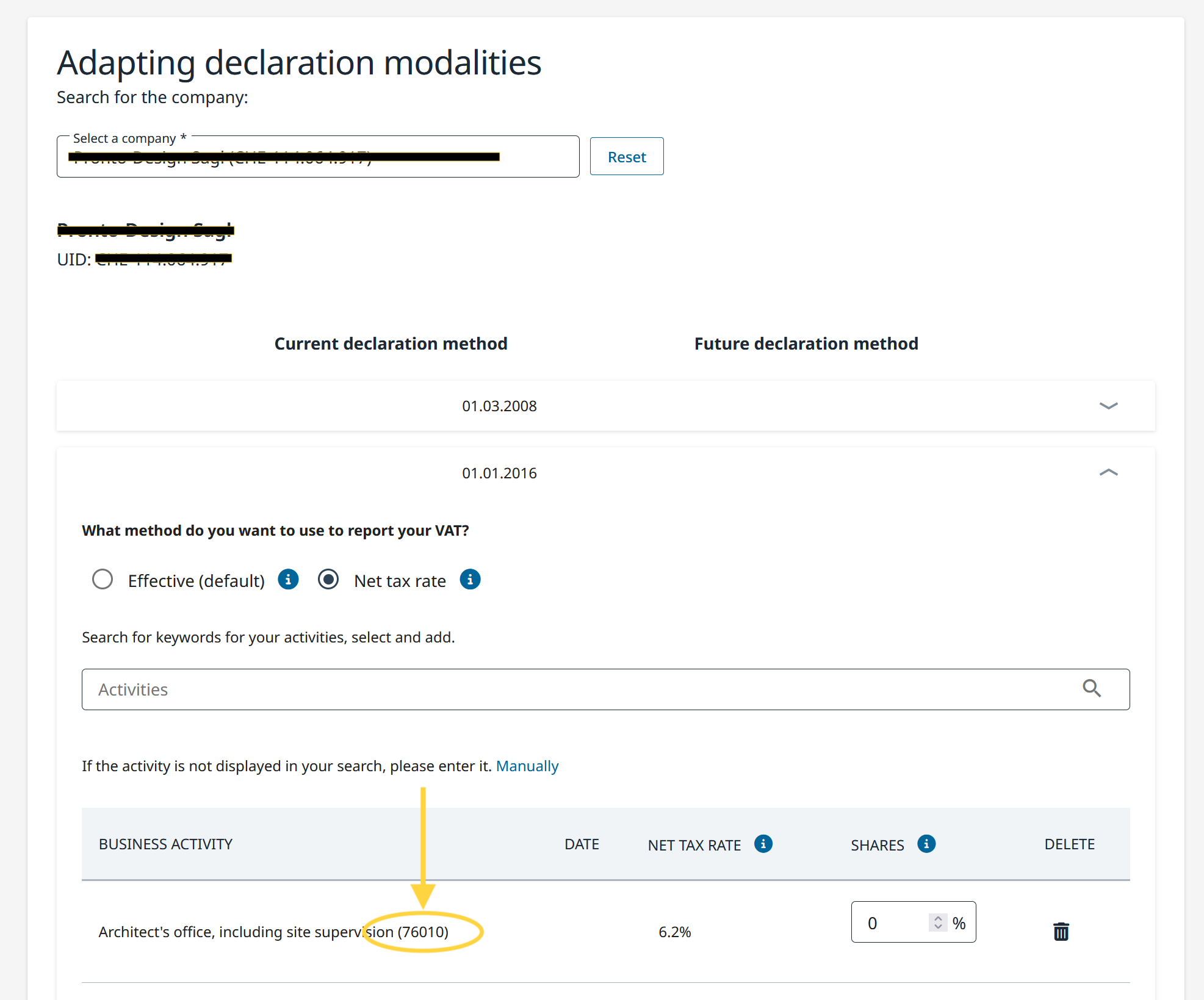
- Check the list of registered business activities and note the activity code assigned to each activity (e.g. 58010, 64610, 20010, 71140), as indicated by the FTA.
- The name of the activity and its five-digit code are loaded automatically based on the data already registered.
- The activity code is shown after the name/description of the selected activity (see example in the image below).
- If no activity code is displayed, you must contact the FTA directly, which will communicate the codes to be used.
Entering the activity code in Banana
Each taxpayer must only submit the activity codes that have been explicitly authorized by the FTA.
Once you have obtained the necessary activity codes along with their corresponding rates, you must enter them when running the Switzerland VAT extension.
- In Banana, launch the extension VAT Report flat rate method > VAT Report from 2025.
- The dialog Switzerland VAT: Net tax rate method will open.
- In the Net/Flat tax rates section of the dialog:
- identify the corresponding activity and enter the five-digit FTA activity code in the Code field.
- check that the VAT rate shown in Banana under VAT% matches the one defined by the FTA for that activity code.
- Repeat the operation for all activities subject to the net rate method.
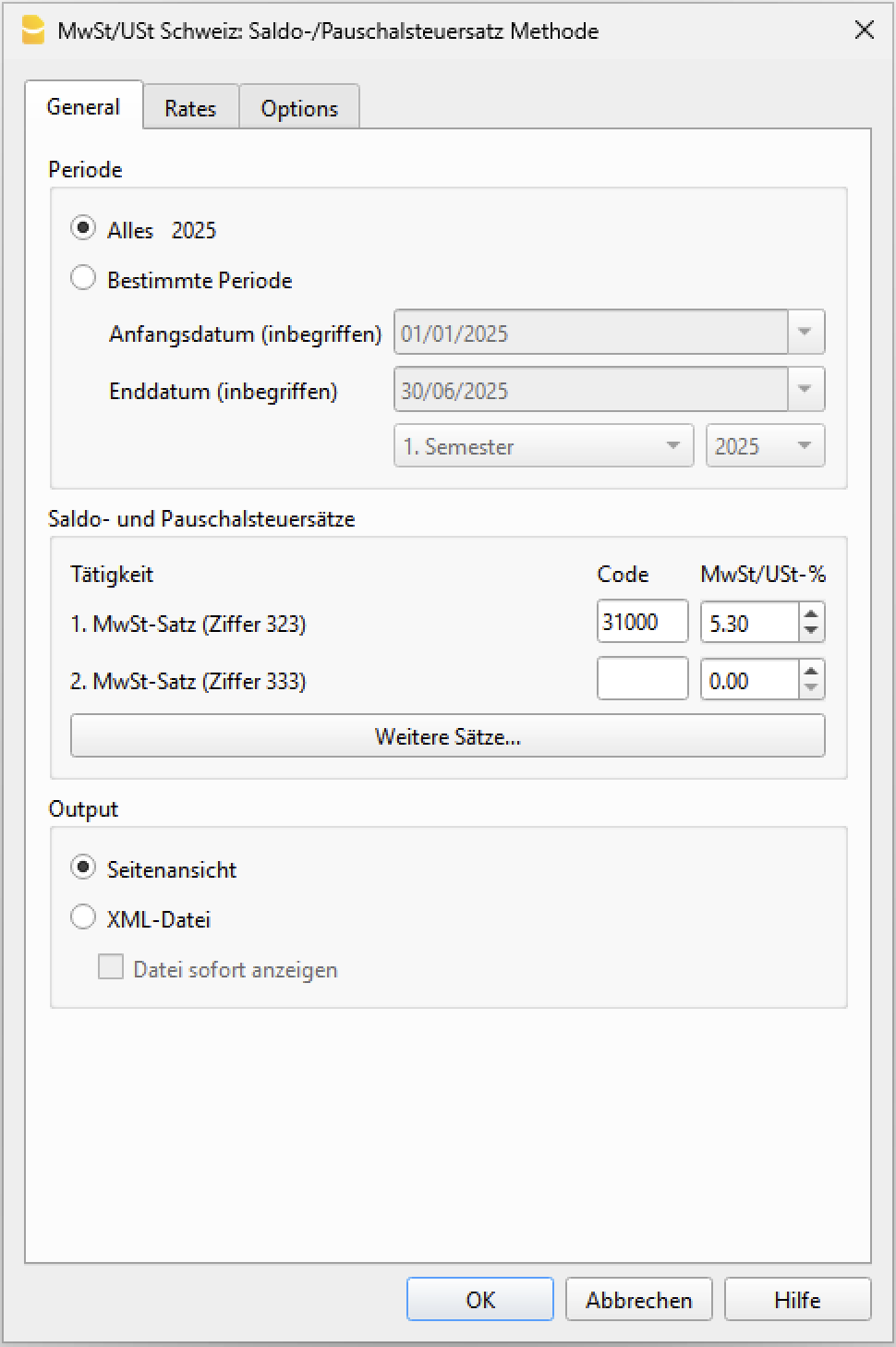
Warning: the code 76010 and the VAT rate 5.30 are provided as examples; please verify the correct code for your case.
When activity codes are required
When launching the VAT Report extension, the program checks that activity codes and the corresponding rates have been entered. If an activity code is missing or if the code entered is not valid, the extension displays a warning message.
Warning messages are useful when you want to generate the XML file for electronic submission to the FTA, since activity codes are required to obtain a valid transmission file.
If, instead, you only intend to print the VAT report and manually enter the amounts in the FTA portal, activity codes are not required. In this case, you can ignore the warning messages.