Double-Entry Separate multicurrency Accounting – Base Currency EUR
In this article
Double-Entry Separate multicurrency Accounting – Base Currency EUR
Double-Entry Separate multicurrency Accounting – Base Currency EUR
Manage shares, bonds, and other financial investments in multiple currencies using a separate Banana Accounting file with EUR as the base currency. Track investment transactions, quantities, prices, Book Values, Market Values, and exchange rate differences.
Open in Banana WebApp
Run Banana Accounting Plus on your browser without any installation. Customize the template, enter the transactions and save the file on your computer.
Open template in WebAppTemplate documentation
This predefined template uses EUR (euro) as the accounting base currency and provides a ready-to-use example for managing securities and financial investments in a separate Banana Accounting file, independently of your general accounting.
It allows you to manage shares, bonds, and other financial investments denominated in different currencies, tracking quantities, prices, Book Values, Market Values, realized and unrealized gains and losses, interest, dividends, and exchange rate differences.
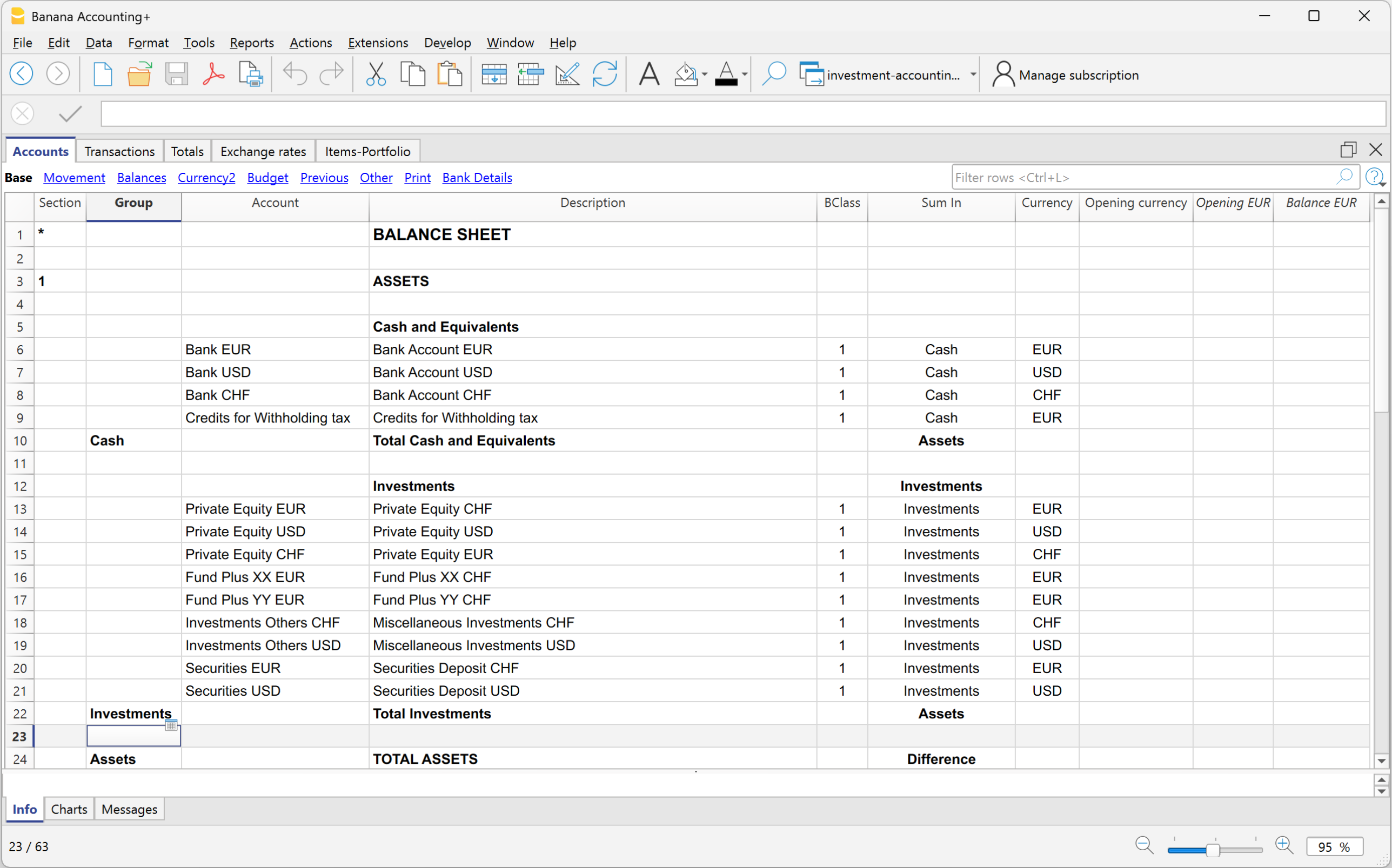
The template includes a predefined chart of accounts dedicated to investment accounting, an Items table for managing individual securities, example transactions covering the main investment operations, and an Exchange Rates table for managing foreign currencies.
The separate file can be used as an investment subledger for your general accounting, even when your general accounting is maintained using other software.
Other Resources
For more information about managing securities and financial investments, see:
- Separate Investment Accounting (Subledger) – Learn how to manage investment accounting in a dedicated file, separate from your general accounting.
- Investment Accounting documentation – Explore the features and functionality of Banana Investment Accounting.
- Investment Accounting extension – Learn about the extension used to manage securities transactions and portfolio valuations.