License key
Banana Accounting 8 is no longer developed or sold since the end of 2017. The license key was a code provided when purchasing the program and made the program fully operational. The license key was provided in the following ways:
- in the box, printed on a specific card
- sent by email in case of online purchase by credit card
- printed on the invoice (for those who purchased directly from us).
Different license keys for Windows, Mac and Linux
Banana Accounting 8 is no longer developed or sold since the end of 2017. Depending on the operating system, different license keys were provided. The license was valid only for the operating system selected at the time of purchase.
Anyone who buys a new computer or switches to a different operating system must switch to the current version Banana Accounting Plus: former users receive one free month on the annual subscription.
Enter the license key
- Open Banana Accounting 8
- Select the command Manage license keys... from the Help menu
- Enter the license key number in the appropriate field
- Click the Save license key button
- Confirm the operation if required
The license key is saved only for the current user.
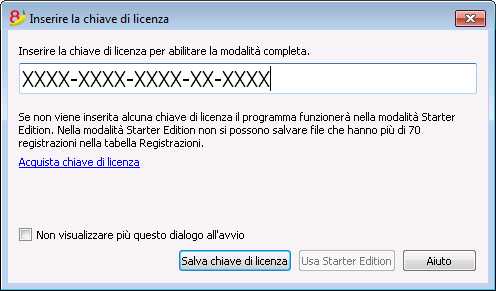
Registration code
Once the license key has been entered and saved, the program displays the registration code, and the following window appears (Manage license key from the Help menu):
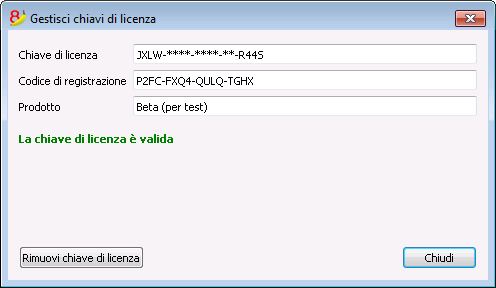
For security reasons, the license key itself is partially hidden.
Lost license key
Banana Accounting 8 is an obsolete version. Neither the license key nor the installation file is provided anymore.
It is therefore necessary to switch to Banana Accounting Plus, our latest version with an annual subscription. You can upgrade to Banana Accounting Plus even without the license key of the old version.
With the upgrade you also receive some free months:
- Features of Banana Accounting Plus
- What’s new in Banana Accounting Plus
- Banana Accounting Plus plans: choose the one that suits you.