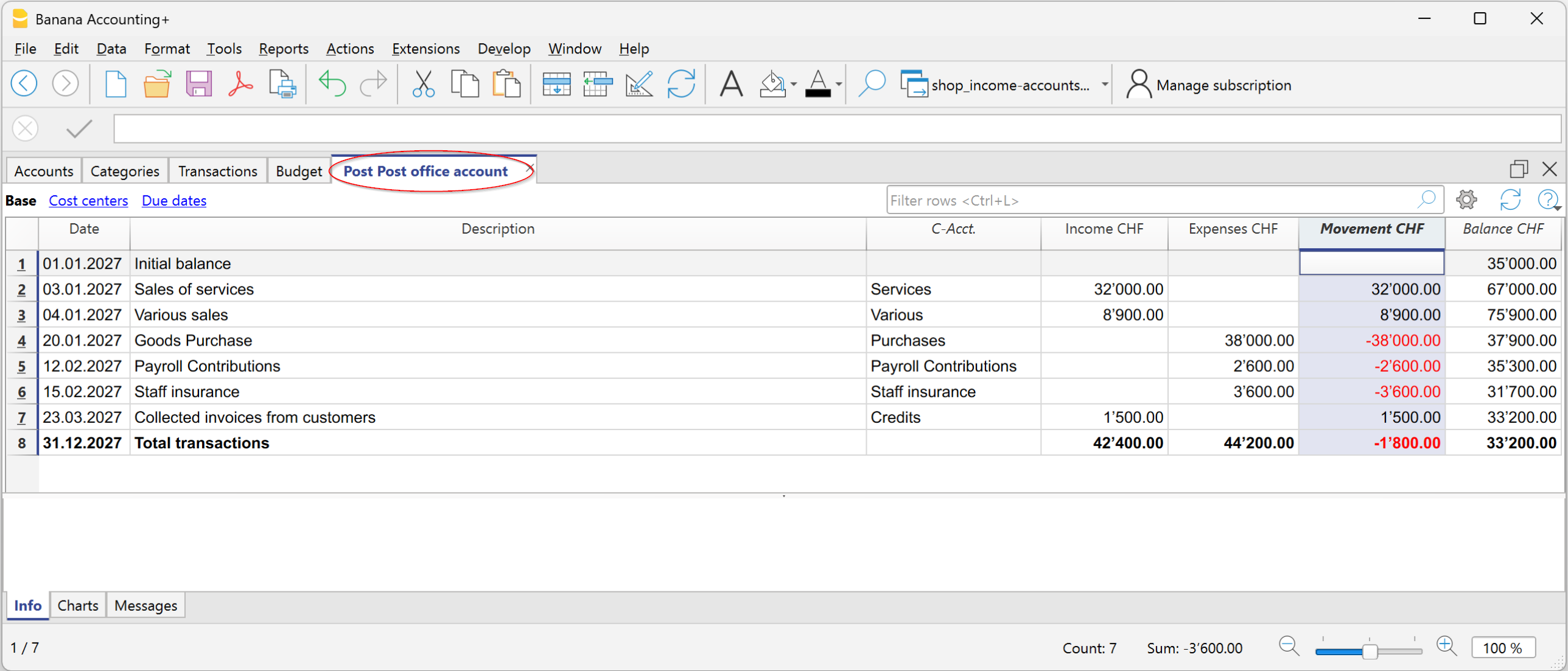
Movement Column in the Account Card in Income and Expense Accounting
The Movement column, available in the Account cards, allows you to display the amounts recorded as Income and Expenses in a single column.
The amounts are displayed with:
- Positive sign (+) for Income transactions
- Negative sign (−) for Expense transactions.
The amounts correspond exactly to those shown in the Income and Expenses columns.
Displaying the amounts in a single column makes it easier to read transactions and check the accounting records.
To enable the Movement column, go to the Data > Columns setup menu and enable the Movement column.
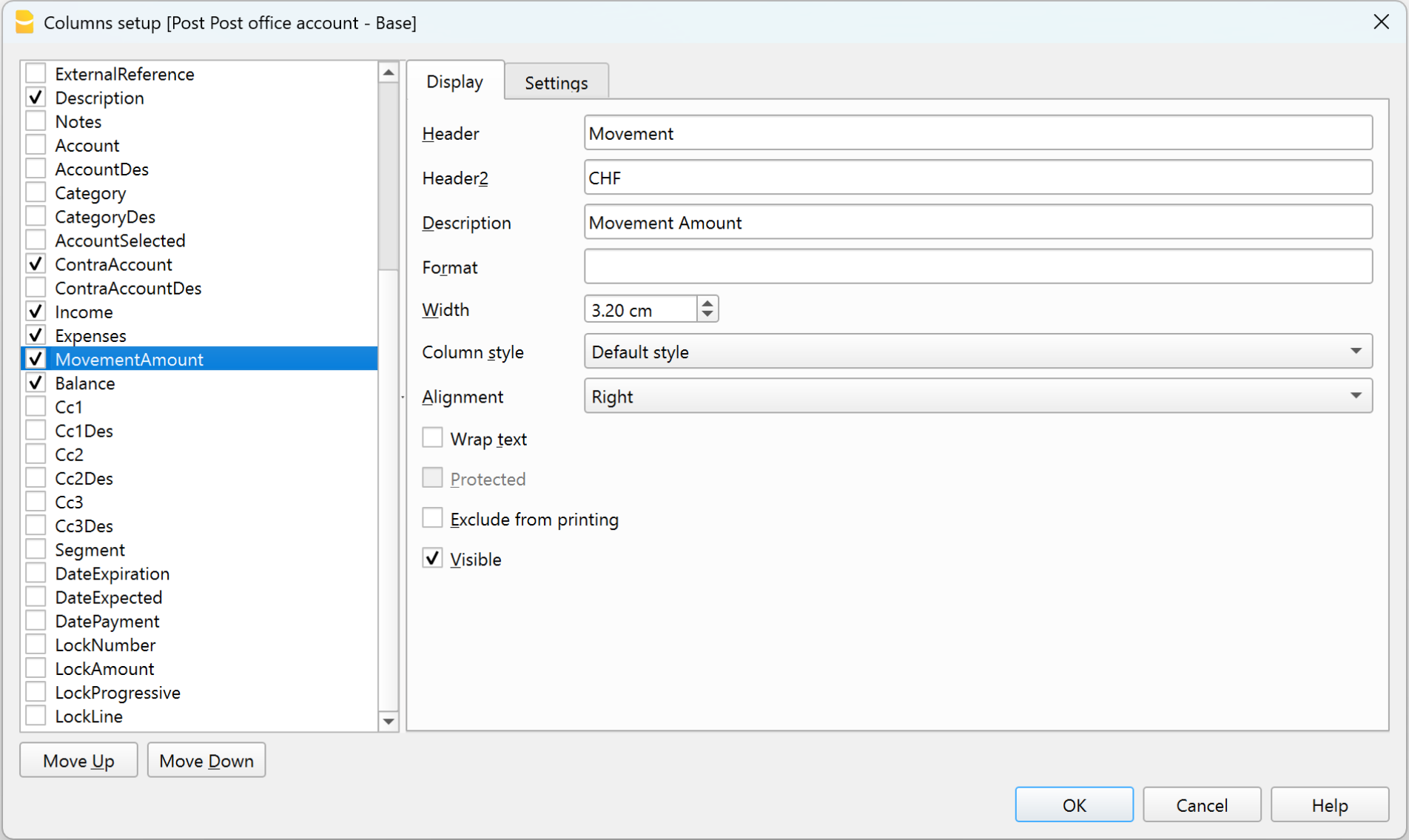
Movement column in the Postal current account card