Shared dialogs
In Banana Accounting there are dialog boxes that are shared by various functions and reports. One of these is the Period dialog.
This dialog is available in various printouts and reports. Here are some examples:
- Journal by period
- Account card(s), categories, cost and profit centers
- Balance sheet and Profit and Loss Statement
- Income and Expense report
Dialog - Period section
This section appears in various dialogues (eg in the account card, in the balance sheets ...) and has the function of limiting the display or processing of data only for a specified period.
If, for example, you enter a quarter, only the transactions for the quarter will be displayed in the account card and the results for the quarter will appear in the Balance Sheet.
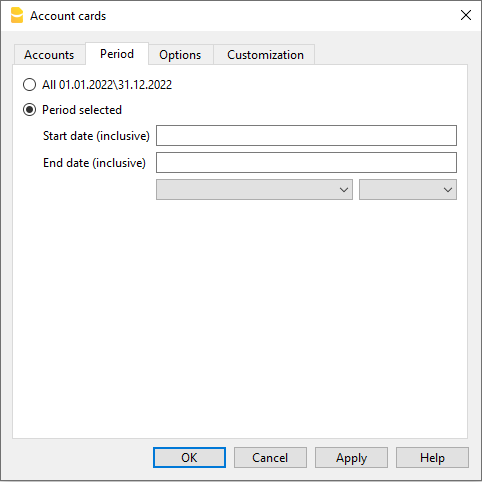
All
All accounting entries will be included.
Period selected
Defines a specified period, indicated by the start and end date.
Movements without date
If movements without dates have been entered in the accounting, they will only be considered if you select All.
On the other hand, if for example you enter, from January 1st to December 31st, the movements without a date will not appear in the report.