Library Books Report
Library Books ReportInstall the extension
To install the extension:
- Open Banana Accounting Plus.
- Menu Extensions > Manage Extensions.
- In the search field enter Library Books Report.
- From the extensions list select Library Books Report.
- Select the extension and click Install.
- Click Close to close the window.
Create the report
To creare the report:
- Open an accounting file.
- From the Extensions menu select Library Books Report and then one of the following:
- Library Books Report.
- Library Contacts Report.
- Create vCard from address.
Library Books Report
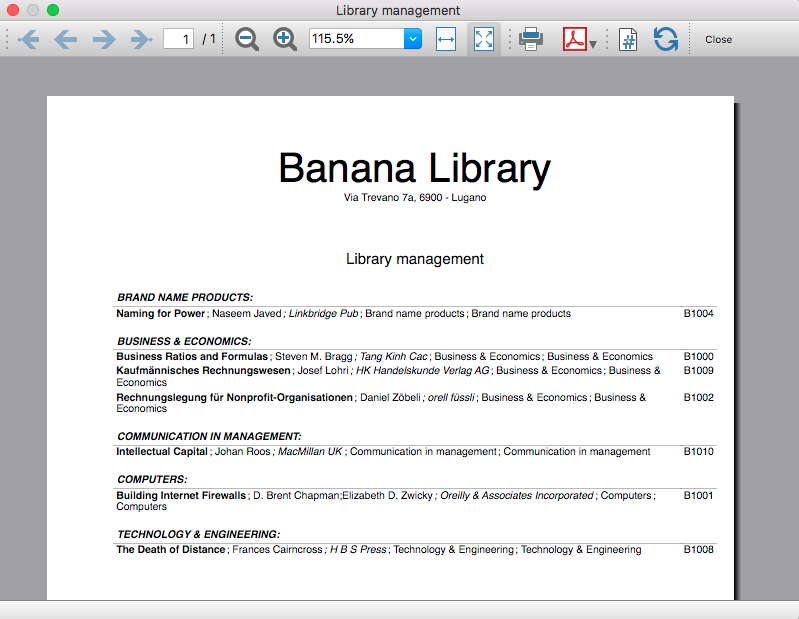
This extension creates a list of all the books that are in the Banana Library file. For a clearer view the list is split and sorted by genre of books.
You can export the catalog in pdf format to easily publish it on your web site.
Example of books report:
Library Contacts Report
Report Expired Outstanding books for each person.
This report creates a page card for each contact, with all information, including the outstanding books.
You can print:
- All contacts
- Selected contacts
- Conacts with outstanding books

Create vCard from address
This extension extract the addresses data in the vCard format.
For more information visit Export Address data in the VCard format.
URL Stable release
https://github.com/BananaAccounting/General/raw/master/SampleApps/Utilities/Library/banana_library_package.sbaa
URL Development
https://github.com/BananaAccounting/General/tree/master/SampleApps/Utilities/Library
Short Description
This extension creates a list of all the books contained in the file. For a clearer view the list is split and sorted by genre of books.
Country
Universal
Publisher
Banana.ch
Extension type
Productivity
Help ID
ch.banana.app.utilties.librarybooksreport